Our Short List of 3

- Best for: Switching one set between a PC, laptop and tablet without separate peripherals for each device.
- Brand: Redragon
- Model number: S155-PRO
- Keyboard format: 75% portable quiet rechargeable macro membrane keyboard
- Connection: Bluetooth, 2.4G and USB-C wired
- Best for: A laptop or travel setup where the keyboard must take the least possible desk width.
- Brand: RedThunder
- Model number: K62
- Keyboard format: 60% wireless, ultra-compact small layout
- Number of keys: 61

- Best for: A permanent wired desk where you want arrow keys without returning to a full-size keyboard.
- Brand: GEODMAER
- Keyboard format: 65% gaming keyboard, ultra-compact
- Connection: Wired
- Keyboard feature stated: Anti-ghosting
All 5 Picks at a Glance
| Product | Specs | Action |
|---|---|---|
| Redragon Wireless Gaming Keyboard and Mouse Combo S155-PRO |
| Check price on Amazon |
| RedThunder K62 60% Wireless Gaming Keyboard & Mouse Combo |
| Check price on Amazon |
| GEODMAER 65% Gaming Keyboard and Mouse Combo |
| Check price on Amazon |
 RedThunder K84 Wireless Keyboard and Mouse Combo |
| Check price on Amazon |
 CHONCHOW 60% Gaming Keyboard and Mouse Combo |
| Check price on Amazon |
A compact set solves a real desk problem: a full-size board pushes your mouse hand wide, leaves little room for low-sensitivity aiming, and crowds a small desk or laptop station. The trade-off is equally real, because shrinking the keyboard means losing a number pad, a dedicated function row, or both, and a matched set means accepting the mouse that comes in the box instead of choosing each piece separately.
This guide is for gamers on small desks, laptop users, students in dorm rooms, and anyone who wants one matched keyboard and mouse purchase instead of two separate orders. Products were chosen from names and specifications stated on their Amazon pages, keeping only sets that include both devices and state a compact keyboard format, whether that is 60%, 65% or 75%.
Quick Picks
As an Amazon Associate we earn from qualifying purchases
| Product | Best for | Key spec from title |
|---|---|---|
| Redragon Wireless Gaming Keyboard and Mouse Combo S155-PRO | Multi-device desks needing Bluetooth, 2.4G and wired in one set | 75% portable keyboard with 12800 DPI mouse |
| RedThunder K62 60% Wireless Gaming Keyboard & Mouse Combo | Smallest wireless footprint for travel or a laptop desk | 60% ultra-compact keyboard with honeycomb optical mouse |
| GEODMAER 65% Gaming Keyboard and Mouse Combo | Wired play with no charging and separate arrow keys | 65% keyboard with 7200 DPI gaming mouse |
| RedThunder K84 Wireless Keyboard and Mouse Combo | Keeping a function row feel in a TKL-style wireless set | 75% layout TKL keyboard with 3200 DPI honeycomb mouse |
| CHONCHOW 60% Gaming Keyboard and Mouse Combo | Console and PC use from one wired plug-and-play set | 60% 68 keys keyboard with RGB backlit mouse |
How to Choose
Keyboard Layout Size: 60%, 65% or 75%
Layout decides what you give up for mouse room. A 60% board, such as the 61-key RedThunder K62 or the 68-key CHONCHOW set, drops the number pad, function row and usually the arrow cluster, so everyday shortcuts move behind an Fn layer. A 65% board like the GEODMAER keeps separate arrow keys while staying narrow. A 75% board, including the Redragon S155-PRO and the 84-key RedThunder K84, packs arrows and function keys tightly above them. Choose 60% for maximum mouse space, 65% if you use arrows often, and 75% if you want the closest compact layout to a full board.
Switch Feel: Mechanical, Membrane and Mechanical Feel
The words in a listing matter here. Membrane keyboards, including the Redragon S155-PRO described as a quiet rechargeable macro membrane keyboard, tend to suit shared rooms and late sessions where a softer, quieter press is welcome. Mechanical-feel sets, such as both RedThunder combos in this list, aim for a more tactile press without being listed as true mechanical keyboards. Do not assume a gaming label means mechanical switches. Check the exact listing wording for the set you pick, and match it to how you type: fast repeated presses for shooters, or longer comfortable sessions for strategy and work mixed with play.
Connection Type: Wired, 2.4G, Bluetooth or Tri-Mode
Connection affects desk clutter, charging and how many devices you can use. Wired sets like the GEODMAER and CHONCHOW combos need no charging and give a simple plug-and-play start, at the cost of two cables across the desk. The RedThunder K62 and K84 share a single USB receiver between keyboard and mouse, which frees a port and simplifies pairing. The Redragon S155-PRO goes furthest, listing Bluetooth, 2.4G and USB-C wired modes, useful if you switch between a PC, laptop and tablet. Confirm your device has the port or wireless mode the set needs before ordering.
Mouse Size, Shape and DPI Range
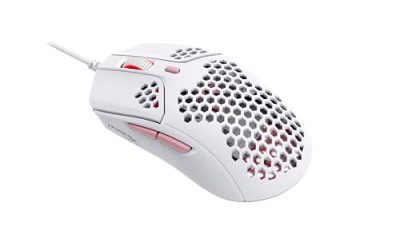
A combo mouse is fixed, so check its stated shape and sensitivity before you commit. Honeycomb shells, used by both RedThunder mice here, cut weight and add ventilation, but the open texture does not suit every grip. DPI figures vary widely in this list, from 3200 DPI on the K84 mouse to 7200 DPI on the GEODMAER mouse and 12800 DPI on the Redragon mouse. Higher numbers do not automatically mean better aim; what matters is whether the listed levels include a setting you can control at your usual sensitivity, and whether the shape fits palm, claw or fingertip grip.
The 5 Best Options
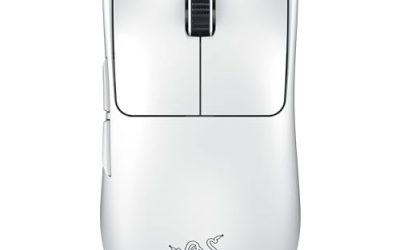
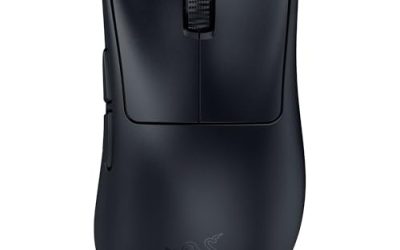
Redragon Wireless Gaming Keyboard and Mouse Combo S155-PRO
- Best for: Switching one set between a PC, laptop and tablet without separate peripherals for each device.
- Brand: Redragon
- Model number: S155-PRO
- Keyboard format: 75% portable quiet rechargeable macro membrane keyboard
- Connection: Bluetooth, 2.4G and USB-C wired
Switching one set between a PC, laptop and tablet without separate peripherals for each device.
Confirm you want a membrane keyboard, not a mechanical one, and check that your devices support Bluetooth, 2.4G or USB-C as listed.
This set fits players who move between a gaming PC, a work laptop and a tablet and want one keyboard and mouse to follow them. Its listing describes a portable 75% keyboard, so you keep a compact footprint without dropping to the smallest 60% layout, and the mouse is listed with software support for Win and MAC. The quiet membrane description also makes it the easiest pick here for a shared bedroom, dorm or living room where a loud board would cause problems during evening sessions.
Watch out for: Confirm you want a membrane keyboard, not a mechanical one, and check that your devices support Bluetooth, 2.4G or USB-C as listed.
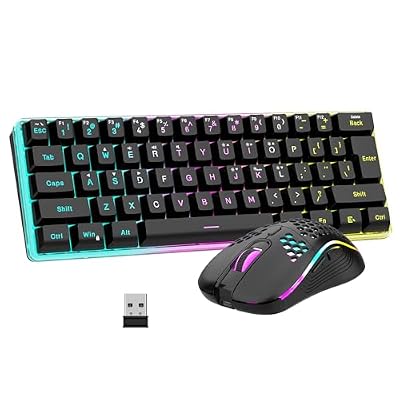
RedThunder K62 60% Wireless Gaming Keyboard & Mouse Combo
- Best for: A laptop or travel setup where the keyboard must take the least possible desk width.
- Brand: RedThunder
- Model number: K62
- Keyboard format: 60% wireless, ultra-compact small layout
- Number of keys: 61
A laptop or travel setup where the keyboard must take the least possible desk width.
A 61-key board has no dedicated function row or arrow keys, so check the listed Fn combinations for F1 to F12 and WASD arrow switching.
Choose this set if desk space is the priority and you want the smallest keyboard in this guide paired with a lightweight mouse. The listing calls the keyboard ultra-compact and small, with a mechanical feel rather than true mechanical switches, and describes the mouse as an ergonomic lightweight honeycomb optical model. Because the keyboard and mouse share one USB receiver stored in the bottom of the mouse, setup suits a laptop bag or a tidy desk with few free ports. It also fits gamers who mainly play titles that need few function keys.
Watch out for: A 61-key board has no dedicated function row or arrow keys, so check the listed Fn combinations for F1 to F12 and WASD arrow switching.
GEODMAER 65% Gaming Keyboard and Mouse Combo
- Best for: A permanent wired desk where you want arrow keys without returning to a full-size keyboard.
- Brand: GEODMAER
- Keyboard format: 65% gaming keyboard, ultra-compact
- Connection: Wired
- Keyboard feature stated: Anti-ghosting
A permanent wired desk where you want arrow keys without returning to a full-size keyboard.
Both devices are wired, so check cable routing on your desk and confirm your PC or laptop setup is the use case, as listed compatibility is Laptop and Personal Computer.
This wired set suits a fixed desk where charging is an unwanted chore and a simple cable connection is preferred. The listing describes a 65% ultra-compact keyboard with anti-ghosting, which sits between the smallest 60% boards and a 75% layout, and secondary listing summaries state 68 keys with separate arrow keys. That makes it a sensible middle step for players who want more mouse room than a full-size board allows but still reach for arrows in menus, racing games or everyday navigation. The mouse carries the second highest DPI figure in this guide.
Watch out for: Both devices are wired, so check cable routing on your desk and confirm your PC or laptop setup is the use case, as listed compatibility is Laptop and Personal Computer.
RedThunder K84 Wireless Keyboard and Mouse Combo
- Best for: A compact wireless desk that still needs a larger key count for work, study and play.
- Brand: RedThunder
- Model number: K84
- Keyboard format: 75% layout TKL ultra compact gaming keyboard
- Number of keys: 84
A compact wireless desk that still needs a larger key count for work, study and play.
The listing notes limited Mac support and a possible need for a USB port adapter, so check your exact computer and port setup first.
Pick the K84 if you like the idea of a 75% board but want the listing to call out a TKL, ultra compact shape with more keys than a 60% model. Its comparison information lists 84 keys, and the title describes a lightweight honeycomb optical mouse, which suits players who prefer a lighter mouse for longer sessions. The set is rechargeable and rainbow backlit, and the keyboard and mouse share a 2.4GHz USB receiver located in the mouse. It fits a small gaming desk that is also used for homework, office tasks or media shortcuts.
Watch out for: The listing notes limited Mac support and a possible need for a USB port adapter, so check your exact computer and port setup first.
CHONCHOW 60% Gaming Keyboard and Mouse Combo
- Best for: Moving one wired set between a PC and a console on a small desk or TV stand.
- Brand: CHONCHOW
- Model number: G32b
- Keyboard format: 60% gaming keyboard, 68 keys
- Keyboard size listed: 12.2 x 3.94 x 1.38 inches
Moving one wired set between a PC and a console on a small desk or TV stand.
The set is wired only with no wireless option, and the 68-key layout has no number pad or dedicated function row, as the listing summary notes.
This set is for buyers who want a wired 60% board with a detachable cable and broad device compatibility stated in one listing. The manufacturer description pairs a compact 68-key RGB keyboard with a matching RGB mouse, gives the keyboard size as 12.2 by 3.94 by 1.38 inches, and lists USB plug and play with no drivers required. That combination suits a PC desk that doubles as a console station, because the listing names PC, Xbox and PS4 in the title and wider console compatibility in its features. It is also easy to pack between rooms.
Watch out for: The set is wired only with no wireless option, and the 68-key layout has no number pad or dedicated function row, as the listing summary notes.
Which One Fits Your Situation
You Play on a Laptop With Very Little Desk Depth
Start with the RedThunder K62. Its 60% ultra-compact keyboard leaves the most room beside a laptop, the mouse is a lightweight honeycomb design, and both devices share one receiver, so you are not juggling separate dongles in a cafe, dorm or small apartment. Accept the Fn layer for function and arrow keys as the cost of that footprint.
You Switch Between Gaming and Office Work All Day
The Redragon S155-PRO fits this pattern best. The 75% layout keeps more keys within reach than a 60% board, the quiet membrane description suits calls and shared spaces, and Bluetooth, 2.4G and USB-C modes let one set move between a desktop, laptop and tablet. Its 12800 DPI mouse gives a wide sensitivity range for different screens.
You Want a Wired Set and Never Want to Charge Anything
Choose the GEODMAER 65% combo for a fixed desk, or the CHONCHOW 60% combo if you also need the console compatibility stated in its listing. Both are wired and plug-and-play in spirit, with no batteries to manage before a session. The GEODMAER keeps a 65% layout and a 7200 DPI mouse, while the CHONCHOW is smaller at 68 keys in a 60% format.
You Need More Keys but Still Need Mouse Room
The RedThunder K84 is the compromise pick. Its 75% TKL ultra compact layout and 84 listed keys leave more room than a full-size board while keeping a broader key set for typing, shortcuts and media combinations. The shared receiver keeps the desk wireless, and the lightweight honeycomb mouse suits longer sessions where a heavy mouse feels tiring.
Common Mistakes
- Buying a 60% keyboard without checking how you will access arrow keys, Delete and F1 to F12, which usually sit on an Fn layer in sets like the K62.
- Assuming every gaming keyboard in a combo is mechanical, when listings here include membrane and mechanical-feel keyboards with very different press and noise levels.
- Ignoring the mouse because the keyboard layout looks right, then finding the fixed combo mouse shape, weight style or DPI levels do not suit your grip or sensitivity.
- Forgetting receiver and port details, such as a shared receiver stored in the mouse, a wired-only connection, or a device that needs a USB adapter.
- Choosing a layout for looks alone without measuring your desk, mousepad and laptop width against the keyboard size stated in the listing.
Frequently Asked Questions
Is a 60% or 75% keyboard better for gaming?
Neither is better for everyone. A 60% board frees the most mouse room and suits low-sensitivity aiming, but hides function and arrow keys behind combinations. A 75% board keeps more of those keys in a compact frame, which many players prefer for mixed gaming and typing. Match the layout to the keys you actually press in your games.
Can I replace just the mouse later if I outgrow a combo mouse?
Yes, a combo does not lock you to its mouse forever. You can add a different mouse later and keep using the keyboard, or the reverse. The reason to buy a set first is simplicity and a matched start. Check connection type before replacing anything, especially if the original set shares one receiver between both devices.
Do wireless keyboard and mouse combos add noticeable delay?
Listings in this guide include wired, 2.4G, Bluetooth and USB-C options, and each connection suits a different setup. A shared 2.4G receiver is a common choice for a tidy gaming desk, while wired sets remove charging and pairing steps entirely. If you play fast competitive titles, favour the connection you trust and keep the receiver close and unobstructed as listings advise.
What should I check before using a compact combo with a console?
Check the exact listing, not the category name. The CHONCHOW set names PC, Xbox and PS4 in its title, while other sets here list PC and laptop devices. Console support also depends on the game itself allowing keyboard and mouse input. Confirm your console model, the connection type and the specific title before relying on a set for console play.