

Affiliate disclosure: As an Amazon Associate we earn from qualifying purchases. This post contains affiliate links — if you buy through them we may earn a small commission at no extra cost to you. This never affects our recommendations.
- Quick Picks
- Ambidextrous vs Ergonomic: Why Ambidextrous Isn’t Just for Left-Handers
- True Symmetric vs Near-Symmetric: How to Spot the Difference
- Top 5 Best Ambidextrous Gaming Mice in 2026
- Comparison Table
- What to Look For in an Ambidextrous Gaming Mouse
- Verdict
- Frequently Asked Questions
- Related Articles
- Related Articles
As an Amazon Associate we earn from qualifying purchases at no extra cost to you.



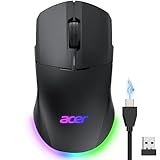

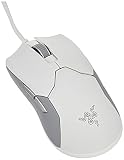
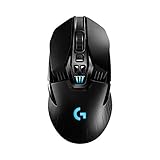

Most gaming mice are designed for right-handed users. If you’re left-handed, your options are slim — and even if you’re right-handed, an ambidextrous mouse can offer a cleaner, more neutral grip that works across multiple playstyles. Ambidextrous mice have matured significantly. The best ones now rival ergonomic designs in comfort and dominate in competitive esports settings.
This guide covers the five best ambidextrous gaming mice available in 2026, tested across FPS games, MOBAs, and long work sessions. We break down sensor performance, weight, shape, wireless options, and real-world feel so you can pick the right one without guessing.
In a hurry? See the top-rated Ambidextrous Gaming Mouse deals available right now:
🛒 Check Ambidextrous Gaming Mouse Prices on Amazon →🛒 Best Price Today on Amazon
Prime members get fast, free shipping on everything above, plus member-only deals. New members get a 30-day free trial — cancel anytime.
Start 30-Day Prime Free Trial →See Today’s Amazon DealsQuick Picks
| Place | Mouse | Best For | Weight |
|---|---|---|---|
| #1 | Logitech G Pro X Superlight 2 | Overall / Pro Play | 61g |
| #2 | Razer Viper V3 Pro | Large hands / Wireless | 95g |
| #3 | Pulsar X2V2 | Ultra-lightweight | 52g |
| #4 | SteelSeries Aerox 3 Wireless | Battery life / All-day use | 68g |
| #5 | Cooler Master MM720 | Budget / Ultra-light | 49g |
Ambidextrous vs Ergonomic: Why Ambidextrous Isn’t Just for Left-Handers
The assumption is that ambidextrous mice are a compromise — something left-handed gamers use because they have no other choice. That’s wrong.
Many of the most-used pro esports mice are ambidextrous. The Razer DeathAdder line went ergonomic and lost market share to the ambidextrous Viper series. The Logitech G Pro X Superlight has been the mouse of choice for tournament players across multiple titles for three consecutive years.
Here’s why ambidextrous designs win in competitive play:
Neutral weight distribution. A symmetric shell means weight sits evenly across the chassis. Ergonomic mice shift mass to one side, which affects how the mouse tracks during fast flicks.
Claw and fingertip grip compatibility. Most professional FPS players use claw or fingertip grip. Ambidextrous shapes — especially those with a low hump — suit both natively. Ergonomic mice are optimized for palm grip, which is less common at the highest level of play.
No hand fatigue bias. In long sessions, an ergonomic mouse pushes your hand into a fixed position. Ambidextrous mice let your hand micro-adjust, which reduces fatigue over 4–6 hour sessions.
For left-handed players, the benefit is obvious. But even right-handed players benefit from the neutral geometry, especially in tactical shooters where precision over time matters.
True Symmetric vs Near-Symmetric: How to Spot the Difference
Not all ambidextrous mice are equally symmetric. This distinction matters for left-handed users in particular.
True symmetric mice are mirror-image identical from left to right. Every button placement, every curve, every side cutout is reflected. The Pulsar X2V2 and Razer Viper V3 Pro are true symmetric mice. Left-handed users get the exact same experience as right-handed users.
Near-symmetric mice have a mostly symmetric shell but with subtle asymmetries — a slightly higher left side, buttons placed marginally off-center, or side buttons that only appear on the left. The Logitech G Pro X Superlight 2 falls here. Its shell is visually symmetric, but the button layout is optimized for right-hand use. Left-handed users can still use it comfortably, but they’ll notice the side buttons are only on the left flank.
How to check: Look at the product spec sheet. If it lists side buttons as “left side only,” it’s near-symmetric. If it shows mirrored side buttons or labels the mouse explicitly as “true ambidextrous,” it’s symmetric.
For competitive right-handed players: near-symmetric is fine, often better due to more refined ergonomics on one side. For left-handed players who want side buttons: true symmetric is the only valid choice.
Top 5 Best Ambidextrous Gaming Mice in 2026
#1 Logitech G Pro X Superlight 2 — Best Overall
Specs: 61g | HERO 2 sensor | Wireless (LIGHTSPEED) | 95hr battery | Near-symmetric
The G Pro X Superlight 2 is the benchmark that every other competitive mouse gets measured against. At 61 grams with a LIGHTSPEED wireless connection and zero perceivable latency, it performs as well as any wired mouse on the market.
The HERO 2 sensor tracks at up to 32,000 DPI with zero smoothing or acceleration at any DPI setting. In practical terms: what you move is what registers, with no software interpolation muddying the output. That consistency is why this mouse appears in more pro player setups than any other model.

The shell is low-profile and works well for claw and fingertip grip. Palm grip players with large hands may find it slightly cramped. At 125mm length and 63.5mm width, it suits medium to medium-large hands best.
Battery life is 95 hours at 1000Hz polling. At 4000Hz (via firmware update), expect around 30 hours — still competitive with most wireless mice at their standard polling rates.
Verdict: If you play FPS competitively and want the mouse used by professionals worldwide, this is it.
Pros: Lightest wireless mouse in its class, zero-latency wireless, best-in-class sensor, proven in pro play
Cons: Side buttons only on left side (near-symmetric), no RGB, premium price
#2 Razer Viper V3 Pro — Best for Large Hands
Specs: 95g | Focus Pro 35K sensor | Wireless (HyperSpeed) | 95hr battery | True symmetric
The Viper V3 Pro is Razer’s response to the Superlight 2 — a true symmetric, wireless mouse built for high-level play. At 95 grams, it’s heavier than the Superlight 2, but it’s larger (130mm length, 68mm width), making it the right choice for players with medium-large to large hands.
The Focus Pro 35K optical sensor is one of the most capable sensors available, with 35,000 DPI ceiling and intelligent tracking features that compensate for surface irregularities. In real use, accuracy is indistinguishable from the HERO 2 — both are effectively perfect within the DPI ranges that humans can actually use (400–3200 DPI for most players).
The true symmetric shape means left-handed players get mirrored side buttons — two on each flank. That makes it one of the few flagship wireless mice that genuinely serves left-handed users at full functionality.
HyperSpeed Wireless delivers sub-1ms response time. The 95hr battery rating holds up in real-world use at 1000Hz.
Verdict: The best wireless ambidextrous mouse for players with larger hands or left-handed users who need side buttons.
Pros: True symmetric with mirrored side buttons, excellent sensor, great for large hands, strong battery
Cons: 95g is noticeably heavier than ultralight competitors, higher price tier
#3 Pulsar X2V2 — Best Ultra-Lightweight
Pulsar X2V2
Specs: 52g | PixArt PAW3395 | Wired + Wireless options | True symmetric
The Pulsar X2V2 is the mouse for players who want every gram shaved off without sacrificing sensor quality. At 52 grams on the wireless version (49g wired), it’s among the lightest functional gaming mice available — lighter than the Superlight 2, lighter than most honeycomb-shell budget options, and with a solid chassis that doesn’t flex or creak.
The PAW3395 sensor is the same chip used in several mice that cost twice as much. It tracks at 26,000 DPI with no smoothing and exceptional low-speed precision — critical for precise micro-adjustments in FPS aiming.

The shape is a true symmetric low-profile design. It’s shorter than the Viper V3 Pro at 122mm, making it ideal for small to medium hands. The side walls are flared slightly to assist with lifting the mouse, which is a thoughtful detail for claw-grip players who lift frequently.
Pulsar offers this in both wired and wireless versions. The wireless variant uses a 2.4GHz dongle with performance comparable to LIGHTSPEED and HyperSpeed.
Verdict: For players who prioritize raw weight above all else — especially at small-to-medium hand size — the X2V2 is the best option under $100.
Pros: Among the lightest wireless mice available, excellent sensor, true symmetric, competitive price
Cons: Less brand recognition means fewer community resources, smaller hand fit
#4 SteelSeries Aerox 3 Wireless — Best Battery Life
Specs: 68g | TrueMove Air optical sensor | Wireless (2.4GHz + Bluetooth) | 200hr battery | True symmetric | AquaBarrier water resistance
The Aerox 3 Wireless fills a specific niche: players who want a lightweight wireless ambidextrous mouse they can use for weeks without thinking about charging. The 200-hour battery rating is not a typo — SteelSeries achieves this through an ultra-efficient wireless circuit combined with the honeycomb shell design that removes material (and battery draw) throughout the chassis.
At 68 grams, it’s not the lightest mouse here, but the weight distribution is excellent and the hollow shell sections make it feel lighter in motion than the number suggests.
The TrueMove Air sensor performs well at standard gaming DPI ranges. It’s not the PAW3395 or HERO 2 — but for players below 1600 DPI, tracking is clean and consistent. Where it falls short is at very high DPI or when demanding pinpoint tracking at low speeds, where the top-tier sensors pull ahead.
AquaBarrier water resistance is a practical bonus. Spills happen during long sessions — the Aerox 3 Wireless handles light moisture exposure without damage.
Dual connectivity (2.4GHz and Bluetooth) means you can use this mouse across both your gaming rig and a laptop without swapping dongles.
Verdict: The mouse for players who hate charging. 200-hour battery, solid wireless performance, and water resistance make it a practical daily driver.
Pros: 200-hour battery life, dual wireless modes, water resistant, comfortable true symmetric shape
Cons: Sensor not class-leading at edge cases, honeycomb shell collects dust and debris
#5 Cooler Master MM720 — Best Budget Pick
Cooler Master MM720
Specs: 49g | PixArt PMW3389 | Wired only | Honeycomb shell | True symmetric
At $39, the MM720 is the entry point for anyone who wants to experience an ultralight symmetric gaming mouse without committing to a $100+ purchase. The honeycomb shell brings it to 49 grams — lighter than any wireless mouse on this list — and the PixArt PMW3389 sensor punches well above the price point.

The PMW3389 tracks at 16,000 DPI with minimal jitter at normal gaming speeds. It’s not the latest generation, but the practical difference between this sensor and a PAW3395 at 800–1600 DPI is negligible for most players.
The shape is compact — 116mm length — which suits small to medium hands. The hump sits low, making it better for fingertip and claw grip than palm grip. The cable is flexible enough that it doesn’t fight your movements during play.
Being wired-only is the obvious trade-off. If you’re playing at a desk and don’t need wireless, it’s not a meaningful limitation.
Verdict: The best ambidextrous gaming mouse under $50. Delivers competitive sensor performance and ultralight weight at a fraction of the cost of flagship options.
Pros: Extremely affordable, ultralight at 49g, capable sensor, true symmetric
Cons: Wired only, honeycomb collects debris, compact size limits hand-size compatibility
Comparison Table
| Mouse | Shape | Weight | Sensor | Wireless |
|---|---|---|---|---|
| Logitech G Pro X Superlight 2 | Near-symmetric | 61g | HERO 2 (32K DPI) | Yes (LIGHTSPEED) |
| Razer Viper V3 Pro | True symmetric | 95g | Focus Pro 35K | Yes (HyperSpeed) |
| Pulsar X2V2 | True symmetric | 52g | PAW3395 (26K DPI) | Yes (2.4GHz) |
| SteelSeries Aerox 3 Wireless | True symmetric | 68g | TrueMove Air | Yes (2.4GHz + BT) |
| Cooler Master MM720 | True symmetric | 49g | PMW3389 (16K DPI) | No (wired) |
What to Look For in an Ambidextrous Gaming Mouse
Shape Symmetry
Decide early whether you need true symmetric or whether near-symmetric is acceptable. Left-handed users who rely on side buttons need true symmetric. Right-handed players have more flexibility.
Weight
Below 60g is considered ultralight. Most players notice a difference when switching from a 100g+ mouse to a sub-60g mouse. Whether that difference improves your aim depends on your playstyle — faster flickers benefit more from lower weight than methodical trackers.
Sensor Quality
Any mouse on this list uses a sensor that performs beyond what human reflexes can fully utilize. Sensor quality matters most at the extremes: very low DPI (below 400) or very high DPI (above 3200). For the 400–1600 DPI range that covers most competitive players, every sensor here is more than adequate.
Wireless vs Wired
Modern wireless mice at the 2.4GHz level (LIGHTSPEED, HyperSpeed, Pulsar’s protocol) have no latency disadvantage over wired mice. The main trade-offs are cost and battery management. If budget allows, wireless is worth it for cable drag elimination alone.
Hand Size and Grip Style
- Small hands (under 17cm): MM720, Pulsar X2V2
- Medium hands (17–19cm): All five options work
- Large hands (19cm+): Razer Viper V3 Pro is the clearest fit
For grip style: fingertip and claw grip players should prioritize low-hump designs. Palm grip players need a longer, higher shell — the Viper V3 Pro is the only mouse here that comfortably supports palm grip for larger hands.
Button Placement
Check whether side buttons appear on both sides or only the left. True symmetric mice with mirrored buttons (Viper V3 Pro, Aerox 3 Wireless) give left-handed users full button access. Near-symmetric mice (Superlight 2) place side buttons on the left side only — functional for right-handed users, limiting for lefties.
Verdict
The Logitech G Pro X Superlight 2 is the best ambidextrous gaming mouse for most players. Its combination of wireless performance, sensor quality, and weight represents the current ceiling of what a competition-grade mouse can be. The professional endorsement is not marketing — this mouse genuinely performs at the level elite players demand.
If you have larger hands or are left-handed and need full side-button access, the Razer Viper V3 Pro is the right call. It’s heavier but larger, and its true symmetric design serves left-handed players without compromise.
For players prioritizing weight above all else on a $100 budget, the Pulsar X2V2 is exceptional. If battery life is your primary concern, the SteelSeries Aerox 3 Wireless at 200 hours is unmatched. And if you’re getting into lightweight ambidextrous mice for the first time without wanting to spend $100+, the Cooler Master MM720 at $39 is the smartest entry point available.
All five mice here are worth owning. The differences are real but narrow — any of them will outperform a standard office mouse in every measurable way.
Frequently Asked Questions
What is an ambidextrous gaming mouse?
An ambidextrous mouse has a symmetrical shape that works comfortably in either hand. Many include side buttons on both sides, or let you disable one set, suiting left and right-handed players.
Are ambidextrous mice good for right-handed gamers?
Yes. Many right-handed players prefer the symmetrical shape, especially with a claw or fingertip grip. Ambidextrous designs are extremely popular in competitive FPS regardless of handedness.
Are ambidextrous mice good for left-handed players?
They are often the best option for lefties, since most ergonomic mice are right-hand only. Check that the side buttons are usable or configurable for left-hand use.
Ambidextrous or ergonomic gaming mouse?
Ambidextrous mice suit claw and fingertip grips and either hand, while ergonomic mice are shaped for one hand and palm-grip comfort. Choose based on your grip style and hand.
Related Articles
Looking for more on this topic? Browse the hand-picked guides below — each one applies the same scoring rubric used in this review.
















