As an Amazon Associate we earn from qualifying purchases.
Black Friday is the busiest shopping period of the year for PC peripherals, and gaming mice are always part of the conversation. The problem is that the conversation moves fast. Listings change, bundles appear and disappear, and the mouse that looked like the obvious choice in the morning can look very different by the evening. That is why this guide takes a different approach to the search for the best Black Friday gaming mouse deals: it starts with the hardware, not with a headline offer.
A gaming mouse is a long-term purchase that you will hold for thousands of hours. A modest saving on the wrong shape is not a saving at all, while the right mouse, bought calmly after checking the listing properly, will serve you for years. So the goal here is simple: identify proven gaming mice worth watching during the sale period, understand what each one does well according to its listed specifications, and know what to verify before you buy.
One important note. Prices and any promotional offers change over time, sometimes within the same day, and they can differ by color, seller, and bundle. Nothing in this guide states or guarantees a current price or promotion for any model. Treat every model below as a watch-list candidate based on its specifications, and check the live Amazon listing directly when you are ready to buy. If the listing does not match the model, sensor, and connection type described here, pause and re-check rather than assuming it is the same product.
Disclosure: This article contains affiliate links to products on Amazon. If you buy through those links, the site may earn a commission at no additional cost to you. Product specifications are taken from the manufacturers’ product listings, and availability should always be confirmed on the listing itself before ordering.
Quick Picks
- Best value watch-list pick: Logitech G305 LIGHTSPEED — A compact, lightweight wireless mouse with a HERO sensor up to 12,000 DPI, a 1 ms LIGHTSPEED connection, six programmable buttons, and up to 250 hours of play from a single AA battery.
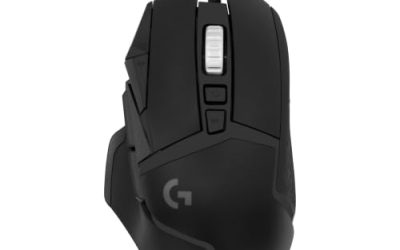
- Best full-featured watch-list pick: Logitech G502 X Plus — A larger right-handed mouse with a HERO 25K sensor, LIGHTFORCE hybrid switches, thirteen controls, a dual-mode tilt scroll wheel, and USB-C charging with POWERPLAY compatibility.
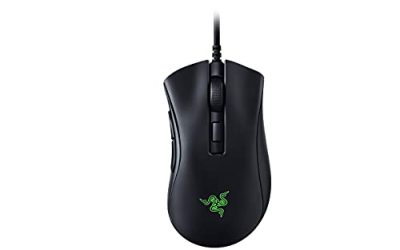
- Best ergonomic feature watch-list pick: Razer Basilisk V3 Pro — A sculpted right-handed shape with a Focus Pro 30K optical sensor, eleven programmable buttons, a configurable HyperScroll tilt wheel, and both HyperSpeed wireless and Bluetooth.
- Best battery endurance watch-list pick: SteelSeries Rival 3 Wireless — A dual-wireless mouse with a TrueMove Air sensor up to 18,000 CPI, rated battery life beyond 400 hours, and mechanical switches rated for 60 million clicks.
1. Logitech G305 LIGHTSPEED
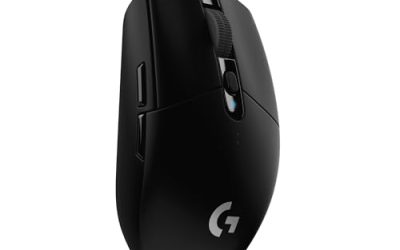
The Logitech G305 LIGHTSPEED has been a default recommendation in wireless gaming for years, and its specification sheet explains why. It pairs Logitech’s HERO optical sensor, adjustable from 200 to 12,000 DPI, with LIGHTSPEED wireless over a USB receiver and a 1 ms report rate. That combination covers the two things a gaming mouse must get right: accurate tracking and a connection that does not feel wireless in the worst sense of the word.
The shape is compact and symmetrical, at 99 grams with the battery installed, which suits fingertip and claw grips and smaller to medium hands. Six programmable buttons, configured through Logitech G HUB, cover the essentials without crowding the shell, and onboard memory means your settings travel with the mouse. Battery life is the other headline specification: up to 250 hours of continuous gameplay in performance mode from a single AA battery, with a longer endurance mode for everyday desktop use.
During a sale period, the G305 is worth watching because its appeal does not depend on any single feature: sensor, wireless, weight, and endurance are all sorted. When you check the listing, confirm you are looking at the LIGHTSPEED version with the HERO sensor, and check whether the seller is Amazon or a third party, because that affects delivery and returns.
Specs
- Sensor: Logitech HERO optical sensor
- Sensitivity: 200 to 12,000 DPI
- Tracking speed: Over 400 IPS, per the listing
- Connection: LIGHTSPEED wireless via USB receiver, 1 ms report rate
- Buttons: 6 programmable buttons
- Battery: Single AA battery, up to 250 hours in performance mode
- Weight: 99 g with battery
- Extras: Onboard memory, built-in receiver storage, PC and Mac support
Pros
- Proven HERO sensor with wide DPI range for different games and displays
- LIGHTSPEED wireless with 1 ms report rate for responsive play
- Very long battery life from a widely available AA battery
- Compact, lightweight shell that travels well between desk and laptop bag
Cons
- No Bluetooth, so it relies on its USB receiver
- Symmetrical shape offers less palm support than larger ergonomic models
- Replaceable battery rather than USB-C recharging
Check the Logitech G305 LIGHTSPEED on Amazon
2. Logitech G502 X Plus
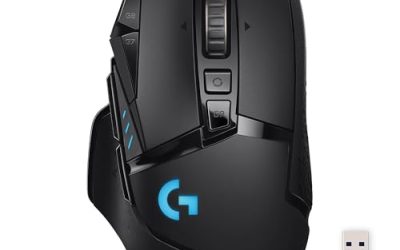
The Logitech G502 X Plus is the opposite philosophy to the G305: instead of doing the basics in a small shell, it packs nearly every feature Logitech offers into a larger right-handed frame. The HERO 25K sensor tracks with sub-micron precision according to the listing, LIGHTSPEED wireless handles the connection, and the LIGHTFORCE hybrid optical-mechanical switches are designed to combine fast optical actuation with a familiar mechanical click feel.
Controls are the main event. The listing counts thirteen buttons and controls, including a removable DPI shift button and a dual-mode scroll wheel that switches between a precise ratchet and a free-spinning mode, with left and right tilt inputs as well. That wheel is a genuine quality-of-life feature beyond gaming: long documents, spreadsheets, and timelines all move faster with it. Battery life is listed at up to 130 hours depending on settings, charging is over USB-C, and the mouse is compatible with the POWERPLAY wireless charging system, sold separately.
As a watch-list model, the G502 X Plus makes sense for buyers already planning to step up to a full-featured mouse. The specification gap between it and basic models is real and permanent, whatever the seasonal listing says on a given day. On the product page, verify the Plus model name specifically, since the G502 X line includes wired and non-Plus versions with different switches, lighting, and charging support.
Specs
- Sensor: Logitech HERO 25K optical sensor
- Connection: LIGHTSPEED wireless via USB receiver
- Switches: LIGHTFORCE hybrid optical-mechanical switches
- Buttons: 13 controls, including a removable DPI shift button
- Scroll wheel: Dual-mode wheel with ratchet and free-spin modes, plus tilt inputs
- Battery: Rechargeable, up to 130 hours per the listing, USB-C charging
- Lighting: LIGHTSYNC RGB
- Extras: POWERPLAY wireless charging compatible, PC and macOS support
Pros
- Deep control set for games, editing, and everyday shortcuts
- Dual-mode tilt wheel suits both gaming and long-document work
- Fast HERO 25K sensor and LIGHTSPEED wireless connection
- USB-C charging, with optional POWERPLAY compatibility
Cons
- Larger, heavier shell will not suit fingertip players who prefer ultralight mice
- Feature set depends on Logitech G HUB software for full customization
- POWERPLAY charging pad is a separate purchase
Check the Logitech G502 X Plus on Amazon
3. Razer Basilisk V3 Pro
The Razer Basilisk V3 Pro is built around a sculpted right-handed shape with a thumb rest, and around one of the most complete scroll wheels in the category. Its Focus Pro 30K optical sensor is the flagship sensor in Razer’s line, and the mouse connects three ways: Razer HyperSpeed wireless over 2.4 GHz, Bluetooth, and wired over USB-C. That flexibility matters if you game on a desktop but also pair a mouse with a laptop during the day, because Bluetooth removes the need to move a receiver between machines.
The listing counts eleven programmable buttons, including a multi-function trigger near the thumb, and Razer’s third-generation optical switches, rated for a 90 million click lifecycle with fast actuation and no debounce delay. The HyperScroll tilt wheel can be configured between tactile, free-spin, and smart-reel behavior, with tilt inputs adding sideways scrolling. Battery life is listed at up to 90 hours over HyperSpeed and up to 100 hours over Bluetooth, and the shell carries thirteen zones of Chroma RGB lighting with underglow.
For sale-season shoppers, the Basilisk V3 Pro is the model to watch if ergonomics and the scroll wheel are your priorities. Decide in advance that the feature set fits your hand and your games, then check the listing carefully for the Pro model name, since Razer also sells a wired Basilisk V3 and a newer 35K generation with different specifications.
Specs
- Sensor: Razer Focus Pro 30K optical sensor
- Sensitivity: Up to 30,000 DPI
- Connection: HyperSpeed 2.4 GHz wireless, Bluetooth, and wired USB-C
- Buttons: 11 programmable buttons, including a multi-function trigger
- Switches: Razer Optical Mouse Switches Gen-3, rated for 90 million clicks
- Scroll wheel: Configurable HyperScroll tilt wheel with multiple modes
- Battery: Up to 90 hours on HyperSpeed and up to 100 hours on Bluetooth, per the listing
- Weight: 112 g
- Lighting: 13-zone Chroma RGB with underglow
Pros
- Three connection modes, including Bluetooth for a second machine
- Excellent scroll wheel for games, documents, and timelines
- Ergonomic right-handed shape with a supportive thumb rest
- High-end sensor and fast optical switches
Cons
- Heavier than ultralight esports models at 112 g
- Right-handed shape only, with no left-handed version
- Full customization requires Razer Synapse software
Check the Razer Basilisk V3 Pro on Amazon
4. SteelSeries Rival 3 Wireless
The SteelSeries Rival 3 Wireless leads with endurance. Its listed battery life runs beyond 400 hours, which changes how you think about a wireless mouse: instead of a device you charge, it becomes a device you occasionally feed a fresh battery. It connects over 2.4 GHz wireless for gaming and Bluetooth 5.0 for everyday use, so it can stay paired with a laptop while its receiver lives in a gaming PC.
The TrueMove Air optical sensor, developed with PixArt, is listed at up to 18,000 CPI with true one-to-one tracking, well beyond what most players will ever set for daily play. The main switches are mechanical and rated for 60 million clicks, and the shape is a safe, symmetrical design that works for claw and fingertip grips. Six buttons keep the layout simple, and onboard memory stores your settings.
In a Black Friday context, the Rival 3 Wireless is worth watching for a practical reason: its core strengths, battery endurance and dual wireless, do not age quickly. When checking the listing, make sure you have the wireless model rather than the wired Rival 3, which shares the name and a similar shell but has a different sensor and no battery at all.
Specs
- Sensor: SteelSeries TrueMove Air optical sensor
- Sensitivity: Up to 18,000 CPI
- Connection: 2.4 GHz wireless and Bluetooth 5.0
- Buttons: 6 buttons
- Switches: Mechanical switches rated for 60 million clicks
- Battery: Rated beyond 400 hours, per the listing
- Feet: PTFE glide feet
- Extras: Onboard memory for saved settings
Pros
- Outstanding rated battery life measured in months of typical use
- Dual wireless covers both a gaming PC and a laptop
- TrueMove Air sensor with one-to-one tracking
- Simple, durable design with no fragile extras
Cons
- No wired fallback mode while a battery is being replaced
- Symmetrical shape is safe rather than sculpted
- Fewer buttons than MMO or productivity-focused models
Check the SteelSeries Rival 3 Wireless on Amazon
How to Choose a Gaming Mouse During Black Friday
Start with shape and grip. Sensor specifications across this category are strong, so comfort decides most purchases. Palm grip players usually prefer larger ergonomic shells such as the G502 X Plus or Basilisk V3 Pro. Claw and fingertip players often prefer compact, lighter shapes such as the G305 or Rival 3 Wireless. Hand size matters as much as grip, so compare the length and weight on the listing with a mouse you already know.
Match the connection to your setup. A 2.4 GHz receiver connection is the standard choice for gaming because of its low latency. Bluetooth is a valuable second mode if you switch between a PC and a laptop, as on the Basilisk V3 Pro and Rival 3 Wireless. If a mouse offers only one connection type, make sure it is the one your desk actually needs.
Read battery claims carefully. Rechargeable mice quote hours per charge, while AA and AAA models quote hours per battery. Both are fine, but they suit different habits. If you dislike charging cables, a long-life replaceable battery model is the calmer choice. If you prefer never buying batteries, choose USB-C recharging and check whether the mouse still works while plugged in.
Count buttons by game, not by headline. Six buttons cover shooters and general play comfortably. More buttons help in MOBA, MMO, strategy, and editing work, where the extra inputs sit under your thumb all day. A tilt wheel, as on the G502 X Plus and Basilisk V3 Pro, quietly adds two more inputs plus faster scrolling.
Verify the exact model on the listing. Gaming mouse families reuse names across generations and across wired and wireless versions. Before ordering, confirm the full model name, the sensor, the connection types, and the seller on the product page. Confirm the return window as well, because shape preference is personal.
Ignore urgency and judge the hardware. Sale periods are designed to feel urgent, but specifications do not change with the calendar: a sensor, a shape, a switch type, and a battery system are the same in November as in March. Decide which mouse fits your hand and your games first, then check the live listing, and only then decide whether the moment is right to buy.
FAQs
Should I buy a gaming mouse on Black Friday or wait?
That depends on the mouse, not the date. If a model on your short list fits your hand, your games, and your setup, the sale period is a reasonable time to check its listing. If no model fits, waiting is better than buying the wrong shape quickly. Always confirm the current listing details directly before ordering, because prices and offers change over time.
Which of these mice is best for small hands?
The Logitech G305 LIGHTSPEED is the most compact and lightest option in this guide at 99 grams, which generally suits smaller hands and fingertip or claw grips. The SteelSeries Rival 3 Wireless is also a moderate, safe shape. Larger ergonomic models such as the G502 X Plus and Basilisk V3 Pro are designed for medium to large hands.
Is Bluetooth good enough for gaming?
Bluetooth is convenient and works well for slower-paced games and everyday use, and it is ideal for a second machine such as a laptop. For fast competitive play, the 2.4 GHz receiver modes on these mice, LIGHTSPEED, HyperSpeed, or Quantum wireless, are the better choice because they are built for low-latency gaming connections.
How much DPI do I actually need?
Far less than the headline numbers suggest. Most players use settings between 400 and 3,200 DPI depending on the game and display. Every mouse in this guide exceeds that range by a wide margin, so sensor quality, tracking consistency, shape, and connection matter more than the maximum DPI figure on the box.
What should I check on the Amazon listing before buying?
Check the full model name and generation, the sensor and connection types, whether the mouse is new or renewed, who the seller is, and the return window. Also confirm what is in the box, especially whether a wireless receiver and charging cable are included. If any of those details do not match the model described in this guide, treat it as a different product.
Conclusion
The sensible way to approach the best Black Friday gaming mouse deals is to shop for a mouse, not for a moment. The Logitech G305 LIGHTSPEED is the compact all-rounder with outstanding battery life from a single AA cell. The Logitech G502 X Plus is the full-featured option with deep controls and a dual-mode wheel. The Razer Basilisk V3 Pro adds an ergonomic shape, Bluetooth, and one of the best scroll wheels available. The SteelSeries Rival 3 Wireless stretches battery life further than anything else here while keeping the design simple.
Choose the shape and feature set that fits your hand and your games, put that model on your watch list, and check its live Amazon listing carefully when you are ready. A well-chosen mouse, bought on specifications you verified yourself, will still be the right mouse long after the sale banners come down.