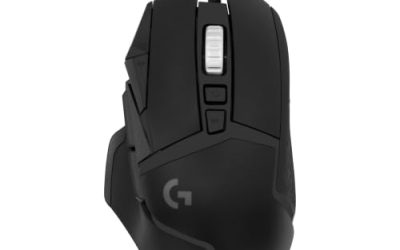
Halls of Torment is a horde-survival game built around constant movement, careful positioning, and long runs that can stretch well past the point where a tired hand starts to make mistakes. You steer through dense crowds of enemies, weave between projectiles, collect experience gems, and line up attacks while the screen fills with more threats. A mouse that tracks cleanly, feels light in the hand, and stays comfortable for an hour or more can make those runs feel smoother and far less tiring.


The best mouse for Halls of Torment does not need the highest sensitivity setting on the market or a dozen extra buttons. It needs a reliable optical sensor, a shape that suits your grip, a cable or wireless connection that never gets in the way, and switches that respond the same way late in a run as they did at the start. The five mice below cover wired and wireless options, compact and full-size shapes, and budget, mid-range, and premium tiers, so you can match the pick to your hand, your desk, and your setup.
As an Amazon Associate, we earn from qualifying purchases.
Quick Answer
For most Halls of Torment players, the Razer Viper V3 Pro is the strongest overall pick thanks to its very light 54-gram body, precise 35,000 DPI sensor, and fast wireless polling. If you want a wired option, the SteelSeries Aerox 5 offers nine buttons and a light 66-gram shell, while the Razer DeathAdder V2 Mini is a strong budget choice for smaller hands and palm or claw grips.
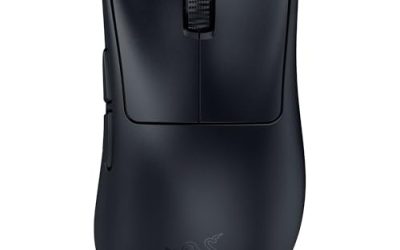
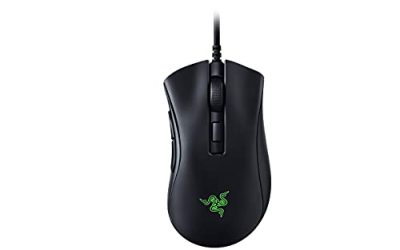
1. Razer DeathAdder V2 Mini
The Razer DeathAdder V2 Mini is a compact take on a familiar ergonomic shape. It keeps the curved right-handed profile of the DeathAdder line in a smaller body that suits smaller hands and quick repositioning. In Halls of Torment, that helps when you are making constant small corrections to dodge enemy packs and sweep up experience gems without overshooting.
At 62 grams, it is light enough for long sessions, and the included grip tape adds control during tense boss fights. The 8,500 DPI optical sensor covers far more sensitivity than this game needs, and six programmable buttons leave room to bind a potion or ability without reaching for the keyboard.
Specs
- Sensor: 8,500 DPI optical sensor
- Weight: 62 grams
- Buttons: 6 programmable buttons
- Connectivity: Wired with Razer Speedflex cable
- Lighting: Chroma RGB
- Grip style: Right-handed ergonomic
- Extras: Anti-slip grip tape included
- Price tier: Budget
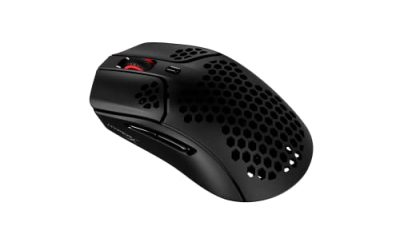
2. SteelSeries Aerox 5 Wired
The SteelSeries Aerox 5 in its wired form, model 62401, is built for players who want more buttons and a very light shell. Its holey outer design keeps the weight down to 66 grams, and the AquaBarrier protection is rated IP54 against dust and splashes. In Halls of Torment, the nine programmable buttons are the main attraction, because you can spread abilities and potions across the mouse instead of crowding everything onto the keyboard.
The side panel has five buttons plus an up and down flick switch, so your thumb has plenty to work with without changing your grip. The TrueMove Air optical sensor reaches 18,000 DPI for one-to-one tracking, and the PTFE glide skates help the mouse slide smoothly across a pad.
Specs
- Sensor: TrueMove Air optical sensor, up to 18,000 DPI
- Weight: 66 grams
- Buttons: 9 programmable buttons, including a 5-button side panel
- Connectivity: Wired, detachable USB-C Super Mesh cable
- Lighting: 3-zone RGB
- Protection: AquaBarrier, IP54 rated
- Model: 62401
- Price tier: Mid-range
3. Razer Orochi V2 Quartz Pink

The Razer Orochi V2 in Quartz Pink is a compact wireless mouse for Halls of Torment players who want freedom from a cable without a large, heavy body. Its small, low-profile shape suits claw and fingertip grips, and it is easy to lift and reposition during long runs.
Two wireless modes are included, so you can use the fast 2.4 GHz connection for gaming and switch to Bluetooth for everyday use on a laptop or a second machine. The 5G Advanced 18K DPI optical sensor tracks accurately, and battery life is long, so you can play through many runs before swapping in a fresh battery. Players with very large hands may find it a little small for a full palm grip.
Specs
- Sensor: 5G Advanced 18K DPI optical sensor
- Buttons: 6 programmable buttons
- Connectivity: Wireless, 2.4 GHz and Bluetooth modes
- Color: Quartz Pink
- Model number: RZ01-03731200-R3U1
- Grip style: Compact, suited to claw and fingertip grips
- Power: Single AA battery
- Price tier: Mid-range
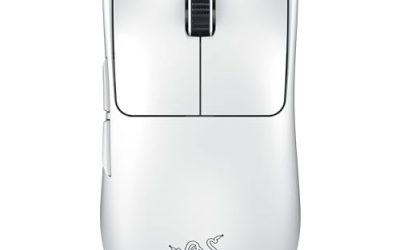
4. Razer Viper V3 Pro
The Razer Viper V3 Pro is the premium pick in this roundup, aimed at players who want the lightest, fastest mouse they can get.
The Focus Pro 35K Optical Sensor Gen-2 reaches 35,000 DPI, tracks on a wide range of surfaces including glass, and supports adjustments in single-DPI steps. Razer HyperPolling pushes wireless polling up to 8,000 Hz with the included HyperPolling Wireless Dongle, and Gen-3 optical switches are rated for a 90-million click lifecycle. Eight programmable buttons cover the commands that matter, and the symmetrical shape suits palm, claw, and fingertip grips. Battery life reaches up to 95 hours at 1,000 Hz polling. For players who put in long hours, it is the most capable option in this group.
Specs
- Sensor: Focus Pro 35K Optical Sensor Gen-2, up to 35,000 DPI
- Weight: 54 grams in black
- Buttons: 8 programmable buttons
- Connectivity: Razer HyperSpeed Wireless and wired, with HyperPolling Wireless Dongle
- Polling rate: Up to 8,000 Hz wireless
- Switches: Gen-3 optical switches, 90-million click lifecycle
- Battery life: Up to 95 hours at 1,000 Hz polling
- Grip style: Symmetrical, suited to palm, claw, and fingertip grips
- Price tier: Premium
5. ASUS ROG Gladius III Core

The ASUS ROG Gladius III Core is a wired ergonomic mouse that brings ROG features down to a budget tier. Its asymmetrical right-handed shape is designed for lasting comfort across palm, claw, and fingertip grips, and the updated surface coating gives it a secure feel during long sessions.
A 12,000 DPI optical sensor handles tracking for this game with plenty of headroom, and onboard controls let you adjust DPI and polling rate without opening software. ROG Micro Switches II are rated for a 100-million click lifespan, and the Push-Fit Switch Socket II lets you swap in compatible switches if you ever want a different click feel. The ROG Paracord is flexible and light, so the cable does not snag while you move, and configuration runs through Gear Link, a web-based tool.
Specs
- Sensor: 12,000 DPI optical sensor
- Weight: 72 grams
- Buttons: 6 programmable buttons
- Connectivity: Wired with ROG Paracord
- Switches: ROG Micro Switches II, 100-million click lifespan
- Switch socket: Push-Fit Switch Socket II, hot-swappable
- Configuration: Gear Link web-based tool
- Model: P523 ROG Gladius III Core
- Price tier: Budget
How to Choose the Best Mouse for Halls of Torment
Start with weight and shape, because those two factors shape every minute of a long run. A lighter mouse, in the 54 to 72 gram range covered here, takes less effort to move and is easier to control during fast dodges. Next, think about the sensor and the connection. Any modern optical sensor in this roundup tracks well enough for Halls of Torment, so do not chase the highest DPI number alone. Look for clean one-to-one tracking, a polling rate that keeps movement smooth, and a connection you trust. Wired mice remove battery worries entirely, while wireless mice like the Viper V3 Pro and Orochi V2 give you a cleaner desk and no cable drag. Finally, count the buttons you actually use. If you bind abilities or potions to the mouse, the nine buttons on the Aerox 5 are a real advantage.
Who Should Skip These Mice
Players who already own a comfortable gaming mouse with a reliable optical sensor may not need any of these picks. Halls of Torment is not a fast flick shooter, so an older mouse that tracks cleanly and fits your hand well can serve you for many runs, and upgrading for a higher DPI number alone is unlikely to change your results. Left-handed players should also check shapes carefully. The DeathAdder V2 Mini and the Gladius III Core are right-handed designs, so they will not suit a left-handed grip, and the symmetrical Viper V3 Pro is the safer choice in that case.
Frequently Asked Questions
Do I need a high DPI mouse for Halls of Torment?
No. Halls of Torment is about positioning, dodging, and surviving waves of enemies, not about pixel-perfect flick shots. A sensor in the 8,000 to 12,000 DPI range already gives you far more sensitivity than you will use. What matters more is clean, consistent tracking, a comfortable shape, and a polling rate that keeps movement smooth.
Is a wireless mouse good for Halls of Torment?
Yes, a modern wireless gaming mouse is a good fit for this game. The Viper V3 Pro and the Orochi V2 both use fast wireless connections that keep input lag low, and they remove cable drag from the desk.
How many buttons do I need for Halls of Torment?
Six to eight programmable buttons cover the needs of most players, giving you room for abilities, potions, and a couple of shortcuts without crowding the mouse. The Aerox 5 goes further with nine buttons, which suits players who like to keep more commands under their thumb.
Is a light mouse better for long runs?
For most players, yes. A lighter mouse takes less effort to move, which helps when you are steering through dense enemy packs for an hour or more. The 54-gram Viper V3 Pro and the 62-gram DeathAdder V2 Mini are good examples. If you prefer a more planted feel, the 72-gram Gladius III Core still counts as light for a full-size ergonomic mouse and may suit you better.
Final Verdict
The best mouse for Halls of Torment is the one that stays comfortable, tracks cleanly, and lets you focus on the run instead of the hardware. The Razer Viper V3 Pro leads this roundup on weight, sensor, and wireless speed, and it is the pick for players who want the most capable mouse here. The SteelSeries Aerox 5 is the best wired option for players who want extra buttons, while the Razer DeathAdder V2 Mini and the ASUS ROG Gladius III Core are strong budget picks with comfortable shapes. The Razer Orochi V2 rounds out the group as a compact wireless option for smaller hands and portable setups.
Product and ASIN Reference
| Product | ASIN |
|---|---|
| Razer DeathAdder V2 Mini | B08B3K9K6P |
| SteelSeries Aerox 5 Wired | B09VNTCZZN |
| Razer Orochi V2 Quartz Pink | B0BFJSFS7V |
| Razer Viper V3 Pro | B0CW25XR5R |
| ASUS ROG Gladius III Core | B0FLH3LP3W |