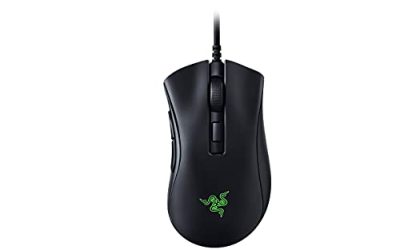
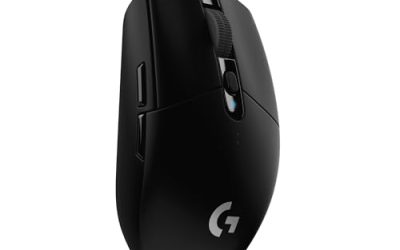
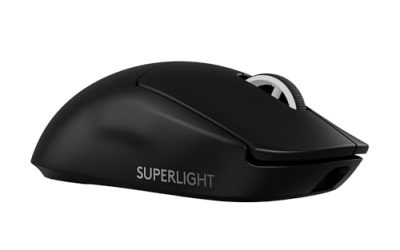
Dwarf Fortress is a game of thousands of small clicks. You designate mining tunnels one tile at a time, place workshops square by square, zone stockpiles, assign labors, and scroll through menus that never seem to end. A fortress can mean hundreds of hours at your desk, and the mouse is involved in almost every decision.

The good news is that Dwarf Fortress does not demand a twitch shooter sensor or a blistering polling rate. What it rewards is comfort over very long sessions, a sensor that never skips when you drag a designation box across the map, a clean-stepping scroll wheel, and enough programmable buttons for the commands you reach for constantly. Wireless mice are the natural fit here, since a cable dragging across the desk gets old fast during a six-hour session.
As an Amazon Associate, we earn from qualifying purchases.
Quick Answer
For most Dwarf Fortress players, the Logitech G502 Lightspeed is the best overall pick, thanks to its 11 programmable buttons, tunable weights, and free-spinning scroll wheel. If you want something lighter, the HyperX Pulsefire Haste Wireless and the Logitech G Pro X Superlight 2c are excellent at 61 and 51 grams, while the two ASUS ROG Keris models add tri-mode connectivity and swappable switches.
1. Logitech G502 Lightspeed
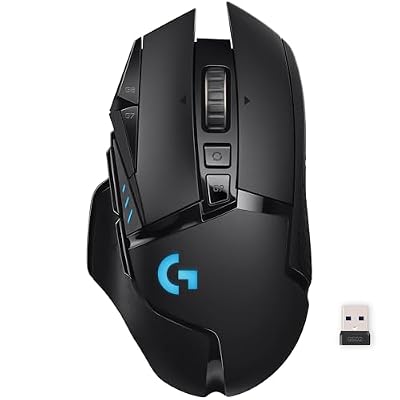
The G502 Lightspeed is the most versatile mouse on this list, and that versatility is exactly what Dwarf Fortress rewards. Eleven programmable buttons let you bind designation tools, pause, speed controls, and menu shortcuts to the mouse itself. The dual-mode scroll wheel switches between free-spin for long lists and a notched ratchet for precise zoom steps.
The HERO 25K sensor tracks accurately at up to 25,600 DPI, far more than a grid-based builder needs, and stays clean and skip-free at the low sensitivity most fortress players prefer. LIGHTSPEED wireless is lag-free, battery life reaches 60 hours, and six adjustable weights let you tune the heft. The right-handed ergonomic shape suits palm and claw grips during marathon sessions. At 114 grams it is the heaviest mouse here, but deliberate placement matters more than rapid flicks in this game.
Specs
- Sensor: Logitech HERO 25K, up to 25,600 DPI
- Buttons: 11 programmable buttons
- Connectivity: LIGHTSPEED wireless, PowerPlay compatible
- Battery life: Up to 60 hours
- Weight: 114 grams, with six adjustable tuning weights
- Scroll wheel: Dual-mode hyper-fast with ratchet and free-spin settings
- Grip style: Right-handed ergonomic, palm and claw
- Price tier: Premium
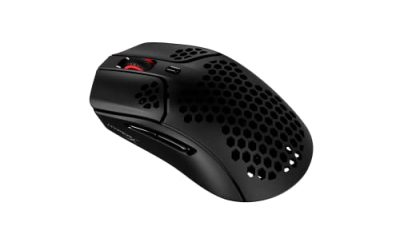
2. HyperX Pulsefire Haste Wireless
If your hand gets tired during long sessions, the Pulsefire Haste Wireless is the lightest budget-friendly answer here. At 61 grams, its honeycomb shell keeps the weight down without giving up a solid frame, and the difference is noticeable after a few hours of designating mining shafts and smoothing stone. A light mouse also makes it easier to sweep the cursor across a large embark map in one motion.
The sensor reaches up to 16,000 DPI, and the six programmable buttons cover the essentials: two side buttons, a DPI button, and the standard clicks. Battery life is rated at up to 100 hours. The mouse connects over 2.4 GHz wireless and works across Windows, macOS, and Linux. The symmetrical shape suits claw and fingertip grips best, and players with very large hands may find it a little small for a full palm grip.
Specs
- Sensor: Optical, up to 16,000 DPI
- Buttons: 6 programmable buttons
- Connectivity: 2.4 GHz wireless
- Battery life: Up to 100 hours
- Weight: 61 grams with honeycomb shell
- Grip style: Symmetrical, claw and fingertip
- Compatibility: Windows, macOS, and Linux
- Price tier: Budget
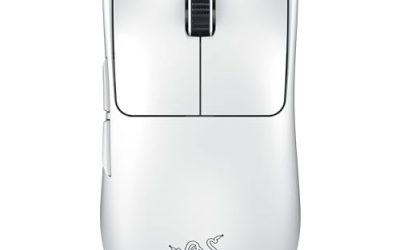
3. ASUS ROG Keris Wireless AimPoint White

The ROG Keris Wireless AimPoint is a 75-gram ergonomic mouse with a comfortable right-handed shape and tri-mode connectivity. Connect over 2.4 GHz wireless, Bluetooth, or wired USB-C.
One specification needs a clear note. The Amazon listing title advertises a 42K DPI sensor, but ASUS lists the ROG AimPoint optical sensor at 36,000 DPI in its official specification, and independent coverage consistently describes a 36,000 DPI sensor as well. This article uses the 36,000 DPI figure from ASUS. Either way, the sensor is far beyond what tile-by-tile building requires, tracking at speeds up to 650 inches per second with 50G acceleration. Five programmable buttons keep the layout clean, the Push-Fit Switch Socket II lets you swap switches for a different click feel, and battery life reaches up to 119 hours over 2.4 GHz with the lighting off.
Specs
- Sensor: ROG AimPoint optical, 36,000 DPI per ASUS official specification
- Buttons: 5 programmable buttons
- Connectivity: Tri-mode, 2.4 GHz RF, Bluetooth, and wired USB-C
- Battery life: Up to 119 hours
- Weight: 75 grams
- Polling rate: 1,000 Hz
- Switches: Push-Fit Switch Socket II, swappable 3-pin mechanical and 5-pin optical
- Price tier: Mid-range
4. Logitech G Pro X Superlight 2c
The Pro X Superlight 2c is the compact version of Logitech’s flagship esports mouse, and at 51 grams it is the lightest mouse in this roundup. It is built for smaller hands and tighter grips, slightly shorter and narrower than the standard Superlight 2. For players who find full-size mice fatiguing, or who play with a fingertip grip, that smaller footprint makes long sessions more comfortable.
One conflict to note: the listing title advertises 44K DPI, while its specifications table lists 40,000 DPI. Both describe the same HERO 2 sensor, and either is far more than this game needs. The mouse also supports polling up to 8 kHz over LIGHTSPEED wireless. Battery life is rated at up to 95 hours, and it supports PowerPlay wireless charging. Players with large hands who palm their mouse may prefer the standard Superlight 2 or the larger G502 Lightspeed instead.
Specs
- Sensor: Logitech HERO 2, 44K DPI per listing title and 40,000 DPI per listing specifications table
- Buttons: 5 programmable buttons
- Connectivity: LIGHTSPEED wireless, USB-C
- Battery life: Up to 95 hours
- Weight: 51 grams, compact size
- Polling rate: Up to 8 kHz
- Charging: PowerPlay wireless charging supported
- Price tier: Premium
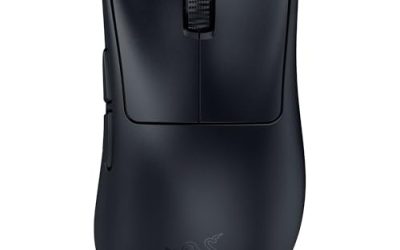
5. ASUS ROG Keris II Origin Wireless White

The ROG Keris II Origin takes the ergonomic Keris shape in a lighter direction at 65 grams. Its right-handed shell has sloped sides, well-placed thumb buttons, and an extended ledge for the ring finger, making it one of the most comfortable mice here for palm and claw grips.
The 42,000 DPI ROG AimPoint Pro sensor tracks on almost any surface, including glass, and ROG SpeedNova wireless keeps the connection stable. Battery life reaches up to 127 hours over 2.4 GHz wireless, the longest on this list. The ROG Micro Switches II are rated for a 100-million-click lifespan, and the Push-Fit Switch Socket II design means you can swap in 3-pin mechanical or 5-pin optical switches to change the click feel. An 8,000 Hz polling rate is available through the ROG Polling Rate Booster, sold separately, and Gear Link configures the mouse through a web browser.
Specs
- Sensor: ROG AimPoint Pro optical, 42,000 DPI
- Buttons: Programmable, with perfectly placed side buttons
- Connectivity: Tri-mode, 2.4 GHz, Bluetooth, and wired USB
- Battery life: Up to 127 hours
- Weight: 65 grams
- Polling rate: 1,000 Hz, up to 8,000 Hz with ROG Polling Rate Booster, sold separately
- Switches: ROG Micro Switches II, 100-million-click lifespan, swappable
- Price tier: Premium
How to choose
Start with your grip and hand size, because comfort decides everything in a game measured in hundreds of hours. Palm players with medium to large hands should look at the G502 Lightspeed or the Keris II Origin first, while claw and fingertip players will be happier with the Pulsefire Haste Wireless or the compact Superlight 2c. If you are unsure, a lighter mouse is the safer bet, since a heavy mouse causes fatigue faster than a light mouse causes imprecision.
Next, think about buttons. Dwarf Fortress has deep menus and many repeated commands, so extra programmable buttons genuinely help. The G502 Lightspeed leads with 11 buttons, enough to map pause, speed controls, and designation tools without touching the keyboard. Battery life matters more than sensor specifications: any modern gaming sensor is accurate enough for tile-based building, so treat DPI as a tiebreaker at most.
Who should skip
Players who already own a comfortable wireless mouse with a reliable sensor can skip this entire list. Dwarf Fortress does not punish an older mouse the way a fast-paced shooter does, and a mouse you already like is worth more than a new sensor you will never notice in a grid-based builder. Left-handed players should also look elsewhere, since every mouse here is either right-handed or symmetrical with side buttons placed for right-handed use. The same applies to players who run Dwarf Fortress mostly with keyboard commands and barely touch the mouse.
Frequently Asked Questions
Do I need a high DPI mouse for Dwarf Fortress?
No. Dwarf Fortress is a grid-based game where the cursor moves from tile to tile, so extreme DPI settings offer no real advantage. Most players settle in the low to mid range, where the cursor moves predictably across the map. What matters far more is a sensor that tracks cleanly without skipping, a comfortable shape, and a reliable scroll wheel.
How many buttons do I need for Dwarf Fortress?
Five or six buttons cover the basics, with side buttons bound to pause and frequently used menus. Eleven buttons, like those on the G502 Lightspeed, are a luxury, but they are useful if you enjoy building a control scheme with macros for designations and view commands. More buttons only help if you take the time to set them up.
Should I choose a light mouse or a heavy mouse?
Most Dwarf Fortress players are better served by a light mouse, since the game involves hours of continuous cursor movement across a large map. Mice under 75 grams reduce wrist fatigue noticeably over a long session. A heavier mouse feels more planted when you draw precise designation boxes, so players who value stability over speed may prefer the G502 Lightspeed with its adjustable weights.
Final verdict
The best mouse for Dwarf Fortress is the Logitech G502 Lightspeed, pairing a proven sensor with 11 programmable buttons, a dual-mode scroll wheel, and tunable weights in a comfortable right-handed shell. It is the only mouse here that can genuinely change how you control the game. The HyperX Pulsefire Haste Wireless is the best value choice: light and long-lasting without a premium outlay. The Logitech G Pro X Superlight 2c is the pick for small hands and fingertip grips, while the ASUS ROG Keris II Origin is the most comfortable ergonomic option for marathon sessions. The original ROG Keris Wireless AimPoint sits in the middle with tri-mode connectivity and swappable switches at a mid-range tier. Any of the five will serve a fortress well for years, so choose the shape that fits your hand first and let the specifications follow.
Product and ASIN Reference
| Product | ASIN |
|---|---|
| Logitech G502 Lightspeed | B07L4BM851 |
| HyperX Pulsefire Haste Wireless | B09TLCRGMN |
| ASUS ROG Keris Wireless AimPoint White | B0BRTF2PGP |
| Logitech G Pro X Superlight 2c | B0FFM4V8PV |
| ASUS ROG Keris II Origin Wireless White | B0FJDBF24T |