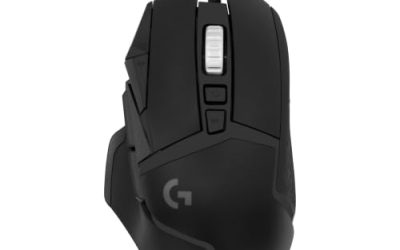
A full-size gaming mouse can turn a simple match into a stretch. When your fingers have to reach past the scroll wheel just to click, or your palm drags across the pad because the shell is wider than your hand, aim suffers and fatigue arrives early. Weight makes the problem worse: a heavy mouse demands more effort on every flick, and that effort adds up across a long evening of play.


This guide is for players with smaller hands who want a mouse that feels like it was built for them: competitive shooter players, claw and fingertip grippers, laptop gamers who carry their mouse everywhere, and younger players moving up from a basic office mouse. Every pick below comes from the name and specifications stated on its Amazon product page, so the weight, sensor and button figures are the ones the listing itself gives.
Quick Picks
As an Amazon Associate we earn from qualifying purchases
| Product | Best for | Key spec from title |
|---|---|---|
| Razer Viper Mini | Fast flick aiming with a fingertip grip | 61g ultralight, 8,500 DPI optical sensor |
| Razer DeathAdder V2 Mini | Small-hand palm and claw grip in shooters | 62g lightweight, 8,500 DPI optical sensor |
| Logitech G305 LIGHTSPEED | Wireless play and travel with long battery life | HERO 12K sensor, 12,000 DPI, 250h battery |
| Razer Cobra | Lightweight wired play with underglow lighting | 58g lightweight, 8,500 DPI optical sensor |
How to Choose
Measure length and width before anything else
Weight gets the headlines, but length decides whether a mouse fits a small hand at all. A shell around 115 to 120 millimetres long usually lets smaller fingers rest naturally on the main buttons without stretching, while anything above 125 millimetres tends to push the hand forward and strain the wrist. Width matters just as much: a narrow body around 60 millimetres lets the thumb and ring finger pinch the sides for control, whereas a wide shell forces the fingers to splay. Check the dimensions on the product page and compare them with a mouse you already own, measuring from your middle fingertip to your palm heel as a rough guide.
Treat weight as a range, not a single number
A mouse listed at 58 grams and one listed at 99 grams feel very different after an hour, even though both are sold as lightweight. The lightest models in this guide sit near 60 grams, which suits fast flick aiming and fingertip grips where the mouse is lifted often. Mid-weight options around 90 to 100 grams feel steadier for tracking and for players who rest their palm on the shell. Remember that a wireless mouse carries its battery inside the stated weight, while a wired mouse adds a cable that can tug unless it is a light, flexible one. Pick the band that matches how often you lift and reposition.
Match the shape to your grip
Small hands use three grips, and each one wants a different shell. Fingertip grippers hold the mouse with just the fingertips, so a short, low, symmetrical body with a narrow waist works best because the palm never touches the shell. Claw grippers arch their fingers and plant the palm heel, so a slightly taller back with a gentle hump supports the hand without forcing it flat. Palm grippers with small hands need a scaled-down ergonomic shape, not a shrunken copy of a large one, because a tall hump that sits too far back pushes the fingers forward. Read the shape description and look at side-profile photos before deciding.
Check the cable, buttons and sensor ceiling
A stiff cable can undo the benefit of a light mouse, so look for a flexible braided or paracord-style cable on wired models, and check that the listing mentions smooth-gliding feet. Six programmable buttons cover most shooters, giving you two side buttons plus a DPI switch without crowding the shell with extras your thumb cannot reach. Sensor ceilings in this guide run from 8,500 to 12,000 DPI, which is far more than any player actually uses, so the number itself matters less than clean tracking at the sensitivity you play at. Finally, confirm the grip style the maker describes, since a mouse marketed for large hands rarely shrinks well.
The 4 Best Options
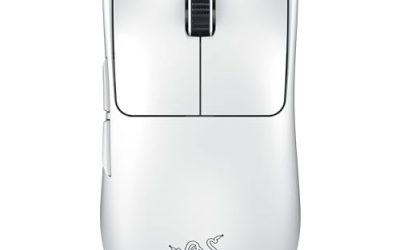
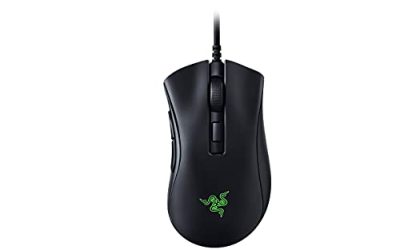
Razer Viper Mini
The Viper Mini is the purest expression of this guide’s idea: a genuinely small, symmetrical mouse that weighs almost nothing. At 61 grams with an ambidextrous shape, it suits fingertip and claw grippers whose hands swim inside standard mice, and its low profile keeps the fingers close to the pad for quick micro-adjustments. The optical sensor tracks cleanly at the sensitivities small-hand players actually use, and the flexible Speedflex cable stays out of the way during fast swipes. It is the pick for players who want the lightest possible wired mouse and are happy to trade a palm-filling hump for speed.
Specs
- Ultralight 61g design
- 8,500 DPI optical sensor
- Chroma RGB illumination
- 6 programmable buttons
- Speedflex cable
- Ambidextrous shape
Best for: Fingertip and claw grippers who lift and flick the mouse constantly.
Watch out for: The low, flat profile gives palm grippers very little to rest on, so check the side profile if you rest your whole hand on the mouse.
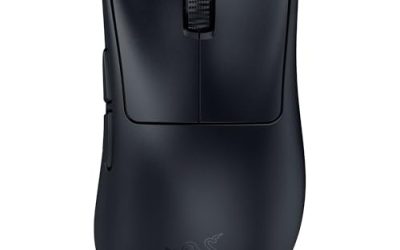
Razer DeathAdder V2 Mini
The DeathAdder V2 Mini takes one of the most familiar ergonomic shapes in gaming and scales it down for smaller hands. At 62 grams it stays in the featherweight class, yet the right-handed curve and thumb rest give palm and claw grippers a place to anchor, which the flatter mice in this guide lack. The included anti-slip grip tape is a thoughtful touch for players whose fingers slide on smooth shells during tense rounds. Its sensor and button layout mirror the full-size DeathAdder, so anyone moving down from a larger mouse will find the layout immediately familiar.
Specs
- 62g lightweight design
- 8,500 DPI optical sensor
- Chroma RGB lighting
- 6 programmable buttons
- Anti-slip grip tape included
Best for: Small-hand players who want a curved, ergonomic shape instead of a flat symmetrical one.
Watch out for: The right-handed shape does not suit left-handed players, and the compact thumb rest can feel cramped if your thumb is long relative to your palm.
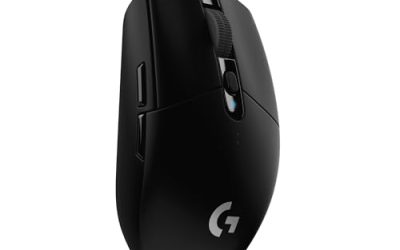
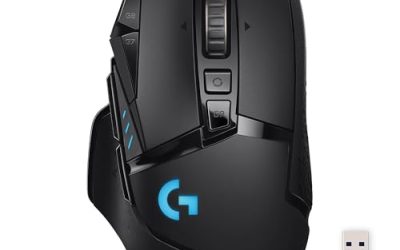
Logitech G305 LIGHTSPEED
The G305 is the wireless option for small hands, and its appeal is practical rather than flashy. It runs on a single AA battery for up to 250 hours of play, so there is no charging cable to manage and no battery anxiety mid-match, and the receiver stores inside the body for travel. At 99 grams it is the heaviest mouse in this guide, but the weight sits low and central, and the compact egg-shaped body fits smaller palms better than its dimensions suggest. Six programmable buttons and on-board memory mean your settings travel with the mouse between machines.
Specs
- HERO 12K sensor
- 12,000 DPI
- Lightweight design at 99 grams
- 6 programmable buttons
- 250h battery life
- On-board memory
- LIGHTSPEED wireless with 1 ms report rate
Best for: Players who want a wireless small mouse for both desk play and travel.
Watch out for: The battery adds weight compared with the wired picks here, and the shape is taller than it looks, so fingertip grippers should check the height before choosing it.
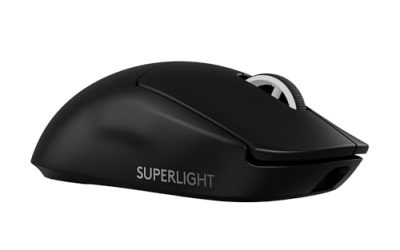
Razer Cobra

The Cobra is the lightest mouse in this guide at 58 grams, and it earns its place by combining that weight with a shape that fits most grip styles. Unlike the flatter Viper Mini, the Cobra has a slightly fuller body that gives the palm a little more contact, while the Chroma RGB underglow adds a glow around the base that suits a lit setup. Gen-3 optical switches give the clicks a crisp, immediate feel, and the PTFE feet help the mouse glide on cloth pads without catching. It is a strong choice when you want the lowest weight available but still want some shape under your hand.
Specs
- 58g lightweight design
- Gen-3 optical switches
- Chroma RGB lighting with underglow
- 8,500 DPI optical sensor
- PTFE mouse feet
- Speedflex cable
Best for: Players who want the lightest mouse here with a bit more palm support than a flat shell.
Watch out for: The compact body can still feel short for players whose fingers are long even though their palms are small, so compare its length with your current mouse first.
Which One Fits Your Situation
You play fast shooters with a fingertip grip
Pick the Razer Cobra. At 58 grams it is the lightest mouse in this guide, and its low, symmetrical body stays out of the way when only fingertips touch the shell. The PTFE feet and flexible cable keep drag low during fast flicks, and the optical sensor tracks cleanly at the sensitivities competitive shooters use. The Viper Mini is the closest alternative if you prefer a shape with a longer track record.
You want one small mouse for laptop and desk
Pick the Logitech G305 LIGHTSPEED. Wireless freedom matters when the mouse moves between desk, couch and bag, and the receiver stores inside the body so nothing gets lost. The 250-hour battery life means weeks without thinking about power, and on-board memory keeps your button settings on a different machine. It is the most practical pick for players who game in more than one place.
Your hand cramps on full-size mice during long sessions
Pick the Razer DeathAdder V2 Mini. Its scaled-down ergonomic curve and thumb rest support a small palm without forcing the fingers to stretch, and the grip tape keeps your hold steady when your hand gets warm. At 62 grams it is light enough that long sessions do not tire the wrist, while the familiar DeathAdder layout means no relearning curve. This is the comfort-first pick in the group.
You are buying a first gaming mouse for a younger player
Pick the Razer Viper Mini. Its simple symmetrical shape suits hands that are still growing, the six-button layout is easy to learn, and the light weight means a younger player can control it without fighting the mouse. The flexible cable avoids the snagging that frustrates new players, and the RGB lighting makes the setup feel like a real gaming station. It is the easiest starting point in this guide.
Common Mistakes
- Choosing by weight alone and ignoring length, so the mouse is light but still too long for your fingers.
- Assuming a mouse marketed as small will fit, without comparing its dimensions with a mouse you already use.
- Picking a heavy wireless mouse for fingertip play, where the battery weight fights every lift and flick.
- Ignoring the cable on a wired pick, then finding a stiff cord drags a 60-gram mouse around the pad.
- Buying a right-handed ergonomic shape when you are left-handed, or a symmetrical mouse when your palm needs a resting hump.
Frequently Asked Questions
What weight should a gaming mouse be for small hands?
Aim for 58 to 70 grams if you lift the mouse often or play fast shooters with a fingertip grip, since every extra gram adds effort to each flick. If you rest your palm on the mouse and rarely lift it, a weight up to around 99 grams can feel comfortable, because the hand carries the mouse rather than the fingers. Test the band that matches your grip first.
Is a wired or wireless mouse better for small hands?
Wired mice are usually lighter because they carry no battery, which helps fingertip and claw grippers who lift constantly. Wireless mice are more convenient for travel and tidy desks, and modern wireless links are fast enough for competitive play. The real trade-off is weight against convenience, so pick wired for the lightest feel and wireless when the mouse moves between machines.
How do I know if a mouse is too big for my hand?
Rest your hand on the mouse and check whether your middle finger reaches past the scroll wheel without stretching, and whether your thumb and ring finger can pinch the sides comfortably. If your palm hangs off the back or your fingers curl sharply to reach the buttons, the shell is too long or too wide. Compare the listed length with a mouse that already fits you.
Do I need a high DPI sensor for a small mouse?
No, the sensor ceiling matters far less than clean tracking at the sensitivity you actually play at. Most players use between 400 and 1,600 DPI, so a sensor rated for 8,500 DPI already has far more headroom than you will ever need. Focus instead on the shape, weight and grip, which decide how the mouse feels after an hour of play.