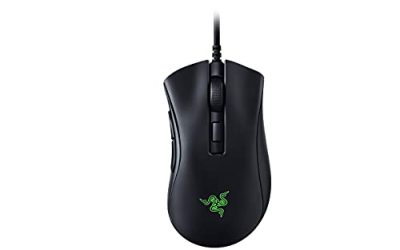
The real decision when shopping for a lower-cost RGB gaming mouse is not whether the lights look good in a photo. It is whether the mouse underneath the lighting is worth using every day. Plenty of entry-level models glow brightly and then disappoint with mushy clicks, a sensor that skips during fast turns, or software that fights you every time you change a colour. The lighting should be the finishing touch, not the reason to buy.


This guide is for players building a first setup, students putting together a desk on a tight outlay, and anyone who wants their mouse to match a lit keyboard without paying for a flagship. It also suits casual gamers who play a mix of shooters, MOBAs and single-player titles and want one mouse that looks the part and plays well. Every pick below comes from the name and specifications stated on its Amazon product page, so the RGB zones, sensor figures and button counts are the ones the listing itself gives.
Quick Picks
As an Amazon Associate we earn from qualifying purchases
| Product | Best for | Key spec from title |
|---|---|---|
| SteelSeries Rival 3 | Three-zone RGB lighting on a light, simple shell | 8,500 CPI TrueMove Core sensor, Prism RGB |
| Logitech G502 HERO | A button-rich wired mouse with tunable weight | HERO 25K sensor, 25,600 DPI, LIGHTSYNC RGB |
| Redragon M711 Cobra | Bold RGB strips with extra macro buttons | 10,000 DPI, 7 programmable buttons, 16.8M RGB |
| HyperX Pulsefire Core | Software-controlled RGB on a compact body | Pixart 3327 sensor, up to 6,200 DPI, 87g |
How to Choose
Count the RGB zones, not just the glow
A single strip around the base looks different from a mouse with three separately controlled zones. The SteelSeries Rival 3 lists three Prism RGB zones, which means the scroll wheel, logo and body lighting can each show a different colour or effect, while a single-zone mouse changes everything at once. Check whether the listing names the lighting system, such as LIGHTSYNC or Prism, because a named system usually comes with software that lets you set effects, sync with other gear, and turn the lighting down or off. If the listing only says RGB without naming zones, expect one colour at a time.
Judge the sensor by tracking, not the headline number
Headline DPI figures on entry-level mice range from 6,200 to 25,600 in this guide, and none of that range decides how the mouse feels in a match. What matters is steady tracking at the sensitivity you actually use, which for most players sits between 400 and 1,600 DPI. Look for a named sensor, such as the TrueMove Core, HERO 25K or Pixart 3327, because a named sensor tells you the maker is willing to stand behind the tracking. Avoid mice whose listings hide the sensor behind vague words, since that is usually where the corners were cut.
Make sure the buttons match your games
Seven programmable buttons cover most players: two main clicks, two side buttons, a DPI switch and a scroll click give you room for push-to-talk, melee, reload and ability binds without reaching for the keyboard. The G502 HERO goes further with eleven buttons, which suits MMO and MOBA players who map a dozen actions to the mouse. Count the side buttons carefully, because a mouse with only two side buttons can feel limiting in games that reward extra binds, while a crowded thumb grid can cause misclicks on a small shell.
Weigh the shape against the lighting
RGB lighting draws the eye, but the shape decides whether your hand is happy after two hours. A light, symmetrical shell suits claw and fingertip grips and quick flicks, while a heavier ergonomic body with a thumb rest suits palm grippers and long sessions. Check the listed weight and whether the mouse has a thumb rest, a textured grip or adjustable weights, since those details change comfort far more than another lighting zone. If possible, compare the dimensions with a mouse you already own before committing to a shape you have never held.
The 4 Best Options
SteelSeries Rival 3
The Rival 3 is the cleanest entry point in this guide: a straightforward wired mouse with a proper sensor, a light shell and three-zone Prism RGB lighting that genuinely looks good on a desk. Its TrueMove Core optical sensor tracks at up to 8,500 CPI with the one-to-one tracking the maker describes, and the six programmable buttons cover the essentials without crowding the sides. The split trigger buttons give the main clicks a crisp, distinct feel, and the 60-million-click switches are rated to last through years of daily play. It suits players who want honest performance and good lighting without extra buttons they will never use.
Specs
- 8,500 CPI TrueMove Core optical sensor
- 6 programmable buttons
- Split trigger buttons
- Brilliant Prism RGB lighting with 3 zones
- 60 million click mechanical switches
- Ergonomic shape
Best for: Players who want clean three-zone RGB and reliable tracking in a simple, light mouse.
Watch out for: The six-button layout has fewer extras than button-heavy rivals, so MMO players who map many abilities to the mouse should check the side buttons first.
Logitech G502 HERO
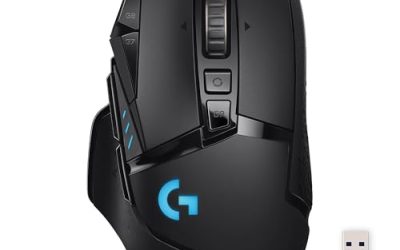
The G502 HERO is the most capable mouse in this guide, and its RGB lighting is only part of the story. The HERO 25K sensor tracks up to 25,600 DPI, eleven programmable buttons cover everything from DPI shifting to ability binds, and the dual-mode scroll wheel switches between precise clicks and free spinning. Five tuning weights let you change the balance of the mouse itself, which is rare at this tier, and LIGHTSYNC RGB ties the lighting into the rest of a Logitech setup. It is the pick for players who want one wired mouse that can handle shooters, strategy games and MMOs without compromise.
Specs
- HERO 25K sensor
- 25,600 DPI
- RGB LIGHTSYNC lighting
- Adjustable weights with five 3.6g weights
- 11 programmable buttons
- On-board memory
- Dual-mode hyper-fast scroll wheel
Best for: Players who want the most buttons, the most tuning options and full RGB in one wired mouse.
Watch out for: The ergonomic right-handed shape is wider and heavier than the other picks here, so fingertip grippers and left-handed players should look elsewhere.
Redragon M711 Cobra
The M711 Cobra leans into the RGB brief harder than any other mouse in this guide, with bright lighting strips along the sides and around the logo that make it the most visible mouse on the desk. Behind the glow sits a capable wired mouse: a 10,000 DPI sensor, seven programmable buttons including three macro keys behind the scroll wheel, and a comfortable ergonomic shape with textured side grips. The on-board memory and macro support suit players who like to set up profiles once and forget about them. It is the pick for players who want maximum visual impact and a generous button layout at the entry tier.
Specs
- 10,000 DPI adjustable sensor
- 7 programmable buttons
- 16.8 million Chroma RGB colour backlight
- Comfortable grip with textured sides
- Wired USB connection
Best for: Players who want bold, visible RGB and extra macro buttons on a comfortable wired shell.
Watch out for: The lighting is a big part of the design, so check the software support for your operating system before buying if you want to customise effects beyond the defaults.
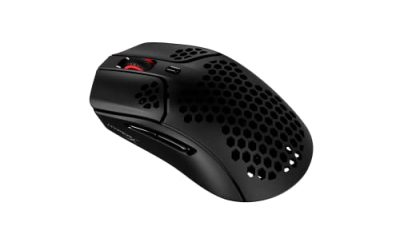
HyperX Pulsefire Core

The Pulsefire Core is the compact, understated option in this guide, and it suits players who want RGB lighting without a large or flashy shell. Its Pixart 3327 sensor tracks up to 6,200 DPI, which is more than enough for the sensitivities most players use, and seven programmable buttons give room for the binds that matter. Software-controlled RGB light effects let you set the look from the companion app, and the 87-gram body is light enough for quick movements while still feeling solid. The braided cable and large skates round out a mouse that focuses on the fundamentals done well.
Specs
- Pixart 3327 sensor up to 6,200 DPI
- 7 programmable buttons
- Software controlled RGB light effects
- Macro customisation
- Mouse weight 87g
- Large skates and flexible braided cable
Best for: Players who want a compact RGB mouse with software control and a light, simple feel.
Watch out for: The 6,200 DPI ceiling is lower than the other picks here, so players who genuinely play at very high sensitivity should confirm it covers their setting.
Which One Fits Your Situation
You are building a first gaming setup
Pick the SteelSeries Rival 3. It gives you a named sensor, three-zone RGB and a light, comfortable shell with nothing to configure before your first match. The six-button layout is easy to learn, the lighting looks good next to any keyboard, and the straightforward design means there is nothing to go wrong. It is the safest starting point for a player who wants a mouse that simply works and looks the part.
You play MMOs or MOBAs with lots of binds
Pick the Logitech G502 HERO. Eleven programmable buttons give you room for abilities, items and macros without touching the keyboard, and the DPI-shift button lets you drop sensitivity for precise aiming in the same session. The adjustable weights let you tune the feel to long sessions, and the LIGHTSYNC RGB keeps the lighting in step with the rest of your setup. No other mouse in this guide carries as many inputs.
You want the boldest RGB look on the desk
Pick the Redragon M711 Cobra. Its side lighting strips and glowing logo are the most visible in this guide, and the 16.8-million-colour backlight gives you plenty of room to match a themed setup. The seven programmable buttons and macro keys behind the wheel add real function behind the glow, and the textured grips keep the mouse steady during long sessions. This is the pick when lighting is the point.
You want a compact RGB mouse for a small desk
Pick the HyperX Pulsefire Core. Its smaller body and 87-gram weight suit tight desk space and smaller hands, while the software-controlled RGB lets you set a single calm colour instead of a rainbow when you want the setup to look tidy. Seven programmable buttons still cover the essential binds, and the braided cable resists snagging on a crowded desk. It is the tidy, low-profile choice in the group.
Common Mistakes
- Buying for the lighting photo alone and ending up with a mushy sensor or uncomfortable shell.
- Assuming a high DPI headline means better tracking, when steady tracking at your real sensitivity matters far more.
- Choosing a mouse with too few side buttons for an MMO, then running out of binds mid-fight.
- Ignoring the software, then finding the RGB effects cannot be changed or turned off on your system.
- Picking a wide ergonomic shape for a fingertip grip, or a flat symmetrical shell when your palm needs support.
Frequently Asked Questions
Is RGB lighting worth it on a lower-cost gaming mouse?
Yes, when the mouse underneath is sound. The picks in this guide pair named sensors and programmable buttons with real multi-zone lighting, so you are not paying for glow instead of performance. Check the sensor name, button count and weight first, then treat the lighting as the deciding factor between two mice that are otherwise equal.
Does RGB lighting affect gaming performance?
No, the lighting itself has no effect on tracking, clicks or response time. What matters is the sensor, the switches and the shape, which decide how the mouse plays. Some players find bright lighting distracting in a dark room, so pick a mouse whose software lets you dim or switch off the lights when you want a calmer setup.
How many RGB zones should a gaming mouse have?
Three zones is a good target, because it lets the scroll wheel, logo and body show different colours or effects instead of changing everything at once. Single-zone lighting still looks good on a desk, but it gives less room to match a theme or signal game states. The lighting system name, such as LIGHTSYNC or Prism, tells you more than the zone count alone.
Can I turn off the RGB lighting on these mice?
Yes, every mouse in this guide lets you change or switch off its lighting through its companion software, and most also include on-mouse controls or a default dim mode. If you play in a dark room or share a desk, set a single low-brightness colour or turn the lighting off entirely. The mouse plays exactly the same with the lights off.