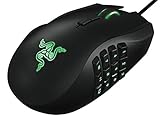
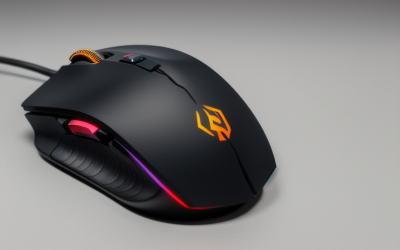
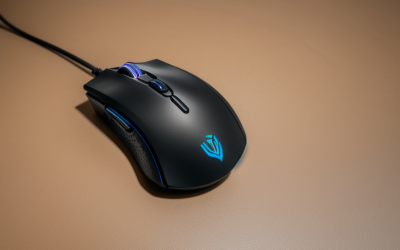
- Top Pick: Logitech G305 LIGHTSPEED Wireless Gaming Mouse, Hero 12K Sensor – Black | 12,000 DPI, lightweight, 6 programmable buttons, 250h battery life, on-board memory, PC/Mac, lightweight gaming mouse
- Best Value: Razer Basilisk V3 X HyperSpeed Customizable Wireless Gaming Mouse, Black | Mechanical Switches Gen-2, 5G Advanced 18K Optical Sensor, Chroma RGB, 9 Programmable Controls, 285 Hr Battery
- Premium Choice: Razer Basilisk V3 Customizable RGB Wired Ergonomic Gaming Mouse, Black | Fastest Gaming Mouse Switch, Chroma RGB Lighting, 26K DPI Optical Sensor, 11 Programmable Buttons, HyperScroll Tilt Wheel
Real-time strategy puts the mouse under a different kind of strain than a shooter. Instead of tiny aim corrections, you box-select armies, right-click move orders across a wide map, jump to the minimap, and repeat those motions hundreds of times a minute. That favors a mouse with durable buttons, a shape you can hold through a long match, and extra buttons that can stand in for common hotkeys. It does not demand the lightest shell or the highest DPI.
This 2026 guide looks at eight mice with that workload in mind. Some bring many programmable buttons for control groups and macros, some prioritize low weight and wireless freedom, and a few keep things simple for players who rely on the keyboard. Every comment is drawn from the specs in the listings, so treat the guide as a way to shortlist, then confirm the shape suits your grip.
Quick Picks
As an Amazon Associate we earn from qualifying purchases at no extra cost to you.




| Product | Best for | Key spec from the title |
|---|---|---|
| Logitech G305 Lightspeed | Reliable wireless starter | 12,000 DPI, 250h battery, 6 buttons |
| Razer Basilisk V3 X HyperSpeed | Wireless with many controls | 9 programmable controls, 285 Hr battery |
| Razer Basilisk V3 | Most buttons in the group | 11 programmable buttons, 26K DPI |
| Redragon M814W Tri-Mode | Flexible connections | 2.4G, Bluetooth, USB-C, 7 buttons |
| Razer DeathAdder Essential | Simple wired comfort | 6400 DPI, 5 buttons, rubber side grips |
| Corsair M65 RGB Ultra | Adjustable weight, fast polling | 8 buttons, 8000Hz hyper-polling |
| Logitech G703 Lightspeed | Wireless with optional weight | Hero 25K sensor, PowerPlay compatible |
| Redragon M602 | Wired with a button grid | 9 programmable buttons, 7200 DPI |
How to Choose
Buttons and what to put on them
RTS players often bind control groups, an idle-worker jump, a camera return, or build shortcuts. Many games map those to keys, so the mouse software has to send keyboard commands to be useful. Look for listings that mention programmable buttons plus remapping software. Five buttons cover basics, while nine to eleven give you room for a full cluster under your thumb.
Shape, weight, and grip
Matches can run long, so comfort matters more than a spec sheet. A right-handed ergonomic shell with rubber side grips is easy for palm users, while claw users may prefer a lighter body. Listed weights, such as the 95G figure on one Logitech title, help you compare. Adjustable weights let you fine-tune feel, though many players simply pick a shape and leave it.
Sensor, polling, and wired or wireless
Around 3000 to 6000 DPI covers a wide map comfortably, so higher figures simply give you more room to dial down. Polling rate matters less in RTS than in aim-driven games, though a model that lists 8000Hz can feel more immediate. Wireless 2.4G links are designed for low lag, and battery hours tell you how often to recharge. Bluetooth is better for casual or work use. If you play ladder matches where timing counts, prefer a wired link or the maker’s 2.4G dongle over Bluetooth.
Switch durability and where budgets cut corners
Your left button handles box select and clicks all match long. Optical and mechanical switches are built for repeated presses and resist the double-click issues that plague worn switches. Budget mice often trim switch quality, software depth, or the smoothness of the wheel, so favor a named switch type when you can. Remember too that cable drag can interfere with sweeping camera movements, so a flexible cable or a wireless mouse keeps long scrolls smooth.
The 8 Best Options
Logitech G305 Lightspeed
A dependable wireless mouse without gimmicks. The title lists the Hero 12K sensor at 12,000 DPI, a lightweight body, six programmable buttons, 250h battery life, and on-board memory, working with PC and Mac. It suits players who want a clean desk and rarely want to think about batteries, and a light body makes it easy to swipe across a wide map for hours at a time.
- Strength: 250h battery life keeps interruptions rare during long sessions.
- Strength: on-board memory keeps your button setup with the mouse.
- Trade-off: six buttons are fewer than the macro-heavy models here.
Skip it if you want a deep button grid or a contoured palm shell.
Razer Basilisk V3 X HyperSpeed
This wireless model pairs plenty of controls with a long battery. The title cites second-generation mechanical switches, a 5G advanced 18K optical sensor, Chroma RGB, nine programmable controls, and a 285 Hr battery. Those extra controls can carry control groups or camera shortcuts, which helps when your keyboard hand is busy with production queues and building hotkeys.
- Strength: nine programmable controls give real hotkey coverage without a cable.
- Strength: mechanical switches suit the constant clicking of box selection.
- Trade-off: it offers fewer buttons than the wired Basilisk V3.
Skip it if you want the lightest mouse or never use side buttons.
Razer Basilisk V3
The button champion of this list. The title mentions a 26K DPI optical sensor, 11 programmable buttons, a HyperScroll tilt wheel, Chroma RGB, an ergonomic wired design, and what it calls the fastest gaming mouse switch. It is the most obvious fit for players who want a macro cluster on one mouse, with the tilt wheel offering extra inputs for zoom or camera control if your game allows it.
- Strength: 11 programmable buttons allow wide hotkey mapping.
- Strength: an ergonomic wired design supports long matches without battery worries.
- Trade-off: the shape is larger, and the setup takes time to learn.
Skip it if you prefer a small, light, minimal mouse or want cable-free play.
Redragon M814W Tri-Mode
A flexible wireless pick with connection choices. The title lists tri-mode 2.4G, Bluetooth, and USB-C, seven programmable buttons, a tactile rapid fire key, 24000 DPI, an RGB ergonomic body, and suitability for gaming and work. It suits someone who plays strategy on a desktop and works on a laptop, since the listing frames it for both gaming and everyday work, and the rapid fire key adds an extra programmable input.
- Strength: three connection modes cover desktop and laptop use.
- Strength: seven programmable buttons are a solid middle ground.
- Trade-off: the title gives no battery life figure.
Skip it if a clearly stated battery life is a deciding factor for you.
Razer DeathAdder Essential
A plain, familiar wired mouse. The title lists a 6400 DPI optical sensor, five programmable buttons, rubber side grips, and mechanical switches. It is a good fit for players who keep their hotkeys on the keyboard and want a comfortable ergonomic shape for dragging selection boxes, and with fewer settings to manage it is easy to hand to a friend for a local match.
- Strength: rubber side grips help control during frantic play.
- Strength: a simple wired setup removes batteries and pairing.
- Trade-off: only five programmable buttons limit macro mapping.
Skip it if you want lots of side buttons or a wireless connection.
Corsair M65 RGB Ultra
Built as an FPS mouse, it still suits strategy fans who like precision. The title lists a wired design, adjustable weight, 26,000 DPI, eight buttons, 8000Hz hyper-polling, optical switches, reposition gyro control, and iCUE compatibility. The adjustable weight lets you tune how heavy it feels during long matches, so you can add mass for steadier drags or remove it for faster flicks across the minimap.
- Strength: iCUE software supports detailed button remapping.
- Strength: optical switches and fast polling suit quick, repeated clicks.
- Trade-off: it is positioned as an FPS mouse, so the shape may not suit every palm.
Skip it if you want a wireless model or the simplest possible setup.
Logitech G703 Lightspeed
A wireless mouse with a larger sensor. The title cites the Hero 25K sensor, a range of 100 to 25,600 DPI, PowerPlay compatibility, Lightsync RGB, rubber side grips, and a 95G body with a 10G optional weight. It is a good fit for players who want a refined feel and might add wireless charging later, which is useful for long strategy sessions that outlast a battery.
- Strength: rubber side grips and a weight option suit different hands.
- Strength: PowerPlay compatibility supports charging while you play.
- Trade-off: the listing does not mention many extra buttons.
Skip it if you want a button-heavy macro layout.
Redragon M602
A wired option with a button grid at a budget tier. The title lists 7200 DPI, remappable keys, nine programmable buttons, professional software, a backlight, and a lag-free connection with an ergonomic grip body. Those nine buttons give strategy players room for control groups and shortcuts, and the wired link means there is no battery or pairing step before a ladder match.
- Strength: nine programmable buttons offer broad hotkey coverage.
- Strength: remapping software lets you shape the layout.
- Trade-off: it uses a wired connection and its DPI ceiling is lower than the premium models listed here.
Skip it if you want wireless freedom or a lighter shell.
Which One Fits Your Situation
You bind everything you can
The Razer Basilisk V3 offers the largest button count here, so it can hold control groups, camera jumps, and build shortcuts on one device. Spend an evening assigning them one by one, and keep the layout consistent across games so muscle memory carries over.
You want wireless with plenty of controls
The Razer Basilisk V3 X HyperSpeed pairs nine programmable controls with a long battery, keeping cables out of the way of wide mouse sweeps. It is the easier route for players who like extra buttons but dislike a trailing cord on a crowded desk.
You keep hotkeys on the keyboard
Go for the Razer DeathAdder Essential or the Logitech G305 Lightspeed. Both keep things simple and comfortable while your left hand handles the keys. Both are straightforward to learn, so they suit someone moving from casual play into ranked matches.
You split time between desktop and laptop
The Redragon M814W Tri-Mode switches between 2.4G, Bluetooth, and USB-C, so one mouse follows you from the gaming rig to the work laptop.
Common Mistakes
- Buying a mouse for its DPI figure when box-select comfort and switch quality matter more.
- Adding macro buttons without binding them, then reaching for the keyboard anyway out of habit.
- Choosing a shape that fatigues your hand over matches that run for an hour.
- Skipping the software that remaps buttons to keyboard commands.
- Picking wireless without checking the battery hours listed on the product page.
Related guides
- Aio Liquid Coolers For High Performance Gaming
- How To Lower Input Delay In Competitive Shooters
- External Hard Drives For Music Production
Frequently Asked Questions
Do RTS players need a high DPI mouse?
Not really. Mid-range DPI settings are enough to cross a large map, and the extra headroom on high-DPI mice simply lets you pick a comfortable setting.
Are side buttons worth it for strategy games?
They can be, if you map them to control groups or camera shortcuts. If your hotkeys already live on the keyboard, a simple five-button mouse is entirely workable.
Is a wireless mouse reliable for long matches?
Modern 2.4G wireless links are designed for low lag, and long battery hours reduce interruptions. Keep a spare cable or charging habit so a match is never cut short.
Does an FPS mouse work for strategy games?
Yes. An FPS-oriented model such as the Corsair M65 clicks and tracks well, and its adjustable weight and remapping software can be tuned for box selection and map movement.