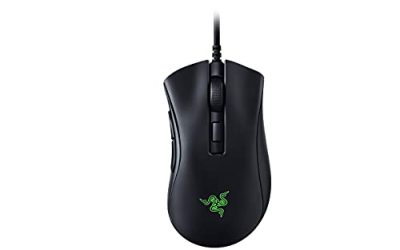
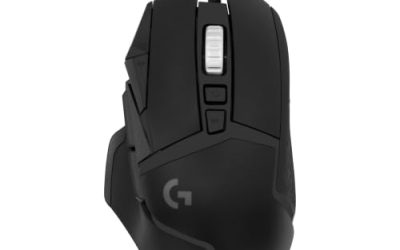
From a sofa, an ordinary mouse runs out of road almost immediately. The armrest is too narrow, the cushion swallows the sensor, and every flick ends with the mouse sliding off the edge of whatever improvised surface you found. A trackball sidesteps the whole problem: the body stays still while the ball does the travelling, so the cursor crosses the screen without your hand ever leaving its rest. For couch play, that stationary footprint is the feature that matters most.


Below are five trackballs chosen from Amazon product titles and listed specifications for living-room play, covering thumb balls for mouse-shaped comfort, a large finger ball for either hand, and long battery life for players who would rather game than hunt for chargers. They suit strategy games, adventure titles, slower shooters, and menu-heavy sessions from a sofa or recliner.
Quick Picks
As an Amazon Associate we earn from qualifying purchases.
| Product | Best for | Key spec from title |
|---|---|---|
| Logitech MX Ergo Wireless Trackball | Adjusting the angle for wrist comfort | Adjustable ergonomic design, thumb trackball, Bluetooth or USB, rechargeable |
| Kensington Expert Mouse Wireless Trackball | Sharing one pointer between left and right hands | Wireless trackball, ambidextrous, large ball with wrist rest |
| Logitech ERGO M575 Wireless Trackball | Long stretches between battery changes | Thumb control, smooth tracking, Bluetooth or Unifying USB, 24-month battery |
| Logitech ERGO M575S Wireless Trackball, Graphite Blue Ball | Quiet clicking in a shared living room | Thumb trackball, Bluetooth plus Logi Bolt USB receiver, quiet clicks, 18-month AA battery |
| Logitech ERGO M575S Wireless Trackball, Off-White Silver Ball | A lighter-coloured setup with the same quiet clicks | Thumb trackball, Bluetooth plus Logi Bolt USB receiver, quiet clicks, 18-month AA battery |
How to Choose
Decide between a thumb ball and a finger ball
Thumb balls sit inside a mouse-shaped body, so the thumb rolls a small ball while the fingers rest on familiar buttons, and most mouse users settle into one within an evening. Finger balls put a large ball in the centre of a stationary body, rolled by the index and middle fingers, which spreads the work across stronger digits and suits longer sessions for some hands. The Logitech models in this guide are thumb balls, while the Kensington Expert Mouse is a finger ball with an ambidextrous body, so the first choice is really about which digit you want doing the steering.
Look at the wireless link and how it stays powered
A couch mouse needs a link that reaches the PC or console across the room, and the options here split between Bluetooth, a USB receiver, and models that offer both. Bluetooth suits a setup where the receiver port is already taken or the machine sits far away, while a dedicated receiver can feel more direct on a desktop machine. Power matters just as much: the ERGO M575 lists a 24-month battery, the M575S models list an 18-month AA battery, and the MX Ergo is rechargeable, so pick the routine you will actually keep up with.
Get the size and shape right for your hand
Trackballs do not move, which means a poor fit cannot be fixed by sliding the device around, and hand size decides comfort more than any other factor here. A sculpted thumb ball such as the ERGO M575 holds the hand in a fixed curve, while the Kensington Expert Mouse offers a wide body with a wrist rest and listed dimensions of 3.5 by 6.1 by 8, giving larger hands room to spread out. If you can, compare the listed size against a mouse you already own, and favour a shape that lets your palm rest rather than hover.
Match buttons and scrolling to your games
Couch gaming leans toward strategy, adventure, and exploration titles, where a smooth scroll wheel and a couple of well-placed extra buttons matter more than a dozen programmable keys. Thumb balls keep clicking and aiming in separate digits, which helps when you need to hold a button and steer at the same time, and quiet clicks, listed for both M575S models, keep late sessions peaceful in a shared room. Before buying, think about how often you scroll through inventories and maps, because that habit will decide whether the wheel or the ball gets the most work.
The 5 Best Options
Logitech MX Ergo Wireless Trackball
For a player whose wrist complains after long evenings, the MX Ergo Wireless Trackball earns its place through an adjustable ergonomic design that lets the body tilt to a more natural angle instead of forcing one fixed posture. The thumb trackball keeps the familiar mouse shape, so aiming and clicking stay in separate digits, and the wireless connection runs over Bluetooth or USB depending on what the setup has free. Because it is rechargeable, there is no battery to swap mid-session, which suits a living-room machine that gets used most nights and where a dead cell would otherwise end the game.
Specs
- Adjustable ergonomic design
- Thumb trackball
- Bluetooth or USB connection
- Rechargeable battery
Best for: Players who want to tilt the trackball to a comfortable wrist angle during long couch sessions.
Watch out for: The adjustable angle changes how the thumb reaches the ball, so give yourself a few sessions to settle on a tilt before judging the fit.
Kensington Expert Mouse Wireless Trackball
In a household where more than one person shares the same sofa setup, the Kensington Expert Mouse Wireless Trackball stands apart as an ambidextrous finger ball that either hand can use without flipping the device around. Its large ball is rolled by the index and middle fingers while the thumb and ring finger work the buttons, and the included wrist rest supports the palm through long strategy sessions. The wireless link keeps cables off the cushions, and the wide stationary body means the cursor never runs out of room, no matter how small the armrest or tray underneath it happens to be.
Specs
- Wireless trackball
- Ambidextrous design
- Large ball with wrist rest
- Listed dimensions of 3.5 by 6.1 by 8
Best for: Households where left-handed and right-handed players share one couch pointer.
Watch out for: A large finger ball feels very different from a mouse at first, so expect a learning period before fine aiming feels natural.
Logitech ERGO M575 Wireless Trackball

When the goal is a thumb ball that simply works for months without attention, the Logitech ERGO M575 Wireless Trackball is the straightforward choice in this guide. Its sculpted ergonomic shape holds the hand in a relaxed curve, the thumb controls the ball while the fingers handle the buttons, and smooth tracking carries the cursor across menus and maps without the hand ever moving. Connection runs over Bluetooth or a Unifying USB receiver, so it fits a laptop, a living-room PC, or a machine where the receiver port is the only free option, and the listed 24-month battery means replacements are a rare event rather than a routine.
Specs
- Thumb control trackball
- Smooth tracking
- Bluetooth or Unifying USB connection
- 24-month battery
- Ergonomic sculpted shape
Best for: Players who want a comfortable thumb ball they can forget about between rare battery changes.
Watch out for: Check whether your machine has a free USB port for the receiver or a Bluetooth connection available, since the two routes need different setup steps.
Logitech ERGO M575S Wireless Trackball, Graphite Blue Ball

Late-night sessions in a shared living room call for a pointer that does not announce every click, and the Logitech ERGO M575S Wireless Trackball in graphite with a blue ball lists quiet clicks alongside its thumb-ball layout. It connects over Bluetooth or a Logi Bolt USB receiver, so it pairs with modern laptops and living-room PCs alike, and the sculpted body keeps the hand in the same relaxed curve as the rest of the M575 family. An 18-month AA battery keeps the maintenance routine simple: one cell, swapped rarely, with no cable and no charging dock competing for space on the coffee table.
Specs
- Thumb trackball
- Bluetooth plus Logi Bolt USB receiver
- Quiet clicks
- 18-month AA battery
- Graphite body with blue ball
Best for: Quiet evening play in a shared room where clicks carry further than you think.
Watch out for: The Logi Bolt receiver is a different receiver from the older Unifying standard, so confirm it matches the other Logitech devices you already own if you plan to share one.
Logitech ERGO M575S Wireless Trackball, Off-White Silver Ball

For a lighter-coloured living room where a dark peripheral would stand out, the off-white Logitech ERGO M575S Wireless Trackball with a silver ball brings the same family traits in a paler finish. The thumb trackball, quiet clicks, and Bluetooth plus Logi Bolt USB receiver match its graphite sibling, so the choice between the two comes down to the room and the rest of the setup rather than a different feel in the hand. The 18-month AA battery keeps upkeep to an occasional cell swap, and the stationary body means it works from a lap, an armrest, or a small tray without ever needing a desk-sized surface.
Specs
- Thumb trackball
- Bluetooth plus Logi Bolt USB receiver
- Quiet clicks
- 18-month AA battery
- Off-white body with silver ball
Best for: Players who want the quiet M575S in a lighter colour that blends into a pale living room.
Watch out for: A pale body shows dust and marks more readily than a dark one, so keep a cloth nearby if the trackball lives on an open shelf.
Which One Fits Your Situation
Your wrist aches after long sessions
Pick the Logitech MX Ergo Wireless Trackball, because its adjustable ergonomic design lets you tilt the body until the wrist sits naturally, and the rechargeable battery removes the chore of swapping cells. The thumb ball keeps the learning curve short for anyone coming from a conventional mouse, and the stationary body means it never slides off an armrest.
More than one person shares the sofa setup
Pick the Kensington Expert Mouse Wireless Trackball, because its ambidextrous body and large finger ball suit left-handed and right-handed players alike in a busy household, and the wrist rest supports longer shared sessions. The wireless link also keeps the cushions free of cables when the device changes hands, without anyone relearning the layout.
You want a thumb ball with the longest battery life
Pick the Logitech ERGO M575 Wireless Trackball, because its listed 24-month battery outlasts the M575S models and keeps the trackball running for months at a time, and the choice of Bluetooth or Unifying USB covers most living-room machines. Its sculpted shape suits relaxed play across strategy and adventure titles from a sofa or recliner.
You play late while others sleep nearby
Pick the Logitech ERGO M575S Wireless Trackball in graphite with a blue ball, or the off-white version with a silver ball if the room is pale, because both list quiet clicks and the same Bluetooth plus Logi Bolt connection. Either colour keeps the pointer silent while the 18-month AA battery keeps maintenance rare.
Common Mistakes
- Buying a regular wireless mouse for the sofa and discovering there is no flat surface for it to travel on.
- Choosing a trackball for fast competitive shooters, where a thumb or finger ball rarely matches a gaming mouse for flick shots.
- Picking a thumb ball when your thumb tires quickly, instead of trying a finger ball that spreads the work across two digits.
- Forgetting to check the connection route, then finding the receiver port is taken or Bluetooth is switched off.
- Skipping the fit check and ending up with a sculpted body that holds a large hand in a cramped curve.
Frequently Asked Questions
Are trackballs good for couch gaming?
Trackballs suit couch gaming well for strategy, adventure, exploration, and menu-heavy titles, because the body never moves and the cursor is steered by the ball alone. They are less suited to fast competitive shooters, where rapid flick aiming favours a conventional gaming mouse on a proper pad. For a sofa, the stationary footprint is the real advantage, since armrests and cushions rarely offer a mouse room to travel.
Do I need a desk or a mouse pad for a trackball?
No desk is needed, and no mouse pad is needed either, because the ball, not the body, does the moving. A trackball works from a lap, an armrest, a cushion, or a small tray, as long as the body sits steady and the hand rests comfortably. That is exactly why the five models in this guide were chosen for couch play rather than desk play.
How long do the batteries in these trackballs last?
Battery life varies by model: the Logitech ERGO M575 lists a 24-month battery, both M575S models list an 18-month AA battery, and the Logitech MX Ergo is rechargeable rather than battery powered. Actual life depends on daily use and the connection route, so treat the listed figures as a guide for how rarely you will need to think about power.
Can a left-handed player use these trackballs?
The Kensington Expert Mouse Wireless Trackball is ambidextrous, so it suits left-handed and right-handed players alike, and its large finger ball is rolled by the index and middle fingers of either hand. The Logitech models in this guide are thumb balls shaped for the right hand, so a left-handed player who wants a Logitech thumb ball should test the fit carefully before committing.