Table of Contents
- Quick Answer
- 1. Logitech G502 HERO
- 2. Razer Viper V3 Pro White
- 3. Logitech G305 LIGHTSPEED
- 4. Razer Orochi V2 Quartz Pink
- 5. Logitech MX Master 3S
- How to Choose a Mouse for The Outer Worlds 2
- Who Should Skip These Mice
- Frequently Asked Questions
- Final Verdict
- Product and ASIN Reference
The Outer Worlds 2 mixes first-person shooter combat with long stretches of dialogue, exploration, and inventory management, so the best mouse for it has to do two jobs at once. It needs a steady sensor and a comfortable shape for firefights, and enough programmable buttons to keep companion abilities, weapon swaps, the inhaler, and consumables within easy reach.
This guide picks five mice that cover that split, using only published specifications to compare them. The list runs from a button-heavy wired classic to a featherlight wireless flagship, with a budget wireless pick, a compact travel-friendly option, and an ergonomic crossover for players who spend as much time in menus as in combat.
As an Amazon Associate, we earn from qualifying purchases.
Quick Answer
For The Outer Worlds 2, the Logitech G502 HERO is the best overall pick because its 11 programmable buttons cover companion abilities, weapons, and consumables while the HERO 25K sensor keeps first-person aiming steady. If you want a lighter wireless option, the Razer Viper V3 Pro White is the premium alternative, and the Logitech G305 is the best budget choice for long sessions.
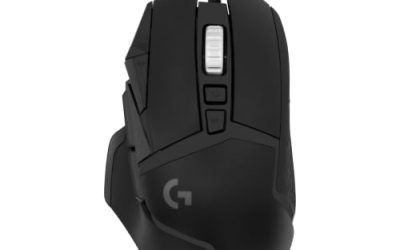
1. Logitech G502 HERO

The G502 HERO is the best overall mouse for The Outer Worlds 2 because it gives you the most control without asking you to learn a new layout. Eleven programmable buttons cover the things this game asks for constantly: companion orders, weapon swaps, the inhaler, grenades, and consumables. Its dual-mode scroll wheel also speeds through inventory lists.
The HERO 25K sensor tracks up to 25,600 DPI with no smoothing, filtering, or acceleration, which keeps crosshair movement predictable when lining up shots on distant enemies. Five 3.6-gram tuning weights sit in the base, so you can make the mouse heavier for steady aiming or lighter for faster turns. Onboard memory stores up to five profiles directly on the mouse. At 121 grams, it is substantial, and the right-handed shape suits palm and claw grips best.
Specs
- Sensor: HERO 25K optical, up to 25,600 DPI
- Buttons: 11 programmable buttons
- Scroll wheel: Dual-mode hyper-fast with tilt
- Weight: 121 grams, plus five 3.6-gram tuning weights
- Connection: Wired
- Memory: Onboard memory for up to 5 profiles
- Lighting: Programmable RGB lighting
- Grouping: Budget
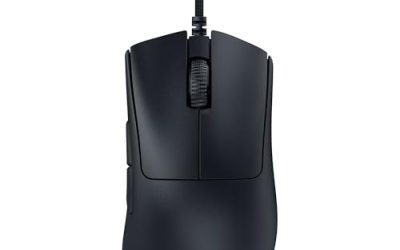
2. Razer Viper V3 Pro White

The Viper V3 Pro White is the premium pick for players who want the lightest, fastest mouse on this list. The white version weighs 55 grams, so long sessions of exploring settlements and clearing hostile areas put very little strain on the wrist. The Focus Pro 35K Optical Sensor Gen-2 tracks up to 35,000 DPI and works on a wide range of surfaces, including glass. HyperPolling wireless reaches a true polling rate of up to 8000 Hz, keeping cursor response immediate during fast firefights.
Eight programmable buttons are fewer than the G502 HERO has, but they cover the essentials: companion abilities, weapon swap, inhaler, and a couple of consumables, with the rest left on the keyboard. Battery life runs up to 95 hours at 1000 Hz polling, so a full week of evening sessions is realistic on one charge.
Specs
- Sensor: Focus Pro 35K Optical Sensor Gen-2, up to 35,000 DPI
- Buttons: 8 programmable buttons
- Polling rate: Up to 8000 Hz with HyperPolling wireless dongle
- Weight: 55 grams, White version
- Battery life: Up to 95 hours at 1000 Hz
- Connection: Razer HyperSpeed Wireless and wired
- Switches: Gen-3 optical switches
- Grouping: Premium
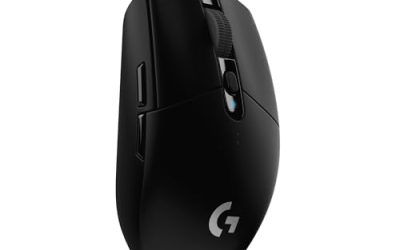
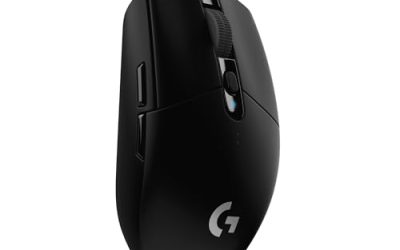
3. Logitech G305 LIGHTSPEED

The G305 LIGHTSPEED is the best budget pick, and the easiest recommendation on this list for players who want wireless freedom without a premium outlay. It uses the same LIGHTSPEED wireless technology as Logitech’s higher-end mice, with a 1 ms report rate that keeps aiming responsive in shooter combat. The HERO 12K sensor reaches 12,000 DPI with 400 IPS precision and no acceleration or smoothing, which is more than enough for this game.
Six programmable buttons cover the basics, including weapon swap and companion commands, and onboard memory saves your setup on the mouse itself. Battery life is the standout feature: a single AA battery delivers up to 250 hours of continuous gameplay.
Specs
- Sensor: HERO 12K optical, up to 12,000 DPI
- Buttons: 6 programmable buttons
- Connection: LIGHTSPEED wireless, 1 ms report rate
- Weight: 99 grams
- Battery life: Up to 250 hours on a single AA battery
- Memory: Onboard memory
- Tracking speed: Over 400 IPS
- Grouping: Budget
4. Razer Orochi V2 Quartz Pink

The Orochi V2 is the pick for small hands, laptop setups, and players who want a mouse that disappears into a bag between sessions. The Quartz Pink version weighs under 60 grams excluding the battery, and its compact dimensions suit fingertip and claw grips. The Razer 5G Advanced 18K DPI optical sensor tracks at 450 IPS with 40G acceleration, giving you precise aim for a mouse this small.
Battery life is exceptional: up to 950 hours on Bluetooth and up to 425 hours on HyperSpeed Wireless from a single AA battery, with a hybrid compartment that also accepts a AAA battery. Second-generation mechanical switches are rated for up to 60 million clicks. The small shape is the main limitation, since large hands and palm grips will find it cramped during long sessions.
Specs
- Sensor: Razer 5G Advanced 18K DPI optical sensor
- Buttons: 6 buttons including two side buttons
- Connection: Razer HyperSpeed Wireless and Bluetooth
- Weight: Under 60 grams excluding battery
- Battery life: Up to 950 hours on Bluetooth, up to 425 hours on HyperSpeed Wireless
- Tracking speed: 450 IPS, 40G acceleration
- Switches: 2nd-generation mechanical switches, rated for up to 60 million clicks
- Grouping: Mid-range
5. Logitech MX Master 3S

The MX Master 3S is the odd one out here, and it earns its place for players who spend most of their time in dialogue, terminals, and inventory screens. Its sculpted ergonomic shape supports the hand through very long sessions, and the MagSpeed scroll wheel moves through long lists of loot and quest logs with a single flick, then switches to a precise stepped mode for careful selection. A second thumbwheel handles horizontal scrolling, which is useful in wide inventory and map screens.
Seven buttons include back and forward controls, an app-switch button, a wheel mode-shift button, and a gesture button, all programmable through Logitech software. The 8K DPI Darkfield sensor tracks on almost any surface, including glass,. Battery life runs up to 70 days on a full charge, with a quick charge that gives hours of use from a minute plugged in over USB-C.
Specs
- Sensor: Darkfield high precision, up to 8,000 DPI
- Buttons: 7 buttons including gesture button and thumbwheel
- Scroll wheels: MagSpeed electromagnetic wheel plus thumbwheel
- Weight: 141 grams
- Battery life: Up to 70 days on a full charge
- Connection: Logi Bolt USB receiver and Bluetooth, USB-C charging
- Clicks: Quiet clicks
- Grouping: Premium
How to Choose a Mouse for The Outer Worlds 2
Start with buttons. The Outer Worlds 2 rewards players who bind companion abilities, weapon swaps, and consumables to the mouse, so count how many side buttons you actually use before choosing. Six programmable buttons cover the essentials, while eleven gives you room for a full ability bar.
Next, match the shape and weight to your grip. Palm grips suit larger ergonomic mice like the G502 HERO and MX Master 3S, claw grips work well with the G305 and Viper V3 Pro, and fingertip grips suit compact mice like the Orochi V2. A sensor between 12,000 and 35,000 DPI is more than enough here, since this game rewards steady tracking over extreme sensitivity, and a polling rate of 1000 Hz is plenty for its combat pace. Wired mice never need charging, while wireless mice keep the desk clear, so battery life is the real deciding factor.
Who Should Skip These Mice
Players who use a controller for The Outer Worlds 2 can skip this list entirely, since the game plays well on a gamepad. Left-handed players should also look elsewhere, because the G502 HERO and MX Master 3S are shaped for right hands, and the symmetrical options here still place their side buttons on the left side.
If you want a dedicated MMO mouse with a full 12-button thumb grid, none of these five is that mouse. The G502 HERO comes closest with eleven buttons spread across the body, but its thumb cluster is smaller than a true MMO grid. Very large hands should avoid the Orochi V2, and competitive players should look past the MX Master 3S.
Frequently Asked Questions
What DPI should I use for The Outer Worlds 2?
A setting between 800 and 1600 DPI suits most players, with in-game sensitivity adjusted to taste. The Outer Worlds 2 rewards steady tracking over fast flicks, so a lower DPI with a larger mousepad gives more control during firefights.
Do I need extra side buttons for The Outer Worlds 2?
Extra side buttons help, but they are not required. Binding companion abilities, weapon swaps, and the inhaler to the mouse keeps your left hand on movement keys during combat. Six programmable buttons cover the essentials, while eleven lets you bind consumables and grenades as well.
Is a wireless mouse good enough for shooter combat in The Outer Worlds 2?
Yes. Modern wireless mice with a 1 ms report rate respond as quickly as wired mice in normal play, and the combat pace of The Outer Worlds 2 is far less demanding than a competitive shooter. The main wireless concern is battery life, so pick a mouse with long battery life.
Can I use a productivity mouse like the MX Master 3S for gaming?
Yes, for a story-heavy RPG like The Outer Worlds 2. The MX Master 3S has a precise 8,000 DPI sensor, programmable buttons, and an excellent scroll wheel for menus and inventory. It is not the best choice for fast competitive shooters, but it suits long dialogue and exploration sessions well.
Final Verdict
The Logitech G502 HERO is the best mouse for The Outer Worlds 2 for most players, because its eleven programmable buttons, HERO 25K sensor, and adjustable weight cover everything the game asks for, from companion commands to steady aiming, at a budget grouping. Players who want the lightest possible mouse should step up to the Razer Viper V3 Pro White, while the Logitech G305 delivers wireless freedom and huge battery life for less. The Orochi V2 suits small hands, and the MX Master 3S suits long dialogue-heavy sessions.
Product and ASIN Reference
| Product | ASIN |
|---|---|
| Logitech G502 HERO | B07GBZ4Q68 |
| Razer Viper V3 Pro White | B0CW25XR5S |
| Logitech G305 LIGHTSPEED | B07CMS5Q6P |
| Razer Orochi V2 Quartz Pink | B0BFJSFS7V |
| Logitech MX Master 3S | B09HM94VDS |