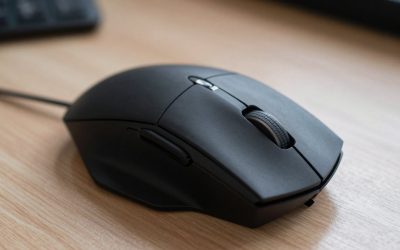
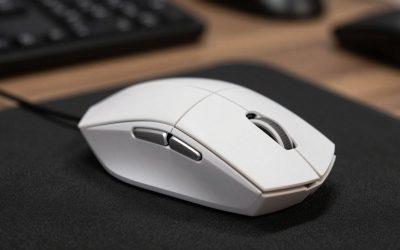
Nioh 2 is a fast, demanding action RPG where the mouse does far more than aim the camera. Stance switching, ki pulses, yokai abilities, burst counters, and item use all compete for attention during every fight, and a mouse with a clean sensor and well-placed extra buttons keeps those actions within easy reach. A comfortable shape matters just as much, since boss attempts and side missions can run for hours.
This guide compares five mice for different hands, grips, and budgets, from a wired button-heavy workhorse to a featherweight wireless pick. Each one is judged on sensor accuracy, weight, shape, and button layout. Hand size and grip style change everything, but every mouse below has the tracking quality to carry a full playthrough.
As an Amazon Associate, we earn from qualifying purchases.
Quick answer
The Logitech G502 HERO is the strongest all-round pick for Nioh 2, with 11 programmable buttons for stances, items, and yokai skills, a precise HERO 25K sensor, and adjustable weights. Players who want even more buttons should look at the Razer Naga V2 Pro, while the Logitech G305 suits smaller hands and wireless play on a tighter budget.
Logitech G502 HERO

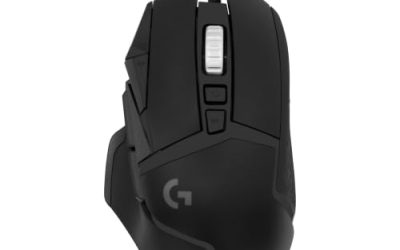
The Logitech G502 HERO is the best all-round mouse for Nioh 2 because its button layout maps so well to the game. Eleven programmable buttons cover stance switching, ki pulse, yokai abilities, and item use without forcing the left hand to do everything, and the dual-mode hyper-fast scroll wheel adds another input for weapon or item cycling. The HERO 25K sensor tracks from 100 to 25,600 DPI with no smoothing, filtering, or acceleration in its published specifications, and that consistency is what fast boss fights reward most. Five removable 3.6-gram weights let players tune the balance. At 121 grams it is a steady, planted mouse, and the right-handed ergonomic shape suits palm and claw grips.
Specs
- Sensor: HERO 25K optical sensor, 100 to 25,600 DPI
- Weight: 121 grams, plus five removable 3.6-gram weights
- Buttons: 11 programmable buttons
- Scroll wheel: Dual-mode hyper-fast with tilt
- Connectivity: Wired, braided USB cable
- Polling rate: 1,000 Hz
- Lighting: LIGHTSYNC RGB
- Onboard memory: Up to 5 profiles
- Model: 910-005469
- Tier: Mid-range
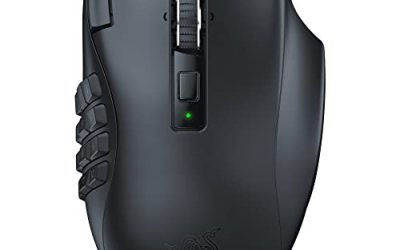
Razer Naga V2 Pro

The Razer Naga V2 Pro is the button-heaviest mouse in this guide, and it suits Nioh 2 players who want every skill, stance, and item on the mouse itself. Three magnetic side plates swap between 2, 6, and 12-button layouts, giving up to 20 programmable buttons in total, so the 12-button plate can hold a full set of yokai abilities and items while the 2-button plate keeps things simple for a lighter build. The Focus Pro 30K optical sensor reaches 30,000 DPI with 750 IPS tracking and 70 G acceleration, far beyond what Nioh 2 needs. Battery life runs up to 150 hours over HyperSpeed wireless and up to 300 hours over Bluetooth. At 134 grams it is a large, right-handed mouse, so smaller hands should try the shape first. Wireless charging needs a separately sold accessory.
Specs
- Sensor: Focus Pro 30K optical sensor, up to 30,000 DPI
- Weight: 134 grams
- Buttons: Up to 20 programmable, with 2, 6, and 12-button swappable side plates
- Switches: Optical Mouse Switches Gen-3
- Connectivity: HyperSpeed wireless, Bluetooth, wired USB-C
- Battery: Up to 150 hours over HyperSpeed, up to 300 hours over Bluetooth
- Tracking: Up to 750 IPS, up to 70 G acceleration
- Model: RZ01-04400100-R3U1
- Tier: Premium
SteelSeries Aerox 5, Wired

The SteelSeries Aerox 5 is the lightweight wired pick in this guide, and its 66-gram holey shell makes long camera sweeps and quick turns feel effortless during fast fights. Nine programmable buttons include a 5-button side panel and an up and down flick switch, giving enough inputs for stances and a couple of yokai abilities without the bulk of a full MMO layout. The TrueMove Air optical sensor reaches 18,000 DPI, and the AquaBarrier rating protects the holey shell against dust and splashes. Golden Micro IP54 switches sit under the main buttons, and PTFE glide skates keep movement smooth across the pad. A detachable USB-C Super Mesh cable reduces drag. The right-handed shape suits palm and claw grips.
Specs
- Sensor: TrueMove Air optical sensor, up to 18,000 DPI
- Weight: 66 grams
- Buttons: 9 programmable buttons, including a 5-button side panel
- Switches: Golden Micro IP54 switches
- Connectivity: Wired, detachable USB-C Super Mesh cable
- Protection: AquaBarrier, IP54 rated
- Glide skates: 100 percent PTFE
- Model: 62401
- Tier: Mid-range
Logitech G600

The Logitech G600 is the classic MMO mouse for Nioh 2 players who want a thumb panel they can learn by touch. Twenty programmable buttons include a 12-button thumb panel arranged in two rows of six, and the G-Shift ring-finger button doubles the actions available on every other button, so stances, items, and yokai skills can all live under the thumb. The optical sensor reaches 8,200 DPI, more than enough for Nioh 2 at the sensitivity ranges most players use, and the RGB lighting can be set to show which profile is active. At 133 grams without the cable it is a full, sculpted right-handed mouse built for palm grips. One honest note: the G600 is an older design, but its button layout remains unmatched for players who want maximum inputs.
Specs
- Sensor: Optical sensor, up to 8,200 DPI
- Weight: 133 grams without cable
- Buttons: 20 programmable buttons, including a 12-button thumb panel
- Extra: G-Shift button doubles the actions on every button
- Switches: Rated for 20 million clicks
- Connectivity: Wired, USB
- Lighting: RGB backlit
- Feet: Low-friction PTFE
- Model: 910-002864
- Tier: Budget
Logitech G305 LIGHTSPEED

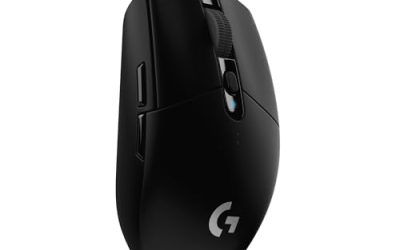
The Logitech G305 LIGHTSPEED is the wireless value pick in this guide, and it suits Nioh 2 players who want a simple, reliable mouse without a cable. At 99 grams it is light enough for quick camera work, and the compact ambidextrous shape works for claw and fingertip grips in small to medium hands. The HERO 12K sensor reaches 12,000 DPI with 400 IPS tracking and no acceleration or smoothing in its published specifications, and LIGHTSPEED wireless delivers a 1-millisecond report rate. A single AA battery powers up to 250 hours of play, and the USB receiver stores inside the mouse for travel. Six programmable buttons cover the essentials, with two side buttons for a stance or yokai ability. There is no RGB lighting and no rechargeable battery, which keeps the design simple.
Specs
- Sensor: HERO 12K optical sensor, 200 to 12,000 DPI
- Weight: 99 grams
- Buttons: 6 programmable buttons
- Connectivity: LIGHTSPEED wireless, USB receiver with onboard storage
- Battery: Up to 250 hours on a single AA battery
- Polling rate: 1,000 Hz, 1-millisecond report rate
- Tracking: Up to 400 IPS
- Model: 910-005280
- Tier: Budget
How to Choose
Start with how many buttons you actually want on the mouse. Nioh 2 rewards extra inputs, since stances, ki pulse, yokai abilities, and items all need quick access, and the G600 and Naga V2 Pro put the most commands under the thumb. Players who prefer a simpler layout should pick the G502 HERO, which balances eleven buttons with a familiar shape, or the G305 and Aerox 5 for fewer buttons and lighter shells.
Hand size and grip come next. Larger hands and palm grips fit the fuller G502 HERO, Naga V2 Pro, and G600, while smaller hands and claw or fingertip grips suit the compact G305 and the light Aerox 5. Nioh 2 keeps the right hand moving constantly, so lighter mice like the 66-gram Aerox 5 and the 99-gram G305 reduce fatigue over long sessions, while some players still prefer the steady feel of the heavier picks.
Sensor quality matters more than the maximum DPI number. Every mouse in this guide tracks accurately at the sensitivity ranges Nioh 2 players actually use, so the headline DPI figure is mostly marketing. What counts is consistent tracking with no acceleration or angle snapping. Connectivity is the last filter: wired mice never need charging, while wireless mice remove cable drag.
Who Should Skip
Players who already own a comfortable gaming mouse with a clean sensor can skip this guide. Nioh 2 does not demand a special mouse, and a familiar shape with a sensor that tracks true will serve just as well. A higher DPI number alone will not change boss outcomes.
Left-handed players should skip the right-handed ergonomic mice here, including the G502 HERO, the Naga V2 Pro, the Aerox 5, and the G600, and look at the ambidextrous G305 instead. Players with very small hands should also be cautious with the Naga V2 Pro and the G600, since both are large, full shells that can feel unwieldy.
Finally, players who find twelve-button thumb panels confusing should skip the G600 and the Naga V2 Pro with its 12-button plate attached, since learning a dense thumb grid takes time and the simpler mice here cover the essentials with far less setup.
FAQ
What DPI should I use for Nioh 2?
Most players settle between 800 and 1,600 DPI for Nioh 2, with in-game camera sensitivity adjusted to taste. Lower sensitivity gives steadier control during precise fights, while higher sensitivity speeds up large camera sweeps. Start at 800 DPI and raise it in small steps until turning feels natural.
How many mouse buttons do I need for Nioh 2?
Two side buttons are enough for most players, covering a stance switch and one yokai ability. Extra buttons are optional rather than required, but players who want stances, items, and yokai skills on the mouse should look at the G502 HERO, the Naga V2 Pro, or the G600.
Is a wireless mouse good for Nioh 2?
Yes, a wireless mouse works well for Nioh 2. Modern wireless connections add no perceptible delay in a single-player game, and the wireless picks in this guide offer long battery life and stable tracking.
Do I need a high polling rate for Nioh 2?
No, Nioh 2 does not need a high polling rate. The game is a single-player action title, so the difference between 1,000 Hz and higher polling rates is not noticeable in play. A standard 1,000 Hz rate is more than enough.
Final verdict
The best mouse for Nioh 2 depends on hand size, grip, and how many buttons you want, but the Logitech G502 HERO stands out as the strongest overall pick. Its eleven programmable buttons map cleanly to stances, items, and yokai skills, its HERO 25K sensor tracks consistently, and its adjustable weights let players tune the feel. Players who want even more inputs should choose the Razer Naga V2 Pro, while the Logitech G600 offers the deepest thumb panel at a budget tier.
Lightweight players get the most comfort from the SteelSeries Aerox 5, and wireless players on a tighter budget should pick the Logitech G305 LIGHTSPEED. Any of these five mice will carry a full playthrough, so pick the shape that fits first.
Product and ASIN Reference
| Product | ASIN |
|---|---|
| Logitech G502 HERO | B07GBZ4Q68 |
| Razer Naga V2 Pro | B0BGJTLFN5 |
| SteelSeries Aerox 5, Wired | B09VNTCZZN |
| Logitech G600 | B0086UK7IQ |
| Logitech G305 LIGHTSPEED | B07CMS5Q6P |