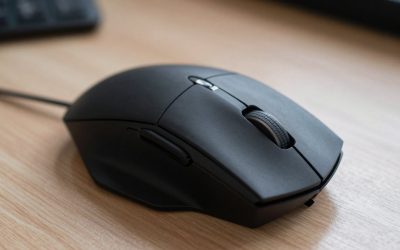
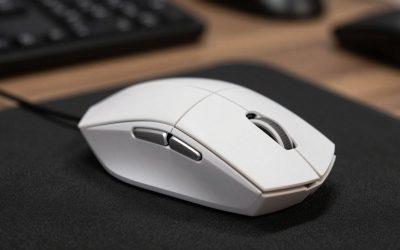
Nioh 3 is a fast action RPG where the mouse carries more of the fight than most players expect. Camera control, dodging, locking on, switching stances, and firing off skills all happen in quick succession, and a mouse that tracks cleanly with buttons in easy reach keeps those actions from piling up on the keyboard. A comfortable shape matters just as much over long sessions against tough bosses.
This guide compares five mice for different hands, grips, and budgets, from a featherweight wired pick to a button-heavy wireless flagship, judged on sensor accuracy, weight, shape, and button layout.
As an Amazon Associate, we earn from qualifying purchases.
Table of Contents
- Quick Answer
- Razer DeathAdder V3 Wired
- Razer Basilisk V3 Pro 35K
- Logitech G309 Lightspeed
- SteelSeries Rival 3 Wireless Gen 2
- Razer Orochi V2
- How to Choose
- Who Should Skip
- Frequently Asked Questions
- Final Verdict
- Product and ASIN Reference
Quick Answer
The Razer DeathAdder V3 Wired is the strongest all-round pick for Nioh 3, with a 59-gram shell, a Focus Pro 30K sensor, and six programmable buttons in a comfortable ergonomic shape. Players who want more inputs should look at the Razer Basilisk V3 Pro 35K, while the Logitech G309 Lightspeed suits wireless play with very long battery life.
Razer DeathAdder V3 Wired

The Razer DeathAdder V3 Wired is the best all-round mouse for Nioh 3 because it gets the fundamentals right without adding bulk. At 59 grams it is light enough for quick camera sweeps and fast turns during boss fights, yet the ergonomic right-handed shape still fills the palm and stays comfortable over long sessions. The Focus Pro 30K optical sensor reaches 30,000 DPI with 750 IPS tracking and 70 G acceleration, with no smoothing, filtering, or acceleration in its published specifications.
Six programmable buttons cover the essentials: two side buttons for a skill or stance change, plus the main clicks, scroll click, and a DPI button. Optical Switches Gen-3 are rated for 90 million clicks, the 8,000 Hz HyperPolling rate keeps input latency low, and the light Speedflex cable drags less than a stiff rubber cable.
Specs
- Sensor: Focus Pro 30K optical sensor, up to 30,000 DPI
- Weight: 59 grams
- Buttons: 6 programmable buttons
- Switches: Optical Switches Gen-3, rated for 90 million clicks
- Polling rate: Up to 8,000 Hz HyperPolling
- Connectivity: Wired, Speedflex USB cable
- Shape: Right-handed ergonomic
- Model: RZ01-04640100-R3U1
- Tier: Mid-range
Razer Basilisk V3 Pro 35K

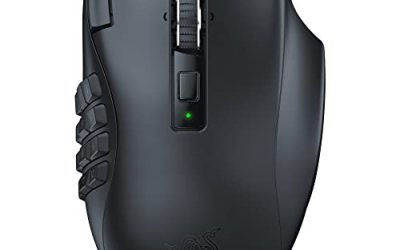
The Razer Basilisk V3 Pro 35K is the button-heavy pick in this guide, for Nioh 3 players who want skills, stances, items, and camera controls all within thumb reach. Its Amazon listing describes 13 customizable controls, including a multi-function trigger and a HyperScroll Tilt Wheel that can cycle weapons or items. The Focus Pro 35K Optical Sensor Gen-2 reaches 35,000 DPI with 750 IPS tracking, and Optical Switches Gen-3 keep the main clicks crisp.
Battery life runs up to 140 hours over HyperSpeed wireless and up to 210 hours over Bluetooth, so charging is a rare interruption even in heavy play. It connects over HyperSpeed wireless, Bluetooth, or wired USB-C, so play can continue while it charges. At 112 grams it is a solid, sculpted right-handed mouse, and that planted feel suits palm and claw grips in larger hands.
Specs
- Sensor: Focus Pro 35K Optical Sensor Gen-2, up to 35,000 DPI
- Weight: 112 grams
- Buttons: 13 customizable controls, including a multi-function trigger
- Scroll wheel: HyperScroll Tilt Wheel
- Switches: Optical Switches Gen-3
- Connectivity: HyperSpeed wireless, Bluetooth, wired USB-C
- Battery: Up to 140 hours over HyperSpeed, up to 210 hours over Bluetooth
- Tracking: Up to 750 IPS
- Model: RZ01-05240100-R3U1
- Tier: Premium
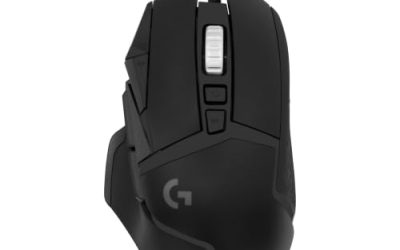
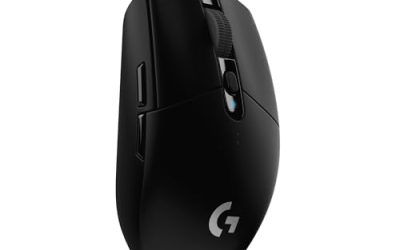
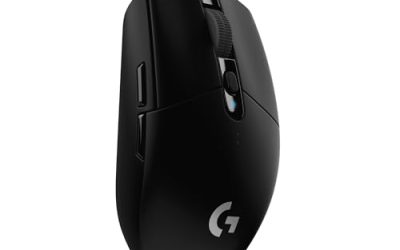
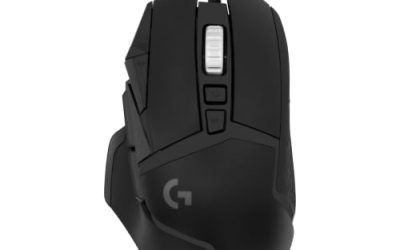
Logitech G309 Lightspeed

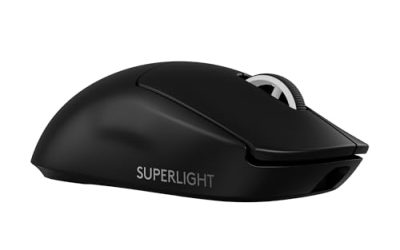
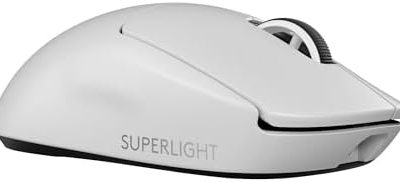
The Logitech G309 Lightspeed is the wireless pick for Nioh 3 players who want flagship sensor quality without a heavy shell or constant charging. At 86 grams with a single AA battery installed, and 68 grams with the POWERPLAY system, it is light enough for fast camera work while still feeling solid in the hand. The HERO 25K sensor reaches 25,600 DPI with sub-micron tracking and no smoothing, acceleration, or filtering in its published specifications.
Six programmable buttons cover a stance change, a skill, and item use, and the LIGHTFORCE hybrid switches combine optical sensing with a mechanical click feel. Battery life runs to 300 hours or more on a single AA battery over Lightspeed wireless, and the mouse also connects over Bluetooth for a second device.
Specs
- Sensor: HERO 25K optical sensor, up to 25,600 DPI
- Weight: 86 grams with AA battery, 68 grams with POWERPLAY
- Buttons: 6 programmable buttons
- Switches: LIGHTFORCE hybrid optical-mechanical switches
- Connectivity: Lightspeed wireless, Bluetooth
- Battery: 300 hours or more on a single AA battery
- Model: 910-007205
- Tier: Mid-range
SteelSeries Rival 3 Wireless Gen 2

The SteelSeries Rival 3 Wireless Gen 2 is the budget wireless pick in this guide, for Nioh 3 players who want to cut the cable without paying a premium. The TrueMove Air optical sensor reaches 18,000 DPI with 400 IPS tracking and 40 G acceleration, more than enough for the sensitivity ranges most action RPG players use, and its published specifications describe true one-to-one tracking. Six buttons cover the essentials, with two side buttons for a skill or stance change, and the mechanical switches are rated for 60 million clicks.
Battery life runs up to 200 hours over 2.4 GHz wireless and up to 450 hours over Bluetooth, powered by AAA batteries. Running it on a single AAA battery drops the weight to around 95 grams, while two batteries bring it to around 106 grams.
Specs
- Sensor: TrueMove Air optical sensor, up to 18,000 DPI
- Weight: Around 95 grams with one AAA battery, around 106 grams with two
- Buttons: 6 buttons
- Switches: Mechanical switches, rated for 60 million clicks
- Connectivity: 2.4 GHz wireless, Bluetooth 5.0
- Battery: Up to 200 hours over 2.4 GHz, up to 450 hours over Bluetooth
- Polling rate: Up to 1,000 Hz
- Tracking: Up to 400 IPS, up to 40 G acceleration
- Model: 62687
- Tier: Budget
Razer Orochi V2

The Razer Orochi V2 is the compact pick in this guide, for Nioh 3 players with smaller hands, a fingertip or claw grip, or a laptop setup. At under 60 grams excluding the battery, it is one of the lightest wireless mice here, and its small 108 by 60 by 38 millimeter shell makes quick camera flicks feel effortless. The Razer 5G Advanced optical sensor reaches 18,000 DPI with 450 IPS tracking and 40 G acceleration, and its published specifications list 99.4 percent resolution accuracy.
Six programmable buttons include two side buttons and a DPI button behind the scroll wheel, enough for a stance change and a skill without crowding the shell. Second-generation mechanical switches are rated for 60 million clicks. Battery life runs up to 950 hours over Bluetooth and up to 425 hours over HyperSpeed wireless.
Specs
- Sensor: Razer 5G Advanced optical sensor, up to 18,000 DPI
- Weight: Under 60 grams excluding battery
- Buttons: 6 programmable buttons
- Switches: Second-generation Razer mechanical switches, rated for 60 million clicks
- Connectivity: HyperSpeed wireless, Bluetooth
- Battery: Up to 950 hours over Bluetooth, up to 425 hours over HyperSpeed
- Polling rate: Up to 1,000 Hz
- Tracking: Up to 450 IPS, up to 40 G acceleration
- Model: RZ01-03730100-R3U1
- Tier: Budget
How to Choose
Start with how many buttons you actually want on the mouse. Nioh 3 rewards extra inputs, since stances, skills, items, and camera control all need quick access, and the Basilisk V3 Pro 35K puts the most commands under the thumb. Players who prefer a simpler layout should pick one of the six-button mice here, which cover the essentials with far less setup.
Hand size and grip come next. Larger hands and palm grips fit the fuller DeathAdder V3 and Basilisk V3 Pro 35K, while smaller hands and claw or fingertip grips suit the compact G309 Lightspeed and the very small Orochi V2. The Rival 3 Wireless Gen 2 sits in the middle and works for most hand sizes. Sensor quality matters more than the maximum DPI number, and connectivity is the last filter, with wired mice never needing charging and wireless mice removing cable drag.
Who Should Skip
Players who already own a comfortable gaming mouse with a clean sensor can skip this guide. Nioh 3 does not demand a special mouse, and a familiar shape with a sensor that tracks true will serve just as well. A higher DPI number alone will not change boss outcomes, and learning a new shape in the middle of a hard fight is rarely worth it.
Left-handed players should skip the right-handed ergonomic mice here, including the DeathAdder V3 and the Basilisk V3 Pro 35K, and look at the symmetrical Orochi V2 or the compact G309 Lightspeed instead. Players with very large hands should be cautious with the Orochi V2, since its small shell can feel cramped, and players who want a full MMO thumb grid should look elsewhere, because none of the mice here carries a twelve-button side panel.
Frequently Asked Questions
What is the best mouse for Nioh 3 overall?
The Razer DeathAdder V3 Wired is the best all-round pick, with a 59-gram shell, a Focus Pro 30K sensor, six programmable buttons, and a comfortable ergonomic shape.
How many buttons do I need for Nioh 3?
Six programmable buttons cover the essentials for most players: a stance change, a skill, and item use, plus the main clicks and scroll click. Players who want every skill and item on the mouse should choose the Basilisk V3 Pro 35K, with its 13 customizable controls.
Is a wireless mouse good for Nioh 3?
Yes. The G309 Lightspeed, Rival 3 Wireless Gen 2, and Orochi V2 all use low-latency 2.4 GHz wireless with 1,000 Hz polling, and their battery life runs from 200 hours to 950 hours depending on the model and connection. A wired mouse still removes charging entirely.
What DPI should I use for Nioh 3?
Most players do best between 800 and 1,600 DPI with a comfortable in-game sensitivity, because that range gives fine camera control without making small movements jump too far. Every mouse in this guide tracks cleanly in that range.
Final Verdict
The Razer DeathAdder V3 Wired is the pick for most Nioh 3 players: light, precise, comfortable, and simple enough to learn in a single session. The Basilisk V3 Pro 35K is the choice for players who want the most buttons, while the Logitech G309 Lightspeed is the best wireless all-rounder with very long battery life. The SteelSeries Rival 3 Wireless Gen 2 keeps wireless play affordable, and the Razer Orochi V2 is the compact option for small hands and laptop play. Any of the five will carry a full playthrough.
Product and ASIN Reference
| Product | ASIN |
|---|---|
| Razer DeathAdder V3 Wired | B0B6XTDJS1 |
| Razer Basilisk V3 Pro 35K | B0DG837JYP |
| Logitech G309 Lightspeed | B0C8523DT8 |
| SteelSeries Rival 3 Wireless Gen 2 | B0F69R79PH |
| Razer Orochi V2 | B0916N2LPZ |