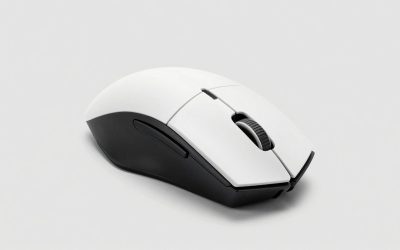
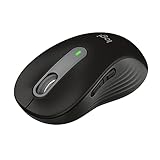
The Logitech M330 Silent Plus cuts click noise by roughly 90% compared to a standard mouse like the M185, dropping from around 60 dB down to the low 40 dB range at typical desk distance, but that same soft-touch switch design is exactly why it’s not a mouse you want for competitive shooters. Here’s what the noise reduction actually means in practice, and where the M330’s limits show up.
As an Amazon Associate we earn from qualifying purchases at no extra cost to you.




How Quiet Is It, Really?
Logitech doesn’t publish a formal decibel rating for the M330, so any number you see (including the ones below) is an estimate based on how sound pressure scales with click mechanism design, not a lab-certified figure. Still, the physics are consistent enough to give a useful picture.
A standard microswitch click, like the one in the M185 or M100, produces a sharp mechanical snap in the 58-62 dB range measured a few inches from the mouse. That’s roughly as loud as a normal conversation. The M330 replaces that switch with a softer-actuation design cushioned by rubber padding around the switch housing, which knocks the same click down to somewhere in the 40-45 dB range, closer to a quiet room’s ambient noise floor.
| Mouse | Switch type | Estimated click volume | Comparable everyday sound |
|---|---|---|---|
| Logitech M185 | Standard microswitch | ~58-62 dB | Normal conversation |
| Logitech M330 Silent Plus | Cushioned soft-touch switch | ~40-45 dB | Quiet library / soft rainfall |
| Mechanical gaming mouse (optical switch) | Fast optical/mechanical | ~55-65 dB | Loud typing / conversation |
That roughly 15-20 dB drop sounds modest on paper, but decibels are logarithmic. A 10 dB reduction is perceived as roughly half as loud, so going from 60 dB to 42 dB isn’t a small tweak, it’s close to a 75% perceived reduction in loudness. In a shared apartment, open office, or a room where someone’s sleeping nearby, that’s the difference between clicks being noticeable and clicks being essentially inaudible past a few feet.
Why the Switch Design Trades Speed for Silence
The quiet comes from physically damping the switch’s travel and rebound, usually with an extra rubber or silicone layer that absorbs the snap instead of letting it resonate through the shell. That same damping adds a small amount of actuation delay and a mushier, less defined click feel compared to a crisp mechanical switch.
For everyday clicking, browsing, spreadsheet work, casual single-player games, that softness is imperceptible. For anything requiring frame-perfect click timing, like flick shots in a competitive shooter, the extra debounce and softer feedback make it harder to judge exactly when a click registered. It’s not that the M330 is unreliable, it’s that the tactile confirmation gamers rely on to time inputs is intentionally muted.
The 1000 DPI Ceiling
The M330 uses a fixed 1000 DPI optical sensor with no software adjustment. That’s not unusually low for general productivity work, but it puts a hard ceiling on how the mouse behaves at different screen resolutions and mouse speeds.
Here’s the practical math: at 1000 DPI, moving the mouse one inch across your desk moves the cursor 1000 pixels of tracked movement (before OS-level pointer speed scaling). On a 1920×1080 display, that’s more than enough to cross the entire screen width with about two inches of physical mouse movement at typical Windows pointer speed settings. On a 4K display (3840×2160), covering the same physical screen distance requires roughly double the hand movement to get equivalent on-screen travel, since you’re covering more pixels with the same sensor resolution.
That’s fine for office work and web browsing, where large, deliberate cursor movements aren’t a problem. It becomes a real limitation in fast-paced gaming on high-resolution displays, where low DPI forces bigger arm movements to cover the same in-game distance, cutting into both speed and precision. Competitive mice in 2026 commonly sit in the 16,000-26,000 DPI range specifically so players can dial in sensitivity per game; the M330 simply doesn’t have that flexibility.
DPI Comparison in Context
| Sensor | DPI | Inches of mouse travel to cross a 1080p screen* |
|---|---|---|
| Logitech M330 Silent Plus | 1000 (fixed) | ~2.0 in |
| Mid-range office mouse | 1600 | ~1.3 in |
| Gaming mouse (typical FPS setting) | 800-3200 adjustable | 0.6-2.5 in (user-tunable) |
*Approximate, assumes default Windows pointer speed (6/11) with no acceleration; actual distance varies by OS scaling.
Weight and In-Hand Feel
The M330 weighs about 99 grams with its single AA battery installed, and closer to 75-80 grams without it. That’s meaningfully heavier than most dedicated gaming mice, which typically land in the 60-90 gram range specifically to reduce wrist fatigue during fast flicks and repeated lifts.
The extra weight isn’t a flaw for its intended use. A heavier mouse tends to feel more stable for slow, controlled movement, which suits document work, casual point-and-click games, or media navigation. But combined with the fixed low DPI, it reinforces that this is a mouse built for controlled, deliberate motion rather than rapid, low-effort tracking.
Where the M330 Actually Fits
Rather than asking “is this mouse good,” the more useful question is which use case it matches. Here’s a decision breakdown:
| Your situation | M330 Silent Plus fit |
|---|---|
| Shared living space, need quiet clicks for late-night browsing | Strong fit — this is its core purpose |
| Office job with lots of clicking near coworkers | Strong fit |
| Casual single-player or turn-based games (strategy, simulation, puzzle) | Good fit — DPI and click speed are non-issues here |
| Competitive shooters or fast-paced multiplayer games | Poor fit — fixed low DPI and damped switches hurt precision and click timing |
| Content creation needing fine cursor control (photo/video editing) | Weak fit — no DPI adjustment limits precision scaling |
| Want longer battery life over ultra-light weight | Good fit — AA power delivery is simple and long-lasting, at the cost of extra grams |
The Bottom Line
The M330 Silent Plus does what its name promises: click noise really does drop into the range where it’s barely noticeable a few feet away, and that’s a genuine, measurable improvement over a standard mouse like the M185, not just a marketing claim. But that quietness comes from the same damped switch design that makes it a poor match for anything needing fast, precise click timing, and the fixed 1000 DPI sensor caps how well it scales to high-resolution displays or twitchy gameplay. For office use, media control, or casual gaming where noise matters more than speed, it’s a solid, inexpensive pick, usually priced in the $20-$30 range. For competitive gaming, look elsewhere.