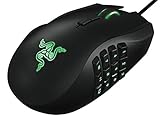
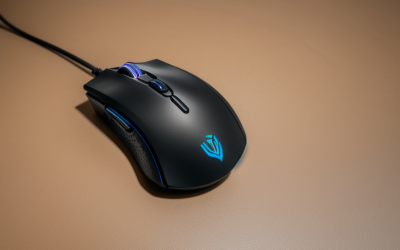
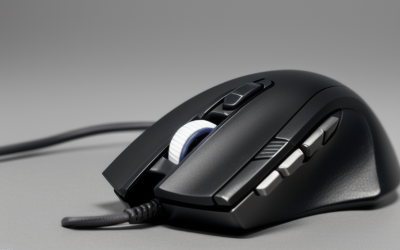
- Top Pick: Logitech G305 LIGHTSPEED Wireless Gaming Mouse, Hero 12K Sensor – Black | 12,000 DPI, lightweight, 6 programmable buttons, 250h battery life, on-board memory, PC/Mac, lightweight gaming mouse
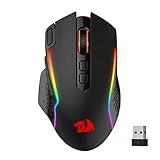
- Best Value: Redragon M810 PRO Wireless RGB Gaming Mouse 10000 DPI Remapping Keys | Cable-Free 0 Delay, Rapid-Fire Macro Keybinds, Vibing Backlight, Ergonomic Grip Body Comfort
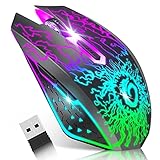
- Premium Choice: VersionTECH. Wireless Gaming Mouse, Rechargeable Computer Mouse Mice with Colorful LED Lights, Silent Click, 2.4G USB Nano Receiver, 3 Level DPI for PC Gamer Laptop Desktop Chromebook Mac-Black
A laptop changes the gaming mouse question in ways a desktop tower never does. Ports are scarce, thin models may have a single USB-A socket or none at all, the desk is often a kitchen table or a train tray, and the mouse lives half its life in a backpack. So the real decision behind “gaming mouse for laptops” is wireless versus wired, plus how much sensor and button hardware you want to carry around. A trackpad cannot do precise aiming, but a heavy desktop-class mouse with a long cable is a poor travel companion too.
This 2026 guide is for students, travelers and small-desk players who game on a notebook. It compares nine models using only what their listings state: DPI figures, connection types, button counts and battery claims. One office-class mouse from the original list, which advertises 1600 DPI and no gaming features, was left out because it does not fit a gaming search. Everything below is judged on the listed specs and nothing else, so where a title is silent about a number, the entry says so instead of guessing.
Quick Picks
As an Amazon Associate we earn from qualifying purchases at no extra cost to you.


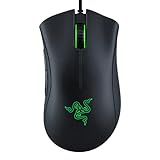


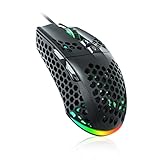
| Product | Best for | Key spec from the title |
|---|---|---|
| Logitech G305 LIGHTSPEED | Travel with long battery life | 12,000 DPI, 250h battery, 6 buttons |
| Redragon M810 PRO | Macro-heavy wireless play | 10000 DPI, rapid-fire macros, remapping |
| VersionTECH Wireless | Quiet shared spaces | Silent click, 3 level DPI, nano receiver |
| Razer Basilisk V3 | Wired, button-rich setups | 26K DPI, 11 programmable buttons |
| Razer DeathAdder Essential | Simple wired ergonomics | 6400 DPI, 5 buttons, rubber grips |
| Razer Basilisk V3 X HyperSpeed | Wireless with many controls | 18K sensor, 9 controls, 285 Hr battery |
| INPHIC A9 V2 | Switching between devices | Tri-mode 2.4G, wired and Bluetooth |
| WolfLawS KM-1 | Light wireless use | Honeycomb shell, 3 adjustable DPI |
| SOLAKAKA SM900 | Wired and light | 12800 DPI, honeycomb shell |
How to Choose
Connection Type and Port Count
Count your laptop’s free ports before anything else. A 2.4G dongle model needs a USB-A socket for its entire life, while a Bluetooth option frees that port and works on notebooks with only USB-C. Tri-mode designs that offer 2.4G, Bluetooth and a charging cable cover the most situations. A wired mouse has no battery to manage but needs a socket and a cable that will not snag on a small desk.
Sensor, DPI and What to Ignore
For a laptop screen of 1080p or lower, 1600 to 3200 DPI is already comfortable for most shooters, and many players run lower. Figures above 10000 DPI matter on high-resolution multi-monitor setups, not on a 15-inch notebook. Do not chase 26K on its own; instead look for adjustable DPI steps and a button to switch them. Sensor families named in the title, such as Hero or an optical sensor, tell you more than a bare maximum.
Battery and Charging
For travel, aim for a battery claim measured in weeks, not hours. Listings quoting 250 or 285 hours give a long runway between charges. Rechargeable models without a stated figure are harder to judge, and an easy way to compare them is to see whether they also work wired while charging, which prevents a dead mouse from ending a session.
Size, Weight and Buttons
Bags favor compact, lightweight shells. Honeycomb-shell designs cut weight, and rubber side grips improve control when your palm is sweaty. Five to nine programmable buttons are enough for most games; eleven is aimed at MMO and MOBA players. Budget models tend to cut corners on switch durability, scroll wheel feel and on-board memory, so check whether profiles are stored in the mouse or only in desktop software you may not want on a work laptop.
The 9 Best Options
Logitech G305 LIGHTSPEED
A compact wireless pick for players who move around. The title lists the Hero 12K sensor at 12,000 DPI, six programmable buttons, on-board memory and a 250h battery claim, with PC and Mac support noted. The wording also stresses a lightweight build, which is exactly what a bag-bound laptop player wants from a second device.
- The 250h battery claim is the longest runway in this roundup, ideal for a travel bag.
- On-board memory keeps settings on the mouse rather than in software on a shared laptop.
- Trade-off: six buttons is a modest count for MMO players who want a thumb-button grid.
Skip it if you want a wired mouse with no battery to think about.
Redragon M810 PRO
This is a wireless RGB mouse with 10000 DPI and an emphasis on macro features: remappable keys, rapid-fire macro keybinds and an ergonomic grip. It suits players who build custom button layouts for action games. The cable-free description and the backlight styling point to a mouse designed for a desk setup that happens to be wireless, rather than a purely travel-focused design.
- Rapid-fire macros and remapping are stated up front.
- Ergonomic body shape is described for comfort during longer sessions.
- Trade-off: the title gives no battery hours or button count, so portability is harder to judge.
Skip it if long documented battery life matters more than macro features.
VersionTECH Wireless Gaming Mouse
The selling point here is silence: a silent click, a rechargeable battery and a 2.4G USB nano receiver, with compatibility named for laptops, desktops, Chromebooks and Macs. It fits a dorm room or an office where clicking noise bothers others. The colorful LED lighting is a nod to gamers, though it also means a lighting effect you may want to turn off if you share a quiet room.
- Silent click keeps late-night play from waking anyone.
- The nano receiver is small enough to leave plugged into the laptop.
- Trade-off: the title mentions only three DPI levels and no maximum figure, so sensor strength is unclear.
Skip it if you need a high-end sensor or many programmable buttons.
Razer Basilisk V3
A wired, feature-rich option with a 26K DPI optical sensor, 11 programmable buttons, Chroma RGB and a HyperScroll Tilt Wheel. It is the pick for MMO or productivity players who tether to a desk. The tilt wheel and the extra thumb controls make it as much a productivity tool for spreadsheets and editing as a gaming one, which is a bonus on a laptop used for work.
- Eleven programmable buttons give the largest control set in the roundup.
- An ergonomic shape suits larger hands during long sessions.
- Trade-off: it is wired, so it takes a port and a cable, which is awkward on a crowded travel desk.
Skip it if you carry your laptop daily and want a compact, cable-free mouse.
Razer DeathAdder Essential
The entry model of the Razer group: ergonomic and wired, with a 6400 DPI optical sensor, five programmable buttons, rubber side grips and mechanical switches. It suits a student who wants a simple, familiar shape. Mechanical switches are named in the title, which suggests the clicks were designed for repeated presses, and the plain feature set keeps the learning curve short.
- Rubber side grips help with control.
- Five buttons keep the layout uncomplicated.
- Trade-off: 6400 DPI is the lowest figure here, though it is more than a laptop screen needs.
Skip it if you want wireless freedom or a large button set.
Razer Basilisk V3 X HyperSpeed
A wireless take on the Basilisk idea, with mechanical switches Gen-2, a 5G advanced 18K optical sensor, Chroma RGB, nine programmable controls and a 285 Hr battery claim. It balances features and portability. Because the wireless link is part of the product name, it is clearly meant to replace a cabled mouse on a laptop desk without giving up the button count.
- A 285 Hr battery claim is the longest in the group.
- Nine programmable controls cover most game bindings.
- Trade-off: it is a larger, more feature-heavy mouse than ultra-light shells, which may crowd a small bag.
Skip it if you want the smallest, lowest-weight shell.
INPHIC A9 V2 Explorer
Tri-mode connectivity is the story: 2.4G, Type-C wired and Bluetooth, with 12800 DPI, a silent design, RGB and a visible battery indicator. It suits someone who toggles between a gaming laptop, a work laptop and a tablet. The Type-C wired mode means a flat battery never ends a session, since the same cable that charges it can also carry the connection.
- Bluetooth leaves the USB port free on thin notebooks.
- A visible battery indicator avoids surprise shutoffs.
- Trade-off: the title lists no battery hours or button count.
Skip it if you want a recognized sensor family named in the listing.
WolfLawS KM-1
A wireless RGB mouse with a honeycomb shell, a 2.4G USB receiver, six buttons, three adjustable DPI steps and a rechargeable battery. It targets users who prefer a light, ventilated body. The ergonomic note in the title points to a shape meant for extended sessions, though the listing does not say which grip style it favors, so hand size is worth checking.
- Honeycomb shell keeps the body light.
- Six buttons and adjustable DPI cover basic gaming needs.
- Trade-off: no maximum DPI or battery hours appear in the title.
Skip it if you need Bluetooth, since only a USB receiver is mentioned.
SOLAKAKA SM900
This wired mouse has RGB lighting, a honeycomb shell and 12800 DPI, positioned for laptop and PC use. It is the straightforward choice for players who prefer a cable and never worry about charging. The mention of laptop use in the title suggests it was marketed for exactly this audience, even though the listing is thin on details beyond the sensor figure and lighting.
- Wired operation means no battery to charge.
- Honeycomb shell keeps weight down.
- Trade-off: a cable can snag on a small desk, and the title lists no sensor family.
Skip it if your laptop has few ports or you want wireless.
Which One Fits Your Situation
You Travel Often
The Logitech G305 LIGHTSPEED and the Razer Basilisk V3 X HyperSpeed both quote very long battery claims, so charging rarely interrupts a trip. The Logitech is the more compact choice.
Your Laptop Has Only USB-C
The INPHIC A9 V2 offers Bluetooth alongside 2.4G, so you can skip the dongle entirely. Check your adapter situation before choosing a mouse that depends on a USB-A receiver.
You Play MMOs or Custom Layouts
The Razer Basilisk V3 gives the most buttons, while the Redragon M810 PRO leans on macros and remapping. Pick the Razer if you mostly play at a desk and the Redragon if you want wireless.
You Share a Room
The VersionTECH silent click is the quiet answer, and the INPHIC also lists a silent design. Either keeps keystroke-level noise down in a dorm.
Common Mistakes
- Chasing the highest DPI number when a laptop display rarely benefits from it.
- Forgetting that a 2.4G receiver occupies a precious USB-A port.
- Buying a large ergonomic mouse that does not fit the laptop bag.
- Ignoring battery claims on a wireless model that will travel.
- Installing heavy configuration software on a work laptop when a model with on-board memory would do.
Related guides
- Combination Smoke And Carbon Monoxide Detectors
- Aio Liquid Coolers For High Performance Gaming
- Graphics Cards For Low Wattage Power Supplies
Frequently Asked Questions
Is wireless good enough for gaming on a laptop?
Modern 2.4G wireless models are designed for gaming and are generally dependable. Bluetooth is usually better kept for casual use or backup.
How much DPI is enough?
Between 1600 and 3200 DPI suits most players on a laptop display. Higher numbers give headroom but are not a quality guarantee.
Can these mice work with a Mac?
Some listings name Mac compatibility directly, such as the Logitech G305 and the VersionTECH. For the others, confirm compatibility with the seller before buying.
Is a mouse pad necessary?
A pad improves tracking on glossy or textured surfaces and protects the feet of the mouse. A plain, matte desk can work, but a pad is a small, practical upgrade.