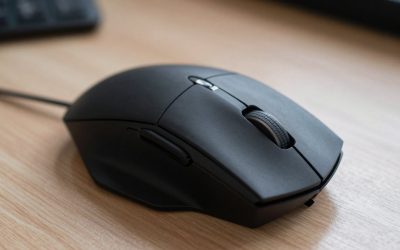
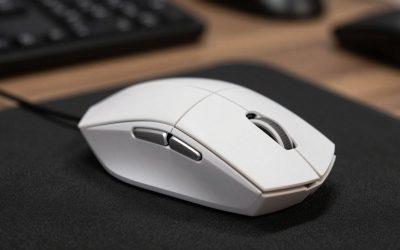
Control is Remedy’s 2019 third-person action game, built around mouse and keyboard play on PC. As Jesse Faden, the new Director of the Federal Bureau of Control, you fight the Hiss through the shifting corridors of the Oldest House. Combat switches between two tools: the Service Weapon, a shape-shifting gun with forms such as Grip, Shatter, Spin, and Pierce, and Jesse’s telekinetic powers, led by Launch, which hurls desks, concrete, and enemies across the room.
The best mouse for Control therefore has to serve both halves of combat. A steady sensor keeps the Service Weapon on target, while enough side buttons put Launch, Levitate, Shield, Evade, and Seize within thumb reach. The five mice below cover button-rich wireless options, lightweight aiming, a reliable wired pick, and a budget choice.
As an Amazon Associate, we earn from qualifying purchases.
Quick answer
For most Control players, the Razer Naga V2 HyperSpeed is the best pick because its 19 programmable buttons put Launch, Shield, Levitate, and the Service Weapon forms within thumb reach, while the Focus Pro 30K sensor keeps aiming steady. Players who want a lighter wireless mouse should choose the Razer Cobra Pro, and the Logitech G305 is the best budget pick for reliable wireless play.
Top 5 Mice for Control
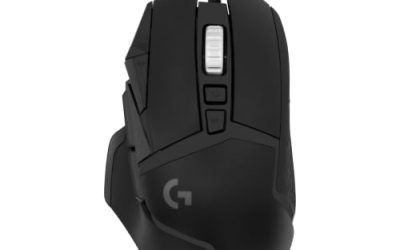
1. Razer Naga V2 HyperSpeed Wireless MMO Gaming Mouse

The Razer Naga V2 HyperSpeed is the best mouse for Control for most players because it turns Jesse’s whole power set into thumb presses. Its 12-button side panel holds Launch, Levitate, Shield, Evade, and Seize plus weapon-form swaps, so the left hand stays on movement keys. The Focus Pro 30K optical sensor tracks up to 30,000 DPI and works on a wide range of surfaces, including glass, which keeps Service Weapon aim steady.
Battery life is a strong point here. Razer lists up to 250 hours on HyperSpeed Wireless and up to 400 hours on Bluetooth, running from a single AA battery, so long sessions never end with a dead mouse. HyperScroll Technology gives the wheel a free-spinning mode and a tactile mode for precise steps. At around 95 grams it is the heaviest mouse here, and its right-handed shape suits palm and claw grips best.
Specs
- Sensor: Razer Focus Pro 30K optical sensor, up to 30,000 DPI
- Buttons: 19 programmable buttons, including a 12-button thumb panel
- Switches: Razer Mechanical Switches Gen-2
- Scroll wheel: HyperScroll Technology with free-spin and tactile modes
- Battery life: Up to 250 hours on HyperSpeed Wireless, up to 400 hours on Bluetooth
- Weight: Around 95 grams
- Connectivity: HyperSpeed Wireless 2.4 GHz, Bluetooth, and wired USB
- Power: Single AA battery
2. Razer Cobra Pro Wireless Gaming Mouse

The Razer Cobra Pro is the best wireless all-rounder for Control, and the lightest wireless mouse here. At 77 grams, its compact ambidextrous shape suits claw and fingertip grips and works for left-handed players too. The Focus Pro 30K optical sensor delivers the same precise tracking as the Naga, so Service Weapon shots land where the crosshair sits, and Gen-3 optical switches give crisp clicks with no double-clicking.
Ten customizable controls cover the essentials: two thumb buttons for Launch and Evade, the scroll wheel, and a DPI button that can hold another power. Battery life is listed at up to 170 hours, with HyperSpeed Wireless, Bluetooth, or wired USB-C. It also supports wireless charging with the Razer Mouse Dock Pro and Wireless Charging Puck, sold separately.
Specs
- Sensor: Razer Focus Pro 30K optical sensor, up to 30,000 DPI
- Buttons: 10 customizable controls
- Switches: Razer Optical Switches Gen-3
- Lighting: 11-zone Chroma RGB with underglow
- Battery life: Up to 170 hours
- Weight: 77 grams
- Connectivity: HyperSpeed Wireless 2.4 GHz, Bluetooth, and wired USB-C
- Charging: Compatible with Razer Mouse Dock Pro and Wireless Charging Puck, sold separately
3. ASUS ROG Harpe Ace Aim Lab Edition Wireless Gaming Mouse

The ASUS ROG Harpe Ace Aim Lab Edition is the lightest mouse here at 54 grams, and the best pick for players who want effortless aiming. Its ROG AimPoint optical sensor tracks up to 36,000 DPI with true one-to-one tracking, so small corrections to the Service Weapon crosshair stay exact. The right-handed shape is built for medium and large hands, and the included Aim Lab Settings Optimizer helps tune sensitivity for the way you play.
Three connection modes are available: 2.4 GHz RF wireless, Bluetooth, and wired USB. Battery life is listed at up to 90 hours, with USB-C recharging. Five programmable buttons cover the main clicks and two thumb buttons for Launch and Evade, though players wanting every ability on the mouse should pick the Naga. ROG SpeedNova wireless technology keeps the connection stable.
Specs
- Sensor: ROG AimPoint optical sensor, up to 36,000 DPI
- Weight: 54 grams
- Buttons: 5 programmable buttons
- Battery life: Up to 90 hours
- Connectivity: 2.4 GHz RF wireless, Bluetooth, and wired USB
- Polling rate: 1,000 Hz, up to 4,000 Hz with the separately sold ROG Polling Rate Booster
- Extras: Aim Lab Settings Optimizer, ROG SpeedNova wireless technology
- Shape: Right-handed, for medium and large hands
4. SteelSeries Aerox 5 Gaming Mouse

The SteelSeries Aerox 5 is the best wired pick for Control, and a strong mid-range option for players who want extra buttons without a battery to manage. At 66 grams, its holey shell keeps the weight down, and the ergonomic right-handed shape suits palm and claw grips. The TrueMove Air optical sensor tracks up to 18,000 DPI with one-to-one tracking, so the crosshair moves exactly as the hand does.
Nine programmable buttons, including a five-button side panel and an up and down flick switch, make this one of the most button-rich wired mice in its class. The side panel can hold Launch, Levitate, Shield, and weapon-form swaps, with the flick switch for Evade. AquaBarrier protection gives the shell an IP54 rating against dust and splashes, and the detachable USB-C Super Mesh cable is soft and light, reducing drag.
Specs
- Sensor: TrueMove Air optical sensor, up to 18,000 DPI
- Weight: 66 grams
- Buttons: 9 programmable buttons, including a 5-button side panel and flick switch
- Switches: Golden Micro IP54 switches
- Protection: AquaBarrier, IP54-rated against dust and splashes
- Cable: Detachable USB-C Super Mesh cable
- Feet: 100 percent PTFE glide skates
5. Logitech G305 LIGHTSPEED Wireless Gaming Mouse

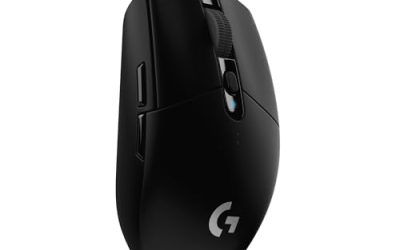
The Logitech G305 LIGHTSPEED is the best budget pick for Control, proving that a simple wireless mouse can cover everything this game asks. Its compact ambidextrous shape works for either hand and suits claw and fingertip grips, and at 99 grams it stays light enough for quick recenters. The HERO 12K sensor delivers up to 12,000 DPI with 400 IPS tracking and no acceleration or smoothing, which suits the measured aiming Control rewards.
Six programmable buttons cover the main clicks, two thumb buttons, and the scroll-wheel click, enough for Launch and Evade. Battery life is listed at up to 250 hours of continuous play on a single AA battery, and the nano receiver stores inside the body for travel. On-board memory saves button assignments and DPI settings, so it keeps its Control setup on any PC.
Specs
- Sensor: HERO 12K optical sensor, up to 12,000 DPI, 400 IPS
- Weight: 99 grams
- Buttons: 6 programmable buttons
- Battery life: Up to 250 hours on a single AA battery
- Connectivity: LIGHTSPEED wireless with a 1 ms report rate
- Memory: On-board memory for button assignments and DPI settings
- Shape: Ambidextrous, compact design
How to choose
Start with buttons, because Control is a game of powers as much as guns. Count the abilities you want under your thumb: Launch and Evade are the minimum, while Shield, Levitate, Seize, and form swaps push the count higher. The Naga V2 HyperSpeed covers the full set, the Aerox 5 covers most of it, and the Cobra Pro, Harpe Ace, and G305 cover the core two with room for one more.
Next, weigh grip and hand size. Palm players with medium to large hands should lean toward the Naga V2 HyperSpeed, Harpe Ace, or Aerox 5, while claw and fingertip players will feel at home with the Cobra Pro or G305. Left-handed players should choose the ambidextrous Cobra Pro or G305, since the other three mice are right-handed. Then consider weight and connection: a 54-gram mouse feels effortless, while a wired mouse like the Aerox 5 never needs charging. Any sensor here is accurate enough for Control, so shape and buttons matter more than DPI.
Who should skip
Controller-first players should skip this roundup, since Control plays well on a gamepad and these picks are all mouse-first. Players who want every ability on the mouse will find the five- and six-button options too small and should pick the Naga V2 HyperSpeed or Aerox 5. Very small hands may find the Naga V2 HyperSpeed and Harpe Ace too large, and players who dislike AA batteries should avoid the Naga V2 HyperSpeed and G305.
FAQ
Is a mouse or a controller better for Control on PC?
A mouse and keyboard are the standard PC input for Control, and the mouse is the primary aiming input. Aiming the Service Weapon and placing Launch throws is faster and more precise with a mouse. A controller works for players who prefer it, but most PC players will aim better with a mouse.
What DPI should I use for Control?
There is no single correct DPI, since the right setting depends on sensitivity and desk space. A common starting point is 800 to 1,600 DPI with a moderate in-game sensitivity, which gives steady, controlled aiming for the Service Weapon and Launch. Players with a large mousepad can go lower, while players with little desk space can raise the DPI.
How many mouse buttons do I need for Control?
Five or six buttons are enough for the core actions: left and right click, two thumb buttons for Launch and Evade, and the scroll wheel. Extra buttons are convenient for Shield, Levitate, Seize, and form swaps, which is why the 19-button Naga V2 HyperSpeed and nine-button Aerox 5 suit players who want every power under their thumb.
Do I need a wireless mouse for Control?
No. Control is a single-player action game, so the small latency difference between wired and modern wireless mice makes no practical difference. A wired mouse like the Aerox 5 never needs charging, while a wireless mouse keeps the desk tidy. Choose based on comfort, buttons, and setup.
Final verdict
The best mouse for Control is the Razer Naga V2 HyperSpeed, because its 19 programmable buttons put Jesse’s power set within thumb reach while the Focus Pro 30K sensor keeps aim steady. Players who want a lighter wireless mouse should pick the Razer Cobra Pro, while the ASUS ROG Harpe Ace Aim Lab Edition is the best lightweight pick. The SteelSeries Aerox 5 is the best wired option, and the Logitech G305 is the best budget pick. Any of these five will serve well in the Oldest House.
Product and ASIN Reference
| Product | ASIN |
|---|---|
| Razer Naga V2 HyperSpeed Wireless MMO Gaming Mouse | B0BGJT87N2 |
| Razer Cobra Pro Wireless Gaming Mouse | B0C51934VF |
| ASUS ROG Harpe Ace Aim Lab Edition Wireless Gaming Mouse | B0BSKX9V7C |
| SteelSeries Aerox 5 Gaming Mouse | B09VNTCZZN |
| Logitech G305 LIGHTSPEED Wireless Gaming Mouse | B07CMS5Q6P |