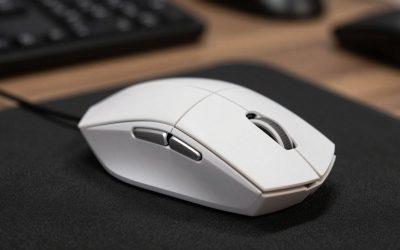
Star Wars Jedi: Fallen Order is a single-player action adventure built around lightsaber combat, timed parries, and Force powers. On PC, the mouse controls the camera, and that matters more than it first appears: tracking a fast enemy during a duel, lining up a jump on Bogano, and turning quickly when a creature attacks from behind all depend on smooth, exact aiming.
Before going further, an honest note: the controller is the standard and most popular way to play Fallen Order. The game was designed around a gamepad, its combat timing feels natural on a controller, and most players will never feel the need for anything else. A mouse suits a specific kind of player: someone already comfortable with mouse and keyboard, or someone who finds a controller uncomfortable over long sessions.
As an Amazon Associate, we earn from qualifying purchases.
Quick answer
The Logitech G502 X Wired is the best mouse for Star Wars Jedi: Fallen Order for most players, because its 13 programmable buttons put Force powers and healing stims within thumb reach while its HERO 25K sensor tracks cleanly. The Razer DeathAdder V3 Pro is the lightest premium pick, and the Logitech G305 is the best budget wireless option.
1. Logitech G502 X Wired

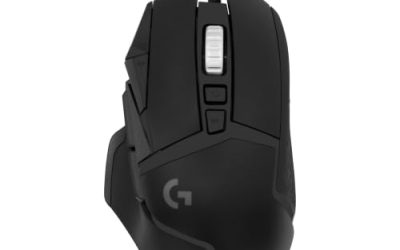
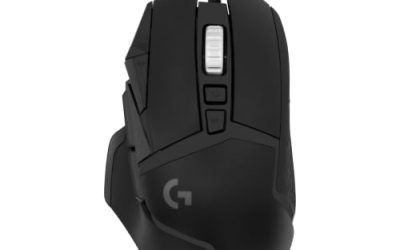
The G502 X Wired is the most practical mouse in this roundup for Fallen Order, because the game rewards having several abilities ready at once. Fallen Order gives Cal a growing set of Force powers, including Push, Pull, and Slow, plus a healing stim and a lightsaber throw, and mapping those to thumb buttons keeps your left hand free for movement. Its 13 programmable buttons mean Push, Pull, Slow, and the stim can each live on the mouse.
Its HERO 25K sensor reaches 25,600 DPI, far more than Fallen Order needs; what matters is accuracy at the lower sensitivity most players use. The LIGHTFORCE hybrid optical-mechanical switches combine fast actuation with a crisp mechanical feel, so parry inputs register with a clear tactile response. A dual-mode scroll wheel switches between a notched step and a free spin for fast scrolling. At 89 grams it is light for a button-heavy mouse, and the wired connection means no battery to manage during long sessions. This is the mid-range pick for players who want the most control over their ability layout.
Specs
- Sensor: Logitech HERO 25K optical sensor, up to 25,600 DPI
- Buttons: 13 programmable buttons
- Switches: LIGHTFORCE hybrid optical-mechanical switches
- Scroll wheel: Dual-mode wheel with notched and free-spin modes
- Weight: 89 grams
- Connection: Wired USB
- Grip: Right-handed ergonomic shape with thumb rest
2. Razer DeathAdder V3 Pro

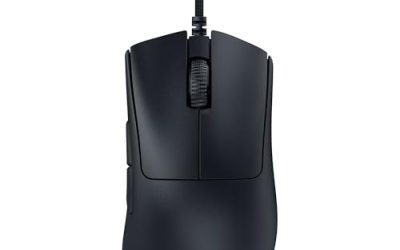
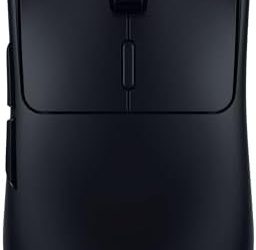
The DeathAdder V3 Pro is the premium lightweight pick, and it suits players who value fast, effortless camera movement above extra buttons. At 63 grams, it is one of the lightest wireless mice available, and that low weight shows during long duels, where small camera corrections happen constantly. Its ergonomic right-handed shape fits medium and large hands well in a palm grip.
Its Focus Pro 30K optical sensor reaches 30,000 DPI with tracking that stays accurate through fast flicks and slow, careful adjustments alike. The Gen-3 optical switches actuate with no debounce delay, so a parry input fires the moment the button is pressed. Five programmable buttons cover the essentials, and most players will map one or two Force powers to the side buttons while leaving the rest on the keyboard. Battery life runs up to 90 hours, and the mouse charges over USB-C.
Specs
- Sensor: Razer Focus Pro 30K optical sensor, up to 30,000 DPI
- Buttons: 5 programmable buttons
- Switches: Razer Optical Switches Gen-3
- Weight: 63 grams
- Battery: Up to 90 hours
- Connection: HyperSpeed Wireless and wired USB-C
- Polling rate: 1000 Hz out of the box
- Model: RZ01-04630100-R3G1
3. SteelSeries Aerox 5 Wireless

The Aerox 5 Wireless is the best pick in this roundup for players who want a light mouse with more buttons than a basic five-button design. Its nine buttons give room for three or four Force powers on the mouse itself, which suits an ability-heavy playstyle. The perforated shell keeps the weight down to 74 grams.
Its TrueMove Air optical sensor reaches 18,000 DPI, more than enough for a single-player action game, tracking accurately on most surfaces. The mouse connects over 2.4 GHz wireless for low-latency play or Bluetooth for everyday use, and battery life runs up to 180 hours, so charging is rarely a concern. A USB-C cable is included for wired play and charging.
Specs
- Sensor: SteelSeries TrueMove Air optical sensor, up to 18,000 DPI
- Buttons: 9 programmable buttons
- Weight: 74 grams
- Battery: Up to 180 hours
- Connection: 2.4 GHz wireless, Bluetooth, and wired USB-C
- Design: Perforated shell, water resistant
- Model: 62406
4. Razer Naga V2 Pro

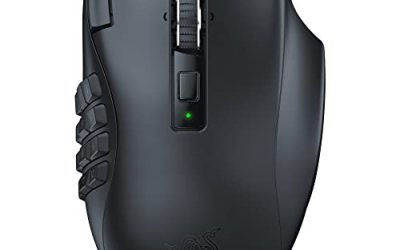
The Naga V2 Pro is the pick for players who want every Force power, the stim, and the lightsaber throw all on the mouse at once. It ships with three swappable side plates carrying 2, 6, or 12 thumb buttons, so the layout can grow as Cal unlocks more Force powers. With 19 plus 1 programmable buttons, no ability needs to stay on the keyboard.
Its Focus Pro 30K optical sensor matches the DeathAdder V3 Pro at up to 30,000 DPI, and the Gen-3 optical switches give the same fast, debounce-free clicks. The HyperScroll Pro wheel switches between a tactile notched mode and a free-spin mode. Battery life runs up to 150 hours over HyperSpeed Wireless and up to 300 hours over Bluetooth. The trade-off is weight: at 134 grams, it is the heaviest mouse here, and its wide body suits medium and large hands better than small ones.
Specs
- Sensor: Razer Focus Pro 30K optical sensor, up to 30,000 DPI
- Buttons: 19 plus 1 programmable buttons with three swappable side plates
- Switches: Razer Optical Switches Gen-3
- Scroll wheel: HyperScroll Pro wheel with tactile and free-spin modes
- Weight: 134 grams
- Battery: Up to 150 hours over HyperSpeed Wireless, up to 300 hours over Bluetooth
- Connection: HyperSpeed Wireless, Bluetooth, and wired USB-C
- Model: RZ01-04400100-R3U1
5. Logitech G305

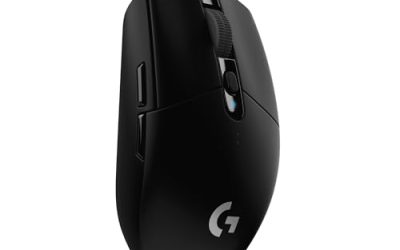
The G305 is the budget wireless pick, and it is the easiest way to try mouse and keyboard play in Fallen Order without a large outlay. Its HERO 12K sensor reaches 12,000 DPI and tracks cleanly at the sensitivity most players use, . The compact, symmetrical shape suits claw and fingertip grips at 99 grams.
The G305 runs on a single AA battery for up to 250 hours of play, so battery changes are rare, and the LIGHTSPEED wireless connection reports at 1 ms for responsive input. Six programmable buttons cover the basics: two side buttons for a Force power and the stim, with the rest on the keyboard. Onboard memory stores your settings on the mouse itself. The main limits are the compact shape, which can feel small in large hands, and the six-button layout, which cannot hold a full ability set.
Specs
- Sensor: Logitech HERO 12K optical sensor, up to 12,000 DPI
- Buttons: 6 programmable buttons
- Weight: 99 grams
- Battery: Up to 250 hours on one AA battery
- Connection: LIGHTSPEED Wireless with 1 ms report rate
- Memory: Onboard memory for settings and button assignments
- Model: 910-005280
How to choose
Start with how many buttons you want on the mouse. Fallen Order gives Cal several Force powers plus a stim and a lightsaber throw, so players who use abilities constantly will get the most from the G502 X Wired or the Naga V2 Pro. Players who rely mostly on lightsaber strikes and dodging can manage fine with five or six buttons.
Next, weigh weight against battery. Lighter mice reduce wrist fatigue during long duels, and the DeathAdder V3 Pro and Aerox 5 Wireless are the lightest picks here. Every wireless pick here lasts at least 90 hours, so charging is rarely a concern, and a wired mouse removes the question entirely. Finally, match the shape to your hand and grip: palm-grip players with medium or large hands will be most comfortable with the DeathAdder V3 Pro, G502 X Wired, or Naga V2 Pro, while claw and fingertip players, or players with smaller hands, will likely prefer the G305 or the Aerox 5 Wireless. Most players do best around 800 to 1600 DPI.
Who should skip
Players who already own a controller they enjoy should skip a mouse for Fallen Order. The game was designed around a gamepad, parry timing feels natural on a controller, and a mouse adds nothing if you are already comfortable with the standard controls.
Players with wrist or hand pain should also think carefully before switching, since a mouse demands constant small wrist movements for camera control, and long sessions can strain a sensitive wrist more than a controller does. Small-handed players should skip the Naga V2 Pro, since its wide body and 134-gram weight suit larger hands. Anyone who dislikes remapping controls should stick with the default scheme, because a mouse only pays off once Force powers are assigned to its buttons.
FAQ
Is Fallen Order better with a mouse or a controller?
A controller is the standard way to play Fallen Order, and most players will prefer it, because the game was designed around a gamepad and its parry timing feels natural on one. A mouse suits players who already prefer mouse and keyboard, or who find a controller uncomfortable, because it gives faster and more exact camera control.
What DPI should I use for Fallen Order?
Most players do best between 800 and 1600 DPI with the in-game sensitivity adjusted to taste. Fallen Order is a single-player action game, not a competitive shooter, so extreme sensitivity is unnecessary. A lower setting gives steadier camera control for parrying.
Do I need extra buttons for Force abilities?
Extra buttons help, but they are not required. Cal gains several Force powers across the game, and mapping Push, Pull, Slow, and the stim to thumb buttons keeps your left hand free for movement and dodging. A mouse with six buttons covers the essentials, while the G502 X Wired and Naga V2 Pro hold a fuller set.
Is a wireless mouse fine for Fallen Order?
Yes. Fallen Order is a single-player game, so the tiny latency difference between wireless and wired play has no practical effect on combat or parrying. Every wireless mouse here lasts at least 90 hours on a charge or a battery, and each one can also be used wired while charging.
Final verdict
The Logitech G502 X Wired is the best mouse for Star Wars Jedi: Fallen Order for most players. Its 13 programmable buttons hold the full set of Force powers and the stim within thumb reach, its HERO 25K sensor tracks cleanly, and its wired connection needs no charging. Players who want the lightest wireless mouse should choose the Razer DeathAdder V3 Pro, ability-heavy players the Razer Naga V2 Pro, and players on a budget the Logitech G305.
Product and ASIN Reference
| Product | ASIN |
|---|---|
| Logitech G305 LIGHTSPEED Wireless Gaming Mouse | B07CMS5Q6P |
| Logitech G502 X Wired Gaming Mouse | B0943J7HJG |
| SteelSeries Aerox 5 Wireless Gaming Mouse | B09VP2NV53 |
| Razer DeathAdder V3 Pro Wireless Gaming Mouse | B0B6XZLNHQ |
| Razer Naga V2 Pro Wireless MMO Gaming Mouse | B0BGJTLFN5 |