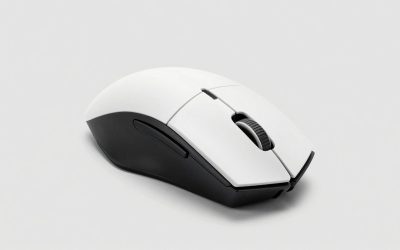
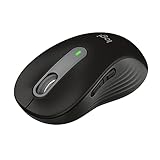
- Top Pick: SOLAKAKA SM600 Honeycomb Shell Gaming Mouse Wireless,Tri-Modes BT/2.4G Wireless/Type-C Wired Gamer Mouse with 2 Side Buttons, Macro Programmable and RGB Light for PC/Mac/Laptop,Black
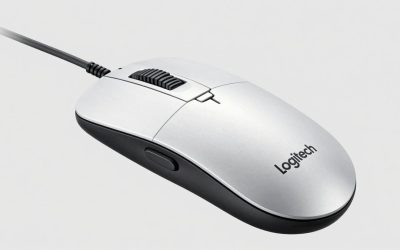
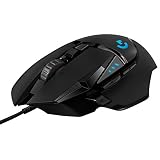
- Best Value: TMKB Falcon M1SE White Gaming Mouse, Wired, Lightweight Honeycomb, 12800DPI
- Premium Choice: Glorious Model O Wired Gaming Mouse 67g Superlight Honeycomb Design, RGB, Pixart 3360 Sensor, Omron Switches, Ambidextrous – Matte White
Affiliate disclosure: As an Amazon Associate we earn from qualifying purchases. This post contains affiliate links — if you buy through them we may earn a small commission at no extra cost to you. This never affects our recommendations.
As an Amazon Associate we earn from qualifying purchases at no extra cost to you.


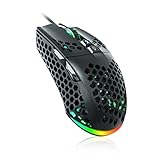

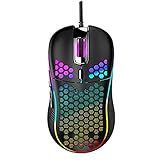


If you play FPS games competitively, every gram matters. A mouse that weighs 80g versus 55g might not sound like a big deal on paper, but after a three-hour ranked session your wrist and forearm will notice. That is why the honeycomb — or perforated — shell design became the go-to for serious FPS players over the last several years, and why manufacturers keep refining it.
The idea is straightforward: drill a pattern of holes through the mouse body to remove material and cut weight without compromising structural rigidity. Done right, you get a mouse that feels almost weightless mid-swipe, reduces arm fatigue during long sessions, and lets you build faster, more consistent flick and tracking habits because the tool is no longer fighting your movements.
That said, honeycomb shells are not for everyone. The holes collect dust, pet hair, and skin debris over time. Sweaty palms push moisture straight into the internals if the design is not sealed. And some players simply dislike the tactile feel of a perforated surface against their palm or fingertips.
This guide cuts through the marketing noise and gives you five specific picks for 2026 — ranging from the best all-around performer to the best budget option — so you can match the right mouse to your grip style, budget, and tolerance for maintenance.
In a hurry? See the top-rated Honeycomb Gaming Mouse deals available right now:
🛒 Check Honeycomb Gaming Mouse Prices on Amazon →🛒 Best Price Today on Amazon
Prime members get fast, free shipping on everything above, plus member-only deals. New members get a 30-day free trial — cancel anytime.
Start 30-Day Prime Free Trial →See Today’s Amazon DealsTop 5 Honeycomb Gaming Mice in 2026
1. Glorious Model O 2 — Best Overall Honeycomb Mouse
Weight: 55g | Sensor: BAMF 2.0 (26,000 DPI) | Connection: Wired | Shell: Perforated ABS
The Model O 2 is the refinement Glorious needed after the original Model O proved the concept. At 55g it sits in the sweet spot — light enough to feel effortless during extended play, but not so light that it feels cheap or flimsy in hand. The BAMF 2.0 sensor tracks at up to 26,000 DPI with zero smoothing and zero hardware acceleration, which means your raw movements translate to the screen with no interpolation artifacts.
The honeycomb pattern on the Model O 2 uses a tighter hole pitch than the original, which balances weight reduction against structural flex. You will not feel the shell twist under a hard grip. The G-Skates PTFE feet are among the best stock feet on any gaming mouse — smooth, consistent glide across cloth and hard pads alike.
Glorious also addressed the cable with a braided, ultra-flexible design that creates almost no drag, which matters when you are chasing a featherlight feel and then fighting a stiff cable that nullifies the weight advantage.
Pros:
- 55g is genuinely competition-ready lightweight
- BAMF 2.0 sensor has no jitter or angle snapping at any DPI
- Tighter hole pattern reduces flex without adding weight
- Excellent stock PTFE feet
- Flexible braided cable minimizes cable drag
Cons:
- Wired only — no wireless option at this weight tier from Glorious yet
- Honeycomb holes will collect debris; requires regular compressed-air cleaning
- Ambidextrous shape may not suit players who prefer an ergonomic right-hand design
2. SteelSeries Aerox 3 Wireless — Best Wireless Honeycomb Mouse
Weight: 68g | Sensor: TrueMove Air (18,000 DPI) | Connection: 2.4GHz Wireless / Bluetooth | Shell: Perforated ABS | Water Resistance: IP54
The Aerox 3 Wireless answers the biggest objection to honeycomb mice head-on: moisture damage. SteelSeries built an IP54-rated water and dust resistance rating into this mouse, which means the internals are protected against dust ingress and splashing water from any direction. For players who game in warm rooms, sweat heavily, or worry about the long-term health of a mouse with open holes, this is a significant differentiator.

At 68g in wireless mode the Aerox 3 is heavier than the wired Model O 2, but that is the cost of the battery, wireless radio, and IP54 sealing. On a 2.4GHz connection via the USB dongle, the wireless latency is imperceptible in competitive play — SteelSeries uses a 1ms polling rate on the wireless connection, which matches most wired mice.
Battery life is rated at 200 hours in Bluetooth mode and around 80 hours in 2.4GHz mode with RGB off — realistic for weeks of daily gaming between charges. The TrueMove Air sensor handles the tracking duties competently across DPI ranges, though it tops out at 18,000 DPI versus the higher ceiling on some competitors.
Pros:
- IP54 dust and water resistance is unique in the honeycomb category
- Wireless at 1ms polling — no perceptible latency penalty
- 200-hour battery life in Bluetooth mode
- Dual wireless modes (2.4GHz + Bluetooth) for multi-device flexibility
- Protects against the main durability concern of open-shell mice
Cons:
- 68g is noticeably heavier than top wired ultralight options
- TrueMove Air sensor ceiling (18,000 DPI) is lower than flagship competitors
- Larger than some players prefer for claw grip
- Premium price reflects the wireless and IP54 engineering
3. Cooler Master MM711 — Best Budget Honeycomb Mouse
Weight: 60g | Sensor: PixArt PMW3389 (16,000 DPI) | Connection: Wired | Shell: Perforated ABS
The MM711 is the proof point that you do not need to spend $80 or more to get a genuinely lightweight honeycomb mouse with a reliable sensor. Cooler Master packed a PMW3389 — one of the most respected optical sensors in the industry — into a 60g chassis and priced it to undercut the Glorious and SteelSeries options significantly.
The PMW3389 sensor has no acceleration, no smoothing, and a well-characterized lift-off distance that works predictably across pad surfaces. At 16,000 DPI max it covers every practical use case, and the tracking accuracy at 400–1600 DPI (where most competitive players actually operate) is indistinguishable from sensors costing twice as much.
The honeycomb pattern on the MM711 is on the aggressive side — larger holes and more of them — which gives it the visual impact of an “ultralight” design even though 60g is modest rather than extreme. The main compromise is in the feet: the stock PTFE skates are thinner than premium options and will wear faster, but replacement feet are cheap and widely available.
Build quality is solid for the price. The clicks have a satisfying snap. The scroll wheel has defined steps without being gritty. For players on a tight budget who want the honeycomb experience without the premium price, the MM711 is the most reliable path.
Pros:
- PMW3389 is a proven, competition-validated sensor
- 60g competitive weight at a budget price point
- Reliable click mechanisms with good tactile feedback
- Widely available replacement feet if stock skates wear down
- Good value baseline for players new to ultralight mice
Cons:
- Stock PTFE feet are thin and will wear faster than premium competitors
- No wireless option
- Cable is less flexible than premium offerings — consider an aftermarket bungee
- Larger hole pattern means more debris accumulation between cleanings
4. ROCCAT Burst Core — Best Affordable Wired Honeycomb Mouse
ROCCAT Burst Core
Weight: 68g | Sensor: PixArt PAW3331 (8,500 DPI) | Connection: Wired | Shell: Perforated ABS
The ROCCAT Burst Core occupies a slightly different position than the MM711: it is a right-handed ergonomic honeycomb mouse at an entry-level price. Most honeycomb options are ambidextrous, which suits claw and fingertip grips but can feel awkward for palm-grip right-handed players. The Burst Core’s shaped right-side contour supports a more natural palm position.

The PAW3331 sensor is capable and well-behaved up to its 8,500 DPI ceiling. For players at 400–800 DPI — which is the majority of competitive FPS players — the PAW3331 tracks accurately with no observable flaws. The DPI ceiling is the meaningful limitation: players who use high DPI settings for wide-screen navigation or specific game mechanics may find it constraining.
At 68g the Burst Core is not at the extreme end of ultralight, but it is meaningfully lighter than most mainstream ergonomic mice and the honeycomb pattern delivers the weight reduction from what would otherwise be a heavier shaped body. ROCCAT’s Titan click mechanism — their optical switch implementation — delivers a crisp, consistent click with minimal pre-travel.
Pros:
- Right-handed ergonomic shape is rare in the honeycomb category
- Titan click mechanism is fast and consistent
- Lower price than most honeycomb competitors
- Comfortable palm support for right-hand palm-grip players
- Solid build quality for the price tier
Cons:
- PAW3331 sensor caps at 8,500 DPI — limiting for high-DPI users
- 68g is heavier than the lightest options in this list
- No wireless option
- Fewer customization options versus premium competitors
- Right-hand-only shape excludes left-handed and ambidextrous-preference players
5. Xtrfy M42 — Best Ultra-Customizable Honeycomb Mouse
Weight: 59g | Sensor: PixArt PMW3389 (16,000 DPI) | Connection: Wired | Shell: Modular Perforated ABS
The Xtrfy M42 is the most unusual mouse on this list because Xtrfy designed it to be physically modified. The top shell, back arch, and side buttons are all swappable with separately available components, and the design is open enough that the community has produced 3D-printable modifications for players who want a shape tuned to their hand dimensions and grip style.
Out of the box it weighs 59g with the PMW3389 sensor — a solid combination. But the real value proposition is for players who have struggled to find a shape that fits: the M42 lets you iterate on grip feel without buying a new mouse each time. The modular arch panels adjust the hump height and position, which directly affects how a palm or claw grip sits on the mouse.
Xtrfy is a Swedish brand with deep roots in the professional esports scene — their M42 design has been used or tested by several pro FPS players. The build quality reflects that pedigree: the click mechanisms are crisp, the scroll wheel has defined tactile steps, and the honeycomb shell has minimal flex despite the modular design.
Pros:
- Modular shell components let you tune the shape to your hand
- PMW3389 sensor at 59g is a strong spec combination
- Pro esports pedigree with real competitive use history
- Active community for 3D-printed modifications
- Crisp click mechanisms and quality scroll wheel
Cons:
- Additional shell components cost extra beyond the base mouse price
- Shape customization has a learning curve — not plug-and-play
- Wired only
- Niche appeal: players happy with standard shapes may not value the modularity
- Availability can be spotty outside Europe
Comparison Table
| Mouse | Weight | Shell Material | Sensor | Wireless | Est. Price |
|---|---|---|---|---|---|
| Glorious Model O 2 | 55g | Perforated ABS | BAMF 2.0 (26K DPI) | No | ~$80 |
| SteelSeries Aerox 3 Wireless | 68g | Perforated ABS (IP54) | TrueMove Air (18K DPI) | Yes (2.4GHz + BT) | ~$100 |
| Cooler Master MM711 | 60g | Perforated ABS | PMW3389 (16K DPI) | No | ~$35 |
| ROCCAT Burst Core | 68g | Perforated ABS | PAW3331 (8.5K DPI) | No | ~$30 |
| Xtrfy M42 | 59g | Modular Perforated ABS | PMW3389 (16K DPI) | No | ~$90 |
How to Choose a Honeycomb Gaming Mouse
Weight: How Light Is Light Enough?
The honeycomb format exists to push mice below the 70g threshold, with the most extreme options reaching 45–55g. For competitive FPS gaming, the practical benefit of going from 70g to 55g is real: lower inertia means quicker direction changes and less cumulative fatigue over long sessions.
Below 55g, diminishing returns set in for most players. A 45g mouse may feel marginally quicker, but the structural compromises required to hit that weight can introduce shell flex, fewer buttons, or reduced battery (in wireless designs). Unless you are playing at a level where every millisecond of movement initiation matters, 55–65g is the practical sweet spot.
Wired vs. Wireless: Does the Weight Difference Matter?
Wireless honeycomb mice carry a weight penalty from the battery and radio hardware — typically 10–15g more than a comparable wired design. That gap has narrowed as battery technology improves, but it still exists. If absolute minimum weight is the goal, wired is the answer. If you value cable-free movement and can accept a modest weight increase, modern wireless implementations (particularly 2.4GHz at 1ms polling) impose no meaningful latency disadvantage.

Honeycomb Trade-Offs: Dust, Debris, and Sweat
The holes that cut weight also create channels for environmental contamination. Dust and pet hair accumulate inside the shell within weeks of regular use. A monthly blast of compressed air from a can is the minimum maintenance required to keep the internals clean. Players who game in environments with pets or significant dust will need to clean more frequently.
Sweat is a more serious concern. Moisture that enters through the holes during long sessions can corrode the PCB contacts and click switches over time. If you sweat heavily while gaming, look for mice with IP-rated protection (the SteelSeries Aerox 3 Wireless with IP54 is the most practical option in this list), or commit to regular cleaning and consider mouse grips that wick moisture away from the shell.
The tactile feel of a perforated surface is also a personal preference factor. Some players love the reduced friction against sweaty palms; others find the edges of the holes irritating during extended grips. Handle one in a store or order from a retailer with an easy return policy if you are unsure.
Grip Style Compatibility
Honeycomb mice tend toward ambidextrous or shallow shapes because the weight reduction is most impactful for fingertip and claw grips — styles that already use a higher, more agile hand position. Palm-grip players who want honeycomb benefits have fewer options; the ROCCAT Burst Core is the most accessible right-handed ergonomic option on this list.
Claw and fingertip grip players can use any mouse in this list effectively. The ambidextrous Glorious Model O 2, MM711, and Aerox 3 are shaped to support both left and right-handed use without favoring either.
Sensor Quality: What Actually Matters
Every mouse in this list uses a capable optical sensor. The differences between the PMW3389 (MM711, Xtrfy M42), TrueMove Air (Aerox 3), and BAMF 2.0 (Model O 2) are marginal in real gameplay. What matters for competitive play is:
- No hardware acceleration (all five mice pass this test)
- No smoothing or angle snapping (all five mice pass this test)
- Predictable lift-off distance (varies slightly; test on your pad surface)
- Stable tracking at your preferred DPI (all five are reliable at 400–1600 DPI)
Do not choose or reject a mouse based on raw DPI ceiling. No player meaningfully benefits from 26,000 DPI versus 16,000 DPI. Choose based on weight, shape, grip compatibility, and wireless requirements.
Final Verdict
Best overall: The Glorious Model O 2 at 55g with the BAMF 2.0 sensor is the most complete honeycomb wired mouse in 2026. It balances weight, sensor quality, build rigidity, and cable quality better than any competitor at its price point. If you want one mouse and no compromises, start here.
Best wireless: The SteelSeries Aerox 3 Wireless is the only serious wireless honeycomb option with IP54 protection. For players who want freedom of movement without worrying about sweat or dust reaching the internals, it justifies the premium.
Best budget: The Cooler Master MM711 gives you a PMW3389 sensor and genuine ultralight weight for roughly a third of what premium options cost. The stock feet are the only real weak point, and aftermarket feet are a cheap fix.
Best for customization: The Xtrfy M42 is the right choice for players who have never found a shape that fits perfectly. The modular architecture turns mouse fitting from a purchase decision into an iterative process.
Best ergonomic option: The ROCCAT Burst Core fills a genuine gap for right-handed palm-grip players who want the honeycomb weight reduction without giving up a contoured shell.
The honest takeaway on honeycomb mice: the weight benefits are real, the maintenance requirements are real, and the right choice depends on your grip, budget, and environment. Any of these five will give you a lighter, more responsive feel than a conventional full-shell mouse at the same price tier. The question is which trade-offs you are willing to make.
Frequently Asked Questions
What is a honeycomb gaming mouse?
A honeycomb mouse has a perforated shell full of cut-outs to reduce weight. The holes drop the mouse well below 70 grams, making it fast and easy to flick for competitive play.
Do honeycomb mice collect dust and dirt?
They can, since the holes expose the interior. Most use coatings or internal membranes to limit ingress, and occasional cleaning with compressed air keeps them tidy.
Are honeycomb mice durable despite the holes?
Quality honeycomb mice are surprisingly sturdy, as the shell design maintains rigidity. Reputable models hold up well, while very cheap ones can flex, so build quality matters.
Is a honeycomb mouse good for FPS gaming?
Yes. The ultra-low weight is ideal for fast flicks and tracking in FPS titles and reduces fatigue during long sessions. It is one of the most popular styles for competitive shooters.
Related Articles
Looking for more on this topic? Browse the hand-picked guides below — each one applies the same scoring rubric used in this review.