- Top Pick: SOLAKAKA SM600 Honeycomb Shell Gaming Mouse Wireless,Tri-Modes BT/2.4G Wireless/Type-C Wired Gamer Mouse with 2 Side Buttons, Macro Programmable and RGB Light for PC/Mac/Laptop,Black
- Best Value: SOLAKAKA SM900 Gaming Mouse Wired with RGB,Honeycomb Shell,12800 DPI Wired Gaming Mouse with Buttons,Computer Mouse for Laptop/PC,Black
- Premium Choice: DIERYA M1SE Wired Gaming Mouse with Honeycomb Shell, 12800DPI Optical Sensor, 6 Programmable Macros, Software Support for Custom Key Config, and RGB Settings for Windows 7/8/10/XP, Vista, Linux-Black
Affiliate disclosure: As an Amazon Associate we earn from qualifying purchases. This post contains affiliate links — if you buy through them we may earn a small commission at no extra cost to you. This never affects our recommendations.
- Quick Comparison: Top 5 Honeycomb Shell Gaming Mice
- 1. Glorious Model O 2 Wireless — The Crowd Favorite Gets a Wireless Upgrade
- 2. Xtrfy M42 Wireless — Fully Customizable Shell, Competitive Weight
- 3. Cooler Master MM720 — Sub-50g Monster for the Weight-Obsessed
- 4. Pwnage Ultra Custom Wireless — Premium Build for Serious Competitors
- 5. Glorious Model D- — The Ergonomic Honeycomb for Right-Handers
- How to Choose the Best Honeycomb Shell Gaming Mouse
- Final Verdict
- Related Articles
- Frequently Asked Questions
- Related Articles
As an Amazon Associate we earn from qualifying purchases at no extra cost to you.

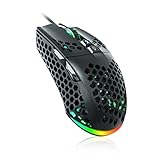


If you have ever reached for your mouse mid-session and found your palm slick with sweat, you already understand the problem that honeycomb shell mice were designed to solve. The perforated shell design — rows of precisely cut hexagonal or geometric holes across the top, sides, and sometimes the base — is not just an aesthetic choice. It is a functional engineering decision that reshapes what a gaming mouse can feel like after two, four, or six straight hours of use.
The principle is straightforward: remove material where structural rigidity is least needed, and you cut weight while opening airflow channels that let heat and moisture escape from your grip. A traditional solid-shell mouse traps warmth between your hand and the plastic. A honeycomb design lets air move. The result is a cooler, drier grip that maintains precision when fatigue and sweat would otherwise compromise your inputs.
Beyond comfort, the weight reduction is significant. Most full-size solid-shell mice land between 80–120g. The best honeycomb designs push that figure below 65g — and the lightest competitive options sit under 55g. At those weights, flick shots feel effortless, wrist movements translate instantly, and the mouse stops feeling like an object you are pushing and starts feeling like an extension of your hand. That shift matters in fast-paced games — FPS titles especially — where reaction speed and precision are everything.
This guide covers the five best honeycomb shell gaming mice available in 2026. We evaluated each on shell construction, actual weight, sensor performance, grip ergonomics, connectivity, and value. Whether you are a competitive FPS player chasing milliseconds or a productivity enthusiast who just hates sweaty palms, there is a perforated pick here for you.
In a hurry? See the top-rated Honeycomb Shell Gaming Mouse deals available right now:
🛒 Check Honeycomb Shell Gaming Mouse Prices on Amazon →🛒 Best Price Today on Amazon
Prime members get fast, free shipping on everything above, plus member-only deals. New members get a 30-day free trial — cancel anytime.
Start 30-Day Prime Free Trial →See Today’s Amazon DealsQuick Comparison: Top 5 Honeycomb Shell Gaming Mice
| Mouse | Shell Type | Weight | Sensor | Connectivity | Price (approx.) |
|---|---|---|---|---|---|
| Glorious Model O 2 Wireless | Full honeycomb | 63g | BAMF 2.0 | 2.4GHz / USB-C | ~$79 |
| Xtrfy M42 Wireless | Full honeycomb | 60g | PixArt PAW3370 | 2.4GHz / USB-C | ~$89 |
| Cooler Master MM720 | Full honeycomb | 49g | PixArt PMW3389 | Wired USB-C | ~$45 |
| Pwnage Ultra Custom Wireless | Full honeycomb | 59g | PixArt PAW3370 | 2.4GHz / USB-C | ~$119 |
| Glorious Model D- | Full honeycomb | 55g | BAMF 2.0 | Wired USB-C | ~$49 |
1. Glorious Model O 2 Wireless — The Crowd Favorite Gets a Wireless Upgrade
The original Model O put honeycomb mice on the map, and the Model O 2 Wireless is what happens when Glorious takes that legacy seriously. At 63g with full wireless capability, it threads the needle between genuine ultralight performance and the reliability that competitive play demands. The honeycomb pattern covers the top shell and both side panels, giving it that immediately recognizable skeleton look while keeping grip contact points smooth and comfortable.
The BAMF 2.0 sensor is a Glorious-tuned PixArt derivative that operates up to 26,000 DPI with zero smoothing or angle snapping enabled by default — exactly what you want for raw, unfiltered tracking. Wireless performance via the included 2.4GHz receiver is rock-solid with no detectable latency, and battery life sits around 80 hours at standard brightness settings. The honeycomb shell does allow the RGB lighting underneath to scatter outward in a distinctive way, though RGB can be disabled entirely for maximum battery conservation. Shape-wise, it is a symmetrical design that accommodates both palm and claw grippers, and the light 63g means even fingertip users can manage it for extended sessions.
The clicks use optical switches — no metal spring fatigue over time, consistent actuation feel from day one to day 10,000. If there is a criticism, it is that the honeycomb holes are large enough that dust and debris accumulate inside the shell faster than on solid-body mice. A compressed air blast every few weeks keeps things clean. This is the mouse to recommend to anyone who wants the iconic honeycomb aesthetic, wireless freedom, and proven competitive performance in a single package.
Pros: Excellent BAMF 2.0 sensor, optical switches, true wireless, strong brand ecosystem (Glorious software, accessories)
Cons: Larger holes collect dust, 63g is not the lightest in this category
Best for: FPS players who want wireless reliability with the full honeycomb experience
2. Xtrfy M42 Wireless — Fully Customizable Shell, Competitive Weight
The Xtrfy M42 Wireless is the most modular mouse on this list. Xtrfy engineered it so that the top shell, side grips, and bottom cover are all swappable without tools — you can reconfigure the shape between sessions to dial in your preferred fit. The honeycomb pattern on the M42 Wireless is finer and denser than the Model O 2, which means smaller holes that are slightly harder to clog but still provide meaningful airflow and weight reduction. The result is a 60g wireless mouse that feels immediately precise in hand.
Sensor duties fall to the PixArt PAW3370, one of the most reliable sensors in the ultralight segment. It operates at 100–19,000 DPI with flawless tracking on virtually any surface, including the low-friction pads that fast-paced FPS players tend to prefer. Wireless connectivity is stable and responsive, and Xtrfy rates battery life at approximately 70 hours — competitive with the Model O 2 and more than sufficient for daily gaming sessions. The shape is a medium-small symmetrical design that leans toward claw and fingertip grips, though palm users with smaller hands will find it accommodating.

What sets the M42 Wireless apart from a pure performance standpoint is the level of customization Xtrfy makes available. Different shell colors, textures, and hole patterns are sold as accessories, meaning you can tune the aesthetics and — to a limited degree — the weight distribution of the mouse to match your preferences. It costs a bit more than the Model O 2 Wireless, but the modularity justifies the premium for players who like to fine-tune every aspect of their setup.
Pros: Swappable shell system, excellent PAW3370 sensor, finer honeycomb reduces debris ingress
Cons: Higher price, medium-small shape excludes large-hand users
Best for: Players who want to customize their mouse as much as their settings
3. Cooler Master MM720 — Sub-50g Monster for the Weight-Obsessed
If raw weight reduction is the entire point of the exercise, the Cooler Master MM720 is the mouse to examine. It comes in at 49g — a figure that still feels absurd to type out — achieved through an aggressive honeycomb pattern that covers the top shell and both side panels with large hexagonal cutouts. Picking it up for the first time produces a brief moment of disbelief. It does not feel like it should work as a gaming mouse. Then you use it, and the tracking is flawless.
The PixArt PMW3389 sensor inside the MM720 is a proven flagship-class optical sensor with zero acceleration, zero smoothing, and accurate tracking up to 16,000 DPI. It is wired via USB-C, which eliminates any wireless latency concerns and battery anxiety entirely. The cable is a lightweight paracord-style braid that adds minimal drag — at 49g total, even a mediocre cable would be noticeable, so Cooler Master made the right call here. The shape is a right-handed ergonomic design with a pronounced thumb rest that supports a claw or fingertip grip naturally.
The tradeoffs are real. The honeycomb holes are large, and the shell feels less rigid than the Model O 2 or M42 Wireless when you apply lateral pressure — nothing that affects tracking, but noticeable if you grip hard. Left-handed users are excluded by the asymmetric shape. And the wired-only connectivity is a dealbreaker if you have a specific preference for wireless. But for a budget-friendly (~$45), sub-50g, wired ultralight with a flagship sensor, nothing on this list touches it for raw weight performance.
Pros: Lightest mouse on this list at 49g, excellent PMW3389 sensor, affordable price, paracord cable
Cons: Wired only, right-handed only, shell flex under hard lateral grip, large holes accumulate debris
Best for: Budget-conscious FPS players who prioritize minimum weight above all else
Check Price on Amazon
4. Pwnage Ultra Custom Wireless — Premium Build for Serious Competitors
Pwnage is a smaller brand than Glorious or Cooler Master, but the Ultra Custom Wireless is a serious piece of hardware built with competitive intent from the ground up. At 59g wireless, it is lighter than the Model O 2 and sits just above the Xtrfy M42 Wireless, but what distinguishes it is the build quality. The honeycomb shell on the Ultra Custom Wireless uses tighter geometric cutouts that distribute stress more evenly across the shell — there is noticeably less flex than the MM720, and the overall rigidity feels closer to a solid-shell mouse while still delivering the perforated aesthetic and weight benefits.
The PixArt PAW3370 sensor performs identically here to the Xtrfy M42 Wireless — pristine tracking, no smoothing, reliable on all surface types. Wireless connectivity uses a 2.4GHz dongle with a reported 125-hour battery life, the longest on this list by a significant margin. If you hate charging your peripherals, this is your mouse. The shape is symmetrical and medium-sized, designed to accommodate a broad range of hand sizes and grip styles, with smooth side panels that complement the perforated top shell and provide stable contact points for fingertip and claw grippers.

Software support through the Pwnage companion app covers DPI configuration, polling rate, and lighting control. It is functional if not as polished as Glorious’ ecosystem. The price premium (~$119) is the honest objection here — you are paying for the superior battery life, the tighter shell construction, and the brand’s focus on competitive quality control. For players who treat their mouse as a long-term investment and want the best balance of weight, rigidity, and wireless longevity, the Ultra Custom Wireless earns that premium.
Pros: Outstanding 125-hour battery life, tight shell construction with minimal flex, excellent PAW3370 sensor
Cons: Premium price, smaller brand means smaller accessory/support ecosystem
Best for: Competitive players who want wireless longevity and premium build quality
5. Glorious Model D- — The Ergonomic Honeycomb for Right-Handers
The Model D- (the minus suffix indicates the smaller variant) is Glorious’ answer to a specific question: what does a right-handed ergonomic honeycomb mouse look like when optimized for minimum weight? At 55g wired, it delivers a pronounced right-handed shape with a thumb scoop, elevated left side, and a flared rear that naturally cups a palm grip — but the full honeycomb shell keeps it nearly 30g lighter than many solid ergonomic alternatives. It is a significant achievement in the category.
Sensor performance comes from the BAMF 2.0, identical to the Model O 2 Wireless, running up to 26,000 DPI with clean tracking and no artificial processing. The wired USB-C connection uses Glorious’ flexible paracord cable, which contributes almost nothing to perceived drag at the mouse’s ultralight weight. The honeycomb pattern matches the Model O 2’s aesthetic — large hexagonal cutouts across the top and sides — so airflow and sweat management are strong. The ergonomic shape channels your hand into a relaxed, natural position that reduces fatigue on long sessions more effectively than a symmetrical design can.
If you are a right-handed palm gripper who has avoided honeycomb mice because the symmetrical shapes felt awkward, the Model D- was built for you. The one caveat is that the smaller form factor (the D-) is genuinely small — users with large hands should look at the full-size Model D instead, which shares the same shell design at a slightly higher weight. At ~$49, it is excellent value for a right-handed ergonomic ultralight with a flagship sensor and a full perforated shell.
Pros: Right-handed ergonomic shape reduces long-session fatigue, BAMF 2.0 sensor, 55g is impressively light for an ergonomic design, affordable
Cons: Wired only, right-handed only, small form factor excludes large hands
Best for: Right-handed palm grippers who want ergonomic support without sacrificing ultralight weight
How to Choose the Best Honeycomb Shell Gaming Mouse
Does the Honeycomb Actually Help?
Yes — but with caveats. The airflow benefit is real and measurable in extended sessions. Your palm runs cooler, moisture escapes rather than pooling, and grip consistency improves as a result. The weight reduction is equally real: removing material from a mouse shell is one of the most reliable ways to reduce mass without compromising structural function.

The caveat is that large honeycomb holes mean dust, hair, and debris enter the shell and collect around internal components. This is not a reliability issue — modern gaming mice are sealed well enough internally — but it does mean occasional cleaning is part of owning a perforated mouse. A can of compressed air directed at the shell every few weeks keeps things tidy.
Weight and Balance
Weight matters, but balance matters just as much. A 49g mouse that is nose-heavy will feel worse than a 63g mouse with centered balance. When evaluating ultralight mice, pay attention to where weight is distributed across the shell. Symmetrical designs tend to balance well across the length. Ergonomic designs often place more mass toward the rear to support palm contact. Neither is universally better — it depends on your grip style.
If you are transitioning from a heavier mouse, expect an adjustment period. Ultralight mice amplify small movements, which takes recalibration. Drop your sensitivity slightly when you first switch, then work back up as your muscle memory adapts.
Sensor Requirements
Every mouse on this list uses a flagship-class PixArt sensor or a tuned derivative. At this tier, sensor performance is effectively not a differentiating factor — all of them track accurately, without smoothing, across a wide range of surfaces and speeds. The meaningful differences between these mice are weight, shape, connectivity, and build quality. Do not over-index on sensor specs when choosing between options at this price tier.
Cleaning and Dust Management
Honeycomb mice require more maintenance than solid-shell designs. Establish a simple routine: compressed air every 2–3 weeks to clear the interior, a dry microfiber wipe on the outer surface after each session if you game for extended periods. For mice with RGB underneath the shell, dust accumulation inside is more visible when the lighting is active — another incentive to keep the maintenance schedule consistent.
Avoid liquid cleaners directly on the shell unless the manufacturer explicitly approves it. Water and isopropyl alcohol can seep through the holes and reach internal components.
Wired vs Wireless in Ultralight Category
A few years ago, wireless meant latency. That is no longer true. The 2.4GHz implementations in the Model O 2 Wireless, M42 Wireless, and Pwnage Ultra Custom Wireless are all performance-grade with polling rates that match wired connections in any practical scenario. The choice between wired and wireless now comes down to battery management preference and whether you want to eliminate cable drag entirely.
Wired mice — the MM720 and Model D- here — can go slightly lighter because they carry no battery weight. The MM720 at 49g illustrates this clearly: a wireless version with equivalent battery life would weigh at least 55–60g. If minimum weight is the absolute priority, wired wins. If convenience and cable-free movement matter more, modern wireless is legitimately competitive.
Final Verdict
The best honeycomb shell gaming mouse in 2026 depends on what you are optimizing for, but our top overall pick is the Glorious Model O 2 Wireless. It combines the iconic honeycomb aesthetic with wireless reliability, a flagship-class sensor, optical switches, and a shape that works across the majority of grip styles. At 63g wireless, it is not the lightest mouse on this list, but it is the most well-rounded — the option you could hand to almost any gamer and watch them immediately perform at their best.
If budget is the primary constraint, the Cooler Master MM720 at ~$45 and 49g is the clearest recommendation in PC gaming peripherals at its price point. It is absurdly light, uses a genuinely good sensor, and proves that ultralight gaming does not require a premium budget. Right-handed ergonomic users should look at the Glorious Model D- instead — the shape advantage for palm grippers is significant enough to justify choosing it over a symmetrical option even at similar price points.
For players who treat peripherals as a long-term investment and want the most premium honeycomb wireless experience available, the Pwnage Ultra Custom Wireless earns its higher price through superior build quality and a battery life figure — 125 hours — that no competitor on this list comes close to matching. Pick the mouse that fits your grip, your connectivity preference, and your weight target. Any of these five options will serve you well.
Related Articles
Looking for more on this topic? Browse the hand-picked guides below — each one applies the same scoring rubric used in this review.
Frequently Asked Questions
What is the best gaming mouse honeycomb shell in 2026?
The best gaming mouse honeycomb shell depends on your budget and how you plan to use it. The options compared above are our top-rated picks based on real customer ratings, build quality, and overall value — start with the highest-rated model that fits your budget.
How much should I expect to spend on a gaming mouse honeycomb shell?
Prices vary by brand and features. Budget options cover the essentials, while mid-range and premium models add durability, performance, and extra features. Compare the prices in the list above to find the best value for your needs.
What should I look for when buying a gaming mouse honeycomb shell?
Focus on what matters most for your use case — build quality, compatibility, performance, warranty, and verified customer reviews. Every pick above is selected to balance these factors.
Are budget gaming mouse honeycomb shell options worth it?
Yes. For most people a well-reviewed budget or mid-range gaming mouse honeycomb shell delivers excellent value. You only need to spend more if you specifically require premium materials or top-tier performance.
How did we choose these gaming mouse honeycomb shell picks?
We compare current Amazon ratings, review counts, key features, and price to surface the options with the best real-world value. The list is refreshed as ratings and availability change.