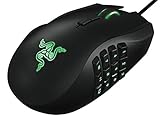
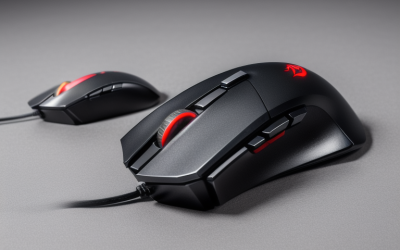
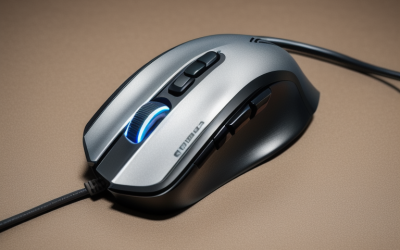
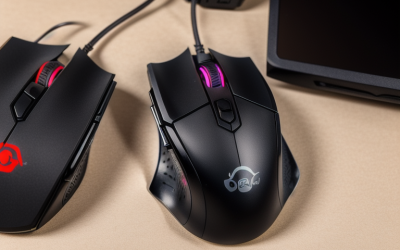
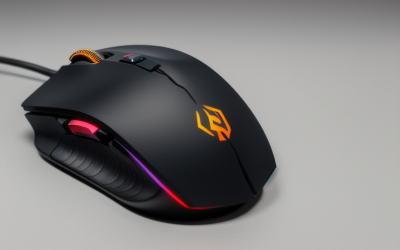
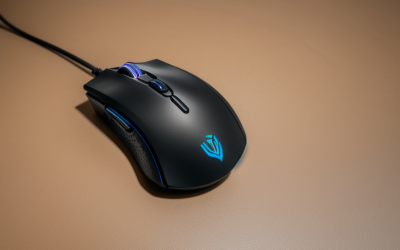
- Top Pick: CHONCHOW Gaming Keyboard and Mouse Led Backlit USB Wired with Light Up 104Key 3600DPI 2 Side Button Mouse Keyboard Mechanical Feeling Compatible with PC Mac OS Xbox Ps4 Ps5 with Mousepad
- Best Value: Gaming Keyboard and Mouse and Mouse pad and Gaming Headset, Wired LED RGB Backlight Bundle for PC Gamers and Xbox and PS4 Users – 4 in 1 Edition Hornet RX-250
- Premium Choice: TKL Gaming Keyboard Mouse, Wired LED Keyboard RGB Mouse for PS4 Xbox PC Mac | 87 Keys Gaming Keyboard and 800-3200 DPI Rainbow Backlit Mouse
Plugging a keyboard and mouse into a console sounds simple until you notice how many combos name Xbox in a long string of compatible platforms. The real decision is about where you sit and what you play: a wired set on a desk beside the console, or a wireless set you can use from a couch. Shooters and strategy games that accept mouse input reward a precise mouse, while chat-heavy or browser-style tasks reward a full keyboard layout. A cramped living room favors a compact board, whereas a dedicated gaming corner can handle a full-size layout, a wrist rest, and a large mouse pad without any trouble.
This guide is for console players who want a combo that lists Xbox compatibility in its own title. Seven sets made the cut for 2026, and three popular combos were left out because their titles never mention Xbox. Every judgment below comes from the listing text, so treat compatibility as a starting point and confirm game-by-game support before you buy.
Quick Picks
As an Amazon Associate we earn from qualifying purchases at no extra cost to you.





| Product | Best for | Key spec from the title |
|---|---|---|
| CHONCHOW Wired Combo | Simple desk setup | 104 keys, 3600 DPI, 2 side buttons, mousepad included |
| Hornet RX-250 4-in-1 | All-in-one bundle | Keyboard, mouse, mouse pad, and headset |
| 87-Key TKL Wired Combo | Saving desk space | 87 keys, 800 to 3200 DPI mouse |
| 60% Wireless Combo | Couch gaming | Rechargeable, wireless, RGB backlit |
| Wired RGB Set with Phone Holder | Long sessions | Full size, wrist rest, 7200 DPI mouse, mouse pad |
| RedThunder 60% Combo | Minimal footprint | 61 keys, 7200 DPI honeycomb optical mouse |
| 87-Key Wireless Combo | Cable-free ergonomics | Rechargeable, 87 keys, ergonomic wireless mouse |
How to Choose
Wired or wireless
Wired sets plug in and generally work with the fewest surprises, since there is no pairing step and no battery to charge. Wireless sets add convenience for a couch or a long cable run, but dongle behavior differs by product. Check whether the console you own is named in the title and plan on a USB port that is free during play. If you also use a wired headset or charging cable, count the ports before choosing a wireless dongle, because a crowded console leaves no spare slot. Rechargeable wireless sets also need a habit of topping up between sessions, which wired sets never ask of you.
Keyboard size
A full-size board with 104 keys gives you a number pad and dedicated arrows, which helps with chat and menus. An 87-key tenkeyless board drops the number pad and frees roughly four inches of desk width, which matters when a console controller and a drink share the same surface. A 60% board with 61 keys is the smallest, and it hides arrows and function keys behind a layer, so expect a learning curve.
Mouse DPI and buttons
Resolution figures such as 3600, 7200, or 12800 DPI are mostly headroom. For console shooters, a range from 800 to 3200 DPI covers nearly all comfortable aim speeds, and an adjustable switch matters more than a huge peak figure. Two side buttons are useful for actions mapped on a controller.
Mechanical feel, lighting, and extras
Listings that say “mechanical feeling” describe a membrane board with a firm touch, not true mechanical switches. Budget combos usually cut corners on key stabilizers, keycap printing, and mouse sensor quality, and RGB modes do not change performance. Anti-ghosting, a wrist rest, and a mouse pad are the extras that actually affect comfort. Also look at cable length for wired sets, since a console across the room may need more reach than a desk PC.
The 7 Best Options
CHONCHOW Wired Gaming Keyboard and Mouse
This set is a classic wired combo with an LED-backlit 104-key keyboard and a 3600 DPI mouse with two side buttons. The title lists PC, Mac OS, Xbox, PS4, and PS5 support, and a mousepad is included.
- Full 104-key layout with a mechanical-feeling touch
- Included mousepad and two side mouse buttons
- Trade-off: a full-size board takes more desk space than compact options
It suits a console player who wants a no-surprises wired setup with a number pad, perhaps for entering codes or navigating long menus. Skip it if your desk is narrow or you plan to use the set in your lap, since a full-size board and a wired cable are awkward away from a flat surface.
Hornet RX-250 4-in-1 Gaming Bundle
The Hornet bundles a keyboard, mouse, mouse pad, and headset with wired LED RGB backlighting. The title names PC gamers and Xbox and PS4 users, so it covers everything needed in one box.
- Headset and mouse pad come in the same bundle
- One wired set for PC and console players
- Trade-off: bundled headsets typically are basic, so serious voice chat may need an upgrade
This is a good match for a first console-and-PC setup, or a gift for a younger player who owns none of the peripherals yet. Skip it if you already own a headset you like and only want the keyboard and mouse, because the extra pieces would sit unused in a drawer.
87-Key TKL Wired Gaming Keyboard and Mouse
This tenkeyless combo pairs an 87-key LED keyboard with an RGB mouse that spans 800 to 3200 DPI. It lists PS4, Xbox, PC, and Mac compatibility and uses a wired connection.
- 87-key layout saves desk width without losing the arrow keys
- The 800 to 3200 DPI range covers practical aim speeds
- Trade-off: the title lists no mouse pad or wrist rest
It fits players with a small desk or a TV tray who still want arrow keys and a familiar layout. Skip it if you want a number pad or a built-in wrist rest, since the title mentions neither and a comfort-first buyer would need to add a separate accessory.
60% Wireless Gaming Keyboard and Mouse Combo
This compact wireless set targets couch players. The title mentions a rechargeable design, RGB backlighting, and a wireless gaming mouse, with Xbox, PS4, PS5, PC, and laptop listed.
- Rechargeable design avoids replacing batteries
- A 60% layout leaves space for a mouse on a small lap desk
- Trade-off: compact boards need function layers for arrows and function keys
Pick it if you game across a room from the console and want a set that packs into a bag. Skip it if you use the arrow keys or function row constantly, because every shortcut needs a held modifier and that gets old quickly in fast matches.
Wired RGB Gaming Combo with Phone Holder and Wrist Rest
This full-size wired set adds an ergonomic wrist rest, a phone holder, and a mouse pad. The title lists anti-ghosting, a silent USB keyboard, and a 7200 DPI mouse, with PC, PS4, PS5, and Xbox support.
- Wrist rest and phone holder add comfort for long play sessions
- Anti-ghosting wording helps when several keys are pressed together
- Trade-off: full size plus wrist rest requires a wide desk
It suits a player who sits at the desk for hours and wants forearm support and a place to park a phone. Skip it if portability matters, because the wrist rest, mouse pad, and full-size board add up to a bulky kit to move between rooms.
RedThunder 60% Gaming Keyboard and Mouse Combo
RedThunder offers an ultra-compact 61-key RGB keyboard and a lightweight 7200 DPI honeycomb optical mouse, in a black-white finish. The title lists PC, PS5, and Xbox as compatible.
- Small footprint leaves lots of desk space for a controller
- Lightweight honeycomb mouse suits fast flicks
- Trade-off: a 61-key board lacks dedicated arrows and a function row
It suits a player who treats the keyboard as a secondary input and wants the lightest mouse in this group. Skip it if you type long messages on console, since typing on a 61-key layout means reaching for layer combinations to get punctuation and navigation.
87-Key Wireless Gaming Keyboard and Mouse Combo
This wireless combo pairs an 87-key backlit keyboard with an ergonomic wireless mouse, both rechargeable. The title names Xbox, PS5, PS4, PC, and laptop use.
- Rechargeable parts cut down on disposable batteries
- An 87-key board keeps arrow keys on a compact frame
- Trade-off: wireless dongles can behave differently across consoles
It is a decent pick for couch and living-room setups where cables would cross a walkway, and the ergonomic mouse helps with longer sessions. Skip it if you want a guaranteed plug-and-play experience, since a wired set removes the pairing and charging steps entirely.
Which One Fits Your Situation
You game at a desk next to the console
Take the CHONCHOW if you want a number pad and a mousepad in the box, or the TKL wired combo if space is tight. Wired connections keep input simple, and neither needs charging between sessions.
You play from the couch
The 60% wireless combo and the 87-key wireless combo are the two cable-free options. Pick the 87-key set if you need arrow keys, and the 60% set if you want the smallest board that fits on a lap desk or an ottoman tray. Keep a spare charging cable near the couch so a dead keyboard never ends the evening early.
You are building a first setup from scratch
The Hornet RX-250 includes a headset and mouse pad, so a single box covers the basics for PC and Xbox. You can replace individual pieces later as your preferences become clearer.
You want comfort over long sessions
The wired set with a wrist rest and phone holder is the ergonomic option, while the RedThunder 60% fits a minimal desk. If neither appeals, the CHONCHOW is the middle ground, with a full layout and a mousepad bundled in.
Common Mistakes
- Assuming Xbox in a title means every game accepts keyboard and mouse input.
- Choosing a 60% layout, then discovering the arrow keys sit behind a function layer.
- Chasing the highest DPI number instead of a usable adjustable range.
- Skipping a wired option when wireless dongles occupy a limited USB port, then finding no slot left for a headset or charger.
- Treating “mechanical feeling” as a promise of true mechanical switches.
Related guides
- Aio Liquid Coolers For High Performance Gaming
- How To Lower Input Delay In Competitive Shooters
- External Hard Drives For Music Production
Frequently Asked Questions
Can an Xbox use any USB keyboard and mouse?
Support depends on the game and system software. Many titles accept them, but some ignore mouse input, so check each game before you rely on it. Menus and chat usually work with a keyboard even when in-game aiming does not.
Is a wireless combo fine for console shooters?
It can be, since modern wireless sets handle casual play well. Wired remains the safer choice when you want zero pairing issues.
Do I need a headset in the bundle?
Only if you have no headset. A bundled headset is convenient, but dedicated models usually offer better voice clarity.
What DPI should I use on a console?
Start in the 800 to 1600 range and adjust up. Higher numbers feel twitchy for most people, and a mouse that offers several steps lets you find a comfortable speed for each game rather than committing to one fixed setting.