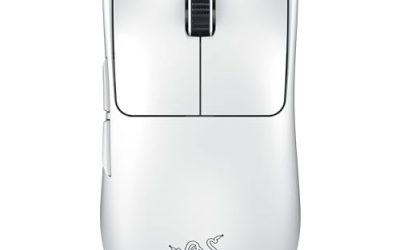
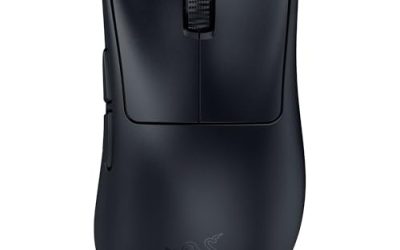
A full-size ergonomic mouse can leave a small hand stretched, with fingertips reaching past the buttons and the palm pushed back from the hump. A symmetrical mini mouse solves the reach problem but gives up the contoured right-hand support many players want for longer sessions. The real decision is which shortened ergonomic shell still fills the palm correctly, places the thumb buttons within easy reach, and keeps its hump under your hand instead of behind it.


This guide is for right-handed players with small hands who use palm, claw, or relaxed claw grips and want that contoured shape in a shorter body. The products below were chosen from names and specifications on their Amazon pages, keeping only mice whose listings describe an ergonomic shape and state a length at or near the small end of the gaming range.
Quick Picks
As an Amazon Associate we earn from qualifying purchases
| Product | Best for | Key spec from title |
|---|---|---|
| Razer DeathAdder V2 Mini | Small-handed palm and claw players who want grip tape included | 8500 DPI Optical Sensor |
| GLORIOUS Model D- (Minus) Wired Gaming Mouse – Matte Black | Players who want a honeycomb shell with a Pixart 3360 sensor | Pixart 3360 Sensor |
| Cooler Master MM720 | Claw players whose ring finger needs its own rest | 16000 DPI Optical Sensor |
| SteelSeries Prime Mini Wireless | FPS players who want a mini shape without a cable | 18K CPI Sensor |
| Pulsar Xlite V3 Mini Wireless Gaming Mouse | Wireless players who want the lightest ergonomic shell here | PAW3395 Optical Sensor |
How to Choose
Shell Length and Grip Fit
Start with length, because it decides whether the rest of the shape can work at all. The mice here range from the very short Cooler Master MM720 at 4.15 inches long to the GLORIOUS Model D- at about 120 mm and the SteelSeries Prime Mini Wireless at 120.3 mm from its secondary listings. For a palm grip, your fingers should land on the front third of the main buttons without stretching. For claw grip, a shorter shell such as the MM720 or the Razer DeathAdder V2 Mini at 4.5 inches long leaves room to curl your fingers without pushing the mouse away from you.
Hump Shape and Side Contour
Two ergonomic mice of the same length can feel completely different because of where the hump sits and how the sides curve. A centred hump supports a relaxed claw and fills the middle of a small palm, while a lower, wider shell spreads support across the fingers instead. Check the right side as carefully as the left: the MM720 adds a dedicated ring finger rest, which changes how the whole hand balances, while the DeathAdder shape uses a narrower, more tapered right side. If your ring finger usually drags on the pad, that difference matters more than sensor choice.
Weight and Balance
Weight changes how a small mouse feels during short, fast corrections. The lightest options here are the Cooler Master MM720 at 49 g and the Pulsar Xlite V3 Mini at 52 g, followed by the GLORIOUS Model D- and Razer DeathAdder V2 Mini at 61 g and 62 g in their titles. A lighter shell is easier to stop precisely when your hand and mousepad area are small, because less mass carries past the target. Heavier wireless models trade some of that ease for a cable-free desk, so decide whether you notice weight or cable drag more during play.
Sensor, Buttons and Cable or Wireless Link
Sensor figures in these listings vary widely, from 8500 DPI on the DeathAdder V2 Mini to 16000 DPI on the MM720 and 18K CPI on the Prime Mini Wireless, but most players set one sensitivity and stay there, so button layout and connection deserve equal attention. Count the buttons you will actually reach: five on the Prime Mini Wireless and Pulsar, six on the wired Razer, GLORIOUS and Cooler Master models. Then choose the link honestly. Wired models avoid charging entirely, while the two wireless models here remove cable drag but add a battery routine to remember.
The 5 Best Options
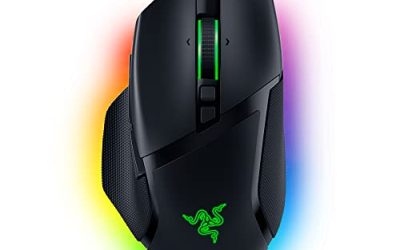
Razer DeathAdder V2 Mini
This is the closest match for a small-handed player who liked the classic DeathAdder idea but found the full-size version too long. Its listing describes a right-handed ergonomic form factor made smaller to fit smaller hands, with a recommended hand size of small to medium and palm and claw grips named. At 4.5 inches long and 62 g in the title, it should suit palm players who still want full palm contact, and claw players who want the hump closer under the hand. The included anti-slip grip tape also helps if smooth shells slip in your fingers.
Specs
- Form factor: Right-handed ergonomic
- Product dimensions: 2.57 x 4.5 x 1.52 inches
- Sensor: 8500 DPI optical sensor
- Weight: 62 g lightweight design
- Lighting: Chroma RGB lighting
- Buttons: 6 programmable buttons
- Included: Anti-slip grip tape
- Colour: Classic Black
- Recommended hand size: Small to medium
Best for: Palm and claw players with small to medium hands who want the classic ergonomic shape in a shorter shell.
Watch out for: Check the 8500 DPI figure against the sensitivity range you actually use, and confirm you are ordering the Mini rather than the full-size DeathAdder V2.
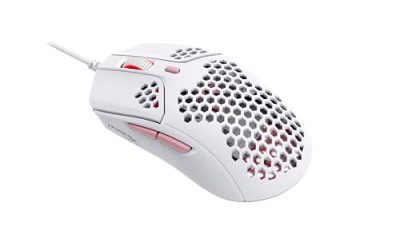
GLORIOUS Model D- (Minus) Wired Gaming Mouse – Matte Black
The Model D- suits small to medium hands that want an ergonomic shell with a honeycomb structure and a wired connection. Its title calls the mouse ergonomic and lists a Pixart 3360 sensor, Omron switches and PTFE feet, a familiar combination for players who value a direct, predictable glide. The stated size of about 120 mm long puts it at the longer end of this group, so it fits palm and relaxed claw grips better than a tight fingertip grip. Choose the matte black version if you prefer a non-gloss finish under your fingers during longer sessions.
Specs
- Design: 61 g superlight honeycomb design
- Shape: Ergonomic
- Sensor: Pixart 3360 sensor
- Switches: Omron switches
- Feet: PTFE feet
- Buttons: 6 buttons
- Lighting: RGB
- Colour: Matte Black
- Product dimensions: 11.99 x 6.71 x 3.99 cm
- Model number: GLO-MS-DM-MB
Best for: Palm and relaxed claw players who want a honeycomb ergonomic shell and a wired link.
Watch out for: Confirm the size option says Model D- or Minus and the colour says Matte Black before ordering, because the same listing family also includes the larger Model D and glossy finishes.
Cooler Master MM720

The MM720 is the outlier here, and for claw players with small hands that is its strength. Instead of simply shrinking a palm shape, it uses a short, wide shell with a unique claw grip shape and a finger rest on the right side, so the ring finger supports the mouse instead of dragging beside it. At 4.15 inches long and 49 g, it is the shortest and lightest wired option in this guide. It fits players who curl their fingers, lift often, and want the mouse controlled from the fingertips and front of the palm rather than filled from behind.
Specs
- Sensor: 16000 DPI optical sensor
- Cable: Ultraweave cable
- Lighting: RGB
- Shape: Unique claw grip shape
- Item dimensions: 4.15 inches long x 3.01 inches wide
- Item weight: 49 g
- Buttons: 6 buttons
- Hand orientation: Right
- Colour: Black Matte
- Model number: MM-720-KKOL1
Best for: Claw grip players with small hands who want a ring finger rest and a very short shell.
Watch out for: Measure your current mouse width before ordering, because this shell is unusually wide for its length, and check that a claw-only shape matches how you actually hold a mouse.
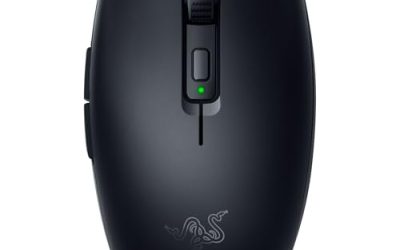
SteelSeries Prime Mini Wireless

The Prime Mini Wireless fits FPS players who want the mini ergonomic category without giving up a wireless connection. Its Amazon title describes an esports mini wireless mouse with five programmable buttons, a lag-free 2.4 GHz link and magnetic optical switches, aimed at PC and Mac play. Secondary listings for the model give a length of 120.3 mm, so it sits at the upper edge of small and should suit palm and claw players who found very short shells cramped. The stated 100 hour battery figure also makes it the lower-maintenance wireless choice in this group for longer gaps between charges.
Specs
- Type: Esports mini wireless FPS gaming mouse
- Buttons: 5 programmable buttons
- Connection: Lag-free 2.4 GHz wireless
- Battery: 100H battery
- Sensor: 18K CPI sensor
- Switches: Magnetic optical switches
- Compatibility: PC and Mac
- Edition: Prime Mini Edition
Best for: FPS players who want a mini wireless mouse with five buttons and long stated battery life.
Watch out for: Check the exact variant before ordering, because SteelSeries also sells a wired Prime Mini and a larger Prime Wireless, and confirm the receiver-based connection suits your setup.
Pulsar Xlite V3 Mini Wireless Gaming Mouse
The Pulsar Xlite V3 Mini is for wireless players who put weight first. Its Amazon title lists the mouse at 1.83 oz, or 52 g, describes it as ergonomic, and names optical switches and a PAW3395 optical sensor. That makes it the lightest wireless ergonomic option here, which should help small hands make repeated short corrections without the shell feeling sluggish. The Amazon page for this listing also names five buttons and a right hand orientation. Note that the verified Amazon listing found for this ASIN is a Renewed listing, so read the condition description carefully before deciding.
Specs
- Weight: Ultra lightweight 1.83 oz (52 g)
- Shape: Ergonomic
- Switches: Optical switches
- Sensor: PAW3395 optical sensor
- Size and connection: Mini, wireless
- Colour: Black
- Buttons: 5
- Hand orientation: Right
- Battery average life: 70 hours
Best for: Wireless players who want the lightest ergonomic mini shell in this guide.
Watch out for: This ASIN is a Renewed listing, so check the stated condition, included accessories and coverage on the page, and confirm you are not looking at the larger Xlite V3 instead.
Which One Fits Your Situation
You Palm Grip and Your Fingers Overshoot a Full-Size Mouse
Pick the Razer DeathAdder V2 Mini first. Its 4.5 inch length keeps the main buttons under your fingers while the ergonomic form still fills the palm, and the listing explicitly recommends it for small to medium hands. The GLORIOUS Model D- is the alternative if you prefer a honeycomb shell and a wired Pixart 3360 sensor, but its roughly 120 mm length will feel closer to a medium mouse in the hand.
You Claw Grip and Your Ring Finger Drags
Pick the Cooler Master MM720. Its short, wide shell and right-side finger rest were designed around claw control, giving the ring finger a place to work instead of trailing on the pad. At 49 g it also lifts and resets easily, which suits claw players who reposition often. The other ergonomic shells here use a conventional right side, so none of them reproduces that rested-finger balance.
You Want Wireless for a Small Desk
Pick the SteelSeries Prime Mini Wireless if battery routine is your concern, because its title states a 100 hour battery figure and a lag-free 2.4 GHz connection in a five-button mini body. Pick the Pulsar Xlite V3 Mini instead if shell weight matters more, at 52 g in its title. Either choice removes cable drag across a compact pad, but check the Pulsar listing condition carefully, as noted above.
You Play Fingertip and Want the Shortest Reach
Pick the Cooler Master MM720 again, but for a different reason: at 4.15 inches long it leaves the least shell behind your fingers, so fingertip corrections stay direct. If that wide shape sounds uncomfortable, the Razer DeathAdder V2 Mini is the narrower fallback, with a 2.57 inch width in its stated dimensions and grip tape included to help fingertips hold a smooth shell securely during quick lifts.
Common Mistakes
- Buying by the word mini alone, without comparing the stated length against your current mouse, even though mini models here range from 4.15 inches to about 120 mm.
- Choosing a full-size ergonomic mouse because the shape looks comfortable, then finding the buttons sit too far forward for a small hand to reach without stretching.
- Ignoring the right side of the shell, where a ring finger rest, a taper, or a flare changes control as much as the thumb side does.
- Assuming every wireless mini is light, without checking the weight in the title against wired models that may weigh considerably less.
- Ordering the wrong variant in a shared listing family, such as a larger Model D instead of the Model D-, or a wired Prime Mini instead of the wireless one.
Frequently Asked Questions
How long should a gaming mouse be for small hands?
Use your current mouse as the reference and look below the full-size range. The mice in this guide run from 4.15 inches for the MM720 to about 120 mm for the Model D- and Prime Mini Wireless. If your fingers overshoot the buttons now, start at the shorter end and check width and hump position as well as length.
Is an ergonomic shape better than a symmetrical shape for small hands?
It depends on grip and hand posture rather than size alone. An ergonomic shell tilts support toward the right hand and usually fills the palm more, which many palm and relaxed claw players prefer. A symmetrical shell can feel more neutral for fingertip control. For small hands, the deciding factor is whether the contoured hump lands under your palm instead of pushing against its base.
Does a lighter mouse always help small hands?
Not always, but it often makes short corrections easier to stop cleanly. In this group the spread runs from 49 g for the MM720 to heavier wireless designs, so the difference is noticeable. Players who rest most of the hand on the mouse may prefer a little more substance, while claw and fingertip players usually benefit first from the lightest shell they can still control comfortably.
Should small-handed players choose wired or wireless?
Choose wired if you want no charging routine and the lowest weights, as the 49 g MM720 and 61 g Model D- show. Choose wireless if cable drag across a small pad bothers you more than battery upkeep. The Prime Mini Wireless states 100 hours of battery life in its title, while the Pulsar listing states 70 hours, so compare that figure before deciding.