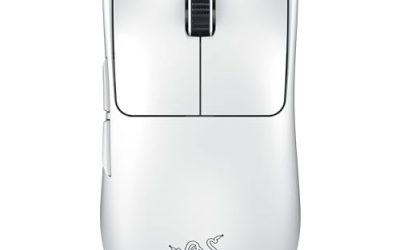
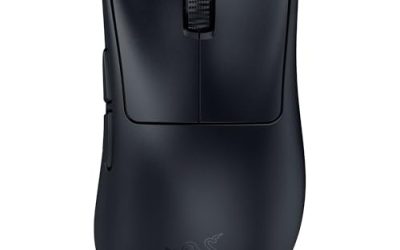
A mouse with onboard memory stores your settings inside the device itself, so sensitivity, button assignments and lighting move with you from a home PC to a laptop, a tournament station or a friend’s desk without reinstalling software. That matters most when you play on shared machines, switch between work and gaming, or want the same feel in every game without opening a settings app first.


This roundup covers shooter players who swap PCs often, MMO players with deep button layouts, and laptop gamers who need a portable mouse that remembers its setup. Every model below was picked because its Amazon listing states onboard memory or onboard profile storage, and the sensor, button and battery details come from that same listing.
Quick Picks
As an Amazon Associate we earn from qualifying purchases
| Product | Best for | Key spec from title |
|---|---|---|
| Logitech G502 HERO | MMO and shooter players who want many buttons with stored profiles | HERO 25K sensor |
| Logitech G305 Lightspeed Black | Laptop gamers who want a light wireless mouse that keeps its settings | HERO 12K sensor |
| Razer DeathAdder V2 | Palm-grip players who want five stored profiles on a wired mouse | Focus+ 20,000 DPI sensor |
| SteelSeries Rival 3 Wired | Budget-minded players who want stored polling, keybinds and CPI levels | TrueMove Core sensor |
| Corsair Scimitar RGB Elite Black | MMO players who want a twelve-button side panel with stored profiles | 18,000 DPI sensor |
How to Choose
Check What the Memory Actually Stores
Not every onboard memory system stores the same settings, so read the listing closely before you buy. Some mice save sensitivity levels, button assignments and polling rate, while others also save lighting or profile slots you can switch with a button. The models in this guide state their storage clearly on the listing, from five profile configurations to stored polling rate, keybinds and CPI levels, so match that list to the settings you change most often in your games and daily use.
Count Profiles Against the PCs You Use
A single stored profile suits a player who uses one sensitivity and one button layout everywhere, while several profiles help when you switch between a shooter, an MMO and desktop work. The DeathAdder V2 in this guide stores up to five profile configurations, which gives room for a separate setup per game. Think through your weekly routine and choose a mouse with enough slots to cover it without constant reconfiguration on each machine you use during the week at home or away.
Balance Sensor Range With Your Sensitivity
Onboard memory is most useful when the sensitivity it stores matches the way you aim, so check the sensor range in the listing against your preferred settings. A wide CPI or DPI range gives low-sensitivity players room to track precisely and high-sensitivity players room to turn quickly. The mice here span from 8,500 CPI to 25K, which covers most play styles, but the right pick is the one whose range includes your usual setting with room to adjust in either direction.
Look at Buttons, Weight and Connection Together
A stored profile only helps if the mouse itself feels right, so weigh buttons, weight and connection as one decision. MMO players need a side panel they can reach without looking, shooter players need a light shell that stops cleanly, and travellers need a wireless link or a cable that packs easily. Choose the model whose physical design fits your grip first, then let its onboard memory carry that setup between machines without extra setup work each time you switch.
The 5 Best Options
Logitech G502 HERO
The G502 HERO gives players a familiar button-rich shape with onboard memory that carries its setup between PCs, which suits a desk that doubles as a work station and a gaming rig. Eleven programmable buttons cover weapon swaps, abilities, push-to-talk and macros, while the HERO 25K sensor handles the tracking range most shooter and action players need. Its wired link keeps the connection simple, and the stored profile means the mouse feels the same on a second PC without extra setup.
Specs
- On-Board Memory
- HERO 25K sensor
- 11 programmable buttons
Best for: MMO and shooter players who want many buttons with profiles stored on the mouse.
Watch out for: Check the shape and button placement against your hand, because eleven buttons need a short adjustment period before they feel automatic.
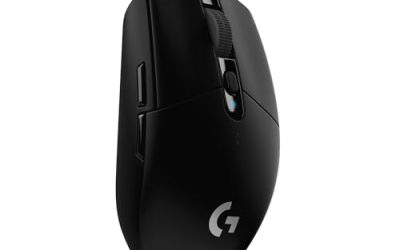
Logitech G305 Lightspeed Black
The G305 Lightspeed Black is a compact wireless option for players who move between a laptop, a dorm desk and a home setup and want their settings to travel with the mouse. Its onboard memory keeps the profile on the device, so the same sensitivity and button layout apply on each machine. At 99g it stays light enough for quick aim, and the six-button layout keeps the essentials within easy reach without clutter.
Specs
- On-Board Memory
- HERO 12K sensor
- 99g weight
- 6 buttons
Best for: Laptop gamers who want a light wireless mouse that keeps its settings between PCs.
Watch out for: Players who need a large side-button panel for MMOs should consider a model with more buttons, because this one keeps its layout simple.
Razer DeathAdder V2

The DeathAdder V2 combines the tall ergonomic shape of the DeathAdder line with advanced onboard memory that saves up to five profile configurations on the mouse itself. That makes it a strong choice for players who switch between games with different sensitivity and button needs, or who play on more than one PC. Its sensor covers a wide DPI range, and the eight buttons give room for the commands most action and shooter players use without overloading the shell.
Specs
- Advanced on-board memory — save and store up to 5 profile configurations
- Focus+ 20,000 DPI sensor
- 8 buttons
- Optical Switches 70M
- 82g weight
- 127.0×72.7×42.7mm dimensions
Best for: Palm-grip players who want five stored profiles on an ergonomic wired mouse.
Watch out for: Measure the shell against your hand size, because the ergonomic shape favours medium to large hands over very small hands.
SteelSeries Rival 3 Wired
The Rival 3 Wired stores custom polling rate, keybinds and five CPI levels directly on the mouse, which makes it a practical pick for players who want a low-fuss setup that works the same on any PC. Its six-button layout covers the core commands for shooters and action games, and the Prism RGB lighting adds a clear visual accent to the desk. The wired connection suits a fixed setup, while the stored settings remove the need to reconfigure after a move or a reinstall.
Specs
- On-board memory allows you to save custom polling rate, keybinds, and 5 CPIs directly on the mouse
- 8,500 CPI TrueMove Core sensor
- 6 buttons
- Prism RGB
Best for: Players who want stored polling, keybinds and CPI levels on a simple wired mouse.
Watch out for: MMO players who need a large side panel should look at a button-heavy model instead, because this mouse keeps its button count low.
Corsair Scimitar RGB Elite Black
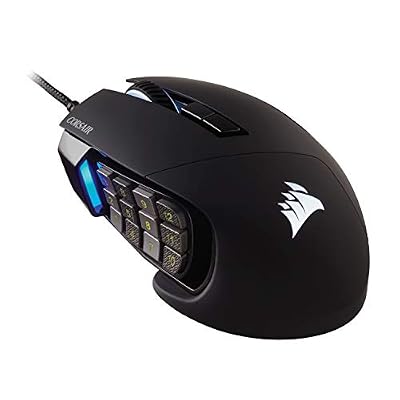
The Scimitar RGB Elite Black is built for MMO players who want a twelve-button side panel and onboard profile storage in one mouse. Seventeen buttons in total give room for abilities, items, macros and camera controls, while the stored profiles carry that layout between PCs without rebuilding it each time. Its high DPI range also gives shooter and action players room to tune sensitivity, so the mouse works beyond a single genre.
Specs
- Onboard profile storage
- 18,000 DPI
- 17 buttons
- 12 side buttons
Best for: MMO players who want a twelve-button side panel with profiles stored on the mouse.
Watch out for: Give yourself time to learn the side panel, because twelve thumb buttons take practice before presses become accurate under pressure.
Which One Fits Your Situation
You Switch Between Two or More PCs
Pick the Razer DeathAdder V2 when you need several stored profiles for different games or machines. Its onboard memory holds up to five configurations, and the ergonomic wired shape stays comfortable through long sessions on any desk, whether you play at home or on a second PC in another room.
You Play MMOs With Many Abilities
Pick the Corsair Scimitar RGB Elite Black when your rotation needs a full side panel. Twelve side buttons plus onboard profile storage mean your ability layout travels with you between PCs, and the high DPI range leaves room to tune aim for other games too without rebuilding your setup from scratch.
You Game on a Laptop and Travel Often
Pick the Logitech G305 Lightspeed Black when portability matters most. Its wireless design and onboard memory keep the same setup on a laptop and a home PC, and the light 99g body packs easily into a bag every day for travel, classes, work trips, LAN events, school or a tournament station.
You Want a Simple Stored Setup for Shooters
Pick the SteelSeries Rival 3 Wired when you want stored polling, keybinds and CPI levels without a complex layout. Six buttons cover the core shooter commands, and the wired link keeps the setup straightforward on a fixed desk, with no battery to check before a match, a session or a tournament.
Common Mistakes
- Assuming every gaming mouse stores profiles onboard, when many models need software running to apply settings.
- Saving only one profile and then rebuilding sensitivity and buttons after every move to a new PC.
- Buying a button-heavy mouse for a shooter when six well-placed buttons would cover every command.
- Setting a CPI level from a stored profile without checking that it matches the sensitivity used in the current game.
- Forgetting to save a profile to the mouse after changing settings in software, so the old setup loads on the next PC.
Frequently Asked Questions
What does onboard memory do on a gaming mouse?
Onboard memory saves settings such as sensitivity, button assignments and polling rate inside the mouse itself. Those settings then apply on any PC you plug the mouse into, without installing software or reconfiguring the layout first on that new machine.
How many profiles can a gaming mouse store?
It varies by model. The Razer DeathAdder V2 in this guide stores up to five profile configurations, while the SteelSeries Rival 3 Wired stores five CPI levels with its keybinds and polling rate. Check the listing for the exact profile count before you buy.
Do I still need software with an onboard memory mouse?
Software helps when you first create profiles, assign buttons and set sensitivity levels. Once those profiles are saved to the mouse, the stored settings travel with the device, so everyday play on another PC does not need the software open.
Is onboard memory useful for laptop gaming?
Yes, it is especially useful for laptop gaming. A mouse with onboard memory keeps the same sensitivity and button layout when you move from a home PC to a laptop, a library computer or a tournament station, without extra setup at each stop.