Disclosure: As an Amazon Associate, we may earn from qualifying purchases made through links on this page, at no additional cost to you.
Best Gaming Mouse Brands
Choosing a gaming mouse brand is a bigger decision than choosing a single mouse, because a brand is really a bundle of commitments: a sensor philosophy, a software ecosystem, a shape language and a support network you will live with across upgrades. Players rarely buy one mouse and stop; they buy into the brand whose mice fit their hand and whose software they can tolerate, then stay for years. This guide compares the major gaming mouse brands through a representative flagship from each — one mouse per brand, all genuine gaming mice — so you can see what each company’s approach actually delivers in hardware you can buy today.
The five brands here cover the market’s main schools. Logitech G builds around its HERO sensors and LIGHTSPEED wireless and dominates tournament play. Razer pushes optical switch technology and esports shapes harder than anyone. Corsair pairs deep iCUE software with specialist designs like its MMO grid mouse. SteelSeries develops its TrueMove sensors with PixArt and favours versatile, genre-crossing layouts. Glorious grew from the enthusiast community with lightweight honeycomb mice sold direct to players. Specifications below come from each product’s Amazon page, and the sections after the picks explain how to weigh software, support and shape range when the hardware figures look similar — which, at the top of this market, they often do.
Quick Picks
| Product | ASIN | Best For |
|---|---|---|
| Logitech G502 HERO (Logitech G) | B07GBZ4Q68 | Logitech G — the all-round ecosystem pick with the HERO sensor |
| Razer DeathAdder V3 Pro (Razer) | B0B6XZLNHQ | Razer — esports-first engineering with optical switches |
| Corsair Scimitar RGB Elite (Corsair) | B082LRMY53 | Corsair — specialist designs backed by the iCUE ecosystem |
| SteelSeries Rival 5 (SteelSeries) | B093LSMKL3 | SteelSeries — versatile genre-crossing mice with TrueMove sensors |
| Glorious Model O (Glorious) | B07LDH3TWM | Glorious — enthusiast-born lightweight mice sold direct to players |
Logitech G502 HERO (Logitech G) (ASIN: B07GBZ4Q68)

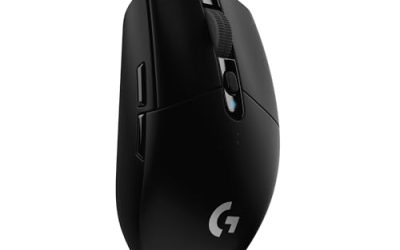
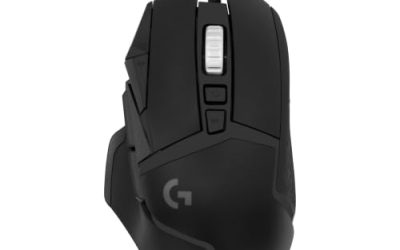
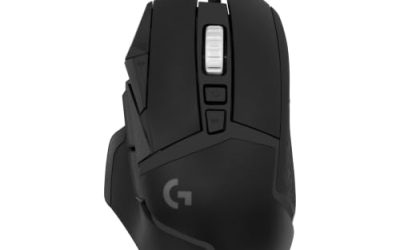
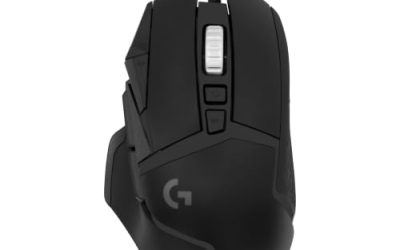
Logitech G is the brand most players measure others against, and the G502 HERO shows why: the company’s own HERO 25K sensor tracks up to 25,600 DPI with no smoothing or acceleration, and it appears across the range from entry mice to flagships, so a Logitech user gets flagship tracking behaviour at almost any level. The G502 itself adds eleven programmable buttons, a dual-mode scroll wheel, LIGHTSYNC RGB and a tunable weight system in a roughly 121 gram wired body — a feature-first philosophy that defines the brand’s mainstream line.
The ecosystem is the deeper story. G HUB manages mice, keyboards and headsets in one application, onboard memory carries profiles between machines, and LIGHTSPEED wireless anchors an esports line that is the most common sight in professional play. Support and availability are the strongest in this guide. If you want the safe, complete ecosystem with a mouse for every genre and hand size, Logitech G is the default answer.
Highlights
- HERO sensor line delivers flagship tracking across the range
- G HUB unifies mice, keyboards and headsets in one suite
- Widest shape range and strongest retail availability here
Considerations
- G HUB divides opinion among long-time users
- Feature-heavy models like the G502 run heavy
- Design language is conservative next to Razer or Glorious
Best for: Logitech G — the all-round ecosystem pick with the HERO sensor
Razer DeathAdder V3 Pro (Razer) (ASIN: B0B6XZLNHQ)

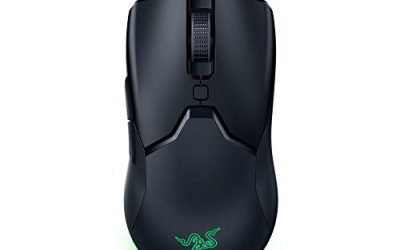
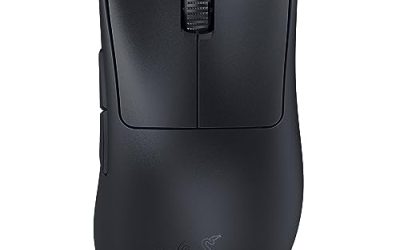
Razer’s identity is speed, and the DeathAdder V3 Pro is the brand distilled: a 63 gram ergonomic esports mouse with the Focus Pro 30K optical sensor, Razer’s own Gen-3 optical switches rated for 90 million clicks, and HyperSpeed wireless. Where Logitech builds ecosystems, Razer builds instruments — the DeathAdder shape has been refined across two decades of competitive play, and this version strips away everything, including RGB, that does not make the mouse faster or more reliable in a match.
The technology story is consistent across Razer’s range: optical switches that cannot develop double-click faults, flagship Focus Pro sensors, HyperPolling options up to 8,000Hz, and shapes developed with professional players. Razer Synapse is powerful and granular, though it asks for an account and regular updates. Players who compete, or who simply want the most single-minded performance engineering in the industry, are Razer’s natural audience — and the breadth of the Viper, Basilisk and Naga lines means the brand covers symmetrical, ergonomic and MMO shapes without leaving its performance-first lane.
Highlights
- Optical switches eliminate double-click wear entirely
- Focus Pro sensors and 8,000Hz polling options lead the field
- Shapes developed and validated with esports professionals
Considerations
- Synapse requires an account for full features
- Premium positioning across the flagship range
- Minimalist flagships drop comforts like RGB and extra buttons
Best for: Razer — esports-first engineering with optical switches
Corsair Scimitar RGB Elite (Corsair) (ASIN: B082LRMY53)
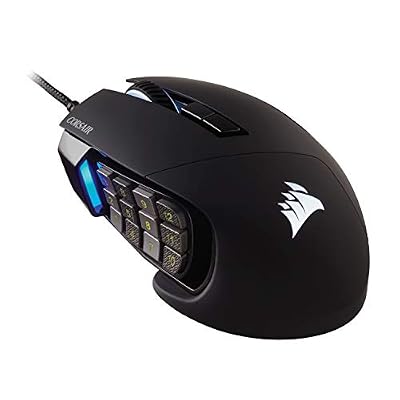
Corsair’s mouse range is smaller than Logitech’s or Razer’s, but the Scimitar RGB Elite shows the brand’s strength: specialist hardware nobody else builds as well. Its Key Slider system mounts 12 mechanical side buttons on a panel that slides and locks to fit your thumb, inside a total of 17 programmable buttons — the most thoughtful MMO layout in the business. A custom PixArt PMW3391 optical sensor, native to 18,000 DPI and adjustable in single-DPI steps, Omron switches rated for 50 million clicks and four-zone RGB complete a mouse built for one genre and built properly.
The wider Corsair story is iCUE, the software that unifies its mice with its keyboards, headsets, cooling and case lighting — for players building a full Corsair setup, that single control layer is the brand’s strongest argument. Corsair also covers wireless esports shapes and FPS models, but its catalogue rewards players with specific needs: MMO grids, large hands, or an existing iCUE setup. If your PC already glows with Corsair components, its mice slot into that system more completely than any rival here.
Highlights
- Key Slider MMO panel is a genuinely unique design
- iCUE unifies peripherals with PC components and lighting
- Custom PixArt sensor with unusually fine 1 DPI adjustment
Considerations
- Smaller mouse catalogue than Logitech or Razer
- iCUE is powerful but heavy software
- Specialist focus means fewer safe all-round shapes
Best for: Corsair — specialist designs backed by the iCUE ecosystem
SteelSeries Rival 5 (SteelSeries) (ASIN: B093LSMKL3)

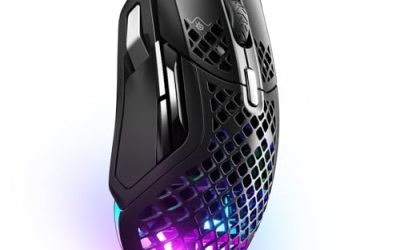
SteelSeries built its name on tournament mice and engine software, and the Rival 5 expresses the brand’s current philosophy: one mouse that crosses genres instead of forcing you to own three. Its nine programmable buttons include a five-button side panel with a sniper button, ten PrismSync RGB zones handle presentation, and the TrueMove Air optical sensor — developed with PixArt and rated to 18,000 CPI with true one-to-one tracking — handles accuracy. Golden Micro IP54 switches rated for 80 million clicks add durability that suits a mouse expected to do everything.
The brand’s wider range runs from the ultralight Aerox line to the Rival workhorses, all managed in SteelSeries GG, which bundles the Sonar audio tools many players already use. SteelSeries mice tend to favour balanced shapes and honest specifications over extreme figures, and the company has a long record in esports going back to the genre’s early days. For a player whose week includes shooters, MOBAs and an MMO, SteelSeries is the brand that designs for exactly that rotation.
Highlights
- TrueMove sensors developed directly with PixArt
- Genre-crossing layouts suit mixed gaming weeks
- GG software bundles useful audio tools with mouse control
Considerations
- Fewer shape options than Logitech’s catalogue
- Headline specifications are conservative beside Razer
- Wireless range is narrower than its wired line
Best for: SteelSeries — versatile genre-crossing mice with TrueMove sensors
Glorious Model O (Glorious) (ASIN: B07LDH3TWM)
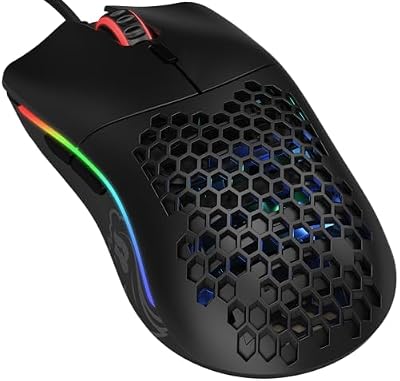
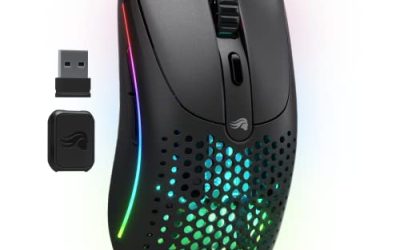
Glorious is the youngest brand here and the only one born from the enthusiast community rather than a corporation: it built its reputation selling lightweight honeycomb mice directly to players who felt the big brands were ignoring them. The Model O is the product that proved the idea — 67 grams wired, a PixArt PMW-3360 sensor, Omron switches, PTFE feet and RGB strips glowing through the perforated shell, in an ambidextrous shape at a time when 90 gram mice were the norm. The big brands’ current lightweight lines exist partly because Glorious showed the demand.
The trade-offs are those of a focused challenger: a smaller catalogue concentrated on lightweight FPS shapes, software that is functional rather than expansive, and support handled by a smaller team than Logitech’s global network. In return you get a brand that listens visibly to its community, iterates quickly and prices its hardware aggressively against the flagships. Players who value low weight and enthusiast credibility over ecosystem depth will find Glorious the most interesting company in this guide.
Highlights
- Pioneered the lightweight honeycomb category
- Community-driven design with quick iteration
- Ambidextrous shapes suit left and right handed aimers
Considerations
- Catalogue concentrates on lightweight FPS mice
- Support network is smaller than the global brands
- Software suite is basic beside G HUB or Synapse
Best for: Glorious — enthusiast-born lightweight mice sold direct to players
How to Choose
Start with shape coverage, because a brand only serves you if it makes a shape your hand likes. Logitech and Razer publish the widest catalogues — symmetrical, ergonomic, MMO and lightweight lines in several sizes — so most players can stay inside one ecosystem for any genre. Corsair and SteelSeries cover the main shapes with a specialist tilt, and Glorious concentrates on lightweight symmetrical designs. If you already know your grip and game, check that the brand’s current flagship in that shape is strong; ecosystems matter less than the mouse actually under your hand.
Weigh the software honestly, because you will live in it. G HUB, Synapse, iCUE and GG all manage profiles, lighting and firmware, but they differ in weight, account requirements and how gracefully they age. Players building a full desk from one company gain real convenience from a single suite, especially with Corsair, where iCUE also runs PC components. Players who hate background applications should favour brands whose mice store complete profiles onboard — Logitech and Corsair both do this well — so the suite becomes an occasional tool rather than a permanent resident.
Finally, consider the ownership horizon: warranty handling, spare availability and how the brand treats older models. The global brands offer the easiest replacements and the widest retail presence, which matters when a switch fails before a tournament or a move to a new city. Challenger brands like Glorious compete on design and value and have built loyal followings doing it. Neither answer is wrong — but know which kind of company you are buying into, because the mouse is the beginning of the relationship, not the end of it.
Key Specifications Explained
Sensor branding is where brand identity becomes hardware. Logitech’s HERO, Razer’s Focus Pro and SteelSeries’ TrueMove lines are each developed to the brand’s own targets — HERO around efficiency, Focus Pro around raw ceiling and polling, TrueMove around one-to-one accuracy with PixArt — while Corsair commissions custom PixArt units like the PMW3391 in the Scimitar. In practice all flagship optical sensors track flawlessly at real-world settings; the differences show in battery efficiency on wireless models and in how high the polling and DPI ceilings reach for players who use them.
Switch technology is the second brand signature. Razer’s optical switches actuate with light and cannot develop contact bounce; Logitech’s LIGHTFORCE hybrids chase the same reliability with mechanical feel; Corsair and SteelSeries use high-grade mechanical and micro switches rated between 50 and 80 million clicks; Glorious uses proven Omron units. Ratings from 50 million clicks upward all describe multi-year service, so treat switch type as a feel and reliability preference rather than a hierarchy.
Software ecosystems are the third specification, and the least visible on a product page. Count what the suite controls beyond the mouse: G HUB and Synapse run full peripheral stacks, iCUE extends into the PC itself, GG adds audio tooling, and Glorious keeps its software deliberately light. The more of your setup one suite runs well, the more valuable that brand’s mouse becomes — which is why brand choice compounds over time in a way a single product choice does not.
Setup and Settings Tips
When you commit to a brand, set its software up once and properly: update the mouse firmware before changing anything, create your profiles, and save them to onboard memory where supported. Firmware updates fix real tracking and click issues, and onboard profiles mean your settings survive a new PC or a reinstall — the moments when you least want to rebuild a layout.
Standardise your sensitivity across the brand’s mice if you own more than one. Because flagship sensors behave consistently, you can keep one DPI and in-game sensitivity across a range and switch shapes per genre without relearning aim. Note your settings outside the software as well, so a brand switch later starts from known numbers.
If you run gear from several brands, minimise the software pile-up. Set each device, save to onboard memory where possible, and close suites you do not need daily; a shared static colour across devices looks cleaner than competing effects, and your system runs lighter for it.
Common Mistakes to Avoid
The most common brand mistake is buying a logo instead of a shape. Every brand in this guide makes at least one excellent mouse and at least one that will not fit your hand or your game. Read the representative product’s shape, weight and button layout against your own needs first; brand preference should break ties between mice that already suit you, never override a bad fit.
A second mistake is assuming flagship sensor figures describe a brand’s whole range. Entry models use different sensors and switches. Check the product page for the mouse you are actually buying — which is why this guide anchors each brand to a specific model with real specifications.
Finally, do not sink cost into an ecosystem before you know you like living in it. Buy the mouse first, use the software for a month, and let the keyboard or headset decision come later — players who build a full single-brand desk at once sometimes discover they dislike the suite that runs it all.
FAQ
Which gaming mouse brand is best overall?
Logitech G is the safest overall answer thanks to its sensor range, shape catalogue and support network, which is why it leads this guide. Razer is the better answer for pure esports performance, Corsair for iCUE-based setups and MMO players, SteelSeries for genre-crossing versatility, and Glorious for lightweight value. Best depends on which of those profiles matches you.
Do professional players all use one brand?
No. Logitech and Razer dominate tournament stages between them, but professionals choose individual models for shape and weight, and you will find SteelSeries and other brands in pro hands as well. Sponsorships influence some choices; shape loyalty influences more. Copy a model’s fit to your hand, not a player’s brand allegiance.
Is it worth matching my mouse brand to my keyboard?
It is convenient rather than essential: one software suite, synchronised lighting and consistent profile handling are real quality-of-life gains. But a mismatched pair loses nothing in performance. Buy the mouse that fits your hand first, and let brand matching influence the keyboard decision afterward if it still matters to you.
Which brand is best for MMO mice?
Corsair and Razer lead this niche: Corsair’s Scimitar line offers the sliding Key Slider grid, and Razer’s Naga line offers swappable side plates. Logitech’s long-running G600 remains a respected option. General brands without a dedicated grid mouse should not be your first stop for MMO play.
How long should a gaming mouse from a top brand last?
With switches rated from 50 to 90 million clicks, a flagship mouse should serve for years of daily play. Feet, cables and batteries age first; brands with good support and spares, like Logitech, make that long life easier to achieve.
Final Verdict
There is no single best gaming mouse brand, but there is a best brand for each kind of player. Logitech G is the complete ecosystem and the safest default. Razer is the performance purist’s choice, with optical switches and esports shapes refined without compromise. Corsair rewards specialists and anyone already inside iCUE, SteelSeries serves the multi-genre week better than anyone, and Glorious proves a challenger can still embarrass the giants on weight and value. Pick the brand whose representative mouse fits your hand today and whose software you can live with tomorrow — that combination, not any single specification, is what you are actually buying.