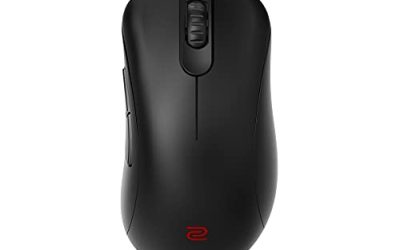
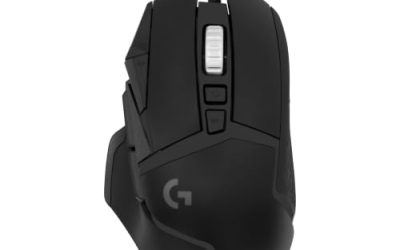
Every mechanical gaming mouse eventually tells you its switches are tired. The first symptom is usually a double click you did not ask for: you tap once to select a file or fire a single shot, and the mouse reports two. The second symptom is softer – a click that feels mushy, inconsistent, or different between the left and right buttons. At that point you have three options: replace the mouse, send it away for repair, or open it up and solder in a fresh pair of micro switches for a small parts cost and an hour of careful work.
This guide is about the switches themselves, sold as retail packs for repair and modding. It covers the two Kailh GM options most modders reach for – a mixed pack that lets you compare the two most popular feels, and a straight pack of the firmer GM 8.0 – plus a dustproof TTC option built to resist the contamination that shortens switch life. Every product below is a pack of mouse micro switches, nothing else. There are no keyboard switches here and no complete mice, because switch compatibility is specific: gaming mice use a standard subminiature three pin footprint, and all three packs follow it.
Disclosure: As an Amazon Associate, this site may earn from qualifying purchases made through links in this article, at no additional cost to you.
Quick picks
- Kailh GM4.0 and GM8.0 Micro Switch Pack, GM Red 4pcs plus GM Black 4pcs – ASIN: B0BMK4WB1N – the comparison pack: four GM 4.0 switches rated at 60 million clicks and four GM 8.0 switches rated at 80 million, sold by the Kailh Official Store.
- Kailh GM 8.0 Mouse Micro Switches, 4pcs Black – ASIN: B08ZN1N1S9 – the firm, crisp option on its own, for players who already know they want the GM 8.0 feel.
- NoirVogel TTC Dustproof Gold Micro Mouse Switch, 4pcs – ASIN: B0CT3TPFF3 – the dust sealed option: gold contactor, an operating force of 0.74N and a lifespan figure of 80 million clicks.
Shortlist from the list, then read the notes on feel and fitting. Switch packs are sold in several counts and variants, so confirm the pack size and switch model on the listing before you order.
Kailh GM4.0 and GM8.0 Micro Switch Pack
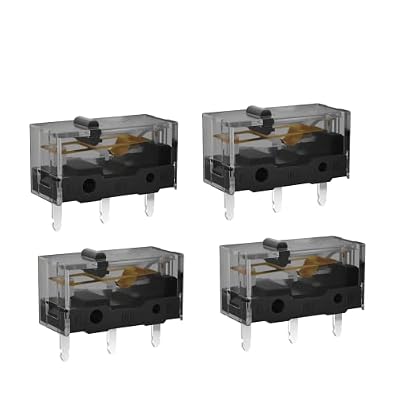
Best for: first time switch swappers and anyone fixing a double clicking mouse who wants to choose the click feel by trying both classic options in one purchase.
This pack from the Kailh Official Store contains eight switches in the two flavours that define modern mouse modding. The four GM Red switches are Kailh GM 4.0, rated for 60 million clicks, known for a medium, slightly softer press that many players describe as the comfortable all round feel. The four GM Black switches are Kailh GM 8.0, rated for 80 million clicks, with a firmer, crisper and more tactile break that competitive players tend to prefer for distinct, deliberate clicks. Both use gold contact material, and the listing rates the switches at IP67 for dust and water resistance at the component level, which speaks to how well sealed the contact chamber is against the dust that causes erratic clicks.
The switches follow the standard subminiature footprint – the listing gives dimensions of 0.5 by 0.23 by 0.26 inches – with a three pin layout that solders into the vast majority of gaming mice from Logitech, Razer, SteelSeries, Zowie and others. Because the pack includes both feels, the practical way to use it is to solder the GM 8.0 pair into your main mouse if you play shooters, keep the GM 4.0 pair for a second mouse or as spares, or fit one of each and spend a day deciding which feel you want under both buttons. Matched pairs matter: fit the same switch model under left and right click so the two buttons feel identical.
Strengths: It is the most instructive purchase in this guide. You learn your own preference instead of guessing from descriptions, you get genuine Kailh switches from the brand’s own storefront, and you end up with spares, which anyone who solders small parts will appreciate. The 80 million click lifespan figure on the GM 8.0 set is among the highest for mechanical mouse switches.
Points to consider: Eight switches is more than one repair needs, so the pack makes most sense if you own more than one mouse or expect to swap again. The two feels are different enough that mixing them between left and right buttons feels odd; plan your pairs. And like every soldered switch here, fitting requires opening the mouse, which usually means new mouse feet afterwards, since the originals rarely survive removal cleanly.
View on Amazon – ASIN: B0BMK4WB1N
Kailh GM 8.0 Mouse Micro Switches, 4pcs

Best for: players who already know the GM 8.0 feel and want a straight replacement pack for a firm, crisp, high lifespan click.
If the mixed pack is about choosing, this pack is about committing. It contains four Kailh GM 8.0 switches in black, the same 80 million click rated switch that ships inside a long list of flagship gaming mice and that modders fit when a stock Omron starts double clicking. The GM 8.0’s character is its defined tactile wall and clean snap: the button resists, breaks, and resets with a distinct edge, which makes single taps in shooters feel deliberate and helps prevent accidental clicks when you rest your fingers on the buttons between fights.
The listing describes a three pin subminiature switch compatible with a wide range of gaming mice, naming SteelSeries, Zowie, Razer and Logitech models among the intended fits. Four switches cover two full mouse repairs, or one repair with a matched spare pair kept aside – worth having, because a switch that has been soldered and desoldered repeatedly does not love the heat. The GM 8.0 is a mechanical contact switch, so it keeps the familiar click sound and feel of a traditional mouse; it is not a silent switch, and it is not an optical switch, which use a completely different mechanism and are not drop in replacements for mechanical boards.
Strengths: A focused pack of the most popular enthusiast switch, in the right quantity for a repair plus spares, with an 80 million click lifespan that should outlast the mouse’s other parts. The firm, crisp feel is the closest thing the modding scene has to a default recommendation for competitive play.
Points to consider: The firmness is the point, and also the risk: players with lighter fingers or long click heavy workdays sometimes find the GM 8.0 tiring compared with softer switches. Buy this pack when you are confident about the feel, or buy the mixed pack first. Also confirm your mouse actually uses soldered three pin switches before ordering; a small number of recent mice use optical switches or hot swap sockets, and neither takes this part in the same way.
View on Amazon – ASIN: B08ZN1N1S9
NoirVogel TTC Dustproof Gold Micro Mouse Switch

Best for: players whose switches keep failing early, especially in dusty rooms or homes with pets, and anyone who wants a mid firm click with extra sealing.
TTC takes a different approach to the same job. This NoirVogel pack contains four TTC Dustproof Gold micro switches, built around a gold contactor and a dustproof structure designed to keep debris away from the contact surfaces. That matters because a large share of erratic click behaviour is not pure wear; it is contamination and oxidation at the contact point, which is exactly what a sealed design and a gold contact aim to prevent. The lifespan figure is 80 million clicks, matching the GM 8.0, and the operating force is listed at 0.74N, which places the feel in the middle of the range: firmer and more defined than a soft stock switch, a touch less stiff than the crispest competition switches.
In hand, TTC Gold switches are known for a snappy, slightly springy break with a clean return, a feel many players describe as lively rather than heavy. The four pack suits one repair with spares, or a two mouse refresh. The switches use the same standard three pin footprint as the Kailh options, so they fit the same broad range of mechanical gaming mice and solder in the same way. For a mouse that lives on a desk near an open window, in a workshop room, or in a house where pet hair reaches everything, the dustproofing is a practical reason to choose these over an unsealed switch with the same lifespan figure.
Strengths: The dust sealed, gold contact design attacks the most common real world cause of switch failure, the 80 million click lifespan is flagship tier, and the 0.74N force is a well judged middle ground for mixed gaming and everyday use. It is the thoughtful pick for a repair you do not want to repeat.
Points to consider: TTC switches have their own feel, slightly springier than Kailh’s, and players chasing the exact GM 8.0 snap should stay with Kailh. NoirVogel is a smaller storefront brand than Kailh’s official store, so check the pack contents and switch markings against the listing when your order arrives. As with the others, these are solder in parts for mechanical mice, not optical replacements.
View on Amazon – ASIN: B0CT3TPFF3
How to choose gaming mouse switches
Diagnose before you buy. A double click can come from a worn switch, but it can also come from a low wireless battery, a dirty sensor area confusing your test, or software debounce settings. Test the mouse wired and charged, try a second computer if you can, and check whether your mouse software offers a debounce or click latency setting to raise temporarily. If the fault follows the button everywhere, it is the switch.
Match the footprint, then the feel. Almost all mechanical gaming mice use the same subminiature three pin switch size, which all three packs follow. Within that size, choose by operating force and character: softer switches around the GM 4.0 level for comfort and long sessions, firmer switches around the GM 8.0 level for crisp competitive clicks, and sealed designs like the TTC Gold where dust is a real factor. Lifespan figures – 60 million versus 80 million – are useful guides, but environment and soldering quality decide real life as much as the figure does.
Mechanical, optical and silent are different families. Optical switches actuate with light and live in mice designed for them; they are not solder in replacements for mechanical boards. Silent switches are mechanical but damped, trading the crisp click for quiet, and they usually carry lower lifespan figures. This guide covers standard mechanical switches, which is what the overwhelming majority of gaming mice use.
Plan the whole job, not just the part. A switch swap needs a fine tipped soldering iron, solder, a way to remove old solder, tweezers, and replacement mouse feet, because the screws hide under the feet you will peel off. Opening a mouse usually ends its warranty. If your mouse uses hot swap switch sockets – a small but growing group, mostly enthusiast models – the job needs no soldering at all, and these same switch families simply push in.
Fitting notes for a first switch swap
Work on a clean, static safe surface and photograph the inside of the mouse before you desolder anything, so cable routing and screw lengths are recorded. Desolder one switch fully before removing it; forcing a leg tears the pad and turns a repair into a write off. Fit the new pair, reassemble loosely, and test both buttons before you replace the feet and fully tighten the shell, because a misaligned button plunger is much easier to fix at that stage. Give the new clicks a day before judging them: fresh switches and fresh feet both settle, and the feel on hour one is not quite the feel you will live with.
FAQ
Will these switches fit my gaming mouse?
Very likely, if your mouse uses mechanical switches. The standard subminiature three pin footprint used by these Kailh and TTC packs fits most Logitech, Razer, SteelSeries, Zowie and similar gaming mice. The exceptions are mice built around optical switches and the small group with proprietary or hot swap designs, so check your model’s switch type before ordering.
Do better switches fix double clicking?
If the double click comes from a worn or contaminated mechanical switch, yes – replacing the pair is the direct fix, and it is why these packs exist. If the fault is caused by software settings, a failing battery or a damaged cable, new switches will not change it, which is why a short diagnosis first is worth the time.
What is the difference between GM 4.0 and GM 8.0 switches?
Both are Kailh mechanical mouse switches in the same footprint. The GM 4.0 is rated at 60 million clicks and feels medium and slightly softer. The GM 8.0 is rated at 80 million clicks and feels firmer, crisper and more tactile. Competitive players tend to pick the 8.0; comfort focused players often prefer the 4.0.
Can I mix two different switches in one mouse?
You can, and some players deliberately run a firmer switch under the main click and a softer one under the other. Most people prefer a matched pair, because different forces under each finger feel unbalanced in menus and shooters. If you experiment, the mixed Kailh pack gives you both options in one purchase.
Is soldering mouse switches difficult?
It is a beginner to intermediate soldering job: two switches, three pins each, on a board with generous pads. The risks are heat damage from lingering too long on a joint and tearing a pad by forcing a part. With a temperature controlled iron, patience and a practice run on a scrap board, most players complete a swap in under an hour.
Conclusion
For most repairs, start with the Kailh mixed pack: the GM 4.0 and GM 8.0 pairings cover the two feels almost everyone ends up choosing between, they come from Kailh’s own store, and the spares are genuinely useful. If you already know the crisp GM 8.0 is your switch, the four pack of GM 8.0 is the direct route. If your switches keep dying young in a dusty environment, the TTC Dustproof Gold’s sealed, gold contact design is the repair aimed at your actual problem. Whichever pack you choose, you are replacing a wear part with a better one – and keeping a mouse you already aim well with in service for years more.