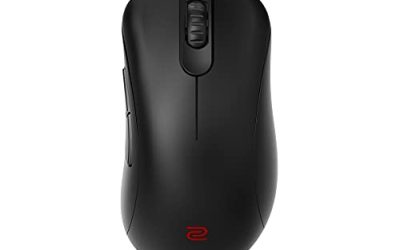
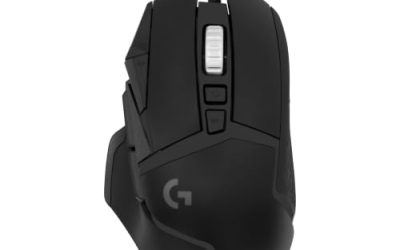
The best lightweight gaming mouse for palm grip is the Razer DeathAdder V3 Pro, because it combines a 63-gram body with a tall, right-handed ergonomic shape that fills the palm, a high-resolution optical sensor, and long wireless battery life. It is light enough to move with little effort, yet shaped for a full palm rest rather than a fingertip or claw hold.
That does not mean it is right for every hand. A large hand needs length and a high rear hump, a medium hand needs a narrower body and a gentler curve, and a small hand may find a long ergonomic mouse awkward, even if it is light. A 58-gram mouse with a flat top can also feel less comfortable than a 68-gram mouse that supports the whole hand.
Every mouse below is a gaming mouse only. The list starts with ergonomic right-handed models, then adds symmetrical and feature-heavy options with clear notes about where they fit palm grip less well.
Quick Picks
| Product | Best For | Key Spec |
|---|---|---|
| Razer DeathAdder V3 Pro | Best overall palm-grip shape | 63 g, Focus Pro 30K sensor, up to 90-hour battery |
| Logitech G PRO X Superlight 2 DEX | Best ergonomic lightweight alternative | 60 g, HERO 2 44K DPI sensor, up to 8 kHz polling |
| Razer Viper V2 Pro | Lightest pick for medium hands | 58 g, Focus Pro 30K sensor, up to 90-hour battery |
| SteelSeries Aerox 3 Wireless | Best long battery life | 68 g, TrueMove Air sensor, up to 200-hour battery |
| Logitech G502 X LIGHTSPEED | Best palm support with many buttons | 102 g, HERO 25K sensor, 13 programmable controls |
How to Choose
Shape Comes Before Weight
For palm grip, shape is the first filter. The palm should rest on the mouse, with the fingers reaching the main buttons without stretching or curling sharply. Right-handed ergonomic mice usually suit palm grip best because they have a raised right side, a thumb rest area, and a rear hump that supports the heel of the hand.
Symmetrical mice can also work for palm grip, especially for medium hands, but they often have a lower hump and a narrower rear. If your hand is large, a symmetrical mouse may leave the palm unsupported.
Mice around 120 to 128 mm long tend to suit medium to large hands for palm grip. Shorter mice under 120 mm often suit small to medium hands, or players who combine palm grip with a slightly raised wrist.
Weight and Fatigue
A lightweight mouse reduces the effort needed for large swipes, fast flicks, and long sessions. For most palm-grip players, the useful range here is 58 to 68 grams. At that weight, the mouse moves easily without feeling hollow or hard to stop.
Weight alone does not make a mouse comfortable. A very light mouse with a flat shape can still cause strain if the palm has nowhere to rest, while a slightly heavier mouse with a full ergonomic shape can feel easier over several hours because the hand is supported.
The Logitech G502 X LIGHTSPEED is the exception here. At 102 grams, it is not ultralight, but its shape, thumb rest, and button layout suit palm grip well. If low weight is your main priority, choose one of the mice under 70 grams instead.
Hump Height and Palm Support
The hump is the raised area toward the middle or rear of the mouse. For palm grip, the hump should meet the centre of the palm and support it without pushing the wrist up too far.
A high, rear-set hump suits players who rest the whole palm on the mouse. A lower, centre-set hump suits players who keep the wrist slightly raised. The DeathAdder V3 Pro has a pronounced curve for a full palm rest, while the Viper V2 Pro has a lower profile for a lighter palm contact or a palm-claw hybrid. If a mouse felt too flat, the problem was often hump height, not length.
Grip Width and Hand Size
Width affects how far the thumb and ring finger have to reach. A mouse around 64 to 68 mm wide suits many medium to large hands for palm grip. Narrower mice can feel precise for smaller hands, but they may force a large hand to squeeze inward.
Measure your hand from the base of the palm to the tip of the middle finger, and across the widest part of the palm, then compare those numbers with the length and width of each mouse below. Hand size is a guide, not a rule, but it prevents the most common mistake: choosing a mouse that is too short or too narrow for a full palm rest.
Sensor and Polling Rate
A modern optical sensor should track cleanly at low and high sensitivity. All five mice here use optical sensors with high maximum DPI, but most players use a far lower setting, so sensor consistency, lift-off distance, and polling rate matter more in daily use.
Polling rate is how often the mouse reports its position to the computer. A 1,000 Hz rate is standard for wireless gaming and is enough for most players. Higher rates, such as the 8,000 Hz option on the DeathAdder V3 Pro with its HyperPolling dongle and on the Superlight 2 DEX, can reduce latency further, but they also use more battery. Choose a higher rate for fast competitive games; otherwise, a standard rate keeps battery life longer.
Wireless, Wired, and Battery Life
Wireless mice are now the normal choice for lightweight palm-grip gaming, because they remove cable drag. All five mice here can be used wirelessly, and several can also be used wired over USB-C while charging.
Battery life varies widely. The Aerox 3 Wireless lists up to 200 hours, the DeathAdder V3 Pro and Viper V2 Pro list up to 90 hours, the Superlight 2 DEX lists up to 95 hours in standard use, and the G502 X LIGHTSPEED lists up to 140 hours of constant motion. USB-C charging is standard on these models. If you already use a wireless charging system, check compatibility first, because not every model supports the same system.
Buttons and Software
Palm-grip players often rest the thumb along the side of the mouse, so side-button placement matters. Two well-placed thumb buttons are enough for most games. More buttons can help in games with many commands, but they can also get in the way if they sit where the thumb naturally rests.
The G502 X LIGHTSPEED has 13 programmable controls, including a dual-mode scroll wheel, for players who want many commands within reach. The other mice here have five or six programmable buttons, which keeps the sides cleaner.
Each brand uses its own software for DPI steps, polling rate, button assignments, and lighting. If you already use one brand’s software for a keyboard or headset, staying with that brand can keep settings in one place. If you use more than one computer, check that the mouse can store your main profile in onboard memory.
The Best Lightweight Gaming Mouse for Palm Grip Reviewed
Razer DeathAdder V3 Pro (B0B6XZLNHQ)

The Razer DeathAdder V3 Pro is the best lightweight gaming mouse for palm grip for most players, because its shape is built around a full palm rest. At 63 grams and 128 mm long, 68 mm wide, and 44 mm high, it has the length and height to support medium and large hands.
Its Focus Pro 30K optical sensor provides precise tracking, and its Gen-3 optical switches are designed for fast, consistent clicks. It connects over Razer HyperSpeed Wireless, Bluetooth, or USB-C, with battery life rated at up to 90 hours. With the HyperPolling Wireless Dongle, it can reach an 8,000 Hz polling rate, although that mode uses more battery.
Who it suits: medium to large hands, right-handed players, and anyone who wants a classic ergonomic palm shape in a light wireless mouse.
Who should skip it: left-handed players, and players with small hands, who may find the 128 mm length too long. Players who want many side buttons should look at the G502 X LIGHTSPEED instead.
Logitech G PRO X Superlight 2 DEX (B0DB59DXMZ)

The Logitech G PRO X Superlight 2 DEX is the ergonomic version of Logitech’s Superlight 2 line, and the strongest alternative to the DeathAdder V3 Pro for palm grip. At 60 grams, it is one of the lightest ergonomic mice here, and its right-handed shape is designed to support the palm while keeping the weight low.
Its HERO 2 sensor supports up to 44,000 DPI, and the mouse supports up to 8 kHz polling over LIGHTSPEED wireless. It has five programmable buttons, LIGHTFORCE hybrid switches, and USB-C charging, with battery life rated at up to 95 hours in standard use.
Who it suits: right-handed players who want a light ergonomic mouse with a high polling rate and a clean layout, including players who already use Logitech G HUB software.
Who should skip it: left-handed players, and players who want a thumb rest or many side buttons. Small-handed players should check the length and width carefully, because an ergonomic shape that is too long can feel awkward even at 60 grams.
Razer Viper V2 Pro (B09VCR969M)

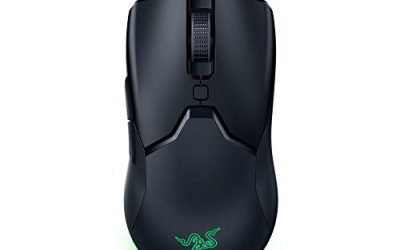
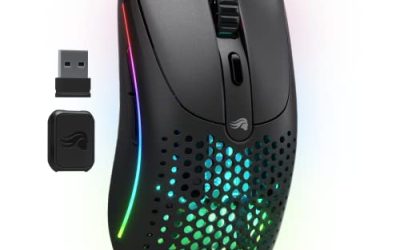
The Razer Viper V2 Pro is the lightest mouse here at 58 grams, and a good choice for palm-grip players with medium hands who prefer a lower, symmetrical shape. Its Focus Pro 30K optical sensor, Gen-3 optical switches, and HyperSpeed Wireless connection give it strong core performance in a flatter body.
Battery life is rated at up to 90 hours, and the mouse has on-mouse DPI controls, a USB-C cable in the box, and a compact wireless dongle. Its low profile makes it easy to move quickly, and its symmetrical outline suits both right- and left-handed use, although the side buttons are placed for right-handed use.
Partial-fit flag: this is a partial fit for deep palm grip. Its low hump and flat top suit a light palm contact or a palm-claw hybrid better than a full, relaxed palm rest. Large-handed players may find it too low and too narrow at the rear. If you want a deep palm rest, choose the DeathAdder V3 Pro or the Superlight 2 DEX instead.
Who it suits: medium hands, players who switch between palm and claw grip, and anyone who wants the lightest possible mouse without an ergonomic hump.
Who should skip it: large-handed players who want full palm support, and players who want a thumb rest or a high rear hump.
SteelSeries Aerox 3 Wireless (B09KMCYKHR)

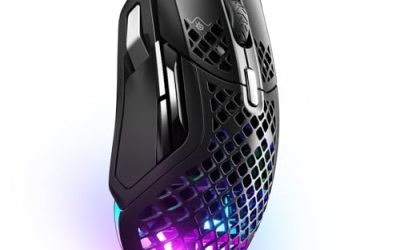
The SteelSeries Aerox 3 Wireless is a 68-gram wireless mouse with a holey shell, a right-handed shape, and one of the longest battery ratings here at up to 200 hours. Its TrueMove Air optical sensor supports up to 18,000 CPI, and it connects over 2.4 GHz Quantum Wireless, Bluetooth 5.0, or USB-C.
At 120 mm long, it is shorter than the DeathAdder V3 Pro, which makes it a useful option for medium hands. It has six programmable buttons, PTFE feet for smooth movement, and IP54 water resistance against dust and splashes. The holey shell is how SteelSeries keeps the weight down.
Who it suits: medium-handed palm-grip players who want long battery life, a shorter body than the DeathAdder V3 Pro, and a mouse that can switch between 2.4 GHz wireless and Bluetooth.
Who should skip it: players who dislike a holey shell texture, because the holes can be felt under the palm. Large-handed players may also find the 120 mm length a little short, and players who want a polling rate above 1,000 Hz should choose a different model.
Logitech G502 X LIGHTSPEED (B092CRH1RX)

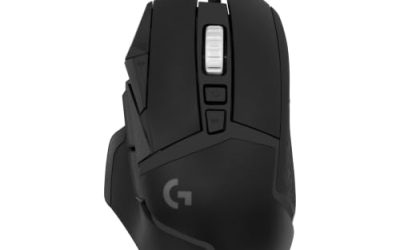
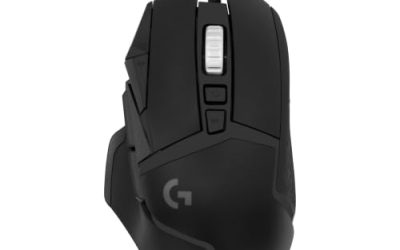
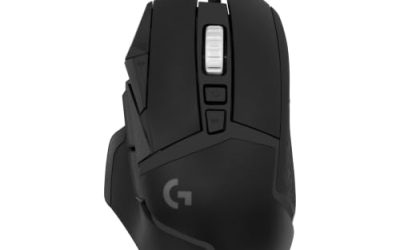
The Logitech G502 X LIGHTSPEED is the most feature-heavy mouse here, with the strongest palm support for players who want many buttons and a thumb rest. Its HERO 25K sensor supports up to 25,600 DPI, and it has 13 programmable controls, a dual-mode scroll wheel, LIGHTFORCE hybrid switches, and USB-C charging. Battery life is rated at up to 140 hours of constant motion.
Its shape is right-handed and ergonomic, with a wide body and a clear thumb area. That shape suits palm grip well, and the extra buttons are placed where the thumb and index finger can reach them without lifting the hand.
Partial-fit flag: this is a partial fit for the lightweight part of the keyword. At 102 grams, it is much heavier than the other mice here and is not an ultralight mouse. Choose it for comfort, control, and features, not for minimum weight.
Who it suits: palm-grip players who want many programmable buttons, a thumb rest, and a planted, stable feel.
Who should skip it: players who want a mouse under 70 grams, players with small hands who may find the wide body bulky, and players who prefer a simple side layout.
What to Check Before You Buy
Check hand size first. Measure your hand, then compare it with the length and width of the mouse you are considering. A mouse that is too short will leave the palm unsupported, while one that is too long will force the fingers to stretch.
Check the shape in person if you can. Photos do not show hump height or side curves well. If you cannot hold the mouse before buying, look for detailed dimensions and side-profile images, and note whether the shape is right-handed ergonomic or symmetrical.
Check the connection and battery life for how you play. If you play mostly on a desktop, 2.4 GHz wireless is the best choice for low latency. If you also use a laptop or a tablet, Bluetooth can be useful.
Check the button layout. Two thumb buttons are enough for many games, but if you play games with many commands, a mouse with more programmable controls may be better. Make sure the side buttons sit where your thumb naturally rests, not where they will be pressed by accident.
Check the software and onboard memory. If you use more than one computer, onboard memory lets you carry your main settings with the mouse.
Check the feet and the surface. PTFE feet glide well on most mouse pads, but a worn pad can affect movement.
FAQ
What weight is best for a lightweight palm-grip mouse?
For most palm-grip players, 58 to 68 grams is a good lightweight range. It is light enough for fast movement and long sessions, while still feeling stable. A heavier mouse can still suit palm grip if its shape supports the hand well, but it will not feel as light during fast swipes.
Is an ergonomic mouse better than a symmetrical mouse for palm grip?
An ergonomic right-handed mouse is usually better for a full palm rest, because it has a raised side, a thumb area, and a rear hump that supports the palm. A symmetrical mouse can work for medium hands or for a lighter palm contact, but it often has a lower hump and less palm support.
How long should a palm-grip mouse be?
Mice around 120 to 128 mm long suit many medium to large hands for palm grip. Shorter mice can suit small to medium hands, while longer mice can suit large hands. Use length as a starting point and check width and hump height as well.
Can a lightweight mouse still be good for palm grip?
Yes, if its shape supports the whole hand. The DeathAdder V3 Pro and the Superlight 2 DEX are examples of light mice with ergonomic shapes. A flat, low mouse can be light but still feel less comfortable for palm grip, because the palm has nowhere to rest.
Should I choose wireless or wired for palm grip?
Wireless is a good choice for most palm-grip players, because it removes cable drag and keeps the mouse easy to move. All the mice in this guide can be used wirelessly, and most can also be used wired over USB-C while charging.
Bottom Line
The best lightweight gaming mouse for palm grip is the Razer DeathAdder V3 Pro for most players, because it pairs a 63-gram body with a tall, ergonomic shape that supports a full palm rest. If you want a lighter ergonomic alternative with a higher polling rate, the Logitech G PRO X Superlight 2 DEX is the next best choice.
For medium hands, the Razer Viper V2 Pro is the lightest option, but it suits a lighter palm contact better than a deep palm rest. The SteelSeries Aerox 3 Wireless is the best choice for long battery life and a shorter body, while the Logitech G502 X LIGHTSPEED is the best choice for palm support with many buttons, even though it is much heavier than the others here.
Choose by shape first, then by weight, then by sensor and battery life. A mouse that fits your hand will feel better over long sessions than a lighter mouse with the wrong shape.
Disclosure: As an Amazon Associate, we may earn from qualifying purchases.