A gaming mouse is one of the easiest gifts to get right, and one of the easiest to get wrong. It sits under the hand for hours at a time, so shape matters more than packaging, and a sensor that feels steady matters more than a long list of features. The best gaming mouse gifts are the ones that fit the person receiving them: the games they play, the size of their hand, the way they hold a mouse, and the setup they already have on their desk.
This guide keeps the choice simple. It explains what to look for before you buy, then narrows the field to four gaming mice that cover the most common gift situations. One is a button-heavy wired classic for players who love extra controls. One is a compact wireless mouse that suits a first setup, a laptop bag, or a second desk. One is a comfortable ergonomic mouse for long sessions. One is an ultralight wireless mouse for competitive play. All four are gaming mice, so you can compare them directly.
Disclosure: As an Amazon Associate, we earn from qualifying purchases.
At a glance
| Product | Key spec | Best for |
|---|---|---|
| Logitech G502 HERO | HERO 25K sensor up to 25,600 DPI, 11 programmable buttons, adjustable weights | Players who want many buttons and a solid, planted feel |
| Logitech G305 LIGHTSPEED | HERO sensor up to 12,000 DPI, 99 grams, 250 hours on one AA battery | A first wireless mouse, travel, and everyday gaming |
| Razer DeathAdder V2 | Focus+ 20K optical sensor, 8 programmable buttons, 82 grams | Long sessions and a comfortable right-handed shape |
| Logitech G PRO X Superlight 2 | HERO 2 sensor up to 44,000 DPI, 60 grams, LIGHTSPEED wireless | Competitive play and fast, light movement |
How to choose
1. Match the shape to the hand
Shape is the first thing to get right, because no sensor can fix a mouse that feels wrong. A large, right-handed ergonomic mouse suits a palm grip, where the whole hand rests on the body of the mouse. A smaller, symmetrical mouse suits a claw or fingertip grip, where the fingers do more of the work and the palm stays clear. If you know the recipient has large hands, lean toward a full-size ergonomic body. If they have small hands, or they play with a fingertip grip, a compact and light mouse is the safer gift. When unsure, a medium-size symmetrical shape adapts to more grip styles than a strongly sculpted one.
2. Decide between wired and wireless
Wired mice never need charging, and they cost less for the same sensor in many cases, which makes them a strong gift for a fixed desk setup. Wireless mice remove the cable from the desk and travel better, and modern wireless links are fast enough for serious play. The trade-off is battery management: a wireless mouse needs charging or a fresh battery from time to time. For a gift, wireless is often the more exciting choice, while wired is the more practical choice for someone who hates thinking about batteries. Check the connection too, because some wireless mice rely on a small USB receiver.
3. Look at the sensor, not just the headline number
Sensor numbers look impressive on a box, yet most players use only a small part of the available range. What matters is steady tracking without smoothing or acceleration, so the cursor goes where the hand expects it to go. A sensor rated up to 12,000 DPI is already plenty for most players, while sensors rated far higher give headroom for very fast, low-sensitivity play and for high-resolution displays. Treat the sensor as a baseline, and focus on shape first.
4. Count the buttons the recipient will actually use
Extra buttons are useful only when the recipient will program them. A player who enjoys strategy games, role-playing games, or simulation games will welcome a mouse with many programmable buttons, because abilities, items, and commands can sit under the thumb. A competitive shooter player often prefers fewer buttons and a cleaner shape, because a stray side button can cause a mistake at the worst moment. As a rule, six to eight buttons suit most players, while eleven buttons suit someone who already maps commands to their mouse and wants more room to do it.
5. Think about weight and how it feels over a long session
Weight changes how a mouse feels during fast turns and long evenings. A heavier mouse feels planted and steady, which suits slow, deliberate aiming and players who rest their whole hand on the mouse. A lighter mouse feels quick and easy to lift, which suits fast flicks and low-sensitivity play where the arm moves across a large pad. For a gift, a mouse between 60 and 100 grams covers most tastes, while anything above 120 grams is best reserved for someone who has already told you they like a heavy mouse.
6. Check battery life and charging for wireless picks
Battery life is the quiet detail that decides whether a wireless gift feels effortless or annoying. A mouse that runs for hundreds of hours on a single AA battery can go months between changes, which suits a gift, because the recipient may not want another device to charge. A rechargeable mouse with a long rated life is also easy to live with, as long as the charging cable is a common type and the mouse can keep working while it charges. Short battery life turns a fun present into a regular chore.
7. Consider grip style and hand size together
Grip style and hand size work as a pair. A palm grip needs length and a raised back so the hand can rest without cramping. A claw grip needs a shape that supports the fingers while the palm stays arched. A fingertip grip needs a light, compact body that the fingers can control with small movements. If you have ever watched the recipient play, notice how their hand sits on their current mouse. If you have not, choose a mouse that is known for suiting more than one grip, and avoid extreme shapes that only suit a single style.
Top picks
1. Logitech G502 HERO

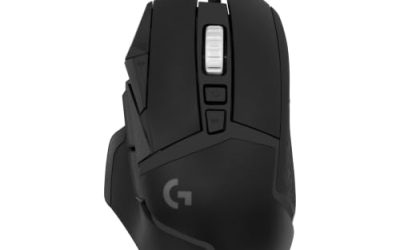
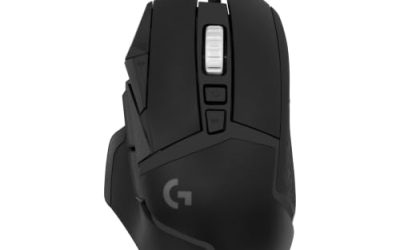
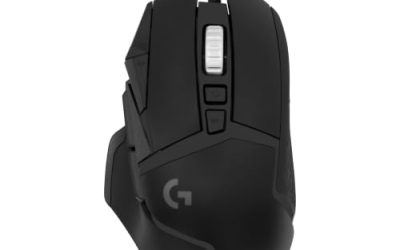
The Logitech G502 HERO is the pick for a player who wants a mouse that can do a lot. Its HERO 25K sensor tracks up to 25,600 DPI with no smoothing, filtering, or acceleration in its published specifications, so aiming stays predictable across the full range. Eleven programmable buttons give room for abilities, weapons, items, and macros, and the dual-mode hyper-fast scroll wheel switches between a notched feel for precise steps and a free-spinning feel for fast scrolling through long lists.
Weight is where this mouse stands apart as a gift. It weighs 121 grams on its own, and five removable 3.6-gram weights let the recipient tune the balance until it feels right in the hand. That tuning matters, because a mouse that feels too light for one person can feel just right for another once the weights are in place. The right-handed ergonomic shape suits palm and claw grips, and on-board memory stores profiles so settings travel with the mouse.
This is a wired mouse, which keeps the gift simple: plug it in and it works, with no battery to think about. It suits a player who spends long evenings at a fixed desk, someone who plays games with many commands, and anyone who likes a solid, planted mouse rather than a feather-light one. It is less suited to small hands, because the body is full-size.
Specs
- Sensor: HERO 25K optical sensor, up to 25,600 DPI
- Weight: 121 grams, plus five removable 3.6-gram weights
- Buttons: 11 programmable buttons
- Connection: Wired
- Extras: Dual-mode hyper-fast scroll wheel, RGB lighting, on-board memory
View the Logitech G502 HERO on Amazon
2. Logitech G305 LIGHTSPEED

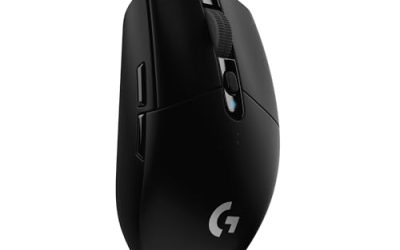
The Logitech G305 LIGHTSPEED is the pick for a first wireless mouse, and it is hard to beat as a gift for someone who is still building their setup. It uses a HERO sensor that tracks up to 12,000 DPI, which is more than enough for most games, and its LIGHTSPEED wireless link is rated for a 1 millisecond report rate, so the connection feels as responsive as a cable in normal play.
Battery life is the headline here. A single AA battery is rated for up to 250 hours of continuous play, and an endurance mode in the software can stretch that much further for everyday use. The recipient can use it for weeks without thinking about power, and when the battery finally runs down, a fresh AA cell is easy to find. The mouse weighs 99 grams with the battery installed, which keeps it light enough for long sessions without feeling fragile.
The compact, symmetrical shape suits claw and fingertip grips, and it fits smaller hands well. A small USB receiver stores inside the body of the mouse, so it is easy to carry in a laptop bag without losing the receiver. Six programmable buttons cover the essentials without crowding the sides. This is the gift to choose when you want wireless freedom, long battery life, and a mouse that works well for gaming and for everyday work on the same desk.
Specs
- Sensor: HERO optical sensor, up to 12,000 DPI
- Weight: 99 grams with battery
- Buttons: 6 programmable buttons
- Connection: LIGHTSPEED wireless through a USB receiver
- Battery: One AA battery, rated up to 250 hours
View the Logitech G305 LIGHTSPEED on Amazon
3. Razer DeathAdder V2

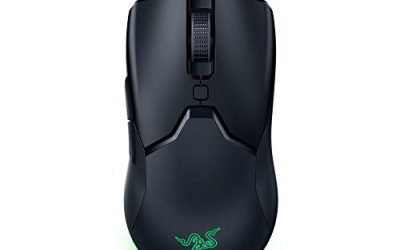
The Razer DeathAdder V2 is the pick for comfort over long sessions. Its right-handed ergonomic shape is one of the most familiar in gaming, with a raised back that supports the palm and rubberized side grips that keep the hand steady during long play. At 82 grams it is light for its size, so it moves easily without feeling hollow, and the shape suits palm and claw grips in particular.
The Focus+ 20K optical sensor tracks up to 20,000 DPI, and the mouse uses optical switches that are built for fast, consistent clicks. Eight programmable buttons give enough room for the commands most players need, including two side buttons under the thumb and dedicated DPI buttons behind the scroll wheel. Five on-board memory profiles store settings on the mouse, so the recipient can switch between setups without opening software each time.
Choose this mouse for a player who values comfort first, who plays for hours at a time, and who wants a proven ergonomic shape rather than an experimental one.
Specs
- Sensor: Focus+ 20K optical sensor, up to 20,000 DPI
- Weight: 82 grams
- Buttons: 8 programmable buttons
- Connection: Wired with a Speedflex cable
- Extras: Chroma RGB lighting, five on-board memory profiles, rubberized side grips
View the Razer DeathAdder V2 on Amazon
4. Logitech G PRO X Superlight 2

The Logitech G PRO X Superlight 2 is the pick for a competitive player, and it is the lightest mouse in this guide. It weighs 60 grams, and its symmetrical shape was developed with professional players in mind, so it suits fast movement and low-sensitivity play where the arm does most of the work. There are no holes in the shell, which keeps the body solid and easy to keep clean.
The HERO 2 sensor tracks up to 44,000 DPI, with tracking rated for very high speeds, and the LIGHTSPEED wireless link supports polling up to 8 kHz for a responsive feel. Five programmable buttons keep the layout clean, with two side buttons and the standard left, right, and middle clicks. A rechargeable battery is rated for up to 95 hours, and the mouse charges through USB-C, which is the same cable many phones and laptops already use.
This is the gift to choose when the recipient already plays competitively, talks about mouse weight, or wants the fastest-feeling mouse they can get. It is less suited to someone who wants many side buttons, because the layout is deliberately simple, and it is best for a player who already knows they like a light, symmetrical mouse. For the right person, the difference in weight is clear from the first minute.
Specs
- Sensor: HERO 2 optical sensor, up to 44,000 DPI
- Weight: 60 grams
- Buttons: 5 programmable buttons
- Connection: LIGHTSPEED wireless, up to 8 kHz polling
- Battery: Rechargeable, rated up to 95 hours, USB-C charging
View the Logitech G PRO X Superlight 2 on Amazon
Product and ASIN Reference
| Product | ASIN |
|---|---|
| Logitech G502 HERO | B07GBZ4Q68 |
| Logitech G305 LIGHTSPEED | B07CMS5Q6P |
| Razer DeathAdder V2 | B082G5SPR5 |
| Logitech G PRO X Superlight 2 | B09NBWL8J5 |
Which one fits
Start with the recipient, not the specification sheet. If they play games with many abilities and spend long evenings at one desk, the Logitech G502 HERO fits best, because its eleven buttons and adjustable weights give them room to shape the mouse to their play. If they are new to gaming mice, travel with a laptop, or want a wireless mouse that rarely needs attention, the Logitech G305 LIGHTSPEED fits best, because its long battery life and compact shape make it easy to live with.
If comfort matters most, and they play for hours at a time, the Razer DeathAdder V2 fits best, because its ergonomic shape and light weight suit long sessions without demanding a change in grip. If they play competitively and care about speed above all else, the Logitech G PRO X Superlight 2 fits best, because its 60-gram body and fast wireless link are built for that style of play.
When you are still unsure, ask one simple question: does the recipient prefer wired or wireless? A wired answer points to the G502 HERO or the DeathAdder V2, while a wireless answer points to the G305 LIGHTSPEED or the PRO X Superlight 2.
FAQ
What makes a gaming mouse a good gift?
A good gift mouse fits the recipient’s hand, grip, and games. Shape and weight matter more than headline numbers, because the mouse is in use for hours. A proven sensor and a comfortable shape beat a long feature list.
Should I choose a wired or wireless gaming mouse as a gift?
Wired mice are simple, with no battery to manage, and they suit a fixed desk setup. Wireless mice are tidier and travel better, and modern wireless links are fast enough for serious play. If the recipient dislikes charging devices, choose wired, or choose a wireless mouse with very long battery life.
How important is DPI when choosing a gaming mouse gift?
DPI matters less than most gift buyers expect. Most players use only a small part of the available range, and steady tracking matters more than a high maximum. Any modern optical sensor in this guide is good enough for everyday play, so treat DPI as a baseline and focus on shape, weight, and buttons instead.
What if I do not know the recipient’s hand size or grip style?
Choose a medium-size mouse with a shape that suits more than one grip, and avoid extreme designs. The Logitech G305 LIGHTSPEED and the Razer DeathAdder V2 are both forgiving choices, because their shapes work for a wide range of hands. A compact, light mouse is usually safer than a large, heavy one when you have no information to go on.
Can a gaming mouse also work for everyday use?
Yes. Every mouse in this guide works for browsing, documents, and everyday tasks as well as games. Programmable buttons can be set to shortcuts for work, and a comfortable shape helps during long days at the desk. It stays in the hand well beyond gaming sessions.
Bottom line
The best gaming mouse gifts are the ones that match the player. The Logitech G502 HERO suits a player who wants many buttons and a solid feel. The Logitech G305 LIGHTSPEED suits a first wireless mouse and a setup that needs long battery life. The Razer DeathAdder V2 suits long, comfortable sessions with a proven ergonomic shape. The Logitech G PRO X Superlight 2 suits competitive play and fast, light movement. Pick the mouse that fits the hand and the games in front of it, and the gift will feel considered every time it is used.