- Top Pick: VSDINSIDE K1 Pro Macro Keyboard, Wired Only Full-Key Programmable On-Board Keypad, Custom Gaming Streaming Mechanical Keyboards with Screen & Knob, Gasket, RGB Backlit, Hot Swappable Shortcut Pad
- Best Value: AULA S99 Wireless Keyboard,99 Key Computer Gaming Keyboards with Number Pad
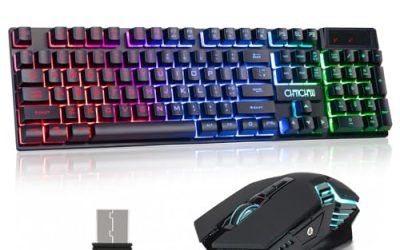
- Premium Choice: Redragon S101-3 PRO Gaming Keyboard and Mouse, RGB Backlit Programmable Keyboard Mouse with Software, Independent Macro Record Keys, Value Combo Set, New Update Version
Programming is a keystroke-heavy job, and the keyboard you type on for eight hours a day matters more than most gaming gear you’ll ever buy. The right switches, layout, and layer of programmability can shave seconds off every macro, snippet, and shortcut you use, while the wrong board leaves your wrists sore by lunch. In 2026, the line between “gaming keyboard” and “coding keyboard” has basically disappeared, since both crowds want low-latency switches, solid build quality, and keys that can be remapped to fit a workflow instead of a factory default.
Below we’ve rounded up six boards that cover the full spectrum: dedicated macro pads for IDE shortcuts, full mechanical keyboards for all-day typing, and compact wireless options for a cleaner desk. Whether you’re running a triple-monitor dev setup or coding from a laptop stand at a coffee shop, there’s a match here for your budget and workflow.
Related guide: Top budget gaming keyboards
As an Amazon Associate we earn from qualifying purchases at no extra cost to you.





⚡ Save on Your Next PC — Amazon Prime
Prime members get fast free shipping on the systems above, plus early access to Prime Day & Black Friday PC deals. New members get a 30-day free trial.
Watch: Best Keyboard for Programming — Video Review
How to Choose
- Switch type: Linear switches (like reds) suit fast typists who don’t need tactile feedback, while tactile switches (browns) give a bump that helps reduce mis-presses during long coding sessions.
- Programmability: Look for on-board macro recording or QMK/VIA support if you want to remap keys to snippets, terminal commands, or IDE shortcuts without relying on background software.
- Layout size: Full-size boards keep a number pad for data work, 96% and 75% layouts reclaim desk space for a mouse, and dedicated macro pads supplement an existing keyboard instead of replacing it.
- Connectivity: Wired connections guarantee zero input lag for latency-sensitive tasks, while Bluetooth or 2.4GHz wireless keeps your desk cleaner if you’re not chasing sub-millisecond response times.
- Build and typing feel: Gasket-mounted plates and hot-swappable sockets let you tune sound and feel over time, which matters if you’re going to be typing on this board for years, not months.
The Best Picks Reviewed
VSDINSIDE K1 Pro Macro Keyboard
This isn’t a replacement for your main keyboard, it’s a force multiplier for it. The K1 Pro is a full-key programmable macro pad with a built-in screen, a control knob, and hot-swappable switches, making it easy to bind entire snippets, terminal commands, or IDE actions to single presses. The gasket mount gives each keystroke a softer, more cushioned feel than a rigid pad, and the RGB backlighting helps you visually track which layer or profile is active. For developers who juggle multiple IDEs, Git commands, or build scripts, offloading those repetitive keystrokes to a dedicated pad next to your main board can genuinely speed up your workflow.
AULA S99 Wireless Keyboard
The S99 packs a full 99-key layout, including a number pad, into a wireless package that’s easy to slide off your desk when you need the space. It’s a solid pick if you split time between a coding rig and a couch setup, since you’re not tethered to a cable. The number pad matters more than gamers might expect, since a lot of data-adjacent programming work (SQL, spreadsheets, config files with numeric IDs) benefits from quick numeric entry instead of reaching for the row above your letters.
Redragon S101-3 PRO Gaming Keyboard and Mouse
If you’re setting up a budget workstation from scratch, the S101-3 PRO combo bundles a programmable RGB keyboard with a matching mouse, both running off the same software suite. The independent macro record keys are the standout feature for coding, letting you capture multi-step key sequences on the fly without opening a separate remapping tool every time. It won’t have the switch feel of a premium mechanical board, but for the price of a combo, it’s a practical way to get programmable keys on both your keyboard and mouse at once.
Keychron K4 (Version 2)
The K4 hits a sweet spot with its 96% layout, keeping the number pad and arrow keys while trimming the wasted space around them. Keychron’s Super Brown switches offer a tactile bump that’s quiet enough for shared spaces but distinct enough to reduce typos during long typing sessions. With both Bluetooth 5.1 and wired USB modes plus full N-key rollover, it handles everything from casual scripting to fast-paced gaming without missing a keystroke, and the white backlighting keeps legends legible in low light.
Logitech G413 SE Full-Size Mechanical Gaming Keyboard
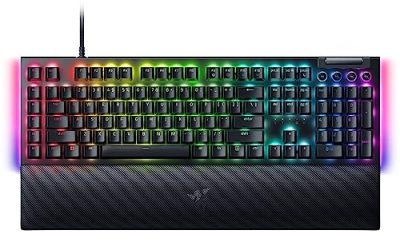
The G413 SE is a no-nonsense full-size mechanical board with a rigid aluminum-alloy top case that resists flex even under heavy typing. It skips the RGB extras in favor of a clean white backlight and a durable build, which suits developers who want reliability over customization. Logitech’s tactile switches feel consistent keystroke after keystroke, and the full-size layout means you’re never missing the number pad or function row that a lot of coding workflows still depend on.
Frequently Asked Questions
Do programmers need mechanical switches?
Not strictly, but mechanical switches tend to hold up better over years of heavy daily use than membrane keyboards, and the tactile or clicky feedback helps many typists maintain accuracy during long stretches of code. If you type for a living, the upfront cost usually pays off in comfort and longevity.
Is a macro pad worth it alongside a regular keyboard?
Yes, if your workflow involves repetitive multi-step actions like Git commands, build scripts, or IDE navigation. A pad like the K1 Pro lets you bind those sequences to single presses without changing your main typing setup at all.
Should I choose a compact layout like 75% or 96%?
Compact layouts free up desk space for mouse movement, which matters if you also game, but make sure you’re comfortable losing the dedicated number pad if you switch to something like the Keychron K3. Developers who work heavily with numbers may prefer keeping a full-size or 96% board instead.
Wired or wireless for coding?
Wired connections remove any chance of input lag or dropped keystrokes, which is ideal for pair programming or live demos. Wireless boards are fine for solo work where a millisecond of latency won’t matter, and they keep your desk considerably tidier.
Final Thoughts
For most programmers, the Keychron K4 is the best all-around pick, balancing a practical 96% layout, tactile switches, and flexible wired or wireless connectivity. If you want to supercharge an existing setup, pair your daily driver with the VSDINSIDE K1 Pro macro pad to offload repetitive commands onto dedicated keys. And if you’d rather keep things simple and durable without a learning curve, the Logitech G413 SE delivers a full-size mechanical typing experience that just works, day after day.