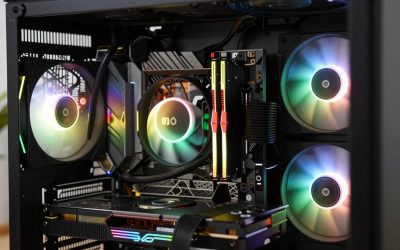
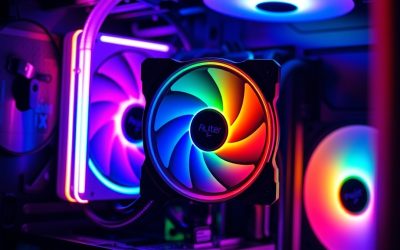
- Top Pick: CORSAIR Nautilus 360 RS ARGB Liquid CPU Cooler – 360mm AIO – Low-Noise – Direct Motherboard Connection – Daisy-Chain – Intel LGA 1851/1700, AMD AM5/AM4 – 3X RS120 ARGB Fans Included – Black
- Best Value: Thermalright Peerless Assassin 120 SE CPU Cooler, 6 Heat Pipes AGHP Technology, Dual 120mm PWM Fans, 1550RPM Speed, for AMD:AM4 AM5/Intel LGA 1700/1150/1151/1200/1851,PC Cooler
- Premium Choice: ARCTIC Liquid Freezer III Pro 360 A-RGB – AIO CPU Cooler, Water Cooling
Affiliate disclosure: As an Amazon Associate we earn from qualifying purchases. This post contains affiliate links — if you buy through them we may earn a small commission at no extra cost to you. This never affects our recommendations.
As an Amazon Associate we earn from qualifying purchases at no extra cost to you.







In a hurry? See the top-rated CPU Cooler for Gaming deals available right now:
🛒 Check Cpu Cooler For Gaming Prices on Amazon →🛒 Best Price Today on Amazon
Prime members get fast, free shipping on everything above, plus member-only deals. New members get a 30-day free trial — cancel anytime.
Start 30-Day Prime Free Trial →See Today’s Amazon DealsIntroduction
If your CPU is thermal throttling mid-match, you are losing frames you paid for. Modern gaming processors — AMD’s Ryzen 9 9950X, Intel’s Core Ultra 9 285K — are power-hungry beasts that push 170W+ under sustained load. When core temperatures climb past the throttle threshold, clock speeds drop automatically to protect the chip, and your framerates crater at exactly the worst moment. The fix is not a better GPU or faster RAM. It is getting heat off the processor fast enough that the silicon never has to slow itself down.
Stock coolers are a stopgap, not a solution. Intel no longer includes a cooler with its K-series processors. AMD’s bundled Wraith coolers are adequate for stock clocks on budget chips, but the moment you pair one with a mid-range or flagship processor and push it in a demanding game, you will see temperatures creep into the mid-90s Celsius and performance suffer for it. An aftermarket cooler is not optional for serious gaming builds — it is table stakes.
The real debate in 2026 is air versus AIO liquid cooling. Both camps have legitimate arguments. High-end dual-tower air coolers now match or beat 240mm AIOs in thermal performance and outlast them by years with no pump failure risk. Premium 360mm AIOs push thermals further than any air cooler and dominate aesthetically in glass-panel builds. This guide covers five tested picks across both categories and tells you exactly which cooler belongs in your rig.
Quick Comparison Table
| Product | Type | TDP Rating | Noise Level | Socket Support | Price Range |
|---|---|---|---|---|---|
| Noctua NH-D15 | Dual Tower Air | 250W+ | 24.6 dB(A) | AM4/AM5, LGA1700/1851 | $100–$110 |
| be quiet! Dark Rock Pro 4 | Dual Tower Air | 250W | 24.3 dB(A) | AM4/AM5, LGA1700/1851 | $90–$100 |
| Corsair iCUE H150i Elite Capellix XT | 360mm AIO | 350W+ | 34 dB(A) max | AM4/AM5, LGA1700/1851 | $180–$220 |
| DeepCool AK620 | Dual Tower Air | 260W | 28 dB(A) | AM4/AM5, LGA1700/1851 | $45–$60 |
| Arctic Liquid Freezer III 240 | 240mm AIO | 300W | 22.5 dB(A) | AM4/AM5, LGA1700/1851 | $80–$100 |
Top 5 Best CPU Coolers for Gaming in 2026
Noctua NH-D15
The Noctua NH-D15 remains the benchmark by which every other air cooler is measured, and it has held that position for over a decade because nothing has convincingly dethroned it. Its asymmetrical dual-tower design with two 140mm NF-A15 fans delivers thermal performance that trades blows with 280mm AIOs, hitting sub-70°C on a Ryzen 9 9900X under Cinebench all-core load. The NT-H2 thermal compound included in the box is among the best off-the-shelf paste on the market, and the SecuFirm2+ mounting system makes installation straightforward even in tight spaces. The updated revision added LGA1851 and AM5 out of the box.
Pros:
- Best-in-class air cooling performance
- Exceptional build quality and fan longevity (rated 150,000 hours)
- Dead quiet at idle and moderate loads
- No pump, no tubes, no failure points beyond fans
- Six-year warranty
Cons:
- 165mm tall — will not fit most mATX and ITX cases
- Beige/brown aesthetic is divisive
- Blocks RAM slots on some boards with tall DIMMs; may require removing one fan for installation
be quiet! Dark Rock Pro 4
The be quiet! Dark Rock Pro 4 is the cooler for builders who want Noctua-tier performance without the industrial color scheme. The all-black brushed aluminum finish with a dark fan shroud integrates cleanly into any build aesthetic, and the 250W TDP rating means it handles everything from an i7-14700K to a Ryzen 9 7950X at stock clocks without complaint. Two Silent Wings fans — a 120mm front and 135mm rear — operate at a measured 24.3 dB(A) maximum, making it one of the quieter dual-tower options available. The mounting system is fiddly due to the full shroud design, so budget an extra 15 minutes for installation.

Pros:
- Premium stealth aesthetic with fully black finish
- Near-silent operation under typical gaming loads
- Competitive thermal performance matching Noctua within 1–3°C
- Solid 3-year warranty with well-regarded customer support
Cons:
- Mounting system is more complex than competitors — tight fit in ATX cases
- 162mm height limits case compatibility
- Slightly lower TDP headroom than NH-D15 for extreme overclocking scenarios
- No tool-free fan removal
Corsair iCUE H150i Elite Capellix XT
When air cooling hits its ceiling — extreme overclocks, high-TDP CPUs like the Core Ultra 9 285K at 253W PL2, or small-form-factor cases where a dual tower simply does not fit — the Corsair iCUE H150i Elite Capellix XT is the 360mm AIO to reach for. Three 120mm AF Elite fans on a 360mm radiator move enough air to keep even fully-unlocked flagship processors below 80°C in sustained all-core workloads, while gaming loads typically stay in the low-to-mid 60s. The iCUE software integration is the most comprehensive in the AIO category, giving you fan curves, pump speed, and RGB control all in one interface.
Pros:
- Top-tier 360mm thermal performance — beats all air coolers in sustained loads
- Best-in-class RGB lighting with addressable Capellix LEDs
- iCUE software is feature-rich and stable in 2026
- Supports all current AMD and Intel sockets
Cons:
- Significant price premium over air alternatives
- Pump and fans add complexity and long-term failure risk
- Requires a case with 360mm top or front radiator support
- iCUE software is resource-intensive
Corsair iCUE H150i Elite Capellix XT
DeepCool AK620
The DeepCool AK620 is the answer to one of the most common questions in PC building: what is the best CPU cooler under $60? Two 120mm fans flanking a dense dual-tower heatsink deliver performance within 3–5°C of the Noctua NH-D15 at less than half the price, which is a genuinely remarkable value proposition. DeepCool rates it at 260W TDP, and real-world testing validates that claim — it keeps a Ryzen 7 7700X under 75°C in extended gaming sessions. At 160mm height it clears most mid-tower cases, and the installation process is among the simplest in the category.

Pros:
- Outstanding price-to-performance ratio — best value air cooler available
- Quiet operation for the performance level delivered
- Simple, tool-friendly installation
- Clean aesthetic with optional RGB version (AK620 Digital)
Cons:
- Fan quality does not match Noctua or be quiet! at long-term operating hours
- Performance gap widens vs. premium coolers on high-TDP CPUs above 200W
- No high-end thermal paste included
- 2-year warranty is shorter than premium competitors
DeepCool AK620
Arctic Liquid Freezer III 240
The Arctic Liquid Freezer III 240 redefines what a budget AIO looks like in 2026. Arctic’s proprietary VRMs fan — a small 40mm fan mounted directly on the pump head — actively cools the motherboard VRM and surrounding components, which matters on power-hungry platforms. Dual 120mm P12 PWM fans on a 240mm radiator keep noise down to 22.5 dB(A) at moderate speeds, making it one of the quietest AIOs in any price class. Thermal performance matches or beats many 280mm AIOs from competing brands, and at $80–$100 it undercuts the Corsair H150i by $100+.
Pros:
- Best value AIO on the market — exceptional performance per dollar
- Integrated VRM fan is a genuine differentiator, especially on AM5 boards
- Extremely quiet operation at typical gaming loads
- Solid build quality with dense radiator fins
Cons:
- 240mm radiator ceiling limits performance vs. 360mm AIOs on flagship CPUs
- Software control is basic compared to Corsair or NZXT
- Pump head design is bulky and blocks some M.2 slots on compact boards
Arctic Liquid Freezer III 240
How to Choose the Best CPU Cooler for Gaming
Air vs AIO
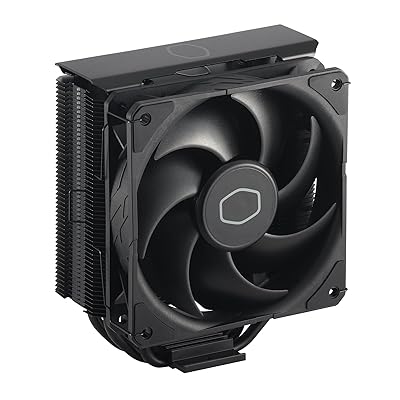
Air coolers are simpler, longer-lasting, and in the dual-tower segment, thermally competitive with everything except 360mm AIOs. They have no moving parts beyond fans, which are easily replaced. The risk profile is lower: no pump failure, no coolant leak, no tubing cracking over time. AIOs cool more aggressively in the top tier and look dramatically better in windowed builds. If your case has good radiator mounting options and aesthetics matter to you, a 360mm AIO makes sense. If you want the most reliable solution for the longest period, high-end air is the rational choice.
TDP and TDP Ratings
TDP ratings from cooler manufacturers are optimistic marketing figures, not conservative engineering limits. In the real world, budget 15–20% headroom. If your CPU’s PL2 is 180W, look for a cooler rated at 220W+. For unlocked flagship processors running at full power, only the top-tier air coolers and 360mm AIOs provide the headroom needed.
Case Clearance
Measure twice, buy once. Dual-tower air coolers routinely stand 160–168mm tall. Most mid-tower cases list a CPU cooler clearance of 165–170mm, which sounds like enough until you factor in RAM height. Check your case’s clearance spec, then subtract 5mm as a safety margin. For AIOs, verify your case has radiator mounting support at the intended location.
Socket Compatibility
Every cooler in this guide supports AM4, AM5, LGA1700, and LGA1851 out of the box or with an included bracket. Verify before purchasing if you are running an older platform like LGA1200 or TR5 (Threadripper).
Budget
Set your cooler budget as a percentage of your CPU cost. A $500 processor warrants a $80–$120 cooler. A $200 processor warrants a $45–$80 cooler. The DeepCool AK620 at $50 is the rational floor for any gaming CPU above $150. Everything above that is buying incremental performance, better noise characteristics, or aesthetics.
Final Verdict
For most gaming builds in 2026, the Noctua NH-D15 is the best CPU cooler you can buy, full stop. It outperforms nearly every 240mm AIO, keeps pace with 280mm AIOs, and will still be running flawlessly when the pump on an equivalent AIO has long since failed. The six-year warranty backs what the engineering already demonstrates. If the beige aesthetic is a dealbreaker, the be quiet! Dark Rock Pro 4 delivers near-identical performance in an all-black package for slightly less money.
For builders who have genuinely maxed out what air cooling can provide — running a Core Ultra 9 285K or Ryzen 9 9950X at high all-core loads, or building in a compact case where a dual-tower simply does not fit — the Corsair iCUE H150i Elite Capellix XT justifies its premium. The 360mm radiator provides meaningful headroom over any air cooler in sustained workloads.
Budget builders should look no further than the DeepCool AK620 for air or the Arctic Liquid Freezer III 240 for liquid — both punch dramatically above their price points and leave money in the budget for the components that more directly drive gaming performance. The cooler you choose will not make your games look better, but it will ensure the processor you already paid for runs at the clocks it was designed to run.
Frequently Asked Questions
Do I need an aftermarket CPU cooler for gaming?
If your CPU includes a stock cooler and you do not overclock, it can work, but an aftermarket air or AIO cooler runs cooler and quieter, preventing throttling under sustained gaming loads.
Air cooler or AIO for a gaming CPU?
Quality dual-tower air coolers rival 240-280mm AIOs and are more reliable. AIOs cool hot flagship chips slightly better and clear space around the socket. Both are excellent choices.
What size AIO do I need for gaming?
A 240mm AIO suits most mid-range CPUs, while hot high-end chips benefit from 280mm or 360mm radiators. Match the cooler to your CPU heat output and case support.
Does a better CPU cooler improve gaming FPS?
Indirectly. Better cooling prevents thermal throttling, allowing the CPU to sustain higher boost clocks. If your CPU runs hot, an upgrade can stabilize and slightly raise performance.
Related Articles
Looking for more on this topic? Browse the hand-picked guides below — each one applies the same scoring rubric used in this review.