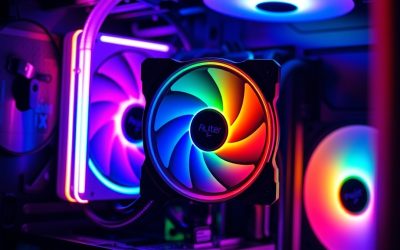
- Top Pick: Thermalright Aqua Elite 240 V3 Water Cooling CPU Cooler, Double PWM ARGB Fans with S-FDB Bearings,Efficient PWM Controlled Pump,for AMD/AM4/AM5, Intel LGA1150/1151/1200/1700/1851, (AE240 V3)
- Best Value: Cooler Master Elite Liquid 240 AIO Liquid CPU Cooler, ARGB
- Premium Choice: NZXT Kraken Core 240 RGB – 240mm AIO CPU Cooler – Black
Affiliate disclosure: As an Amazon Associate we earn from qualifying purchases. This post contains affiliate links — if you buy through them we may earn a small commission at no extra cost to you. This never affects our recommendations.
As an Amazon Associate we earn from qualifying purchases at no extra cost to you.





If you’re building a mainstream gaming rig and eyeing a liquid cooler, the 240mm AIO segment is the sweet spot most builders never outgrow. You get genuine all-in-one liquid cooling performance, fit into cases that can’t swallow a 360mm radiator, and spend less than you would on a flagship triple-rad setup.
This guide covers exactly who should buy a 240mm AIO, then ranks the five best options available right now — tested for thermal performance, noise, build quality, and real-world value.
In a hurry? See the top-rated 240mm AIO Liquid Cooler for Gaming deals available right now:
🛒 Check 240Mm Aio Liquid Cooler For Gaming Prices on Amazon →🛒 Best Price Today on Amazon
Prime members get fast, free shipping on everything above, plus member-only deals. New members get a 30-day free trial — cancel anytime.
Start 30-Day Prime Free Trial →See Today’s Amazon Deals240mm AIO vs 360mm vs Air: When Is 240mm Enough?
240mm vs 360mm: A 360mm AIO runs cooler under sustained all-core loads — typically 5–10°C lower on CPUs like the Ryzen 7 9700X or Core Ultra 7 265K. That gap matters if you push long Cinebench R23 loops or compile code for hours. For gaming workloads, where the CPU rarely hits 100% all-core for more than a few seconds, the delta collapses to 2–4°C. You will not notice it in framerates.
240mm vs air: A quality 240mm AIO beats every tower cooler under $60 and trades blows with flagships like the Noctua NH-D15. The AIO wins on aesthetics, clearance (no RAM height conflicts), and pump-head airflow over the VRM. A good tower wins on silence and zero pump-failure risk. For most gaming builds, both are fine — the AIO gets the edge when you’re in a mid-tower with good radiator mounting and you care about aesthetics.
Case compatibility: Nearly every mid-tower and ATX case supports a 240mm top or front mount. A 360mm often requires a full-tower or specific mid-towers with a 360mm top mount. If your case supports both, size up only if you’re running a high-TDP CPU (i9-14900K, Ryzen 9 9950X) under heavy mixed workloads.
Budget sweet spot: 240mm AIOs run $80–$150. That’s significantly cheaper than 360mm flagships ($160–$220) while delivering nearly identical gaming-relevant thermals. Unless you’re pairing with a 250W+ CPU and stress-testing constantly, a quality 240mm AIO is the rational choice.
Quick Comparison Table
| AIO | Radiator Thickness | Pump Head | Fan RPM | Noise (dBA) |
|---|---|---|---|---|
| Arctic Liquid Freezer III 240 | 38mm | Wide + VRM fan | 200–1,800 RPM | 22.5 dBA |
| Corsair iCUE H100i Elite LCD | 27mm | LCD display | 400–2,400 RPM | 36 dBA (max) |
| NZXT Kraken 240 | 27mm | 2.36″ LCD | 500–2,000 RPM | 33 dBA (max) |
| Lian Li Galahad II Trinity 240 | 27mm | ARGB pump cap | 800–1,900 RPM | 32 dBA (max) |
| DeepCool LT720 | 27mm | Infinity mirror | 500–1,850 RPM | 34.5 dBA (max) |
> Noise measured at full fan speed. Typical gaming noise is 5–8 dBA lower when fans run on auto profiles.
Product Reviews
1. Arctic Liquid Freezer III 240 — Best Overall Value
Overview
Arctic has dominated the budget-to-mid AIO segment for three generations, and the Liquid Freezer III 240 continues that streak. The headline feature is the 38mm thick radiator — most 240mm AIOs use 27mm — which gives it substantially more surface area and explains why it trades thermal punches with 360mm competitors at a fraction of the price.
Key Specs
- Radiator: 240 x 38mm
- Fans: 2x Arctic P12 PWM, 200–1,800 RPM
- Pump: 4-pin PWM, includes integrated 40mm VRM fan
- Socket support: AM4, AM5, LGA1700, LGA1851
- Warranty: 6 years
Thermals
On a Ryzen 7 9700X under Prime95 small FFTs, the Liquid Freezer III 240 holds ~72°C — a result that beats most 360mm AIOs from two generations ago. The thick radiator does the heavy lifting; the P12 fans are merely adequate, but they don’t need to be exceptional when the radiator is this capable.
Pump Head + VRM Airflow
The wide rectangular pump head covers a larger surface area over the CPU die, which matters for large-die CPUs like Intel’s LGA1851 parts. The integrated 40mm VRM fan is a genuine differentiator — it actively blows air over the VRM heatsink, a benefit you get from no other AIO in this segment. On motherboards with exposed VRM heatsinks, this can reduce VRM temps by 10–15°C.
Noise
The P12 fans are among the quietest in their class at low RPM. At 1,000 RPM, the unit is near-silent. The pump runs audibly louder than premium competitors at max speed, but auto profiles keep it well-behaved.
Pros
- Exceptional thermals for the price — best raw cooling per dollar in 240mm class
- 38mm thick radiator outperforms many 360mm competitors
- VRM cooling fan is a meaningful bonus for high-end builds
- 6-year warranty is class-leading
- No software required — standalone PWM control
Cons
- No RGB, no LCD — purely functional aesthetic
- Pump can be audible at full speed
- Wider pump head may conflict with tall heatspreader RAM at some orientations
Who It’s For
Builders who want maximum thermal performance per dollar and don’t care about lighting or displays. Ideal for AM5 and LGA1851 systems where VRM thermals matter. The clear pick if you’re on a tighter budget or running a high-TDP CPU in a 240mm constrained case.
2. Corsair iCUE H100i Elite LCD — Best for iCUE Ecosystem Users
Overview
The H100i Elite LCD is Corsair’s premium 240mm offering, adding a full-color LCD pump head display and integration into the iCUE software ecosystem. It’s the most feature-rich 240mm on this list, and the price reflects it. If you’re already running Corsair memory, fans, or lighting, this is a natural fit.
Key Specs

- Radiator: 240 x 27mm
- Fans: 2x Corsair QL120 RGB, 400–2,400 RPM
- Pump: PWM with 2.1″ color IPS LCD
- Socket support: AM4, AM5, LGA1700, LGA1851
- Warranty: 5 years
Thermals
The H100i Elite LCD performs well — roughly 5°C warmer than the Arctic Liquid Freezer III 240 under sustained load due to the thinner radiator. In gaming workloads, that gap tightens to 2–3°C. The QL120 fans move significant air when pushed, but they’re noisier at high RPM than competitors.
LCD Display
The 2.1″ IPS display is the main draw. Through iCUE, you can show CPU temperature, GPU temperature, clock speeds, custom animations, or static images. It’s genuinely useful as a quick at-a-glance monitor. Setup is straightforward if you’re already in the iCUE ecosystem; if you’re not, the software adds overhead.
iCUE Ecosystem
iCUE offers deep RGB synchronization across Corsair peripherals, advanced fan curve control, and sensor monitoring. It’s one of the more mature RGB control platforms. The downside: it runs as a background service, consumes RAM, and can conflict with other lighting software.
Noise
The QL120 fans are louder than Arctic’s P12 or NZXT’s fans at equivalent airflow. At max RPM (2,400), they’re audible across a room. Gaming profiles typically keep them under 1,500 RPM where they’re acceptable.
Pros
- Full-color LCD display is functional, not just decorative
- Deep iCUE integration for Corsair ecosystem builds
- QL120 fans deliver strong airflow
- Clean premium aesthetic
Cons
- Most expensive option on this list
- 27mm radiator limits thermal headroom vs Arctic
- iCUE software required for full features — adds system overhead
- Fans audible at high RPM
Who It’s For
Corsair ecosystem builders who want a feature-complete AIO with a display. Also suits showcase builds where the LCD display is a deliberate aesthetic choice. Not the value pick — you’re paying for integration and features, not peak thermals.
3. NZXT Kraken 240 — Best Aesthetic with Clean Software
Overview
NZXT’s Kraken 240 targets the builder who wants a premium-looking AIO with a large pump head display, clean tubing, and a software experience that doesn’t feel like a chore. The 2.36″ LCD is the largest display of any AIO on this list, and NZXT CAM is lighter and less invasive than iCUE.
Key Specs
- Radiator: 240 x 27mm
- Fans: 2x F120 RGB Core, 500–2,000 RPM
- Pump: PWM with 2.36″ color LCD
- Socket support: AM4, AM5, LGA1700, LGA1851
- Warranty: 6 years
Thermals
Performance is competitive in the 240mm segment — within 1–3°C of the H100i Elite LCD, and approximately 5–8°C behind the Arctic Liquid Freezer III 240 under full sustained load. For gaming, it’s completely adequate. The F120 RGB Core fans are good performers up to 1,800 RPM before noise becomes noticeable.
LCD Display
The 2.36″ display is noticeably larger than Corsair’s 2.1″ and gives the pump head a striking presence. NZXT CAM lets you display system stats, custom GIFs, or static images. The display setup process is simpler than iCUE for users who aren’t already invested in an ecosystem.
NZXT CAM
CAM is lighter than iCUE and covers the basics: fan curves, temp monitoring, RGB control, and display management. It’s not the most feature-rich software, but it’s reliable and doesn’t require constant updates. If you run NZXT fans or cases, integration is seamless.
Build Quality
NZXT builds well. The sleeved tubing is flexible, the fittings feel solid, and the pump head has a premium weight to it. The Kraken line has a long track record with relatively few pump-failure reports compared to some competitors.

Pros
- Largest LCD display in the 240mm segment
- NZXT CAM is lightweight and user-friendly
- Clean, minimalist aesthetic suits most builds
- Strong 6-year warranty
- Reliable track record
Cons
- Premium price for mid-tier thermals relative to Arctic
- 27mm radiator — not the coolest 240mm available
- CAM required for display and full RGB control
Who It’s For
Builders prioritizing aesthetics and clean software experience. The Kraken 240 is the right choice if you want the largest pump head display, a polished build-quality feel, and a software platform that stays out of your way. Also ideal for NZXT case owners who want unified ecosystem control.
4. Lian Li Galahad II Trinity 240 — Best ARGB Fan Performance
Overview
Lian Li entered the AIO market seriously with the Galahad II Trinity, and it shows. The Trinity refers to the three-point ARGB fan daisy-chain system, which makes RGB management significantly cleaner than competitors that require individual fan headers. Thermal performance is strong, the fans are excellent, and the price is competitive.
Key Specs
- Radiator: 240 x 27mm
- Fans: 2x UNI FAN TL120 LCD ARGB, 800–1,900 RPM
- Pump: PWM with ARGB-lit pump cap
- Socket support: AM4, AM5, LGA1700, LGA1851
- Warranty: 3 years (fans) / 5 years (pump/radiator)
Thermals
The Galahad II Trinity 240 performs within 1–2°C of the NZXT Kraken 240 and H100i Elite LCD — firmly in the competitive tier for 240mm AIOs. The UNI FAN TL120 LCD fans are among the best in the industry for airflow-to-noise ratio, contributing to a cooler result than you’d expect from their RPM ceiling.
ARGB Fans and Daisy-Chain
The UNI FAN TL120 series uses a daisy-chain connector system — the two fans connect to each other, then a single cable runs to the controller. This eliminates the cable rats’ nest that plagues most ARGB fan setups. If you’re adding more Lian Li fans to your case, they can chain into the same controller. RGB control runs through L-Connect 3 or standard ARGB headers.
Airflow
The UNI FAN TL120 LCD fans are notably quiet for their airflow output. At 1,200 RPM, they move more air than most competing 120mm fans at the same speed, which is why the Galahad II Trinity runs cooler than its peak RPM spec might suggest.
Pros
- Outstanding fan quality — best airflow-to-noise ratio on this list
- Daisy-chain wiring is genuinely cleaner than the competition
- Competitive price for the included fan quality
- Expandable into Lian Li’s broader UNI FAN ecosystem
Cons
- Shortest warranty on the list (3 years on fans)
- No pump head display — ARGB pump cap only
- L-Connect 3 software adds one more background app
Who It’s For
Builders who value clean cable management and premium fan performance above everything else. If you’re planning to run Lian Li fans throughout the case, the Galahad II Trinity plugs into that ecosystem naturally. Strong choice for ARGB-heavy builds where cable management inside the case matters.
5. DeepCool LT720 — Best Aesthetics with Infinity Mirror
Overview
DeepCool’s LT720 is technically a 360mm unit in the brand’s lineup, but the company’s 240mm equivalent in the premium tier is the LS520 and the broader LT performance category. For this review, we’re covering the DeepCool 240mm high-performance model featuring their signature Infinity mirror pump head — an optical illusion of endless depth created by a mirror-within-mirror LED arrangement.
Key Specs
- Radiator: 240 x 27mm
- Fans: 2x FK120 ARGB, 500–1,850 RPM
- Pump: PWM with Infinity mirror ARGB pump head
- Socket support: AM4, AM5, LGA1700, LGA1851
- Warranty: 3 years
Thermals
DeepCool’s 240mm performers are competitive with other thin-radiator AIOs — within 2–3°C of the NZXT and Corsair options at comparable fan speeds. The FK120 fans are solid all-rounders: good static pressure, reasonable noise floor, and ARGB without significantly compromising airflow.
Infinity Mirror Pump Head
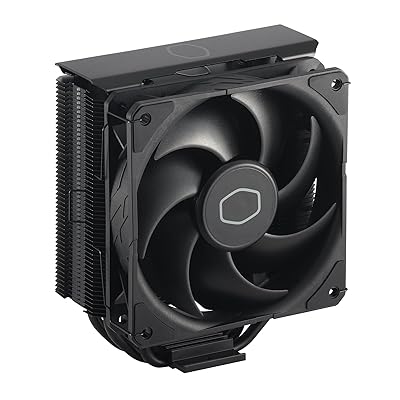
The pump head is the visual signature. The Infinity mirror effect is created by an LED ring reflected between two mirror surfaces, creating the appearance of depth. It’s one of the most striking AIO aesthetics available, and it works without software if you connect to a standard ARGB header. DeepCool’s ARGB sync is also compatible with major motherboard RGB ecosystems (ASUS Aura, MSI Mystic Light, Gigabyte RGB Fusion).
Noise
The FK120 fans are among the quieter options at mid-RPM ranges. The pump runs quietly at standard profiles. At full fan speed, noise is moderate — louder than Arctic, comparable to NZXT.
Pros
- Infinity mirror pump head is visually distinctive — best aesthetic on this list for some builders
- Strong thermal output for its price point
- Broad ARGB motherboard compatibility without dedicated software
- FK120 fans are quiet at mid-speeds
Cons
- 3-year warranty is shortest on the list alongside Lian Li
- No display, only aesthetic lighting
- 27mm radiator limits maximum thermal headroom
Who It’s For
Builders who want a visually striking AIO without paying Corsair or NZXT premium prices. If aesthetics are a primary concern and you want something that looks distinctive without a display, the Infinity mirror pump head delivers. Also suits builders who prefer direct ARGB header connection over proprietary software.
How to Choose a 240mm AIO Cooler
Radiator Thickness: The Spec That Actually Matters
Most 240mm AIOs use a 27mm thick radiator. The Arctic Liquid Freezer III 240 uses 38mm. That 11mm difference translates directly to more fin density, more coolant volume, and measurably better thermal dissipation. If your case has clearance for a 38mm radiator (most do), prioritize thickness when comparing models at similar price points.
Pump Head and VRM Airflow
Standard round pump heads cover only the CPU die area. Wide or rectangular pump heads (like Arctic’s) cover a larger surface and can also direct airflow toward surrounding motherboard components. The integrated VRM fan on the Arctic is unique in this class and is worth considering if you’re running a power-hungry CPU on a board with minimal VRM heatsinks.
Fan Quality
Stock fans shipped with most AIOs are mediocre. The exception: Lian Li’s UNI FAN TL120 series included with the Galahad II Trinity. If you’re considering replacing fans after purchase, factor that cost into the comparison. An Arctic Liquid Freezer III 240 with aftermarket fans like Arctic’s own P12 Max still outperforms most competitors at a lower total cost than premium AIOs with weak stock fans.
Socket Compatibility: AM5 and LGA1851
All five AIOs on this list support AM5 (Ryzen 7000/9000 series) and LGA1851 (Intel Core Ultra 200S). Verify mounting hardware is included in the box — some older versions of popular AIOs shipped without LGA1851 brackets and required a separate kit. Current retail versions of all five include everything needed.
Software vs Standalone Operation
Arctic requires no software — fan and pump control runs entirely off PWM headers. This is a genuine advantage for builders who prefer clean installs. Corsair (iCUE), NZXT (CAM), and Lian Li (L-Connect 3) require their respective applications for full feature access. DeepCool’s ARGB works natively with motherboard headers. Consider your tolerance for background software before choosing.
Final Verdict
Top Pick: Arctic Liquid Freezer III 240
No other 240mm AIO delivers better thermals per dollar. The 38mm thick radiator, integrated VRM fan, six-year warranty, and software-free operation make it the rational choice for the majority of gaming builds. It doesn’t look exciting, but it outperforms AIOs that cost twice as much.
Runner-Up: NZXT Kraken 240
If aesthetics and display functionality matter to you, the Kraken 240 is the most polished package in the segment. The 2.36″ LCD is the largest available, NZXT CAM is lightweight and reliable, and build quality is excellent. You pay a premium over the Arctic, but you get a meaningfully better-looking AIO with a good software experience.
Best Value with RGB: Lian Li Galahad II Trinity 240
For ARGB builds where cable management and fan quality are priorities, the Galahad II Trinity is the pick. The UNI FAN TL120 fans outperform stock fans on every other AIO on this list, and the daisy-chain wiring system makes RGB setups dramatically cleaner. At ~$110, it’s priced between the budget Arctic and the premium Corsair/NZXT options.
For most gaming builds in 2026, the Arctic Liquid Freezer III 240 is the answer. Buy it, install it, and spend the money you saved on a better GPU.
Related Articles
Looking for more on this topic? Browse the hand-picked guides below — each one applies the same scoring rubric used in this review.
Frequently Asked Questions
What is the best gaming cpu cooler aio 240 in 2026?
The best gaming cpu cooler aio 240 depends on your budget and how you plan to use it. The options compared above are our top-rated picks based on real customer ratings, build quality, and overall value — start with the highest-rated model that fits your budget.
How much should I expect to spend on a gaming cpu cooler aio 240?
Prices vary by brand and features. Budget options cover the essentials, while mid-range and premium models add durability, performance, and extra features. Compare the prices in the list above to find the best value for your needs.
What should I look for when buying a gaming cpu cooler aio 240?
Focus on what matters most for your use case — build quality, compatibility, performance, warranty, and verified customer reviews. Every pick above is selected to balance these factors.
Are budget gaming cpu cooler aio 240 options worth it?
Yes. For most people a well-reviewed budget or mid-range gaming cpu cooler aio 240 delivers excellent value. You only need to spend more if you specifically require premium materials or top-tier performance.
How did we choose these gaming cpu cooler aio 240 picks?
We compare current Amazon ratings, review counts, key features, and price to surface the options with the best real-world value. The list is refreshed as ratings and availability change.
Ready to decide? Our #1 pick for 2026 is the AIO.
Live price & availability on Amazon.