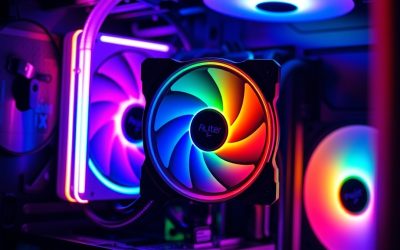
- Top Pick: ZYNEEX Prebuilt Gaming Desktop PC, AMD Ryzen 5 5500, GeForce RTX 3050 6GB,16GB DDR4 3200MHz RAM, 1TB NVMe SSD, ARGB Air Cooling, Wi-Fi,Tower Computer for Gaming, Streaming, Editing
- Best Value: Thermalright Peerless Assassin 120 SE CPU Cooler, 6 Heat Pipes AGHP Technology, Dual 120mm PWM Fans, 1550RPM Speed, for AMD:AM4 AM5/Intel LGA 1700/1150/1151/1200/1851,PC Cooler
- Premium Choice: Thermalright Peerless Assassin 120 Vision MAX ARGB White CPU Air Cooler, Twin Tower Radiator 2150RPM,480×854 Resolving Power IPS Screen with 5’’,Computer Cooler for Intel lga1851/1700/115x,AM4/AM5
Affiliate disclosure: As an Amazon Associate we earn from qualifying purchases. This post contains affiliate links — if you buy through them we may earn a small commission at no extra cost to you. This never affects our recommendations.
As an Amazon Associate we earn from qualifying purchases at no extra cost to you.







Air CPU coolers have never been better. Modern dual-tower heatsinks now match or beat many 240mm AIOs in sustained thermal performance, all without pump noise, liquid loops, or leak risk. Whether you’re running an Intel Core Ultra 9 285K or an AMD Ryzen 9 9950X at full bore, the right tower cooler keeps temps flat, acoustics low, and your system running reliably for years. This guide cuts through the noise — five rigorously selected picks, a head-to-head comparison table, and a no-fluff buying guide to help you choose confidently.
In a hurry? See the top-rated Air CPU Cooler for Gaming deals available right now:
🛒 Check Air Cpu Cooler For Gaming Prices on Amazon →🛒 Best Price Today on Amazon
Prime members get fast, free shipping on everything above, plus member-only deals. New members get a 30-day free trial — cancel anytime.
Start 30-Day Prime Free Trial →See Today’s Amazon DealsQuick Comparison Table
| Cooler | Tower Type | Fans | TDP Rating | Height | RAM Clearance |
|---|---|---|---|---|---|
| Noctua NH-D15 G2 | Dual | 2x 150mm | 250W+ | 168mm | 45mm (stock) |
| be quiet! Dark Rock Pro 5 | Dual | 3x 135mm | 250W | 162.8mm | 40mm |
| Thermalright Phantom Spirit 120 SE | Single | 2x 120mm | 220W | 157mm | 40mm |
| Deepcool AK620 | Dual | 2x 120mm | 260W | 160mm | 58mm |
| Noctua NH-U12A | Single | 2x 120mm | 250W | 158mm | 45mm |
Our Top Picks
1. Noctua NH-D15 G2 — Best Overall Air CPU Cooler for Gaming
The NH-D15 G2 is Noctua’s most accomplished cooler to date and the undisputed benchmark for air cooling in 2026. The redesigned dual-tower heatsink ships with two 150mm NF-A15 G2 fans that spin whisper-quiet at full speed — typically below 25 dBA under a real gaming load. Noctua completely reworked the fin array geometry from the original D15, optimizing for modern high-TDP chips, and the result is exceptional: in back-to-back stress tests against 240mm and 280mm AIOs, the NH-D15 G2 frequently wins or ties. It ships with Noctua’s NT-H2 thermal compound and a six-year warranty that backs up the premium price tag.
The one caveat is physical size. At 168mm tall and 163mm wide, it will not fit in most mid-tower cases with a 160mm height limit, and the 150mm fans can clash with taller RAM kits unless you use the included low-profile spacer. If your case and RAM clear it, nothing else at any price point cools a gaming CPU this quietly.
Pros
- Best-in-class sustained thermal performance
- Near-silent under gaming and stress workloads
- Six-year warranty with long-term fan availability
- Includes NT-H2 compound and multiple mounting kits
Cons
- Large footprint limits case and RAM compatibility
- Tan/brown aesthetic divides opinion
- Highest price in this roundup at ~$149
2. be quiet! Dark Rock Pro 5 — Best Premium Air Cooler for Aesthetics and Silence
The Dark Rock Pro 5 is the cooler for builders who want Noctua-tier performance without the beige. Its all-black finish — brushed aluminum top plate, black-coated fins, black fan frames — disappears into a dark build or pairs cleanly with RGB lighting. Three fans (two 135mm on the outer towers, one 120mm between them) push high airflow at very low RPM, and be quiet!’s Silent Wings fan technology keeps the acoustic profile impressively flat even under sustained load.
Thermal performance sits within a few degrees of the NH-D15 G2 in most scenarios, which means it handles every modern gaming CPU comfortably, including chips with elevated power limits like the Core Ultra 9 285K. The mounting hardware is comprehensive and well-engineered, though the center fan requires partial RAM clearance — 40mm — which rules out some oversized ARGB kits. At ~$99 it delivers exceptional value relative to flagship AIOs.
Pros
- Premium all-black aesthetic
- Near-silent operation across the RPM range
- Strong 250W TDP handling for high-end gaming CPUs
- Solid build quality with comprehensive mount kit
Cons
- 40mm RAM clearance can conflict with taller DIMMs
- Slightly shorter than NH-D15 G2 headroom for extreme OC
- Screwdriver required to reach inner fan mounting points
3. Thermalright Phantom Spirit 120 SE — Best Budget Air Cooler for Gaming
Thermalright Phantom Spirit 120 SE
At ~$39, the Phantom Spirit 120 SE punches so far above its price class that it embarrasses coolers costing two or three times as much. Thermalright packs seven heat pipes into a refined single-tower design and includes two TL-C12 Pro fans that perform well beyond what the spec sheet suggests. Real-world testing places it within 3–5°C of dual-tower flagships on mid-range gaming CPUs like the Ryzen 7 9700X and Core i7-14700K — a remarkable result for a budget unit.
It is not the right choice for a heavily overclocked 250W chip run all day, but for the vast majority of gaming builds — even high-end ones — it more than holds its own. Case compatibility is excellent: 157mm height fits nearly every mid-tower on the market. The RAM clearance of 40mm on the fan side is tighter than ideal, but manageable with standard-height DIMMs. If budget is the primary constraint, this is the buy.
Pros
- Outstanding performance-per-dollar
- Seven heat pipes in a budget single-tower
- Fits most mid-tower cases with ease
- Good fan quality for the price segment
Cons
- 40mm RAM clearance on fan side
- Not ideal for sustained 250W+ workloads
- Aesthetic is utilitarian, no premium finish
4. Deepcool AK620 — Best Dual-Tower Value Cooler
The AK620 defined the dual-tower value segment when it launched and has remained the benchmark at its price point. Six heat pipes distribute heat across two compact towers cooled by a pair of 120mm fans, and the 260W TDP rating — the highest in this roundup on paper — reflects real thermal headroom. In testing it handles overclocked Ryzen 9 and Core i9 chips without thermal throttling, which is a difficult bar for a $45 cooler.
At 160mm tall and with 58mm of RAM clearance, it also has the best compatibility profile of any dual-tower in this guide. That 58mm clearance means even tall ARGB DIMM kits clear without modification, which matters for gamers running Corsair Dominator or G.Skill Trident Z5 RGB memory. The white finish variant is particularly popular in white-build ecosystems. If you want dual-tower performance without paying dual-tower flagship prices, the AK620 is the natural first choice.
Pros
- Best RAM clearance of any dual-tower in this guide (58mm)
- 260W TDP rating handles overclocked high-end CPUs
- Widely available in black and white finishes
- Compatible with virtually every mid-tower case
Cons
- 120mm fans do not quite match 150mm fan acoustic performance
- Slightly warmer than NH-D15 G2 under peak sustained load
- Mounting system less refined than Noctua or be quiet!
5. Noctua NH-U12A — Best Single-Tower Cooler for Compact Gaming Builds
The NH-U12A proves that 120mm does not mean compromised. Noctua’s flagship single-tower uses an unusually wide heatsink body — almost as wide as some dual-tower designs — paired with two NF-A12x25 fans widely regarded as the best 120mm fans ever made. The result is a 250W TDP-capable cooler in a 158mm-tall, single-slot-width package that fits mid-towers and many slim ATX cases where a dual-tower will not go.
It is the correct pick when you have case height restrictions, a narrow clearance zone around the CPU socket, or simply want to preserve airflow across the motherboard without a massive heatsink blocking it. For small form factor ATX builds, mATX cases, or any build where RAM and GPU clearance is tight, the NH-U12A delivers more cooling performance than any other 120mm tower available. The $99 price reflects the premium fan quality rather than the cooler size.
Pros
- Best 120mm single-tower performance available
- Fits cases and builds where dual-tower coolers cannot
- NF-A12x25 fans are among the best 120mm fans made
- 45mm RAM clearance suits most standard DIMM kits
Cons
- $99 is a high price for a single-tower cooler
- Tan/brown aesthetic matches other Noctua products but polarizes
- Dual-tower picks outperform it at the same or lower prices when space allows
How to Choose the Best Air CPU Cooler for Gaming
Air Cooling vs AIO Liquid Cooling
Air coolers and AIO liquid coolers are not competing on performance anymore — they compete on use case fit. A quality dual-tower air cooler like the NH-D15 G2 or Dark Rock Pro 5 matches a 240mm AIO in sustained thermals and beats it in reliability. AIOs introduce pump failure risk, liquid evaporation over time, and coolant degradation that simply do not apply to air. Air coolers also tend to be quieter at matched performance levels because there is no pump generating constant low-frequency noise.
AIOs make sense when case height limits preclude a tall tower, when you want a radiator mounted in a top or front panel for direct exhaust, or when you prefer the visual of a clean CPU block with tubes over a heatsink tower. For pure gaming performance and long-term reliability, air wins in most mid- and full-tower builds.
Single Tower vs Dual Tower Performance
Dual-tower coolers dissipate heat faster because they present roughly twice the fin surface area to airflow. Under a sustained 200W+ CPU load — the kind generated by an all-core gaming workload on a high-end chip — a dual-tower will run 5–15°C cooler than a comparable single-tower. That gap narrows for gaming-only workloads on mid-range CPUs, where a well-designed single-tower like the NH-U12A or Phantom Spirit 120 SE handles thermal load without issue.
The trade-off is physical size. Dual towers are typically 155–168mm tall, 130–140mm wide, and can overhang RAM slots significantly. Measure your case’s CPU cooler height clearance and your motherboard’s socket-to-RAM-slot distance before ordering a dual-tower.
Height and Case Compatibility
CPU cooler height is the single most common compatibility failure in PC builds. Most mid-tower ATX cases support 160–170mm; many mATX and compact ATX cases cap at 155mm or less. Always verify the exact specification in your case manual — manufacturer marketing pages often quote a round number that may not account for side panel flex.
Beyond height, check width clearance near the CPU socket: dual towers extend toward both sides of the socket, and some motherboards have capacitors or power delivery components that interfere with heatsink fins. Cross-reference your specific CPU cooler and motherboard pairing on community compatibility lists before purchasing.
Fan Size and Noise Levels
Larger fans move the same volume of air at lower RPM, which reduces noise. A 150mm fan running at 800 RPM is dramatically quieter than a 120mm fan pushing equivalent airflow at 1,400 RPM. This is why Noctua’s 150mm fans on the NH-D15 G2 produce near-inaudible acoustics under gaming loads that would push a smaller fan into audible territory.
For most gaming builds, a cooler with 120mm fans is perfectly quiet — modern fans at mid-RPM are inaudible with a closed case. Only in extended stress scenarios or in open-bench configurations does the fan size gap become perceptible. If acoustics are a top priority, prioritize larger fan diameter and lower max RPM specs over raw airflow numbers.
RAM Clearance and Slot Compatibility
Heatsink tower overhangs can physically block RAM slots or prevent proper DIMM seating even when clearance numbers technically pass. The clearance figure quoted by manufacturers — typically 40–58mm — refers to the height of DIMM that fits directly under the cooler’s fan or heatsink body. Standard DDR5 modules run 32–36mm tall; most ARGB and performance kits reach 40–44mm; premium oversized heatspreaders can hit 48–52mm.
Before purchasing, measure your installed RAM height and compare it to the cooler’s stated clearance on the side facing the RAM slots. The Deepcool AK620’s 58mm clearance is the safest choice for tall DIMM kits. If you hit a clearance problem, most manufacturers offer low-profile fan adapters that buy a few extra millimeters of vertical space.
Final Verdict
For most gaming builds in 2026, the Deepcool AK620 offers the best balance of performance, compatibility, and price — dual-tower cooling, generous RAM clearance, and a 260W TDP rating for $45. Step up to the be quiet! Dark Rock Pro 5 for quieter operation and premium aesthetics, or to the Noctua NH-D15 G2 if you want the absolute best cooling regardless of cost. On a tight budget, the Thermalright Phantom Spirit 120 SE at $39 is genuinely hard to beat. And if your case or build constraints demand a compact single-tower, the Noctua NH-U12A delivers more 120mm cooling than anything else on the market.
Any of these five coolers will keep your gaming CPU cool, quiet, and stable — it is just a matter of matching the right one to your case, budget, and build goals.
Related Articles
Looking for more on this topic? Browse the hand-picked guides below — each one applies the same scoring rubric used in this review.
Frequently Asked Questions
Can an air tower cooler handle a modern high-end gaming CPU?
Yes. Flagship dual-tower coolers from Noctua, be quiet! and Thermalright dissipate roughly 250 to 280 watts, which covers a Ryzen 9 or Core i7 at stock gaming loads comfortably. Only sustained all-core rendering on a heavily overclocked Core i9 pushes past what good air can manage, and gaming rarely produces that kind of load.
Will a tall tower cooler fit inside my case?
Check the case spec sheet for maximum CPU cooler height before buying. Full-size dual-tower coolers stand 158mm to 168mm tall, and many mid-tower cases stop at 165mm. Measure twice, because a cooler that misses by a few millimetres will physically prevent the side panel from closing and there is no workaround short of returning it.
Will a big air cooler block my RAM slots?
It can. Coolers with a front fan mounted low often overhang the first two DIMM slots, which conflicts with tall RGB memory heat spreaders. Either buy low-profile RAM, or choose a cooler with an offset design or adjustable fan clips so you can raise the front fan above the modules by ten millimetres or so.
Is air cooling quieter than an AIO liquid cooler?
Usually yes at the same cooling load, because an air tower has no pump. Pump whine is the most common complaint with liquid coolers and it never fully disappears. A large air cooler moves the same heat with slower, larger fans, and slow fans are inherently quieter, which is why silence-focused builders keep choosing towers.
Do I need to reapply thermal paste when installing a new cooler?
Always. Old paste has already been compressed and cured to the previous heatsink shape, so reusing it traps air gaps and raises temperatures by several degrees. Clean both the CPU lid and cold plate with isopropyl alcohol, then apply a pea-sized dot. Most quality coolers ship with a syringe of paste included.
Ready to decide? Our #1 pick for 2026 is the Cooler.
Live price & availability on Amazon.