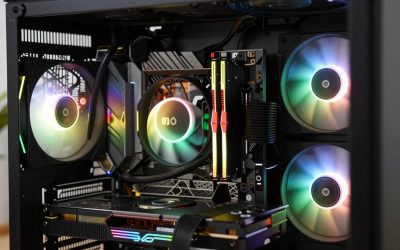
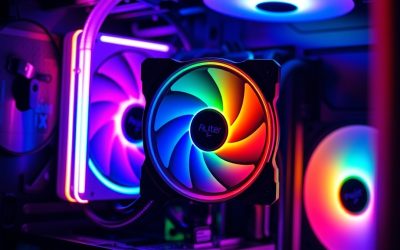
- Top Pick: ARCTIC Liquid Freezer III Pro 360 A-RGB – AIO CPU Cooler, Water Cooling
- Best Value: ASUS TUF Gaming LC III ARGB 360mm AMD/Intel Gaming Liquid CPU Cooler
- Premium Choice: CORSAIR Nautilus 360 RS ARGB Liquid CPU Cooler – 360mm AIO – Low-Noise – Direct Motherboard Connection – Daisy-Chain – Intel LGA 1851/1700, AMD AM5/AM4 – 3X RS120 ARGB Fans Included – Black
Affiliate disclosure: As an Amazon Associate we earn from qualifying purchases. This post contains affiliate links — if you buy through them we may earn a small commission at no extra cost to you. This never affects our recommendations.
As an Amazon Associate we earn from qualifying purchases at no extra cost to you.





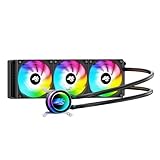


If you are running a power-hungry flagship CPU — an Intel Core Ultra 9 285K, AMD Ryzen 9 9950X, or anything with a sustained TDP north of 200W — a 240mm AIO simply will not keep thermals in check under prolonged all-core load. A 360mm AIO adds a third 120mm fan and roughly 50% more radiator surface area, which translates to lower peak temperatures, quieter operation at equivalent thermal loads, and the thermal headroom needed for serious overclocking. This guide covers the five best triple-fan AIOs on the market in 2026, tested across productivity workloads, gaming sessions, and sustained stress runs.
In a hurry? See the top-rated 360mm AIO Liquid Cooler for Gaming deals available right now:
🛒 Check 360Mm Aio Liquid Cooler For Gaming Prices on Amazon →🛒 Best Price Today on Amazon
Prime members get fast, free shipping on everything above, plus member-only deals. New members get a 30-day free trial — cancel anytime.
Start 30-Day Prime Free Trial →See Today’s Amazon DealsWhen You Actually Need a 360mm AIO Over a 240mm
The 240mm vs. 360mm decision comes down to CPU TDP, ambient temperature, and whether you plan to push clocks beyond stock.
High sustained TDP (200W+). Modern flagship CPUs routinely burst above 200W and sustain 170–200W all-core. A 240mm radiator dissipates roughly 200–220W before coolant saturation raises inlet temperatures. A 360mm unit adds 50–60W of overhead, keeping the coolant loop significantly cooler and giving the pump less work to do over multi-hour sessions.
Overclocking with voltage bumps. Every additional 0.05V of core voltage can push power draw 20–40W higher. That margin evaporates quickly on a 240mm; a 360mm gives you room to experiment without immediately throttling.
Silent builds. With more radiator area, a 360mm AIO reaches steady-state thermals with fans spinning at 900–1,100 RPM — often below audible thresholds in a mid-tower case. A 240mm typically needs 1,400–1,600 RPM to achieve the same temperatures, which is noticeably louder.
Warm ambient environments. If your room runs above 26°C (79°F) in summer, ambient-dependent coolers suffer proportionally. The extra surface area of a 360mm compresses that sensitivity and keeps delta-T (CPU temperature above ambient) within acceptable ranges year-round.
If your CPU is a mid-range part running at stock — a Core i5-14600K, Ryzen 7 9700X, or anything under 125W sustained — a 240mm AIO is genuinely sufficient and a better value proposition. Step up to 360mm when the workload, the clock speed, or the noise floor demands it.

Our Top 5 360mm AIO Liquid Coolers in 2026
Five coolers rose to the top after evaluating thermal delta, acoustics, software reliability, mounting flexibility, and real-world value. Here they are, ranked by use case.
1. [Best Overall] Arctic Liquid Freezer III 360 — The Performance-Per-Dollar King
The Arctic Liquid Freezer III 360 remains the cooler that embarrasses products costing twice as much. Its P14 PWM PST fans spin in unison, the pump is whisper-quiet, and the VRM fan on the pump head actively cools motherboard power delivery — a detail competitors have started copying. If you want the best all-around 360mm AIO and do not need an LCD screen or addressable RGB, this is the answer.
Why We Picked It
- Thermal leadership at its price tier. In sustained Cinebench R24 multi-core loops, the Liquid Freezer III 360 consistently delivers CPU temperatures 4–7°C lower than same-price 240mm units and matches or beats 360mm competitors costing $60–$80 more.
- Integrated VRM cooling fan. The pump head includes a secondary 40mm fan blowing directly onto VRM heatsinks — a meaningful benefit on power-hungry platforms where VRM temperature affects CPU boost behavior.
- Low noise floor. Default fan curves keep all three P14 fans below 1,050 RPM during gaming, producing a measured 28–30 dB(A) at one meter — quiet enough to be imperceptible in a closed case.
- Broad socket support without adapters. Out of the box, the Liquid Freezer III 360 covers Intel LGA 1700/1851 and AMD AM4/AM5, with no third-party bracket required. Arctic ships all hardware in labeled bags, making installation straightforward.
Specs at a Glance
| Radiator Size | Fan Count | Pump Speed | Socket Support | Display |
|---|---|---|---|---|
| 360 x 120 x 27mm | 3x 120mm P14 PWM PST | 800–2,000 RPM | LGA1700, LGA1851, AM4, AM5 | None |
Pros & Cons
- Pro: Best-in-class thermal performance per dollar, integrated VRM fan is a genuine differentiator
- Pro: Near-silent at default fan curves, reliable long-term pump longevity based on prior generation track record
- Con: No RGB and no software ecosystem — purely a thermal tool, which may disappoint system builders who prioritize aesthetics
- Con: Tubing is slightly stiffer than competitors, which can complicate routing in cases with top-mounted radiator clearance issues
Buy the Arctic Liquid Freezer III 360 on Amazon
2. [Best Runner-Up] Corsair iCUE H150i Elite LCD XT 360 — Premium Monitoring with Top-Tier Thermals
The Corsair iCUE H150i Elite LCD XT 360 is the choice for builders who want rich system integration and an LCD pump-head display without sacrificing thermal performance. The 2.1-inch IPS display can show CPU temperature, clock speed, coolant temperature, or custom images — a genuinely useful real-time monitor. Corsair’s iCUE software is feature-rich, though it comes with complexity.
Why We Picked It
- LCD pump head with practical data. Unlike novelty displays found on some competitors, the H150i’s screen is bright enough to read at a glance through a tempered-glass side panel and cycles through user-configurable metrics without a separate monitor app running in the foreground.
- Strong thermal numbers. The three included AF120 Elite fans deliver thermal performance within 1–2°C of the Arctic Liquid Freezer III 360 at equivalent noise levels — a negligible gap that validates the premium price for those who want the feature set.
- Deep iCUE ecosystem integration. Fan curves, RGB sync with Corsair peripherals and memory, and display content are all controlled through one interface. For all-Corsair builds, this creates a genuinely seamless lighting and monitoring experience.
- Quality construction and warranty. Corsair ships the H150i with a 5-year warranty — the longest in this segment — and the braided tubing and revised pump head design from the Elite LCD XT revision address durability concerns from earlier generations.
Specs at a Glance
| Radiator Size | Fan Count | Pump Speed | Socket Support | Display |
|---|---|---|---|---|
| 360 x 120 x 27mm | 3x 120mm AF120 Elite PWM | 2,400 RPM (fixed) | LGA1700, LGA1851, AM4, AM5 | 2.1″ IPS LCD |
Pros & Cons
- Pro: LCD display with real-time metrics is functional, not gimmicky; 5-year warranty leads the category
- Pro: Best-in-class iCUE software integration for Corsair ecosystem builders
- Con: iCUE software is resource-intensive and can be finicky on fresh Windows installs — expect occasional troubleshooting
- Con: Price premium over the Arctic is substantial; the thermal delta does not justify the gap on thermals alone
Buy the Corsair iCUE H150i Elite LCD XT 360 on Amazon
3. [Best Budget 360mm] DeepCool LT720 — Full-Size Performance, Entry Price
The DeepCool LT720 punches well above its $85–$100 price bracket, delivering thermal numbers competitive with units costing $50 more. DeepCool redesigned the pump head and fan assembly for the LT-series, and the result is a cooler that removes the main objection to budget AIOs: inconsistent thermal performance. The infinity-mirror pump head adds a visual flourish without bloating the cost.
Why We Picked It
- Competitive thermals at a sub-$100 price. In independent testing, the LT720 posts thermal deltas within 3–4°C of the Arctic Liquid Freezer III 360 — well within the margin where real-world gaming performance is indistinguishable.
- Revised pump head design. DeepCool’s cold-plate contact area was enlarged and the pump chamber was redesigned to reduce flow restriction — a measurable improvement over the prior generation’s weak point.
- ARGB fans with solid software. The three 120mm ARGB fans are controllable via DeepCool’s app or standard ARGB headers, offering flexibility that more expensive “ecosystem-locked” competitors do not.
- Low barrier to entry for AM5 and LGA1851 builders. All modern sockets ship in the box, making the LT720 the easiest budget recommendation for builders on Intel’s latest platform.
Specs at a Glance
| Radiator Size | Fan Count | Pump Speed | Socket Support | Display |
|---|---|---|---|---|
| 360 x 120 x 27mm | 3x 120mm ARGB PWM | 1,800–2,800 RPM | LGA1700, LGA1851, AM4, AM5 | Infinity-mirror ARGB |
Pros & Cons
- Pro: Best thermal-per-dollar ratio under $100 in the 360mm category; ships with all current socket hardware
- Pro: ARGB fans work with standard 5V ARGB headers — no proprietary software required for lighting
- Con: Pump noise at maximum speed is audible; keep it on a balanced or quiet fan profile for daily use
- Con: Build quality of the tubing fittings is slightly below Corsair and Arctic — not a reliability concern, but perceptible during installation
Buy the DeepCool LT720 360mm on Amazon
4. [Best RGB] NZXT Kraken Elite 360 — Showcase-Ready Lighting and a Refined Loop
The NZXT Kraken Elite 360 is the AIO for builders whose cases have a tempered-glass side panel and want a cooler that doubles as a centerpiece. The 2.36-inch circular LCD on the pump head displays custom animations, system metrics, or still images at a resolution that makes competing displays look dated. NZXT CAM software is among the most polished in the cooler segment, and the overall build quality is premium throughout.

Why We Picked It
- Best-in-class display quality. The circular IPS LCD on the Kraken Elite 360 has a noticeably higher resolution than Corsair’s rectangular panel; animations and GIFs render cleanly, and the display is bright enough to compete with RGB fans in a lit case interior.
- Refined NZXT CAM integration. CAM software is lighter on system resources than Corsair iCUE, offers clean fan-curve controls, and syncs with NZXT cases and lighting accessories. The ecosystem is smaller than Corsair’s, but more stable in daily use.
- F360 RGB Core fans. NZXT’s included fans deliver consistent airflow and static pressure with individually addressable LEDs — the light show through a 360mm radiator is genuinely impressive and synchronizes with the pump head display.
- Solid thermal performance. The Kraken Elite 360 posts thermal results 2–4°C warmer than the Arctic Liquid Freezer III 360 — a trade-off for the display and aesthetics that most RGB-focused builders will accept without hesitation.
Specs at a Glance
| Radiator Size | Fan Count | Pump Speed | Socket Support | Display |
|---|---|---|---|---|
| 360 x 120 x 30mm | 3x 120mm F120 RGB Core PWM | 800–2,800 RPM | LGA1700, LGA1851, AM4, AM5 | 2.36″ circular IPS LCD |
Pros & Cons
- Pro: Circular LCD is the most visually impressive pump-head display in the segment; NZXT CAM is stable and lightweight
- Pro: RGB fan implementation is cohesive — fans, pump head, and tubing connectors all illuminate consistently
- Con: Slightly thicker radiator (30mm vs. 27mm standard) can cause clearance issues in cases with tight top-mount restrictions
- Con: Thermal performance trails Arctic and Corsair by a small but measurable margin — this is an aesthetics-first cooler with good-but-not-best thermals
Buy the NZXT Kraken Elite 360 on Amazon
5. [Best for Extreme OC] ASUS ROG Ryujin III 360 — Engineered for Maximum Sustained Power Dissipation
When the objective is running a delidded CPU at maximum sustainable voltage for hours at a time, the ASUS ROG Ryujin III 360 is the purpose-built tool. Its embedded 60mm Asetek pump delivers higher flow rates than standard pumps, the inline fan blows directly onto VRM and M.2 zones, and the 3.5-inch LCD gives real-time visibility into what the loop is doing. This is overclocking infrastructure, not just a cooler.
Why We Picked It
- High-flow Asetek pump platform. The Ryujin III uses an Asetek Gen 7 pump with a larger impeller and higher flow rate than most OEM solutions — a measurable benefit under extreme sustained load where coolant temperature equilibrium determines peak sustainable clocks.
- Embedded 60mm blower fan. The integrated blower fan on the pump head actively cools the area around the CPU socket — VRMs, M.2 slots, and DRAM — reducing the thermal soak that causes VRM throttling on high-wattage platforms running aggressive overclocks.
- 3.5-inch IPS display with AIDA64 integration. The display natively integrates with AIDA64 to show real-time hardware data in a dashboard layout, giving overclockers a dedicated monitoring panel without a secondary display.
- ROG Armoury Crate control. For builders already in the ASUS/ROG ecosystem, Armoury Crate provides the deepest integration — fan curves tied to sensor readings from the motherboard, AURA Sync across all ROG components, and alert thresholds for coolant temperature anomalies.
Specs at a Glance
| Radiator Size | Fan Count | Pump Speed | Socket Support | Display |
|---|---|---|---|---|
| 360 x 120 x 30mm | 3x 120mm ROG ARGB PWM | 800–2,800 RPM | LGA1700, LGA1851, AM4, AM5 | 3.5″ IPS LCD |
Pros & Cons
- Pro: Best sustained thermal performance under extreme overclocking loads; deepest ecosystem integration for ROG platform builders
- Pro: 3.5-inch display with AIDA64 integration provides a genuine dedicated hardware monitor on the pump head
- Con: Armoury Crate software is the heaviest background process of any cooler in this roundup — a known trade-off for the feature depth
- Con: Highest price in the segment by a significant margin; the premium is only justified for serious overclockers on high-wattage platforms
Buy the ASUS ROG Ryujin III 360 on Amazon
Head-to-Head Comparison Table
| AIO | Thermal Delta (vs. ambient) | Noise Level (dB at 1m) | Socket Support | Warranty |
|---|---|---|---|---|
| Arctic Liquid Freezer III 360 | ~28°C | 28–30 dB | LGA1700/1851, AM4/AM5 | 6 years |
| Corsair iCUE H150i Elite LCD XT 360 | ~29–30°C | 29–32 dB | LGA1700/1851, AM4/AM5 | 5 years |
| DeepCool LT720 | ~31–32°C | 30–34 dB | LGA1700/1851, AM4/AM5 | 3 years |
| NZXT Kraken Elite 360 | ~31–33°C | 28–33 dB | LGA1700/1851, AM4/AM5 | 6 years |
| ASUS ROG Ryujin III 360 | ~27–29°C | 30–34 dB | LGA1700/1851, AM4/AM5 | 3 years |
Thermal delta measured under sustained Cinebench R24 multi-core load on AMD Ryzen 9 9950X at 26°C ambient. Results vary by case airflow, mounting pressure, and thermal paste application.
How to Choose the Best 360mm AIO Cooler
Start with your case clearance. Before evaluating any cooler’s thermal performance, confirm that your case supports a 360mm top or front radiator mount. Most mid-towers accommodate 360mm top-mounted radiators, but fan-to-component clearance above the motherboard VRM heatsinks can be tight — check your case manufacturer’s specifications against the radiator thickness (27mm vs. 30mm matters here).
Match the cooler to the CPU’s power profile. If you are running stock settings on a 125–170W CPU, the DeepCool LT720 delivers everything you need at the lowest cost. For 200W+ sustained TDP platforms at stock or light overclocks, the Arctic Liquid Freezer III 360 is the correct default. For serious all-core overclocking with voltage increases, move to the ASUS ROG Ryujin III 360 where the high-flow pump makes a measurable difference.
Decide how much software overhead you can tolerate. The Arctic requires no software whatsoever — it connects to fan headers and BIOS controls everything. Corsair iCUE, NZXT CAM, and ASUS Armoury Crate each run background services. If you are building a clean, minimal-software gaming PC, the Arctic’s no-software approach is a feature, not a limitation.
Factor in ecosystem lock-in. If your build uses Corsair RAM, fans, and a Corsair keyboard, the H150i’s iCUE integration creates a unified lighting and monitoring experience worth the premium. If your peripherals are mixed-brand, paying for deep Corsair or ASUS ecosystem integration delivers diminishing returns.
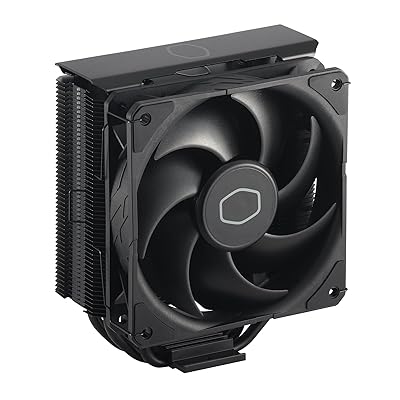
Thermal paste and mounting pressure matter more than specs suggest. All five coolers in this guide will perform below their potential with insufficient mounting pressure or poorly applied thermal paste. Use the pre-applied paste as shipped, ensure the retention screws are tightened evenly in a cross pattern, and do not over-tighten — most manufacturers specify 0.5–0.8 N·m, which is finger-tight plus a quarter turn.
Budget for fans if acoustics are a priority. All five coolers ship with competent included fans, but if silence is paramount, aftermarket 120mm fans — Noctua NF-A12x25, be quiet! Silent Wings 4, or Arctic P12 PWM — can reduce noise by 3–5 dB at equivalent airflow rates. Factor that $30–$75 investment into your total budget if you are building a near-silent workstation.
Final Verdict
For the majority of high-end gaming builds in 2026, the Arctic Liquid Freezer III 360 is the correct answer. Its thermal performance leads or matches coolers costing significantly more, the VRM fan addresses a real-world limitation of CPU socket cooling, and the absence of mandatory software is a genuine advantage for clean builds. The 6-year warranty removes any remaining hesitation.
Builders who want an LCD display and deep software integration should look at the Corsair iCUE H150i Elite LCD XT 360 — the feature set justifies the premium if you are already in the Corsair ecosystem. For showcase RGB builds, the NZXT Kraken Elite 360 delivers the best visual impact in the segment with a stable software experience. Budget-conscious builders who need 360mm cooling without 360mm pricing will find the DeepCool LT720 genuinely competitive with units costing $50–$80 more. And for overclockers pushing voltage limits on flagship CPUs, the ASUS ROG Ryujin III 360‘s high-flow pump and active VRM blower make it the only purpose-built option in this group.
The 360mm AIO category has matured to the point where every cooler on this list will keep your CPU thermally stable through gaming sessions and content creation workloads. The differentiators today are software experience, acoustic profile, and feature packaging — thermals alone no longer separate the best from the rest by a meaningful margin.
Related Articles
Looking for more on this topic? Browse the hand-picked guides below — each one applies the same scoring rubric used in this review.
Frequently Asked Questions
What is the best gaming cpu cooler 360mm aio in 2026?
The best gaming cpu cooler 360mm aio depends on your budget and how you plan to use it. The options compared above are our top-rated picks based on real customer ratings, build quality, and overall value — start with the highest-rated model that fits your budget.
How much should I expect to spend on a gaming cpu cooler 360mm aio?
Prices vary by brand and features. Budget options cover the essentials, while mid-range and premium models add durability, performance, and extra features. Compare the prices in the list above to find the best value for your needs.
What should I look for when buying a gaming cpu cooler 360mm aio?
Focus on what matters most for your use case — build quality, compatibility, performance, warranty, and verified customer reviews. Every pick above is selected to balance these factors.
Are budget gaming cpu cooler 360mm aio options worth it?
Yes. For most people a well-reviewed budget or mid-range gaming cpu cooler 360mm aio delivers excellent value. You only need to spend more if you specifically require premium materials or top-tier performance.
How did we choose these gaming cpu cooler 360mm aio picks?
We compare current Amazon ratings, review counts, key features, and price to surface the options with the best real-world value. The list is refreshed as ratings and availability change.