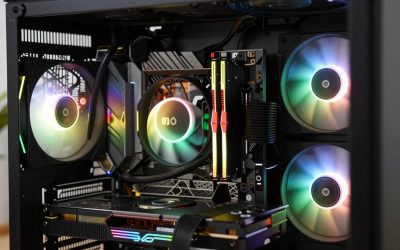
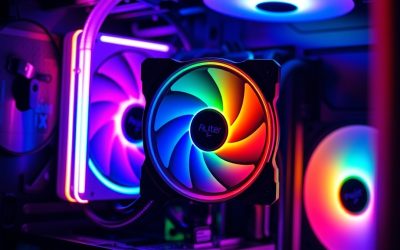
- Top Pick: Thermalright Aqua Elite 240 V3 Water Cooling CPU Cooler, Double PWM ARGB Fans with S-FDB Bearings,Efficient PWM Controlled Pump,for AMD/AM4/AM5, Intel LGA1150/1151/1200/1700/1851, (AE240 V3)
- Best Value: Cooler Master Elite Liquid 240 AIO Liquid CPU Cooler, ARGB
- Premium Choice: CoolerMaster MasterLiquid ML240L RGB V2, Close-Loop AIO CPU Liquid Cooler, Gen3 Dual Chamber Pump, 240mm Radiator, SickleFlow 120 PWM ARGB, AMD Ryzen AM5/AM4, Intel LGA1700/1200 (MLW-D24M-A18PC-R2)
Affiliate disclosure: As an Amazon Associate we earn from qualifying purchases. This post contains affiliate links — if you buy through them we may earn a small commission at no extra cost to you. This never affects our recommendations.
As an Amazon Associate we earn from qualifying purchases at no extra cost to you.




Title: Best 240mm AIO Liquid Cooler in 2026: Top Picks for Every Budget
In a hurry? See the top-rated 240mm AIO Liquid Cooler deals available right now:
🛒 Check 240Mm Aio Liquid Cooler Prices on Amazon →🛒 Best Price Today on Amazon
Prime members get fast, free shipping on everything above, plus member-only deals. New members get a 30-day free trial — cancel anytime.
Start 30-Day Prime Free Trial →See Today’s Amazon DealsWhy 240mm AIOs Still Dominate Mid-Tower Builds
The 360mm AIO gets all the press, but the 240mm format quietly remains the most practical choice for the majority of PC builders. It fits virtually every mid-tower case with a front or top 240mm fan mount, adds no meaningful installation complexity, and handles the thermal load of most mainstream desktop CPUs — including Intel’s Arrow Lake (LGA1851) flagships and AMD’s Ryzen 9000 series on AM5 — without breaking a sweat.
The sweet spot for a 240mm AIO is CPUs with a sustained TDP up to 200–250W. That covers the Core Ultra 9 285K at stock settings, the Ryzen 9 9950X in eco mode, and anything below. Only sustained workloads that push beyond 250W — think heavily overclocked Core Ultra 9 285K or content-creation rigs running Blender loops at full tilt — genuinely benefit from the step up to 360mm. For gaming, streaming, and hybrid workloads, 240mm is rarely the bottleneck.
This guide cuts through the noise. Five concrete picks, real spec comparisons, and a buyer’s FAQ that answers the questions that actually matter when you’re spending $80–$180 on cooling hardware.
Quick Comparison: Best 240mm AIO Liquid Coolers in 2026
| AIO | Fan Speed (RPM) | Noise (dBA) | Pump | RGB |
|---|---|---|---|---|
| Corsair H100i Elite LCD | 500–2,400 | 20–36 | Custom D5-inspired | 2.1″ LCD |
| NZXT Kraken 240 | 500–1,800 | 21–33 | Ceramic bearing | ARGB ring |
| Arctic Liquid Freezer III 240 | 200–1,700 | 17–29 | Integrated fan | None |
| Lian Li Galahad II 240 | 800–2,200 | 22–37 | Dual-ball bearing | ARGB |
| DeepCool LT520 | 500–2,000 | 20–34 | Ceramic bearing | 2″ LCD |
The 5 Best 240mm AIO Liquid Coolers in 2026
Corsair H100i Elite LCD
Corsair H100i Elite LCD on Amazon
Key Specs
- Radiator: 240mm, 27mm thickness
- Fans: 2x 120mm Corsair AF Elite (500–2,400 RPM)
- Pump: Custom D5-inspired, 3-speed selectable
- Display: 2.1″ IPS LCD (customizable via iCUE)
- Socket Support: LGA1851, LGA1700, AM5, AM4
- Warranty: 5 years
The H100i Elite LCD is Corsair’s flagship 240mm offering, and it earns that title in every measurable way. The 2.1″ IPS LCD on the pump head is genuinely useful — not a gimmick — displaying CPU temperature, load percentage, or custom GIFs with smooth color rendering. It runs through Corsair’s iCUE software, which is polarizing but feature-complete.
The AF Elite fans are high-static-pressure units with a blade geometry optimized specifically for radiator use — not the same fans Corsair ships on its case fan retail packs. At 2,400 RPM they move serious air and keep even a 200W sustained load in check. The D5-inspired pump runs on a ceramic shaft bearing and, critically, ships with three speed modes: quiet (~2,100 RPM), balanced (~2,700 RPM), and performance (~3,100 RPM). Pump whine is the leading cause of AIO buyer’s remorse, and Corsair addresses it by giving you control rather than forcing a one-size-fits-all tune.
Thermal performance sits within 1–2°C of the best 240mm performers across a mixed workload. The gap widens in Corsair’s favor under sustained 200W+ load where the thick radiator channels and higher fan ceiling keep temperatures stable rather than climbing.
Pros & Cons
Pros:
- Best-in-class LCD display with iCUE integration
- Wide fan speed range with genuine high-RPM headroom
- Three pump speed modes reduce bearing noise at idle
- 5-year warranty is industry-leading for this category
Cons:
- iCUE software requires install for full control; some users dislike the memory footprint
- Premium price — ~$170 is the highest on this list
- 27mm radiator is thicker; verify fan-radiator clearance in tighter cases
Who It’s For
Enthusiasts who want the best performance and don’t mind paying for a showcase display. Pairs particularly well with Corsair ecosystems (RGB fans, cases with iCUE integration). Ideal for LGA1851 and AM5 high-TDP CPUs at stock or mild overclocks.
NZXT Kraken 240
Key Specs
- Radiator: 240mm, 27mm thickness
- Fans: 2x 120mm F120 RGB Core (500–1,800 RPM)
- Pump: Asetek Gen 7 with ceramic bearing
- Display: ARGB infinity mirror ring on pump head
- Socket Support: LGA1851, LGA1700, AM5, AM4
- Warranty: 3 years (extendable via NZXT registration)
NZXT built its reputation on visual impact paired with software that doesn’t feel like a chore to use. The Kraken 240’s pump head carries an ARGB infinity mirror ring — deeply saturated, optically smooth, and visible from across the room. Unlike an LCD, there’s no information density, but the effect is one of the cleanest-looking pump heads in any 240mm class.
The F120 RGB Core fans top out at 1,800 RPM, which is lower than competitors on this list. That ceiling means the Kraken runs quieter under moderate load — holding 21–33 dBA across most gaming scenarios — but it also means it has less thermal ceiling for sustained 200W+ workloads. In practice, the Kraken 240 keeps a Ryzen 9 9950X comfortably in check during gaming sessions; during long Cinebench loops it tracks 3–5°C warmer than the H100i Elite LCD at equivalent fan curves.

The Asetek Gen 7 pump is a known quantity. Ceramic bearing, consistent flow rate, and a track record with fewer pump-rattle complaints than some in-house pump designs. NZXT’s CAM software is lightweight and optional — fan curves work on stored presets without keeping CAM running in the background.
Pros & Cons
Pros:
- Cleanest ARGB ring design in the 240mm segment
- CAM software is optional after initial setup
- Asetek Gen 7 pump reliability
- Quiet under gaming loads (sub-33 dBA)
Cons:
- 1,800 RPM fan ceiling limits thermal headroom under sustained heavy loads
- No display — just RGB; less information-dense than LCD alternatives
- 3-year warranty is shorter than Corsair’s 5-year
Who It’s For
Aesthetic-first builders who prioritize low noise in gaming scenarios over peak thermal performance. Excellent for LGA1700 or AM5 CPUs at 65–125W TDP. Best suited for open-air cases where the pump head ring is visible.
Arctic Liquid Freezer III 240
Arctic Liquid Freezer III 240 on Amazon
Key Specs
- Radiator: 240mm, 38mm thickness (thick-rad design)
- Fans: 2x 120mm P12 PWM PST (200–1,700 RPM)
- Pump: Integrated VRM fan + custom pump (no ceramic bearing listed)
- Display: None
- Socket Support: LGA1851, LGA1700, AM5, AM4
- Warranty: 6 years
The Arctic Liquid Freezer III 240 is the thermal efficiency story of 2026 — a cooler that trades aesthetics for performance-per-dollar so aggressively that it embarrasses products costing twice as much in pure thermal benchmarks.
Arctic’s key differentiator is the 38mm thick radiator, significantly chunkier than the 27mm found on most competitors. More fin surface area means more heat dissipation at any given fan speed. The P12 PWM PST fans are static-pressure optimized — specifically engineered to push air through dense radiator fin stacks rather than move high volumes in open air — and they span a remarkable 200–1,700 RPM range, allowing the system to drop nearly silent at idle.
The integrated small fan on the pump head that blows across VRM and surrounding motherboard components is a genuinely clever practical feature, especially for AM5 boards where VRM thermal throttling can indirectly cap performance.
There’s no RGB. No LCD. No software. The pump runs at a fixed speed and the fans connect directly to PWM headers or the included hub. This simplicity is a feature: zero driver overhead, zero software conflicts, zero firmware updates.
Pros & Cons
Pros:
- Best thermal performance-per-dollar at the 240mm size
- 38mm thick radiator outperforms thinner competitors at equivalent fan speeds
- 6-year warranty is best in class
- Zero software dependency
- 200 RPM idle floor — near-silent at light loads
Cons:
- No RGB, no display — purely functional aesthetic
- 38mm radiator depth may conflict with RAM clearance or case side panel clearance; verify before purchase
- Integrated VRM fan adds minor noise in some configurations
Who It’s For
Performance builders and budget-conscious enthusiasts who want maximum cooling for minimum spend. The single correct answer for anyone who hates RGB software overhead. Works flawlessly with any CPU on LGA1851, LGA1700, AM5, and AM4.
Lian Li Galahad II 240
Lian Li Galahad II 240 on Amazon
Key Specs
- Radiator: 240mm, 27mm thickness
- Fans: 2x 120mm Lian Li UNI FAN SL Infinity (800–2,200 RPM)
- Pump: Dual-ball bearing, single-speed
- Display: ARGB infinity mirror + edge lighting
- Socket Support: LGA1851, LGA1700, AM5, AM4
- Warranty: 3 years
Lian Li’s approach to AIO design is distinct: the Galahad II ships with UNI FAN SL Infinity fans that daisy-chain together with a single cable back to the controller. No cable rat’s nest between two fans and the motherboard. For clean builds, this is a legitimate quality-of-life improvement.
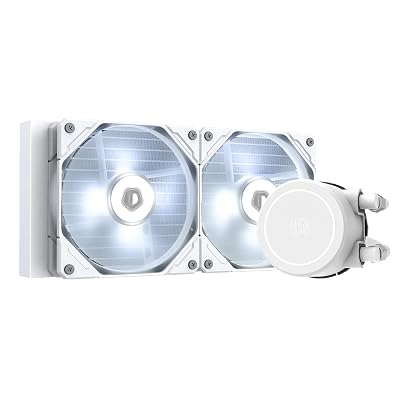
The dual-ball bearing pump is louder at low RPM compared to ceramic alternatives — an audible hum is detectable at 25–40cm distance in a quiet room. At the fan speeds required to keep thermals in check (above ~1,200 RPM), case noise masks it. This pump design makes the Galahad II a slightly weaker choice for ultra-quiet desktop builds but a solid pick in gaming rigs where fans aren’t running at whisper levels.
Thermal performance sits mid-pack: competitive with the NZXT Kraken 240 across gaming loads, trailing the Arctic Freezer III by 3–4°C during sustained all-core loads. The fans’ 2,200 RPM ceiling provides more headroom than the Kraken’s F120 Core fans without reaching the extreme noise floor of the Corsair H100i at max speed.
The L-Connect 3 software ecosystem integrates cleanly with Lian Li cases (O11 Dynamic series in particular) for synchronized lighting control.
Pros & Cons
Pros:
- UNI FAN daisy-chain wiring significantly reduces cable clutter
- 2,200 RPM ceiling provides solid thermal headroom
- Excellent RGB integration with Lian Li case ecosystem
- Competitive mid-range pricing (~$120)
Cons:
- Dual-ball bearing pump audible in very quiet environments
- Single-speed pump (no user-adjustable speed modes)
- Thermal performance trails Arctic Freezer III at same price point
Who It’s For
Lian Li case owners building aesthetically clean systems. The cable management story makes it the obvious choice for O11 Dynamic or LANCOOL 3 builds. Good all-rounder for AM5 and LGA1851 mid-range CPUs (125–175W TDP).
DeepCool LT520
DeepCool LT520 on Amazon
Key Specs
- Radiator: 240mm, 27mm thickness
- Fans: 2x 120mm FK120 (500–2,000 RPM)
- Pump: Ceramic bearing, fixed speed (~2,800 RPM)
- Display: 2″ round LCD with temperature/RPM readout
- Socket Support: LGA1851, LGA1700, AM5, AM4, TR4/SP3 (with adapter)
- Warranty: 3 years
The DeepCool LT520 is the value disruptor in the LCD cooler segment. At ~$100 it undercuts the Corsair H100i Elite LCD by $70 while delivering a 2″ round LCD that shows CPU temperature, fan speed, and pump speed in real time. The display is smaller than the H100i’s 2.1″ IPS panel and limited in customization, but it’s functional and clear.
DeepCool’s FK120 fans span 500–2,000 RPM — a range that balances quiet idle performance with enough ceiling for sustained workloads. Static pressure characteristics are adequate for 27mm radiator fin stacks; not exceptional, but sufficient. Thermal performance tracks closely with the Kraken 240 across most scenarios, edging it slightly at 2,000 RPM compared to the Kraken’s 1,800 RPM ceiling.
The ceramic-bearing pump runs at a fixed ~2,800 RPM. Single-speed pumps are common at this price tier; some users notice a faint electrical hum in extremely quiet cases. The LT520’s pump is generally quieter than the Galahad II’s dual-ball design and quieter than third-party observations of the H100i at its performance mode.
ARGB headers connect natively without software if LED presets are acceptable. The DeepCool app provides scheduling and per-component control for users who want deeper customization.
Pros & Cons
Pros:
- Best price-to-display value in the 240mm segment (~$100 with LCD)
- Broad socket compatibility including TR4/SP3 with adapter
- Ceramic pump bearing — quieter than dual-ball alternatives
- Solid 2,000 RPM fan ceiling
Cons:
- 2″ round LCD smaller and less customizable than Corsair’s 2.1″ IPS
- Fixed pump speed — no quiet/performance mode toggle
- Software app is functional but less mature than iCUE or CAM
Who It’s For
Value-seekers who want an LCD display without paying flagship prices. Strong pick for first-time AIO buyers upgrading from air cooling, and for LGA1851/AM5 builds in the 125–175W sustained TDP range. Also the best option on this list for HEDT platforms (TR4/SP3) at the 240mm size.

Buyer’s Guide FAQ
240mm vs 360mm: When Should I Step Up?
Step up to 360mm when your CPU sustains more than 250W TDP under your actual workload — think overclocked Core Ultra 9 285K at full power limits, Threadripper workstation builds, or any system running sustained video encoding or 3D rendering for hours. A 360mm AIO offers roughly 15–20°C lower temperatures under those extreme conditions.
For gaming, streaming, or hybrid office/gaming use, 240mm is rarely the thermal bottleneck. The cost delta ($50–$80 more for a quality 360mm), additional case clearance requirements, and increased weight on the top or front panel are real trade-offs that rarely pay off for mainstream use.
Does Socket Compatibility Matter in 2026?
Yes — and often gets overlooked. All five picks on this list support LGA1851 (Intel Arrow Lake), LGA1700 (Alder/Raptor Lake), AM5, and AM4. If you’re on an older platform or a workstation HEDT socket, verify before purchasing. The DeepCool LT520 is the only 240mm pick here with official TR4/SP3 adapter support.
Static Pressure vs Airflow Fans: Which Matters for AIOs?
Static pressure fans are optimized for moving air through resistance — dense radiator fin stacks create exactly that resistance. Airflow fans move high volume in open space but lose efficiency against fin stacks. All fans on this list are static-pressure-rated or hybrid designs. The Arctic P12 PWM PST fans are the most aggressive static-pressure design here.
D5 Pump vs Ceramic Bearing vs Dual-Ball Bearing: Does It Matter?
D5-inspired designs (Corsair H100i) use a ceramic shaft and impeller geometry derived from industrial D5 pump specs — low noise, long life, consistent flow. Ceramic bearing pumps (NZXT Kraken, DeepCool LT520) are quieter than dual-ball designs at low RPM and have a similar lifespan. Dual-ball bearing pumps (Lian Li Galahad II) are noisier but mechanically durable and handle vibration well. For noise-sensitive builds, avoid dual-ball.
LCD Display vs ARGB Ring: Is the Display Worth It?
LCD models (Corsair H100i, DeepCool LT520) display real-time sensor data — genuinely useful during troubleshooting or benchmarking. They also add cost ($20–$70 premium). ARGB ring models (NZXT Kraken 240, Lian Li Galahad II) are visually striking but purely decorative. If you plan to monitor temps visually without software, the LCD earns its premium. If you care only about aesthetics and monitor temps through motherboard software, the ARGB ring is the cleaner choice.
How Do I Check If a 240mm AIO Fits My Case?
Look for two numbers in your case spec sheet: front 240mm fan mount or top 240mm fan mount. Most mid-towers (Fractal North, Lian Li LANCOOL 3, NZXT H7, Corsair 4000D) accommodate 240mm in at least one location. Check the radiator clearance from RAM when top-mounting — a 27mm radiator requires roughly 35–38mm of clearance above the DIMM slot tops. The Arctic Freezer III’s 38mm radiator needs ~46mm, which can conflict on boards with tall heatsink-equipped RAM or VRM covers.
Verdict
The Arctic Liquid Freezer III 240 is the rational choice for most builders. It outperforms everything else on this list at its price point ($80), carries the longest warranty (6 years), and asks nothing of you in terms of software overhead. If you have no specific need for a display or RGB ecosystem integration, it is the answer.
The Corsair H100i Elite LCD earns its premium for enthusiasts who want peak performance, meaningful display functionality, and long-term warranty coverage — and who are already in the Corsair/iCUE ecosystem.
The NZXT Kraken 240 wins on aesthetics and low-noise gaming performance. The Lian Li Galahad II 240 is the correct pick for Lian Li case builds where cable management and RGB sync matter. The DeepCool LT520 is the best value LCD AIO — a genuinely competitive product that punches above its price tier.
All five handle every mainstream LGA1851, LGA1700, AM5, and AM4 CPU at sane power limits. The differences come down to budget, noise priorities, aesthetic preferences, and ecosystem fit.
Related Articles
Looking for more on this topic? Browse the hand-picked guides below — each one applies the same scoring rubric used in this review.
Frequently Asked Questions
Is a 240mm AIO enough for a mid-range gaming CPU?
Comfortably. A good 240mm unit handles roughly 200 to 250 watts of sustained heat, which covers a Ryzen 7, Ryzen 9 or Core i5 and i7 in gaming workloads with plenty of thermal headroom. Only heavily overclocked high-core-count chips running all-core production workloads genuinely benefit from stepping up to 360mm.
Where should I mount the radiator?
Front intake gives the lowest CPU temperatures because the radiator receives cool outside air, at the cost of a few degrees on the GPU. Top exhaust keeps other components cooler and helps purge heat. Whichever you pick, the radiator tubes should sit lower than the pump top to keep air out of the pump.
How long does an AIO last before it needs replacing?
Expect five to seven years of service. Coolant slowly permeates through the tubing and the pump bearing wears, so performance degrades gradually rather than failing suddenly. Most units carry a five or six year warranty that reflects this. Air coolers have no such lifespan limit, which is worth weighing for a long-term build.
Why is my AIO noisy, and can I fix it?
Two causes dominate. Pump whine at full speed is fixable by setting the pump to a fixed 70 to 80 percent in BIOS, which costs almost no cooling performance. Gurgling means trapped air, which usually settles after a few days or can be cleared by tilting the case while the system runs.
Will a 240mm radiator fit my case?
Check the radiator support list, and also check clearance depth, not just length. A 240mm radiator plus fans needs roughly 55mm to 60mm of space, which can foul tall RAM when top-mounted in compact mid-towers or hit the front panel and drive cage when front-mounted. Measure before you commit.