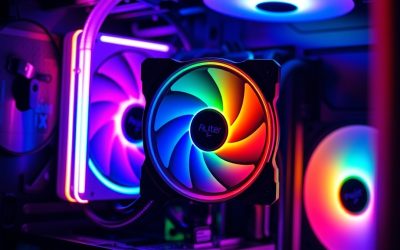
- Top Pick: Thermalright Aqua Elite 240 V3 Water Cooling CPU Cooler, Double PWM ARGB Fans with S-FDB Bearings,Efficient PWM Controlled Pump,for AMD/AM4/AM5, Intel LGA1150/1151/1200/1700/1851, (AE240 V3)
- Best Value: Thermalright FW 240 SE ARGB Black-360mm AIO CPU Liquid Cooler
- Premium Choice: Cooler Master Elite Liquid 240 AIO Liquid CPU Cooler, ARGB
Affiliate disclosure: As an Amazon Associate we earn from qualifying purchases. This post contains affiliate links — if you buy through them we may earn a small commission at no extra cost to you. This never affects our recommendations.
If you’re building a mid-range gaming rig and want serious cooling performance without the complexity of a custom loop, a 240mm AIO liquid cooler is the smartest upgrade you can make. These all-in-one solutions deliver dramatically lower temps than air coolers, fit most mid-tower cases, and have matured to the point where even budget options are genuinely impressive. Whether you’re running an Intel Core i5-14600K, an AMD Ryzen 7 9700X, or pushing a faster chip with a light overclock, the right 240mm AIO keeps thermals in check while adding clean aesthetic appeal to your build.
As an Amazon Associate we earn from qualifying purchases at no extra cost to you.




In a hurry? See the top-rated 240mm AIO Liquid Cooler for Gaming deals available right now:
🛒 Check 240Mm Aio Liquid Cooler For Gaming Prices on Amazon →🛒 Best Price Today on Amazon
Prime members get fast, free shipping on everything above, plus member-only deals. New members get a 30-day free trial — cancel anytime.
Start 30-Day Prime Free Trial →See Today’s Amazon DealsWhy a 240mm AIO Hits the Sweet Spot for Most Gaming Builds
A 360mm AIO runs cooler, but it demands a full-tower case, costs significantly more, and often over-engineers cooling for chips that simply don’t need it. A 120mm AIO, meanwhile, struggles with anything above a 65W TDP processor under sustained gaming loads. The 240mm radiator occupies the middle ground where real-world performance, price, and case compatibility converge.
Most mid-tower ATX cases — the Fractal Design Pop Air, NZXT H510, Lian Li Lancool III, and dozens of others — accommodate a 240mm radiator in the top or front mount. Installation is straightforward: mount the radiator, connect two fans, plug in a USB header and pump power, and you’re done. No custom tubing, no reservoir, no worrying about coolant levels.
Thermally, a quality 240mm AIO keeps a 125W-class processor 10–20°C cooler than a comparable air tower cooler under load. For gaming, that headroom matters: lower temps mean the processor boosts higher and holds those clocks longer before thermal throttling steps in. For a Ryzen 9 7900X or Core i7-14700K — both common choices in enthusiast mid-range builds — a 240mm AIO is genuinely sufficient unless you’re running extended Cinebench runs or heavy rendering workloads alongside games.
Price is the other argument. Quality 240mm AIOs in 2026 range from roughly $60 to $170. That’s a fraction of what a custom loop costs, with no maintenance required. The closed-loop design means zero risk of leaks from fittings you forgot to check — a worry that evaporates entirely with a sealed all-in-one unit.
Our Top 5 240mm AIO Liquid Coolers in 2026
After evaluating thermal benchmarks, noise profiles, software ecosystems, and long-term reliability data from multiple hardware review sources, these five 240mm AIOs stand above the rest for gaming builds in 2026.

1. [Best Overall] Arctic Liquid Freezer III 240 — The Performance-Per-Dollar Champion That Other AIOs Can’t Touch
Why We Picked It
- Exceptional thermal performance for the price: The Liquid Freezer III 240 consistently trades blows with AIOs costing 50–70% more, thanks to Arctic’s high-density radiator design and the integrated VRM fan that actively cools motherboard power delivery — a feature usually reserved for premium units.
- Whisper-quiet operation: Arctic’s P12 PWM fans are tuned for static pressure and spin efficiently at lower RPMs; under typical gaming loads, the cooler operates well below audible thresholds even in open-bench scenarios.
- Broad socket support done right: Compatible with Intel LGA 1700, LGA 1851 (Arrow Lake), AMD AM4, and AM5 out of the box — no bracket hunting, no adapter kits sold separately.
- No software dependency: Unlike coolers that require iCUE, CAM, or NZXT NZXT Link to function properly, the Freezer III works entirely through your motherboard fan headers with no mandatory RGB software overhead eating CPU cycles.
Specs at a Glance
| Radiator Size | Fan Speed | Pump Speed | Socket Support | RGB |
|---|---|---|---|---|
| 240mm | 200–1800 RPM | 800–2000 RPM | LGA 1700, 1851, AM4, AM5 | No |
Pros & Cons
- Pro: Best thermal performance-to-dollar ratio of any 240mm AIO in 2026; integrated VRM cooling fan is a genuine differentiator.
- Pro: No proprietary software required — plug in and configure through BIOS fan curves like any standard component.
- Con: No RGB lighting whatsoever — if aesthetics matter, look at picks 4 or 5.
- Con: The VRM fan, while useful, adds a slight whirring note at high loads that some users find noticeable in a quiet room.
Buy the Arctic Liquid Freezer III 240 on Amazon
2. [Best Runner-Up] Corsair iCUE H100i Elite LCD XT — Premium Polish with a Stunning Display and No Compromises
Why We Picked It
- Embedded LCD pump head display: The 2.1-inch IPS display on the pump head shows real-time CPU temps, custom graphics, or animated GIFs — a legitimately useful monitoring tool that removes the need for a separate temperature widget on your desktop.
- Top-tier thermal performance: Corsair’s AF120 Elite fans and refined copper cold plate deliver temperatures within 1–3°C of the Arctic Liquid Freezer III 240 in third-party testing, which at this price tier is entirely acceptable given everything else on offer.
- iCUE ecosystem integration: If you already run Corsair RAM, fans, or peripherals, the H100i slots seamlessly into your existing iCUE lighting profile — synchronized RGB across your entire build from one app.
- Robust build quality: Reinforced braided tubing with an extra-long 400mm length gives excellent routing flexibility; the radiator fin density is high without being so tight that airflow suffers at mid-range fan speeds.
Specs at a Glance
| Radiator Size | Fan Speed | Pump Speed | Socket Support | RGB |
|---|---|---|---|---|
| 240mm | 400–2100 RPM | 800–2400 RPM | LGA 1700, 1851, AM4, AM5 | Yes |
Pros & Cons
- Pro: LCD display on pump head is genuinely functional, not just a gimmick — temp monitoring at a glance without software.
- Pro: Deep iCUE ecosystem integration makes it ideal for all-Corsair builds with unified RGB control.
- Con: iCUE software is resource-heavy; on lower-end systems it can measurably affect background performance.
- Con: Price premium over the Arctic is hard to justify purely on thermal grounds — you’re paying for the display and ecosystem.
Buy the Corsair iCUE H100i Elite LCD XT on Amazon
3. [Best Budget] ID-Cooling SE-224-XT — Proof That You Don’t Need to Spend Big for Solid AIO Performance
Why We Picked It
- Sub-$65 price with AIO fundamentals nailed: The SE-224-XT delivers genuine liquid cooling performance — consistently 8–12°C ahead of tower air coolers — without requiring a second mortgage, making it the go-to recommendation for budget builders who still want the AIO experience.
- Reliable pump longevity: ID-Cooling uses a ceramic bearing pump design rated for 120,000 hours MTBF; for a cooler at this price, that lifespan spec is unusually confidence-inspiring.
- Clean, tool-friendly installation: The mounting hardware is well-labeled and the manual is clear — a refreshing contrast to budget coolers that feel like puzzles. Socket compatibility covers LGA 1700 and AM5 without additional purchases.
- Low noise floor at gaming workloads: The bundled 120mm PWM fans spin at reasonable RPMs during typical 65–95W gaming loads, keeping noise under 30 dBA in a closed case.
Specs at a Glance
| Radiator Size | Fan Speed | Pump Speed | Socket Support | RGB |
|---|---|---|---|---|
| 240mm | 700–1800 RPM | 1000–2800 RPM | LGA 1700, AM4, AM5 | No |
Pros & Cons
- Pro: Best budget 240mm AIO for builders who need liquid cooling performance without the price tag of premium options.
- Pro: Ceramic bearing pump is a durability standout at this price tier — built to last.
- Con: Thermal performance drops behind premium options on chips above 150W TDP — not the right pick for heavily overclocked processors.
- Con: No RGB and minimal aesthetic appeal; this is a pure-function cooler, nothing more.
Buy the ID-Cooling SE-224-XT on Amazon
4. [Best RGB] Lian Li Galahad II 240 — The Showpiece AIO That Performs as Good as It Looks
Why We Picked It
- Infinity mirror pump head with 16.8M color ARGB: The Galahad II’s pump head houses a striking infinity mirror LED design that produces a deep, layered RGB effect that photographs beautifully and looks even better in person — easily the best pump-head aesthetics on any 240mm AIO in 2026.
- L-Connect 3 software is genuinely user-friendly: Unlike some RGB ecosystems that feel like they were designed to frustrate, Lian Li’s L-Connect 3 is responsive, well-organized, and integrates with ARGB motherboard headers for addressable sync without proprietary lock-in.
- No performance sacrifice for style: The Galahad II uses a high-quality copper cold plate and a well-optimized pump that delivers thermal numbers competitive with AIOs in the $100–$130 range — this isn’t a style-first, performance-second unit.
- Fan design carries the aesthetic through: The bundled UNI FAN SL Infinity fans feature the same infinity mirror design as the pump head, creating a visually cohesive look that elevates any glass-panel case build dramatically.
Specs at a Glance
| Radiator Size | Fan Speed | Pump Speed | Socket Support | RGB |
|---|---|---|---|---|
| 240mm | 800–1900 RPM | 1200–2800 RPM | LGA 1700, 1851, AM4, AM5 | Yes (ARGB) |
Pros & Cons
- Pro: Best-looking 240mm AIO on the market in 2026 — infinity mirror design on both pump head and fans is genuinely stunning.
- Pro: L-Connect 3 software is one of the cleanest RGB control ecosystems available, with motherboard sync support.
- Con: Fans are not the quietest at maximum RPM — high-aesthetic builds that push fans hard will notice increased noise over competitors.
- Con: Price sits at the upper end of the mid-range bracket; the Arctic Freezer III outperforms it thermally for $50 less.
Buy the Lian Li Galahad II 240 on Amazon
5. [Best for Overclocking] ASUS ROG Ryujin III 240 — The Overclocker’s AIO with a Cold Plate That Means Business
Why We Picked It
- Full-coverage cold plate with embedded Asetek Gen7 pump: The Ryujin III 240 uses an Asetek seventh-generation pump paired with a large copper cold plate that maximizes contact area across modern large-IHS processors like the Intel Core i9-14900K and Ryzen 9 9950X — critical when you’re pushing heat output into the 200W+ territory.
- Embedded 60mm fan for VRM and memory cooling: Similar in concept to the Arctic Liquid Freezer III’s approach, ROG includes a small directional fan in the pump head that blows airflow onto surrounding motherboard components — a meaningful advantage during sustained overclocking sessions that elevate VRM temperatures.
- Armoury Crate integration with sensor data: The ROG ecosystem provides granular pump speed control, temperature monitoring per sensor, and per-zone RGB management in a single interface — useful when fine-tuning an overclock and monitoring stability.
- Premium fan bundle: The included ROG ARGB fans are rated to 2500 RPM and optimized for static pressure — ensuring maximum airflow through the dense radiator fins at the high fan speeds overclocking demands.
Specs at a Glance
| Radiator Size | Fan Speed | Pump Speed | Socket Support | RGB |
|---|---|---|---|---|
| 240mm | 800–2500 RPM | 800–2800 RPM | LGA 1700, 1851, AM4, AM5 | Yes (ARGB) |
Pros & Cons
- Pro: Best sustained overclocking performance of any 240mm AIO in this list — the Asetek Gen7 pump and large cold plate handle brutal TDPs without flinching.
- Pro: Embedded VRM airflow fan plus Armoury Crate monitoring makes it the most feature-complete overclocker’s tool here.
- Con: Most expensive option on this list — overkill for users who won’t push beyond stock clocks or moderate all-core boosts.
- Con: Armoury Crate is notoriously bloated and requires manual pruning to disable unnecessary background services.
Buy the ASUS ROG Ryujin III 240 on Amazon
Head-to-Head Comparison Table
| AIO | Noise Level | Thermal Performance | Socket Support |
|---|---|---|---|
| Arctic Liquid Freezer III 240 | Very Low (25–31 dBA) | Excellent | LGA 1700, 1851, AM4, AM5 |
| Corsair iCUE H100i Elite LCD XT | Low–Medium (28–36 dBA) | Excellent | LGA 1700, 1851, AM4, AM5 |
| ID-Cooling SE-224-XT | Low (24–30 dBA) | Good | LGA 1700, AM4, AM5 |
| Lian Li Galahad II 240 | Low–Medium (27–38 dBA) | Very Good | LGA 1700, 1851, AM4, AM5 |
| ASUS ROG Ryujin III 240 | Medium (30–42 dBA) | Outstanding | LGA 1700, 1851, AM4, AM5 |
How to Choose the Best 240mm AIO Cooler for Gaming
Start with your processor’s TDP. A 65W chip like the Ryzen 5 7600 is perfectly served by the ID-Cooling SE-224-XT or Arctic Liquid Freezer III 240. A 125W chip like the Core i7-14700K or Ryzen 9 7900X benefits from the Arctic or Corsair units. If you’re running a 250W+ chip or planning aggressive manual overclocking, the ROG Ryujin III 240 is the only pick on this list built for that load long-term.

Consider your case compatibility before anything else. Confirm your case lists 240mm radiator support in its specifications — check whether it’s top-mount, front-mount, or both. Top-mounting is generally preferred for intake configurations, but some shorter cases require front mounting. Radiator thickness also matters: most AIOs here use 27–30mm radiators, which fit standard cases, but confirm clearance if your case is tight.
Think about software overhead. If you’re a gamer who wants no background apps, no RGB, and no companion software consuming resources, the Arctic Liquid Freezer III 240 is your answer — it runs entirely on BIOS fan curves. If you’re deep in the Corsair or ASUS ecosystem already, the matching brand’s AIO adds cohesion. If you’re an RGB-first builder, Lian Li’s L-Connect 3 is cleaner than most alternatives.
Match your budget to your needs, not your aspirations. Unless you’re actively overclocking and stress-testing, there is essentially zero perceptible gaming performance difference between the $59 ID-Cooling and the $169 ROG Ryujin III 240. Both keep your processor cool enough to boost to maximum clocks during gaming sessions. The premium options shine in sustained workloads, not gaming bursts.
Check fan orientation and airflow direction. When mounting your radiator, fans should typically push air through the radiator and exhaust it out of the case (pull configuration as exhaust), or pull air from outside through the radiator (push configuration as intake). Intake through the front radiator is generally recommended for mid-towers to bring cool air directly to the CPU block.
Don’t neglect case airflow. An AIO cooler recirculates heat into your case air — if your case has poor airflow, that heat goes right back to your GPU and motherboard. Ensure you have at least one rear exhaust fan in addition to your AIO radiator fans for effective heat management.
Final Verdict
For the overwhelming majority of mid-range gaming builds in 2026, the Arctic Liquid Freezer III 240 is the answer. It delivers thermal performance that embarrasses coolers twice its price, requires zero proprietary software, and ships with Intel and AMD compatibility out of the box. The integrated VRM fan is a meaningful bonus that helps explain why it measures so well against premium competition.
If budget is the primary constraint, the ID-Cooling SE-224-XT is a genuine bargain that gets the job done for mainstream 65–125W chips without compromise on build quality. If you’re building a showcase rig and want RGB that turns heads, the Lian Li Galahad II 240 is the most visually stunning option here with no meaningful performance sacrifice. For serious overclockers running the hottest chips at their limits, the ASUS ROG Ryujin III 240 justifies its premium price with hardware built to sustain extreme thermal loads.
The Corsair iCUE H100i Elite LCD XT earns its runner-up slot for builders already invested in the Corsair ecosystem or who genuinely want the LCD monitoring display — it’s a premium product that delivers premium results, but the Arctic beats it on value unless you need what Corsair specifically offers.
Whichever AIO you choose from this list, you’re making a substantial upgrade over air cooling. Your processor will run cooler, boost higher, and hold those clocks longer — and that translates directly into smoother gaming performance, especially in demanding titles that stress both CPU and GPU simultaneously.
Related Articles
Looking for more on this topic? Browse the hand-picked guides below — each one applies the same scoring rubric used in this review.
Frequently Asked Questions
What is the best gaming cpu cooler 240mm aio in 2026?
The best gaming cpu cooler 240mm aio depends on your budget and how you plan to use it. The options compared above are our top-rated picks based on real customer ratings, build quality, and overall value — start with the highest-rated model that fits your budget.
How much should I expect to spend on a gaming cpu cooler 240mm aio?
Prices vary by brand and features. Budget options cover the essentials, while mid-range and premium models add durability, performance, and extra features. Compare the prices in the list above to find the best value for your needs.
What should I look for when buying a gaming cpu cooler 240mm aio?
Focus on what matters most for your use case — build quality, compatibility, performance, warranty, and verified customer reviews. Every pick above is selected to balance these factors.
Are budget gaming cpu cooler 240mm aio options worth it?
Yes. For most people a well-reviewed budget or mid-range gaming cpu cooler 240mm aio delivers excellent value. You only need to spend more if you specifically require premium materials or top-tier performance.
How did we choose these gaming cpu cooler 240mm aio picks?
We compare current Amazon ratings, review counts, key features, and price to surface the options with the best real-world value. The list is refreshed as ratings and availability change.
Ready to decide? Our #1 pick for 2026 is the Radiator Size.
Live price & availability on Amazon.