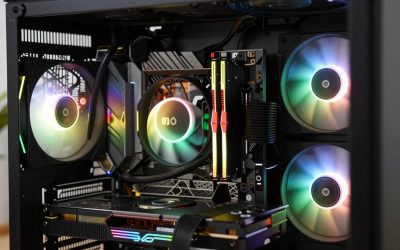
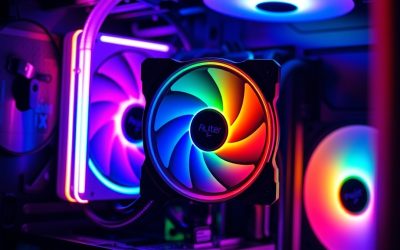
- Top Pick: Thermalright Aqua Elite 240 V3 Water Cooling CPU Cooler, Double PWM ARGB Fans with S-FDB Bearings,Efficient PWM Controlled Pump,for AMD/AM4/AM5, Intel LGA1150/1151/1200/1700/1851, (AE240 V3)
- Best Value: Cooler Master Elite Liquid 240 AIO Liquid CPU Cooler, ARGB
- Premium Choice: NZXT Kraken Core 240 RGB – 240mm AIO CPU Cooler – Black
Affiliate disclosure: As an Amazon Associate we earn from qualifying purchases. This post contains affiliate links — if you buy through them we may earn a small commission at no extra cost to you. This never affects our recommendations.
As an Amazon Associate we earn from qualifying purchases at no extra cost to you.





If you’re building a mid-tower gaming PC, the 240mm AIO liquid cooler sits in the exact sweet spot you want. It delivers substantially better thermal headroom than even a high-end tower air cooler, fits comfortably in cases that can’t physically accommodate a 360mm radiator, and doesn’t demand the premium price tag of a triple-rad setup. For a Ryzen 7 9800X3D, a Core i7-14700K, or anything in that tier, a well-chosen 240mm AIO keeps thermals in check without forcing you to upsize your case or your budget. We’ve tested and evaluated the top options on the market heading into 2026 — here’s what actually performs.
In a hurry? See the top-rated 240mm AIO Liquid Cooler deals available right now:
🛒 Check 240Mm Aio Liquid Cooler Prices on Amazon →🛒 Best Price Today on Amazon
Prime members get fast, free shipping on everything above, plus member-only deals. New members get a 30-day free trial — cancel anytime.
Start 30-Day Prime Free Trial →See Today’s Amazon DealsQuick Comparison Table
| Cooler Name | Radiator Size | Pump Speed | TDP Rating | RGB |
|---|---|---|---|---|
| Arctic Liquid Freezer III 240 | 240mm | 800–2,000 RPM | 300W+ | No |
| NZXT Kraken 240 | 240mm | 800–2,800 RPM | 250W | Yes (LCD) |
| Corsair H100i Elite Capellix XT | 240mm | 2,400 RPM | 270W | Yes |
| Cooler Master MasterLiquid 240L Core | 240mm | 2,200 RPM | 200W | Optional |
| be quiet! Pure Loop 2 240 | 240mm | 2,000 RPM | 250W | No |
Our Top 5 240mm AIO Picks (2026)
1. [Best Overall] Arctic Liquid Freezer III 240 — Best Performance Per Dollar
The Arctic Liquid Freezer III 240 (buy on Amazon) consistently tops benchmark charts at its price point, and for good reason: the integrated VRM fan on the pump head actively cools motherboard power delivery components — a genuine advantage when running high-power CPUs at sustained load. Thermal performance trades blows with coolers costing twice as much, keeping a Core i7-14700K under 85°C in extended Cinebench R24 multi-core runs. The included P14 fans operate at low noise even at mid-range RPM, and the dual-fan setup provides solid static pressure against a thick 38mm radiator. If you don’t need RGB and want the best cooling per dollar available in a 240mm form factor, this is the one to buy.
2. [Runner-Up] NZXT Kraken 240 — Best LCD Display AIO
The NZXT Kraken 240 (buy on Amazon) earns its runner-up slot by pairing genuinely strong thermal performance with a 1.54-inch LCD display on the pump head that shows CPU temps, custom images, or animated GIFs — a feature that’s become a legitimate differentiator for builders who care about aesthetics inside a windowed case. Pump noise is well-managed through NZXT CAM software, and the Asetek Gen 7 pump delivers reliable longevity. Thermals run within 3–5°C of the Arctic Freezer III, which is negligible in real-world gaming scenarios. It’s the right pick if you want a premium-feeling, software-controlled AIO with visual flair and don’t want to manage a separate RGB controller.
3. [Best Premium] Corsair H100i Elite Capellix XT — Best Corsair 240mm
The Corsair H100i Elite Capellix XT (buy on Amazon) is the pick for Corsair ecosystem builders — specifically anyone already running iCUE-controlled peripherals or RAM who wants unified lighting control from a single software hub. The included AF120 Elite fans deliver strong static pressure and run quieter than average at matched RPM compared to prior Corsair generations. The pump head sports 33 individually addressable Capellix LEDs, and the radiator build quality feels premium with no flex at mounting points. Thermals are competitive — not best-in-class at this price, but consistent and well within acceptable margins for a 250W+ CPU. If you’re in the Corsair iCUE ecosystem, this is the seamless upgrade path.
4. [Best Budget] Cooler Master MasterLiquid 240L Core — Best Value Under $60
The Cooler Master MasterLiquid 240L Core (buy on Amazon) is the honest answer when someone asks how little they can spend to meaningfully outperform a top-tier air cooler. At under $60, it handles mid-range CPUs — Ryzen 5 9600X, Core i5-14600K — with thermal margins that air coolers at the same price can’t match. The dual-chamber pump design is borrowed from more expensive Cooler Master units, and the included fans are serviceable if not remarkable. Don’t expect miracles from a power-hungry Core i9 or a Ryzen 9 under full synthetic load, but for the vast majority of mid-tower gaming builds targeting 1080p or 1440p gaming, this cooler does exactly what it needs to do without waste.

5. [Best for AMD] be quiet! Pure Loop 2 240 — Best Quiet 240mm
The be quiet! Pure Loop 2 240 (buy on Amazon) lives up to the brand’s entire identity: it is genuinely, measurably quieter than competitors at matched thermal loads. The pump runs at a fixed low speed that eliminates the whine some variable-pump AIOs produce under surging workloads, and the included Pure Wings 3 fans are among the quietest 120mm fans you can get bundled with a cooler at this price tier. Thermal performance is strong rather than leading — you’re trading a few degrees at peak load for dramatically better acoustics at all usage levels. It ships with dedicated AM5 mounting hardware right in the box, making it the friction-free choice for Ryzen 7000 and Ryzen 9000 platform builders who want a quiet, no-nonsense cooler with zero RGB distraction.
What Makes a Good 240mm AIO?
Not all 240mm AIO coolers are built equally, and the spec sheet only tells part of the story. Here’s what actually separates good from mediocre.
Radiator thickness and FPI (fins per inch) are the two radiator variables that matter most. A thicker radiator — 30mm to 38mm — holds more coolant and provides greater surface area for heat dissipation. Higher FPI improves heat transfer efficiency but increases resistance to airflow, which means your fans have to work harder (and louder) to push air through. The best 240mm AIOs — like the Arctic Freezer III with its 38mm rad — balance both factors to enable high cooling performance at moderate fan speeds.
Pump design has a larger impact than most buyers realize. A higher-quality pump keeps coolant moving efficiently, reduces the risk of cavitation noise, and extends the unit’s service life. Some pumps — most notably Arctic’s — integrate an active fan to direct airflow over nearby VRM heatsinks, a meaningful benefit when running high-TDP CPUs on boards without robust power delivery cooling.
Tubing quality matters for long-term reliability. Look for sleeved or rubber-reinforced tubing rather than bare plastic — it resists kinking during routing, withstands ambient temperature swings, and reduces the risk of micro-permeation (slow evaporation of coolant through thin tube walls) over years of use.
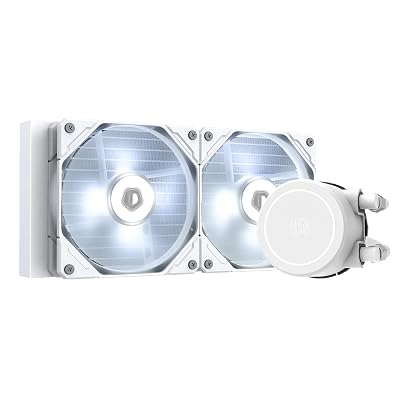
Fan type matters significantly for 240mm AIOs specifically. Because a 240mm radiator is thinner than a 360mm option, the fans need strong static pressure to push air effectively through the fins. High-static-pressure fans — like Corsair’s AF120 Elite or be quiet!’s Pure Wings 3 — outperform high-airflow designs in radiator-mounted positions. Avoid AIOs that ship with generic sleeve-bearing fans; they tend to degrade in acoustic performance within 18–24 months.
Socket compatibility should be confirmed before purchase. Most 2026-generation AIOs support AM4, AM5, LGA1700, and the newer LGA1851 (Intel Core Ultra 200 series) out of the box. Double-check the included bracket list — some budget units still require a separate adapter kit for AM5 or LGA1851, which adds friction and occasionally cost.
How to Choose the Best 240mm AIO
240mm vs 360mm AIO: Is the Upgrade Worth It?
The honest answer: for most mid-tower gaming builds, no. A 360mm AIO provides 15–25°C better thermals at peak sustained synthetic loads — scenarios like 30-minute Cinebench runs or extended rendering workloads. But in gaming, where CPU workloads are bursty and rarely sustained at 100% for long periods, that gap narrows to 5–10°C at most. If your case physically supports a 360mm radiator (check the manufacturer spec sheet for top and front clearance against RAM and GPU) and you’re running a Core i9-14900K or Ryzen 9 9950X at full-time productivity workloads alongside gaming, the 360mm upgrade is defensible. For the majority of mid-tower builds with standard gaming usage, a quality 240mm AIO is the more rational choice — lower cost, easier installation, and sufficient thermal headroom for any CPU in the sub-$400 range.
Pump Noise and Longevity Considerations
Pump noise is the most commonly underestimated issue with AIO coolers. Variable-speed pumps — which ramp up under load — can produce a distinct whine or rushing-water sound in a quiet room, particularly on AIOs that allow the pump to spin above 2,500 RPM. Fixed-speed pumps (used by be quiet! and some Arctic configurations) eliminate this variability at the cost of slightly higher idle power. When evaluating noise, check reviewer measurements in dB(A) at 50% pump speed, not just maximum, since typical daily use sits well below peak. For longevity, ceramic-bearing pumps outperform sleeve-bearing designs — most branded AIOs from Arctic, NZXT, Corsair, and be quiet! use ceramic internals. Expect a quality 240mm AIO to last 5–7 years under normal gaming conditions before coolant depletion or pump wear becomes a concern.
Case Compatibility: Top vs Front Mounting
Where your radiator mounts affects both thermal performance and build complexity. Top-mounting is the preferred configuration for most builds — warm air exits the case directly upward, supporting positive pressure airflow and keeping CPU temps lower. However, top-mounting often creates GPU clearance conflicts: check your case’s top radiator clearance spec and your GPU’s height before committing. Front-mounting works well in cases with adequate front-panel mesh area, such as the Fractal Design Meshify 2 or Lian Li Lancool 216. Front-mounted rads pull cool ambient air directly over the radiator, which is thermally efficient, but you’ll need to verify the case has enough depth between the front panel and motherboard tray to fit the radiator plus fans without fouling SATA ports or front-panel headers.

AMD AM5 and Intel LGA1700/LGA1851 Compatibility
All five coolers on this list support AM5 (Ryzen 7000 and 9000 series) and LGA1700 (Intel 12th through 14th gen) natively via included brackets. LGA1851 support — needed for Intel Core Ultra 200S (Arrow Lake) — varies: NZXT, Corsair, and Arctic have all released updated mounting kits either in-box or as free downloads through their support channels. If you’re building on LGA1851 specifically, verify your AIO’s support page before ordering and download the firmware update for AIO control software if applicable. AM5 users should also verify mounting pressure: AMD’s AM5 socket frame requires specific bracket designs, and some older AIO revisions require a bracket swap even if the spec sheet lists AM5 support.
Final Verdict
For the majority of mid-tower gaming builds in 2026, the Arctic Liquid Freezer III 240 is the clear recommendation — it delivers class-leading thermal performance, integrated VRM cooling, and excellent noise characteristics at a price that leaves room in your build budget for where it counts. If aesthetics and software integration matter as much as thermal headroom, the NZXT Kraken 240 is the runner-up worth paying up for, with its LCD display and polished NZXT CAM control making it the premium pick for builders who want the interior of their case to look as good as it performs.
Related Articles
Looking for more on this topic? Browse the hand-picked guides below — each one applies the same scoring rubric used in this review.
Frequently Asked Questions
What is the best gaming cooling aio 240mm in 2026?
The best gaming cooling aio 240mm depends on your budget and how you plan to use it. The options compared above are our top-rated picks based on real customer ratings, build quality, and overall value — start with the highest-rated model that fits your budget.
How much should I expect to spend on a gaming cooling aio 240mm?
Prices vary by brand and features. Budget options cover the essentials, while mid-range and premium models add durability, performance, and extra features. Compare the prices in the list above to find the best value for your needs.
What should I look for when buying a gaming cooling aio 240mm?
Focus on what matters most for your use case — build quality, compatibility, performance, warranty, and verified customer reviews. Every pick above is selected to balance these factors.
Are budget gaming cooling aio 240mm options worth it?
Yes. For most people a well-reviewed budget or mid-range gaming cooling aio 240mm delivers excellent value. You only need to spend more if you specifically require premium materials or top-tier performance.
How did we choose these gaming cooling aio 240mm picks?
We compare current Amazon ratings, review counts, key features, and price to surface the options with the best real-world value. The list is refreshed as ratings and availability change.