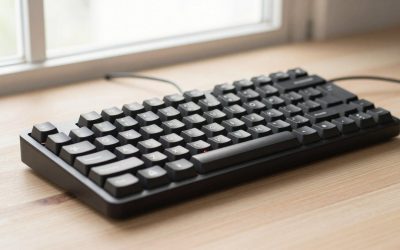
- Top Pick: SteelSeries Apex Pro TKL Gen 3 Gaming Keyboard – OmniPoint 3.0 Analog Magnetic Switches, Quickset Auto-Presets (Rapid Trigger, Rapid Tap/SOCD, Protection Mode), OLED, RGB, PBT Keycaps, USB-C, Black
- Best Value: SteelSeries Apex Pro TKL Gen 3 Gaming Keyboard – OmniPoint 3.0 Analog Magnetic Switches, Quickset Auto-Presets (Rapid Trigger, Rapid Tap/SOCD, Protection Mode), OLED, RGB, PBT Keycaps, USB-C, White
- Premium Choice: SteelSeries Apex Pro TKL Gen 3 – HyperMagnetic Gaming Keyboard – OmniPoint 3.0 Switches – Adjustable Response – Rapid Trigger – Rapid Tap/SOCD – OLED – PBT Keycaps – USB-C – US Layout QWERTY
Affiliate disclosure: As an Amazon Associate we earn from qualifying purchases. This post contains affiliate links — if you buy through them we may earn a small commission at no extra cost to you. This never affects our recommendations.
- Quick Verdict: Who the Apex Pro TKL Gen 3 Is For
- Key Specs
- OmniPoint 3.0 Switches: How They Feel
- The OLED Display
- Gen 3 Features Explained: Rapid Trigger, Rapid Tap and Protection Mode
- Apex Pro TKL 2026: Which Version Should You Buy?
- Apex Pro TKL vs Wooting 60HE
- Who Should Buy the Apex Pro TKL?
- Apex Pro TKL Gen 3 Alternatives Worth Considering
- Verdict
- Top-Rated Picks
- Recommended Starting Settings by Game Type
- How We Evaluated the Apex Pro TKL Gen 3
- Frequently Asked Questions
- Related Guides
- Related Articles
- Related Articles
The mechanical gaming keyboard brought adjustable actuation to the mainstream — before Wooting, it was the only way to customize how light or heavy your keypresses register. In 2026, it’s still a compelling option, but faces real competition. Here’s our full review.

In a hurry? See the top-rated mechanical gaming keyboard deals available right now:
🛒 Check Mechanical Gaming Keyboard Prices on Amazon →SteelSeries Apex Pro TKL in one line: the SteelSeries Apex Pro TKL Gen 3 is a tenkeyless Hall Effect keyboard with adjustable actuation from 0.1mm to 4.0mm, Rapid Trigger and an OLED display, aimed at competitive shooter players. Updated October 2026 – this review covers the current Gen 3 generation, sold as the Apex Pro TKL (wired) and Apex Pro TKL Wireless.
Quick Verdict: Who the Apex Pro TKL Gen 3 Is For
Short answer: the SteelSeries Apex Pro TKL Gen 3 is worth it if you play fast competitive shooters, want a tenkeyless layout with a full function row and arrow cluster, and will actually use adjustable actuation and Rapid Trigger. If you mostly type, browse and play slower single-player games, a fixed-switch TKL in the budget or mid-range tier gives you most of the day-to-day experience for far less money.
- Best for: CS2, Valorant, Apex Legends and Overwatch players who counter-strafe and jiggle-peek, and anyone who wants one board tuned light for games and firmer for typing.
- Skip if: you need hot-swappable switches, you want the lowest possible latency per dollar, or you never plan to open the configuration software.
- Price tier: upper-mid to premium for the wired version; the wireless Gen 3 sits clearly in the premium band.
What Changed in Gen 3
The Apex Pro line has gone through three switch generations. The original board used first-generation OmniPoint switches with a narrower adjustment window and only ten actuation steps. OmniPoint 2.0 widened that window and brought Rapid Trigger through a firmware update. The current Gen 3 moves to OmniPoint 3.0 magnetic Hall Effect switches with 40 actuation levels spread across a 0.1mm to 4.0mm range, which is the full window now expected from top-tier analog boards.
The bigger change is in software features rather than raw switch hardware. Gen 3 adds Rapid Tap (the SteelSeries take on SOCD, where the most recent of two opposing keys wins), Protection Mode (which reduces accidental presses on neighbouring keys while you rest fingers on the board), and GG QuickSet presets that switch the whole keyboard into a competitive, typing or protective profile without building settings from scratch. These settings can be changed from the OLED screen and saved onboard, so your profile follows the keyboard to another PC or a LAN event.
Build details carried over from the premium line include an aluminum top plate, double-shot PBT keycaps that resist shine, a detachable USB-C cable and sound-dampening foam inside the case. SteelSeries now sells both a wired and a wireless Gen 3 TKL. Check which version a listing actually ships, because older OmniPoint 2.0 stock still circulates under similar names.
🛒 Best Price Today on Amazon
Prime members get fast, free shipping on everything above, plus member-only deals. New members get a 30-day free trial — cancel anytime.
Start 30-Day Prime Free Trial →See Today’s Amazon DealsKey Specs
| Spec | Detail |
|---|---|
| Layout | TKL (87-key) |
| Switch | OmniPoint 3.0 (Hall Effect magnetic) |
| Actuation range | 0.1mm – 4.0mm (adjustable per key) |
| Rapid Trigger | Yes (0.1mm resolution) |
| OLED display | Yes — stats, GIFs, Discord notifications |
| Polling rate | 8000Hz (2024 model) |
| Connection | USB-C (wired) |
| Price | ~$200 |
OmniPoint 3.0 Switches: How They Feel
OmniPoint 3.0 switches are Hall Effect — same underlying technology as Wooting’s Lekker switches. They use magnets rather than physical contacts, allowing continuous position detection.
At 45g actuation force (default), they feel light and linear — similar to a budget linear mechanical switch. The travel is smooth with no wobble. They’re not as satisfying to type on as premium POM-stem switches, but that’s true of all gaming-first Hall Effect switches.
Rapid Trigger implementation: Works down to 0.1mm reset distance — functionally identical to Wooting’s implementation. In CS2 re-peeking and counter-strafing, the result is the same: near-instant key reset.
The OLED Display
The small OLED display on the top-right is the Apex Pro’s signature feature. It shows:
- Current actuation setting
- Discord notifications and messages
- System stats (CPU/GPU temp, utilization)
- Custom GIFs and images
- Game-specific stats via SteelSeries GG software
In practice, most players glance at it during setup then ignore it. It’s a nice differentiator but not a reason to buy. If you don’t use SteelSeries GG software, you’ll get less value from it.
Gen 3 Features Explained: Rapid Trigger, Rapid Tap and Protection Mode
Most of the value in this keyboard comes from three features that work together. Understanding them helps you decide whether you will use what you are paying for.
Adjustable Actuation (0.1mm to 4.0mm)
Because OmniPoint 3.0 switches read magnet position continuously, you can choose where each key registers. A practical starting point many competitive players use is 0.4mm to 0.8mm for WASD, 1.5mm to 2.0mm for ability and utility keys, and 2.0mm or deeper for keys you never want to hit by accident, such as Escape. Very shallow settings such as 0.1mm can feel twitchy: even resting a finger may trigger input, so treat the extreme end as a tool for specific keys, not a default for the whole board.
Rapid Trigger
Rapid Trigger resets a key as soon as it starts moving up, instead of waiting for it to travel back past a fixed reset point. In tactical shooters this matters for counter-strafing: releasing A or D stops your character sooner, so your first shot is more likely to land while you are standing still. It also helps with repeated taps, such as crouch-spamming or fast weapon swaps.
Rapid Tap (SOCD)
Rapid Tap lets the newer of two paired keys take priority. If you are holding A and press D, the game sees D immediately without you lifting A first. This is useful for strafing in some games, but some titles and tournament rulesets restrict SOCD-style inputs, so check the rules of any game or league you play before enabling it.
Protection Mode
Protection Mode targets the opposite problem: accidental presses. With very low actuation on movement keys, brushing a nearby key can fire an ultimate or drop a grenade. Protection Mode makes this less likely, which makes it a sensible default for players who rest their fingers heavily on the board.
Wired vs Wireless Gen 3
| Version | Connection | Best for | Watch for | Price tier |
|---|---|---|---|---|
| Apex Pro TKL Gen 3 (wired) | USB-C cable | Desk-bound competitive play | No wireless option | Upper-mid |
| Apex Pro TKL Wireless Gen 3 | 2.4GHz plus Bluetooth, USB-C | Clean desk, laptop plus PC use | Battery management, noticeably higher cost | Premium |
| Apex Pro Gen 3 (full size) | USB-C cable | Players who need a numpad | Wider footprint, less mouse room | Premium |
For competitive play the wired board is the better value: you get the same switch and feature set without paying extra for radios and a battery. The wireless model makes sense if you also use the keyboard with a laptop, or if cable clutter genuinely bothers you.
Apex Pro TKL 2026: Which Version Should You Buy?
For 2026, buy the Gen 3 Apex Pro TKL if you want a wired board with the newest OmniPoint 3.0 switches and Rapid Tap; pick the wireless variant only if cable-free desk space matters more to you than saving money.
| Question | Apex Pro TKL Gen 3 (wired) | Apex Pro TKL Wireless Gen 3 |
|---|---|---|
| Best for | Competitive shooters on a fixed desk | Players who want a clean, cable-free desk |
| Switches | OmniPoint 3.0 Hall Effect, 0.1-4.0mm | OmniPoint 3.0 Hall Effect, 0.1-4.0mm |
| Key features | Rapid Trigger, Rapid Tap, Protection Mode, OLED | Same feature set plus wireless modes |
| Hot-swap | No | No |
| Price tier | Upper-mid to premium | Premium |
Is the Apex Tkl Pro the same as the Apex Pro TKL?
Yes. “Apex TKL Pro” is a common reversed spelling; the product name is Apex Pro TKL. It is the tenkeyless version of the full-size Apex Pro, with the same magnetic switch technology and a shorter 87-key layout.
Apex Pro vs Apex Pro TKL: what changes?
The Apex Pro TKL drops the numpad, so it saves about a hand’s width of desk space for mouse movement, which low-sensitivity FPS players value. The full-size Apex Pro keeps the numeric keypad and is better for spreadsheets and sims. Switch type, actuation range and Rapid Trigger behave the same across both layouts within the same generation.
Is the Apex Pro keyboard worth buying in 2026?
It is worth it when you will use per-key actuation and Rapid Trigger in fast shooters. If you mostly type or play slower games, a fixed-switch keyboard in the mid-range tier gives you most of the daily experience for much less.
Apex Pro TKL vs Wooting 60HE
| Apex Pro TKL | Wooting 60HE | |
|---|---|---|
| Layout | TKL (has F-row + arrows) | 60% (no F-row) |
| Switch | OmniPoint 3.0 | Lekker Gen 2 |
| Rapid Trigger | ✓ 0.1mm | ✓ 0.1mm |
| OLED display | ✓ Yes | ✗ No |
| Polling rate | 8000Hz | 1000Hz |
| Build quality | Aluminum top plate | Plastic |
| Software | SteelSeries GG | Wootility (better) |
| Price | ~$200 | ~$175 |
Performance is functionally identical between the two. The Apex Pro TKL wins on layout (TKL suits more players), 8000Hz polling, OLED, and aluminum build. Wooting wins on software maturity and price. For pure competitive FPS: either works. For a complete desk setup with function keys: Apex Pro TKL is more practical.
Who Should Buy the Apex Pro TKL?
- Buy it if: You want Hall Effect/Rapid Trigger in a TKL layout with function keys. The OLED and 8000Hz polling are genuine extras. Aluminum build is more premium than Wooting’s plastic.
- Skip it if: You play on a 60% layout and don’t need the extra keys. Wooting’s Wootility software has better per-key actuation visualization. At $200 vs $175, you’re paying $25 premium mainly for the OLED and aluminum.
Apex Pro TKL Gen 3 Alternatives Worth Considering
The analog TKL category has grown quickly. These are the boards most often compared with the Apex Pro TKL Gen 3, chosen from manufacturer spec sheets and independent coverage. Each one wins on at least one point that matters to a specific type of buyer.
| Keyboard | Best for | Switch type | Actuation range | Polling | Watch for | Price tier |
|---|---|---|---|---|---|---|
| SteelSeries Apex Pro TKL Gen 3 | All-round competitive TKL with OLED | OmniPoint 3.0 magnetic | 0.1 to 4.0mm, 40 levels | See maker spec sheet | No hot-swap | Upper-mid |
| Razer Huntsman V3 Pro TKL 8KHz | Lowest latency focus | Analog optical Gen-2 | 0.1 to 4.0mm | 8,000Hz | Synapse software, wired only | Premium |
| Corsair K70 PRO TKL | 8K polling at a lower tier | MGX Hyperdrive magnetic | Adjustable, 0.1mm steps | 8,000Hz | Non-primary keys use standard switches | Upper-mid |
| Logitech G PRO X TKL Rapid | On-board tuning, light keys | Magnetic analog | 0.1 to 4.0mm | 1,000Hz | No 8K polling | Upper-mid |
| Logitech G515 Rapid TKL | Low-profile feel | Low-profile magnetic | 0.1 to 2.5mm | 1,000Hz | Shallow travel, no wrist rest | Mid-range |
| Redragon K707 HE | Trying Rapid Trigger on a budget | Hall Effect magnetic | Adjustable | Not a headline spec | Basic software and build | Budget |
Razer Huntsman V3 Pro TKL 8KHz

Key specs: Gen-2 analog optical switches, 0.1 to 4.0mm actuation, Rapid Trigger and Snap Tap, true 8,000Hz polling, aluminum top plate, magnetic wrist rest, media dial, wired USB-C.
Best for: players who want the fastest polling in a full-height TKL. Skip if: you dislike Synapse or want wireless.
This is the newer 8KHz revision of the Huntsman V3 Pro TKL already listed above. Optical switches read key travel with light instead of magnets, and Razer claims strong resistance to magnetic interference. The board lacks an OLED screen, but its dial and LED bar let you change actuation without opening software.
Corsair K70 PRO TKL

Key specs: MGX Hyperdrive magnetic switches, adjustable actuation in 0.1mm steps with dual-point actuation, Rapid Trigger, FlashTap (SOCD), up to 8,000Hz with Corsair AXON, wired USB-C.
Best for: buyers who want 8K polling without paying flagship prices. Skip if: you want every key to be analog. Function and secondary keys use standard MLX switches.
Corsair lists a 0.1 to 4.0mm range in its launch material, while some retail listings quote 0.4 to 3.6mm. Check the current spec sheet if the extremes matter to you. Day to day, both ranges cover the settings most players actually use.
Logitech G PRO X TKL Rapid

Key specs: magnetic analog switches, 0.1 to 4.0mm actuation with per-key reset points, multi-point actuation, Key Priority (SOCD), 1,000Hz polling, wired, on-board trigger adjustment without software.
Best for: Logitech G HUB users and anyone who wants to tune actuation straight from the keyboard. Skip if: 8K polling is a must. Logitech sells the newer PRO X2 TKL Rapid for that.
Its light initial force suits players who want effortless movement keys. The trade-off is the 1,000Hz polling rate. That reporting gap is below what most players can perceive, but it matters to spec-focused buyers.
Logitech G515 Rapid TKL

Key specs: low-profile magnetic analog switches with 2.5mm total travel, 0.1 to 2.5mm actuation, Rapid Trigger, Key Priority, 1,000Hz polling, stainless-steel top plate, PBT keycaps, wired.
Best for: players coming from laptop-style or low-profile boards. Skip if: you prefer the deeper travel of a standard-height switch.
One of the few low-profile magnetic TKLs, it costs less than the Apex Pro TKL and keeps the core competitive features. It skips the OLED screen, a wrist rest and USB passthrough.
Redragon K707 HE

Key specs: 87-key TKL layout, Hall Effect magnetic switches, adjustable actuation, Rapid Trigger, wired.
Best for: curious players who want to try Rapid Trigger before spending premium money. Skip if: you value software polish, build quality or an OLED screen.
Budget Hall Effect boards cover the basic Rapid Trigger experience at a fraction of the cost. Expect simpler software, plainer materials and fewer guarantees on long-term consistency than the brands above.
Verdict
The mechanical gaming keyboard remains one of the best gaming keyboards in 2026 — Hall Effect switches, Rapid Trigger, 8000Hz polling, and a premium build. It’s a strong competitor to Wooting, differentiated by its TKL layout, OLED display, and metal construction. Score: 8.5/10.
Top-Rated Picks
As an Amazon Associate we earn from qualifying purchases at no extra cost to you.


Recommended Starting Settings by Game Type
These are starting points to adjust from, built from common community setups and the presets SteelSeries ships in GG QuickSet. They are not measured optimums.
| Game type | Movement keys | Ability / utility keys | Rapid Trigger | Rapid Tap |
|---|---|---|---|---|
| Tactical FPS (CS2, Valorant) | 0.4 to 0.8mm | 1.5 to 2.0mm | On, sensitive | Check game rules first |
| Hero / battle royale shooters | 0.8 to 1.2mm | 1.8 to 2.5mm | On, moderate | Optional |
| MOBA and MMO | 1.5 to 2.0mm | 1.5 to 2.0mm | Optional | Off |
| Typing and work | 2.0 to 2.5mm | 2.0 to 2.5mm | Off | Off |
Save a gaming profile and a typing profile to the onboard memory and switch between them from the OLED screen. If you find yourself making accidental inputs, raise actuation by 0.2mm at a time or enable Protection Mode before changing anything else.
How We Evaluated the Apex Pro TKL Gen 3
This review is research-based. We did not run our own lab measurements. We compared the published SteelSeries specifications for OmniPoint 3.0 switches, GG QuickSet and the Gen 3 feature set with the spec sheets of rival analog keyboards from Razer, Corsair, Logitech and Wooting. We then cross-checked them against independent latency and feature coverage from established keyboard publications.
We weighed five factors: switch adjustability and Rapid Trigger implementation, polling and latency claims, layout and build, software and onboard control, and price tier relative to rivals. Where sources disagreed on a spec, we either left the figure out or pointed you to the maker spec sheet rather than guessing.
Pros and Cons at a Glance
- Pro: full 0.1 to 4.0mm actuation with 40 levels on OmniPoint 3.0
- Pro: Rapid Tap and Protection Mode cover both speed and accident prevention
- Pro: OLED screen allows settings changes without software
- Pro: aluminum top plate and double-shot PBT keycaps
- Con: no hot-swap sockets for switch changes
- Con: costs more than several rivals with similar core features
- Con: older OmniPoint 2.0 stock is sold under similar names
Frequently Asked Questions
Does the Apex Pro TKL have Rapid Trigger?
Yes. Both the OmniPoint 2.0 and 3.0 generations support Rapid Trigger down to 0.1mm reset distance — the same as Wooting keyboards.
Is the Apex Pro TKL better than the Wooting 60HE?
Neither is objectively better — they serve different needs. Apex Pro TKL suits players who want a TKL layout, OLED display, and premium aluminum build. Wooting 60HE suits players who prefer 60% compact form factor and simpler, more mature software.
What is the difference between Apex Pro and Apex Pro TKL?
The Apex Pro is full-size (with numpad). The Apex Pro TKL is tenkeyless — same features minus the numpad, in a smaller footprint. TKL is more popular for gaming due to the smaller size allowing closer mouse positioning.
Related Guides
- Wooting 60HE Review 2026: Hall Effect Keyboard Compared
- Wooting Keyboards: Every Model Reviewed & Compared
| Product | Buy |
|---|---|
| mechanical gaming keyboard (2023) | Check on Amazon |
| SteelSeries Apex Pro (Full Size) | Check on Amazon |
| Keychron Q3 Pro | Check on Amazon |
| SteelSeries Apex 9 TKL | Check on Amazon |
Is the Apex Pro TKL Gen 3 worth it in 2026?
Yes, for competitive players who will use adjustable actuation, Rapid Trigger and Rapid Tap. It remains one of the most complete analog TKLs, with an OLED screen and onboard profiles. Casual players and typists get better value from a fixed-switch TKL in the budget or mid-range tier.
What is the difference between OmniPoint 2.0 and OmniPoint 3.0?
OmniPoint 3.0 offers 40 actuation steps across 0.1mm to 4.0mm and pairs with the Gen 3 features: Rapid Tap, Protection Mode and GG QuickSet presets. OmniPoint 2.0 boards have a narrower window and fewer software features. Check the generation on the box or listing before buying.
Is the Apex Pro TKL Gen 3 hot-swappable?
No. The OmniPoint 3.0 switches are not designed for user swapping, so you cannot drop in third-party switches. If hot-swap matters to you, look at enthusiast Hall Effect boards such as Wooting models, which support compatible magnetic switches.
Can you use Rapid Tap in tournaments?
It depends on the game and organiser. Some titles and leagues restrict SOCD-style features that resolve opposing movement keys automatically. Read the current rules for your game before enabling Rapid Tap in ranked or tournament play. Rapid Trigger on its own is far less commonly restricted.
Is the wireless Apex Pro TKL Gen 3 good for gaming?
Yes. The 2.4GHz connection is designed for low-latency gaming, and Bluetooth is there for laptops and tablets. The trade-offs are the premium price and battery management. For a desk-only competitive setup, the wired Gen 3 delivers the same switch features for less.
Does the Apex Pro TKL work without SteelSeries GG?
Yes. Actuation, presets and many settings can be changed from the OLED screen and stored onboard, so the keyboard keeps working on PCs without GG installed. You still need GG for detailed per-key mapping, macros and screen customisation.
Related Articles
Looking for more on this topic? Browse the hand-picked guides below — each one applies the same scoring rubric used in this review.