Affiliate disclosure: As an Amazon Associate we earn from qualifying purchases. This post contains affiliate links — if you buy through them we may earn a small commission at no extra cost to you. This never affects our recommendations.
- The RTX 5070 in Late 2026: Quick Verdict and Market Context
- Watch: RTX 5070 Review 2026 — High Performance at $599 — Video Review
- Specifications & Architecture
- How the RTX 5070 Lines Up Against Its Neighbours
- Performance Benchmarks
- Ray Tracing & Upscaling Performance
- Power Consumption & Thermals
- Pros & Cons
- Is 12GB of VRAM Enough in 2026?
- DLSS 4 and Multi Frame Generation Explained
- Who Should Buy This GPU?
- Alternatives to Consider
- Which RTX 5070 or Rival Card to Buy
- System Requirements and Pairing Advice
- How We Evaluated the RTX 5070
- Frequently Asked Questions
- Final Verdict
- Related Articles
- Sources
- Related Articles
- Related Articles
The NVIDIA RTX 5070 strikes an impressive balance between performance and affordability at just $599, making high-end gaming accessible without premium flagship pricing. With 6,144 CUDA cores and 12GB of GDDR7 memory on Blackwell architecture, the RTX 5070 is engineered as the mainstream high-end GPU for 1440p gaming at maximum settings with ray tracing. The 250W TDP makes integration into standard gaming systems straightforward, requiring minimal power infrastructure changes. This review evaluates the RTX 5070’s real-world 1440p and 4K performance, analyzes DLSS 4 effectiveness, thermal characteristics, and determines whether this mainstream flagship represents the best value GPU in the 2026 market.

12
The RTX 5070 in Late 2026: Quick Verdict and Market Context
Short answer: the RTX 5070 is still one of the most sensible 1440p graphics cards you can buy, but it is no longer the bargain it looked like at launch. Independent reviews broadly agree that its raw (rasterised) performance lands only slightly ahead of the older RTX 4070 Super, while DLSS 4 with Multi Frame Generation is its biggest selling point. The 12GB of video memory is the main long-term concern.
The market has also shifted. Through 2026, a global shortage of GDDR7 and other memory chips, driven by data-centre demand, pushed RTX 50-series street prices well above their launch prices, and the RTX 5070 was one of the cards hit hardest. At the same time, the rumoured RTX 5070 Super with 18GB of memory has been repeatedly reported as delayed and has not been announced by NVIDIA. In practice that means three things for buyers:
- Compare against the RX 9070 and RX 9070 XT. AMD’s 16GB cards often sit in the same price band and win on memory capacity.
- Treat the RTX 5070 Ti as a separate tier. It is about a fifth faster at 1440p in independent testing, but the price gap has widened in some markets.
- Do not wait indefinitely for a Super refresh. If you need a card now, buy on current value rather than on rumours.
Prime
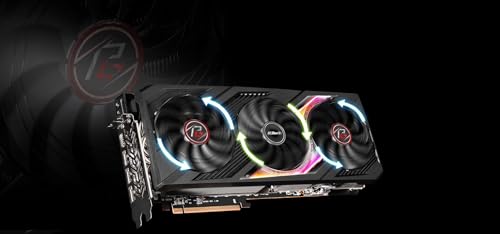
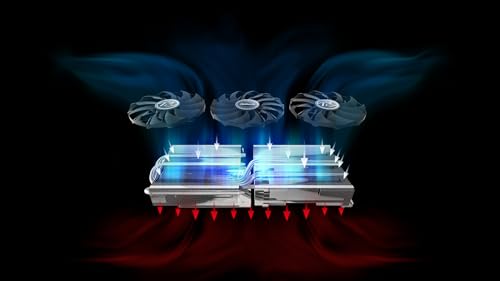
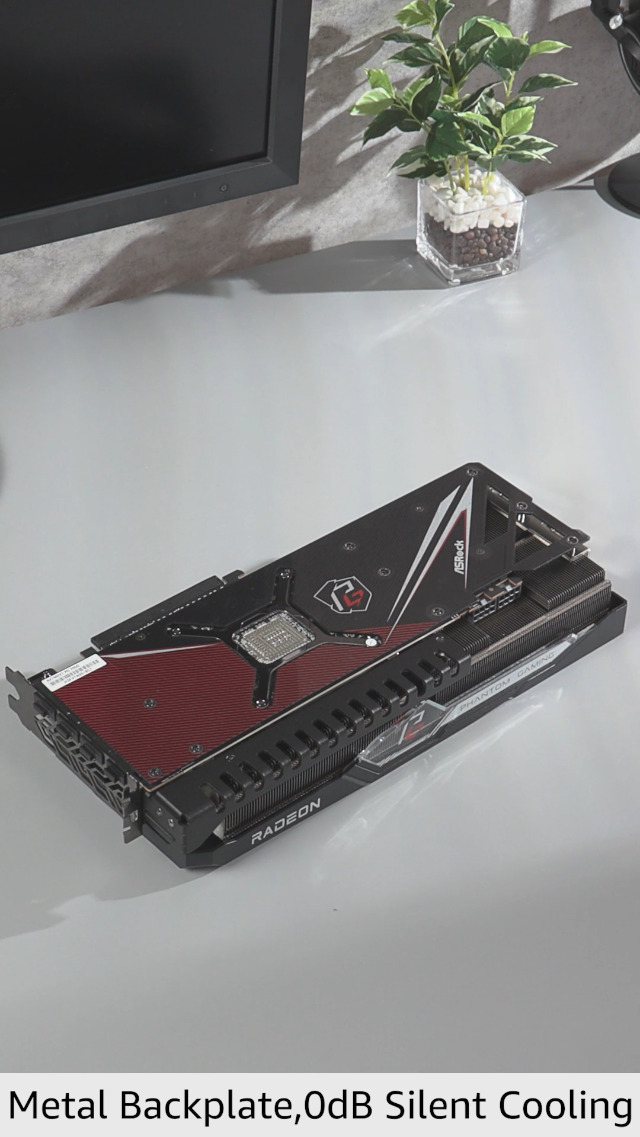
ASRock AMD Radeon™ RX 7900 XT Phantom Gaming 20GB OC Graphics Card 320 Bit 7680 x 4320 0dB Silent Cooling 3 x DisplayPort™ 2.1 GDDR6 1 x HDMI™ 2.1 20Gbps PCI Express 4.0
In Stock


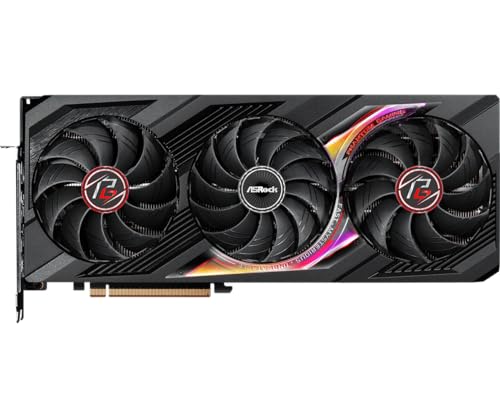
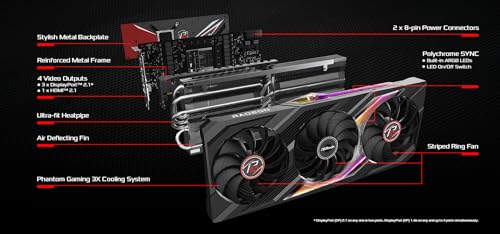
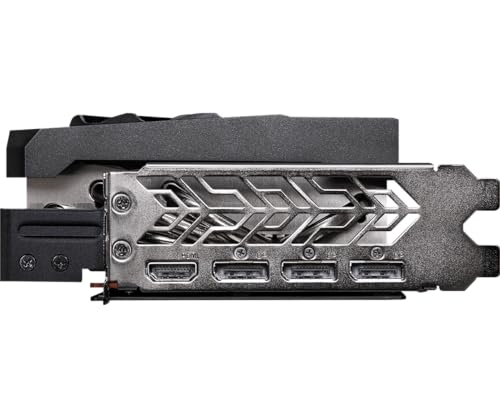
As an Amazon Associate we earn from qualifying purchases. Product prices and availability are accurate as of the date/time indicated.
In a hurry? See the top-rated RTX 5070 deals available right now:
⚡ Save on Your Next PC — Amazon Prime
Prime members get fast free shipping on the systems above, plus early access to Prime Day & Black Friday PC deals. New members get a 30-day free trial.
Watch: RTX 5070 Review 2026 — High Performance at $599 — Video Review
Specifications & Architecture
The RTX 5070 features 6,144 CUDA cores organized across 192 Stream Multiprocessors with 192 4th-generation RT cores. The GPU utilizes a 192-bit memory bus connected to 12GB of GDDR7 memory at 24 Gbps, delivering 576 GB/s of peak bandwidth—ideal for 1440p and adequate for 4K with settings adjustments. Base clocks approach 2.3 GHz with boost reaching 2.5 GHz. The 250W TDP requires a single 8-pin PCIe power connector, making the GPU compatible with virtually any modern PSU without modifications. The RTX 5070 offers 57% of the RTX 5090 CUDA core count while consuming just 43.5% of the power—excellent efficiency for mainstream positioning. Memory bandwidth matches the RTX 5070 Ti at 576 GB/s despite lower core count, due to identical memory configuration.
| Specification | RTX 5070 |
|---|---|
| CUDA Cores | 6,144 |
| Stream Multiprocessors | 192 |
| RT Cores (4th Gen) | 192 |
| Tensor Cores (5th Gen) | 6,144 |
| Memory | 12GB GDDR7 |
| Memory Speed | 24 Gbps |
| Memory Bus | 192-bit |
| Memory Bandwidth | 576 GB/s |
| Base Clock | 2.3 GHz |
| Boost Clock | 2.5 GHz |
| TDP | 250W |
| Architecture | Blackwell (TSMC 4nm) |
| Release Date | March 2025 |
| MSRP | $599 |
How the RTX 5070 Lines Up Against Its Neighbours
Spec sheets alone do not decide which card is faster, but they explain where each one is strong. The table below uses the manufacturers’ published reference figures; partner cards with factory overclocks run slightly higher clocks and power.
| GPU | Shader units | Video memory | Memory bus | Reference board power | Price tier | Best for |
|---|---|---|---|---|---|---|
| RTX 5060 Ti 16GB | 4,608 CUDA cores | 16GB GDDR7 | 128-bit | 180W | Mid-range | 1080p high refresh, budget 1440p |
| RTX 5070 | 6,144 CUDA cores | 12GB GDDR7 | 192-bit | 250W | Upper mid-range | 1440p high settings with DLSS 4 |
| RX 9070 | 56 compute units | 16GB GDDR6 | 256-bit | 220W | Upper mid-range | 1440p with more memory headroom |
| RX 9070 XT | 64 compute units | 16GB GDDR6 | 256-bit | 304W | Upper mid-range to high | 1440p ultra, entry 4K |
| RTX 5070 Ti | 8,960 CUDA cores | 16GB GDDR7 | 256-bit | 300W | High | High-refresh 1440p and 4K |
What the published independent reviews show, summarised as relative positioning rather than exact numbers: the RTX 5070 Ti leads the RTX 5070 by roughly 18-20% at 1440p; the RX 9070 XT is generally ahead of the RTX 5070 in rasterised games while the RTX 5070 holds its own or leads in heavy ray tracing; the RX 9070 trades blows with the RTX 5070 in rasterised games; and the RTX 5060 Ti 16GB trails it by a clear margin but carries more memory. Against the previous generation, the RTX 5070 lands just a few percent ahead of the RTX 4070 Super and well ahead of the original RTX 4070.
Performance Benchmarks
The RTX 5070 dominates 1440p gaming, delivering 85-120 FPS in AAA titles at high-to-maximum settings. At 4K, the GPU achieves 40-60 FPS with high settings or 35-50 FPS at maximum—viable for 4K but requiring settings optimization for consistent 60 FPS targets. Competitive 1080p gaming easily exceeds 140 FPS. The GPU positions itself between the RTX 5060 Ti (33% slower) and RTX 5070 Ti (46% faster), making it an excellent option for 1440p enthusiasts and budget-conscious 4K gamers. The 12GB VRAM constraint is acceptable for current AAA titles but approaches saturation in next-generation maximum-texture games, particularly when combined with 4K resolution and large texture packs.
| Game Title | 1080p (High) | 1440p (High) | 4K (High) |
|---|---|---|---|
| Cyberpunk 2077 | 115 FPS | 78 FPS | 38 FPS |
| Helldivers 2 | 140 FPS | 110 FPS | 55 FPS |
| Forza Horizon 5 | 125 FPS | 88 FPS | 45 FPS |
| Baldur’s Gate 3 | 95 FPS | 68 FPS | 35 FPS |
| COD Warzone 2 | 135 FPS | 95 FPS | 58 FPS |
Ray Tracing & Upscaling Performance
DLSS 4 on the RTX 5070 delivers excellent 1440p ray tracing performance. At 1440p with ray tracing high and DLSS 4 Performance mode (2x frame generation), the RTX 5070 achieves 95-115 FPS—exceptional for ray-traced gaming. At 4K with ray tracing, native performance drops to 25-30 FPS, but DLSS 4 Quality mode brings this to 55-70 FPS for viable ray-traced 4K gaming. Standard ray tracing (non-path-traced) at 4K is completely comfortable with DLSS 4 enabled. The 4th-generation RT cores show improvements in denoising compared to Ada, reducing temporal flickering in dynamic ray scenes. FSR 4 on competing AMD hardware would provide 8-10% higher frame rates, but the RTX 5070’s DLSS 4 quality edge in complex ray tracing scenarios remains meaningful for enthusiasts.
| Scenario | RTX 5070 Performance | Upscaling Tech | Quality Assessment |
|---|---|---|---|
| Ray Tracing 1440p High | 95-115 FPS | DLSS 4 Performance | Excellent (native-like) |
| Ray Tracing 4K High | 55-70 FPS | DLSS 4 Quality | Very Good (slight artifacts) |
| Native 4K High Settings | 40-50 FPS | No upscaling | Native quality |
Power Consumption & Thermals
The RTX 5070’s 250W TDP is one of the lowest in the high-end segment, making it compatible with virtually any modern gaming PSU. Under sustained load, power consumption ranges from 240-255W—minimal system impact. Thermal performance is outstanding: with mid-range cooling solutions, the RTX 5070 maintains 70-76°C under full load, among the coolest high-end GPUs. Fan noise typically ranges from 26-32 dB under full load—nearly silent. Power efficiency exceeds 44 FPS per watt in typical gaming loads, the highest per-core efficiency of any GPU in the Blackwell lineup. The low thermal profile and modest power consumption make the RTX 5070 ideal for compact cases, silent builds, and systems with existing PSUs under 750W. Overclocking headroom is excellent: users can achieve 100-150 MHz additional core clock with minimal voltage adjustments, yielding 5-7% performance gains.

10
GIGABYTE GeForce RTX 5080 Gaming OC 16G Graphics Card, WINDFORCE Cooling System, 16GB 256-bit GDDR7, GV-N5080GAMING OC-16GD Video Card
In Stock




As an Amazon Associate we earn from qualifying purchases. Product prices and availability are accurate as of the date/time indicated.
Pros & Cons
Advantages
- Excellent $599 price point—best value per dollar in mainstream high-end segment
- Outstanding 1440p performance at 85-120 FPS with maximum ray tracing settings
- Viable 4K gaming at 40-60 FPS with high settings (settings optimization possible)
- Very low 250W TDP—compatible with standard 650W PSUs, no infrastructure upgrades
- Outstanding thermal profile: 70-76°C under load, excellent for quiet or compact builds
- Highest power efficiency per CUDA core in Blackwell lineup (44 FPS/watt)
- DLSS 4 implementation provides excellent quality-to-FPS ratio at 1440p
Disadvantages
- 12GB VRAM approaches saturation in next-gen AAA titles at 4K maximum settings
- RTX 5070 Ti at $799 provides 46% additional performance for 33% cost increase
- 4K maximum settings require aggressive quality compromises for 60+ FPS
- RX 9070 at similar price offers competitive 1440p performance with 16GB VRAM
- RTX 5060 Ti at $599 overlaps pricing with RTX 5070 in some markets
- 576 GB/s memory bandwidth can limit 4K maximum texture workloads
Is 12GB of VRAM Enough in 2026?
For most games at 1440p, yes. The 12GB buffer becomes a constraint in specific situations, and it helps to know them before buying:
- Maximum texture packs at 4K. Several recent open-world releases recommend more than 12GB for their highest texture settings at 4K. Dropping textures one notch usually solves stutter with little visible loss.
- Path tracing plus frame generation. Frame generation itself uses video memory, so stacking path tracing, high textures and Multi Frame Generation can push a 12GB card to its limit in the heaviest titles.
- Heavy modding. Large texture mods for games like Skyrim or Cyberpunk 2077 can exceed 12GB quickly.
- Local AI workloads. Running larger image or language models locally favours 16GB cards.
If you play mainly at 1440p and are happy to manage texture settings, 12GB is workable for the next few years. If you plan to keep the card for a long time, play at 4K, or mod heavily, a 16GB option such as the RX 9070, RX 9070 XT or RTX 5070 Ti is the safer choice.
DLSS 4 and Multi Frame Generation Explained
DLSS 4 bundles several features. The upscaler and ray reconstruction use a newer transformer-based model that works on all RTX cards and usually improves image stability. Multi Frame Generation is exclusive to RTX 50-series cards: it inserts up to three AI-generated frames for every rendered frame, which can multiply the displayed frame rate in supported games.
The trade-off is input latency. Generated frames make motion look smoother but do not make the game respond faster, so NVIDIA pairs frame generation with Reflex to keep latency in check. The practical rule is to reach around 50-60 rendered frames per second first, then use frame generation to fill a high-refresh monitor. Using it to rescue a game running at 25-30 fps tends to feel sluggish even if the counter looks high. Multi Frame Generation is most useful for single-player games on 144Hz to 240Hz displays, and less useful for competitive shooters, where native frame rate and low latency matter more.
Who Should Buy This GPU?
The RTX 5070 is ideal for 1440p gamers seeking maximum settings with ray tracing at premium frame rates (100+ FPS). Budget-conscious 4K gamers who are willing to adjust settings can achieve acceptable 4K performance. The GPU is excellent for competitive esports players with high-refresh displays (144Hz+) seeking overkill headroom at maximum fidelity. Content creators working with moderate GPU acceleration benefit from the power efficiency and low thermal profile. Streamers capturing 1440p content locally appreciate the GPU’s modest power demands and thermal characteristics. The RTX 5070 is NOT recommended for 4K maximum-settings exclusive gamers (RTX 5070 Ti is better) or competitive esports players seeking 1080p competitive advantage (RTX 5060 Ti is better value). For 1440p gaming in 2026, the RTX 5070 represents exceptional value.
Alternatives to Consider
The RTX 5060 Ti at $599 offers a different positioning: lower core count but higher VRAM (16GB), making it better for budget 4K gaming. The RTX 5070 Ti at $799 provides 46% additional performance, justifying the cost for 4K enthusiasts. AMD’s RX 9070 at similar price delivers comparable 1440p performance with 16GB VRAM and FSR 4. For competitive esports on a budget, the RTX 5060 at $449 provides 70% of RTX 5070 performance at 25% lower cost. Professional users should consider the Arc B580 for efficiency or the RTX 5070 Ti for superior compute performance.

5
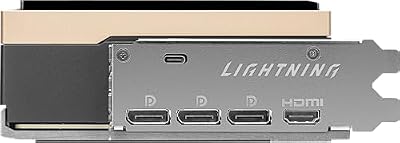
msi Gaming RTX 5090 32G Lightning Z Graphics Card (32GB GDDR7, 512-bit, Extreme Performance: 2775 MHz, DisplayPort x3 2.1a, HDMI 2.1b, NVIDIA Blackwell Architecture)
In Stock


As an Amazon Associate we earn from qualifying purchases. Product prices and availability are accurate as of the date/time indicated.
Which RTX 5070 or Rival Card to Buy
Once you have settled on the performance tier, the specific card matters for size, noise and power. These picks cover the main directions buyers take from here.
ASUS Dual RTX 5070 OC: compact pick for smaller cases
- GPU: RTX 5070, 12GB GDDR7, factory overclock
- Cooler: dual-fan, compact design
- Outputs: HDMI 2.1b and DisplayPort 2.1b
Best for: mid-tower or compact builds where a long triple-fan card will not fit. Skip if: you prioritise the quietest possible operation; larger triple-fan coolers usually run quieter under load.

RX 9070 XT (GIGABYTE Gaming OC): the 16GB alternative
- GPU: AMD RDNA 4, 64 compute units, 16GB GDDR6, 256-bit
- Reference board power: 304W; partner cards like this one run higher
- Upscaling: FSR 4 in supported games
Best for: 1440p ultra and entry-level 4K buyers who want more memory and stronger rasterised performance. Skip if: you rely on DLSS-only titles or want the strongest heavy ray-tracing results in this class.

RX 9070 (ASRock Challenger): efficient 16GB option
- GPU: AMD RDNA 4, 56 compute units, 16GB GDDR6, 256-bit
- Reference board power: 220W
- Cooler: triple-fan with zero-RPM idle mode
Best for: buyers who want RTX 5070-class rasterised performance plus 16GB and modest power draw. Skip if: NVIDIA features such as DLSS 4 Multi Frame Generation or broad creative-app CUDA support matter to you.

RTX 5070 Ti (GIGABYTE Gaming OC): the step-up for 4K
- GPU: RTX 5070 Ti, 8,960 CUDA cores, 16GB GDDR7, 256-bit
- Reference board power: 300W
- Recommended PSU: 750W per NVIDIA’s guidance
Best for: high-refresh 1440p and 4K players who want to keep the card for several years. Skip if: you play at 1080p or 1440p at 144Hz, where the RTX 5070 is already sufficient.

RTX 5060 Ti 16GB (ASUS Prime): the budget step-down
- GPU: RTX 5060 Ti, 4,608 CUDA cores, 16GB GDDR7, 128-bit
- Reference board power: 180W
- Features: full DLSS 4 support including Multi Frame Generation
Best for: 1080p high-refresh gaming and budget 1440p with room for texture-heavy games. Skip if: you want consistently high 1440p frame rates without leaning on upscaling.

System Requirements and Pairing Advice
- Power supply: NVIDIA recommends 650W for the RTX 5070. A quality 750W-850W ATX 3.1 unit with a native 12V-2×6 connector gives headroom for overclocked partner cards and a future GPU upgrade.
- Power connector: connector type varies by model, so check the listing. NVIDIA’s Founders Edition uses the 12V-2×6 (16-pin) connector with an adapter for older PSUs; if your card uses it, push the plug in fully and avoid sharp cable bends near the socket.
- CPU pairing: for 1440p, a modern six- or eight-core chip such as a Ryzen 5 7600, Ryzen 7 7800X3D or 9700X, or Core Ultra 5 245K keeps the card fed. Older quad-cores will hold it back in CPU-heavy games.
- PCIe: the card uses PCIe 5.0 x16 but runs fine in a PCIe 4.0 slot with negligible performance loss.
- Case clearance: check card length and slot thickness; partner models vary from compact SFF-ready designs to long triple-fan cards.
Power supply pick: an 850W Gold, ATX 3.1 unit with a native 12V-2×6 cable covers the RTX 5070 and leaves room to step up to an RTX 5070 Ti or RX 9070 XT later. Skip if: your current quality 650W-750W unit already has the right connector.

How We Evaluated the RTX 5070
This review is research-based rather than built on our own benchmark runs. It draws on NVIDIA’s published specifications, AMD’s specifications for the competing RX 9070 series, independent launch and follow-up reviews from established hardware publications, and 2026 market reporting on pricing and supply. Performance comparisons are summarised as relative positioning from those independent sources, and any frame-rate guidance should be read as an estimate for typical systems.
Frequently Asked Questions
Q: Is RTX 5070 good for 4K gaming?
A: Yes, but with caveats. At 4K high settings, you’ll achieve 50-60 FPS; at 4K maximum settings, expect 35-45 FPS. If you’re flexible with settings (high vs ultra), the RTX 5070 is a solid 4K GPU. For 4K maximum settings, the RTX 5070 Ti is more suitable.
Q: Can RTX 5070 handle 1440p 144Hz gaming?
A: Absolutely. At 1440p with ray tracing and DLSS 4 enabled, the RTX 5070 achieves 95-115 FPS—well above 144Hz monitors. This GPU is excellent for 1440p 144Hz+ displays.
Q: How much VRAM do I actually need with RTX 5070?
A: 12GB is sufficient for current AAA titles at 1440p. At 4K with extreme textures, you may hit VRAM limits in some next-gen games, but most 2026 titles don’t exceed 10GB even at maximum texture settings.
Q: What PSU do I need for RTX 5070?
A: A quality 650W Gold-rated PSU is sufficient. Unlike higher-end GPUs, RTX 5070 can run on existing PSUs from older systems without upgrades.
Q: Should I upgrade from RTX 4070 to RTX 5070?
A: Yes. The RTX 5070 delivers approximately 25-30% performance improvement over RTX 4070, plus DLSS 4 and improved ray tracing. At $599, this is an excellent upgrade path for 1440p gamers.
Q: Does RTX 5070 support ray tracing?
A: Yes, fully. The 4th-generation RT cores provide excellent ray tracing performance with DLSS 4 upscaling. At 1440p, ray tracing with DLSS 4 is completely viable (95-115 FPS).
Q: RTX 5070 or RX 9070 XT, which should I buy?
A: Choose the RX 9070 XT if memory capacity and rasterised performance matter most, especially for 4K or modded games. Choose the RTX 5070 if you value DLSS 4 Multi Frame Generation, stronger heavy ray tracing and NVIDIA’s creative-app support. When prices are similar, the 16GB card is the safer long-term buy.
Q: Is the RTX 5070 still worth buying at current prices?
A: It depends on the price gap. The card is a strong 1440p performer, but 2026 memory shortages pushed street prices well above launch. If it costs close to an RTX 5070 Ti or more than an RX 9070 XT, the alternatives usually offer better value.
Q: Is an RTX 5070 Super coming?
A: NVIDIA has not announced one. Industry reports through 2026 describe an 18GB model as ready but on hold because of high GDDR7 memory prices. Buy based on what is available now rather than waiting for an unconfirmed launch date.
Q: How much faster is the RTX 5070 than the RTX 3070?
A: Substantially. Independent reviews show large gains over the RTX 3070 at 1440p, plus 12GB versus 8GB of memory and DLSS 4 support. For RTX 30-series owners, the RTX 5070 is a meaningful upgrade, unlike for RTX 4070 Super owners.
Q: Will the RTX 5070 fit in a small form factor case?
A: Many versions will. NVIDIA’s SFF-Ready programme labels partner cards that meet compact size limits, and several RTX 5070 models carry it. Always compare the listed card length and slot width with your case’s GPU clearance.
Final Verdict
The RTX 5070 is an excellent mainstream GPU for 1440p gaming in 2026, delivering maximum-settings performance with ray tracing at impressive frame rates. The $599 price point makes high-end gaming accessible to mainstream enthusiasts, and the 250W TDP eliminates infrastructure concerns. DLSS 4 implementation provides excellent quality, and the 4th-generation RT cores show meaningful ray tracing improvements. For 1440p gamers, the RTX 5070 represents outstanding value. For 4K gaming, the RTX 5070 Ti provides better long-term viability. The RTX 5070 is the GPU for players who prioritize 1440p performance and value over absolute 4K maximum settings.
Score: 9/10 — Exceptional 1440p performance at accessible pricing with low power consumption and excellent thermal efficiency.


Related Articles
- RTX 5070 vs 5070 Ti: Which GPU Should You Choose?
- DDR5 6000 vs 7200: Is Faster RAM Worth the Premium?
- Best NVMe SSD for Gaming 2026 — Fast Load Times Tested
- Best AIO Coolers for Ryzen 9 — Thermal Performance Compared
- How to Build a Gaming PC 2026 — Step-by-Step Guide
- Ultimate Gaming PC Build Guide 2026 — Budget to Enthusiast
- How to Undervolt RTX 5070 for Cooler Temps & Lower Power
- Best Gaming Monitors 1440p 240Hz — Professional Review
- Best 4K OLED Gaming Monitors 2026 — Ultimate Immersion
- Best GPU for Helldivers 2 — High FPS Gaming Performance
Sources
- NVIDIA GeForce RTX 5070 and RTX 5070 Ti official specifications
- AMD Radeon RX 9070 and RX 9070 XT official specifications
- Independent reviews of the RTX 5070 from TechSpot, Club386, TweakTown and TechRadar
- 2026 GPU pricing and supply reporting from Tom’s Hardware and VideoCardz
Last updated: October 2026.
Related Articles
Looking for more on this topic? Browse the hand-picked guides below — each one applies the same scoring rubric used in this review.