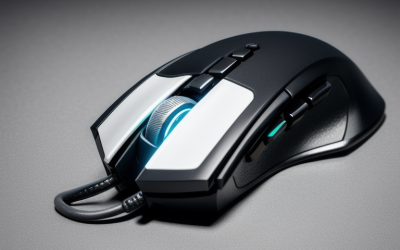
For gaming, an optical sensor is the better choice for nearly everyone. Optical sensors track consistently on a mousepad, show less jitter at the DPI settings gamers use, and make up almost the entire gaming mouse market today. Laser sensors read more surface detail, so they track on glossy and glass-like surfaces where optical can fail, but that extra detail is not what an aim-focused player needs.
This guide explains how each sensor works, what spec sheet numbers actually mean, and when a laser model is still worth a look. Sensor technology keeps improving, so treat any spec as a prompt to read the manufacturer’s page, not as a final verdict.
How Each Sensor Type Works
Both designs shine light on the surface and read the reflection to measure movement. The difference lies in the light source and how much surface detail the sensor sees.
Optical sensors
An optical sensor uses an LED, usually red or infrared, and a tiny camera that takes thousands of images of the surface each second. The chip compares the images to work out how far and in which direction the mouse moved. The light is diffuse, so the sensor reads the general texture of the pad.
Laser sensors
A laser sensor uses an infrared laser diode instead of an LED. The laser light is focused and penetrates a little into the surface, so the sensor sees finer detail and can track on materials that look nearly smooth to an optical design, including some glossy desks and glass.
Why detail is not always better
Reading very fine surface detail can introduce noise. On a mousepad, a laser sensor may read microscopic fibers and variations that an optical sensor ignores, which in older designs showed up as inconsistent tracking or cursor jitter. Modern sensors reduce this, but the optical approach remains the safer match for pads.
Spec Sheet Terms That Matter More Than the Label
DPI or CPI
This sets how far the cursor moves per inch of hand movement. Laser mice once advertised very high DPI figures, but most players use somewhere between 400 and 3200, so huge maximums are mostly marketing. What matters is that the sensor stays accurate at the DPI you actually use.
Maximum tracking speed (IPS)
IPS, or inches per second, is the fastest hand speed the sensor can follow without losing track. Higher numbers help fast flick shots. Current optical gaming sensors list figures in the hundreds of inches per second, which covers nearly all human movement.
Acceleration
Measured in G, this describes how quickly you can change speed before tracking drops. Modern optical sensors list high values, so you are unlikely to hit the limit in play.
Lift-off distance
Lift-off distance is how high you can raise the mouse before the sensor stops reading. Low-sensitivity players who lift the mouse to reposition often prefer a short distance, and many mice let you adjust it in software.
Smoothing and angle snapping
These are processing steps that average or correct motion. Good gaming sensors keep them off at normal settings. If a spec page mentions them as always on, look for a different model.
Optical vs Laser Compared
| Factor | Optical | Laser |
|---|---|---|
| Light source | LED, often red or infrared | Infrared laser diode |
| Best surface | Cloth or hard mousepads | Glossy desks, some glass |
| Tracking consistency on pads | Usually more consistent | Can be noisier, depends on the design |
| Typical DPI marketing | Tens of thousands on top sensors | High numbers common |
| Availability in gaming mice | Very common | Rare today |
| Best fit | Aim-focused play | Mixed desk surfaces, general use |
The table shows general tendencies. Individual sensors vary, so read the spec page and look for statements about surface compatibility.
Surface Matters More Than People Think
Your mousepad or desk affects tracking as much as the sensor does. Optical sensors perform best on a matte pad with some texture. Highly reflective, clear, or very dark glossy surfaces can cause loss of tracking, and a simple pad often solves the problem.
If you must use a glass or glossy desk without a pad, check whether the mouse explicitly states glass tracking support, including the minimum thickness of the glass if listed. Do not assume a high DPI figure means glass compatibility.
Sensor Tiers: What to Look For
Instead of chasing a single model, match the sensor class to how you play and what else is in your setup. The table gives general targets to check against spec sheets.
| Tier | Sensor type | Spec targets |
|---|---|---|
| Budget | Basic optical | Several thousand DPI maximum, no obvious smoothing, stable at 800 to 1600 DPI |
| Mid-range | Gaming-grade optical | Around 20,000 DPI maximum, hundreds of IPS, adjustable lift-off distance |
| Premium | Flagship optical | Highest tracking speed and acceleration listed, wireless without added latency, high polling options |
At the budget tier, the main risk is an old or heavily processed sensor. At the premium tier, you pay for refinements most players will not notice, such as extreme tracking limits.
Wired, Wireless, and the Sensor
Sensor type is separate from the connection. Modern wireless gaming mice use the same optical sensors as wired ones, and a dongle connection can match wired response closely. Bluetooth is usually slower and better suited to office use. If you choose wireless, read the battery life figure at the polling rate you plan to use, because that is where real-world numbers differ from the headline claim.
Weight is a separate choice, though in practice most lightweight shells use optical sensors, since those modules are compact and power efficient. That is one reason lightweight designs are mostly optical today.
Pad choice deserves a final thought. Cloth pads give more control and a slower glide, while hard pads glide faster and often show a texture the sensor reads sharply. If you change pads, give yourself a few days to adapt before judging the sensor. Dust and hair on the pad or the sensor window also cause erratic tracking, so wipe both with a dry cloth before assuming the mouse is faulty. If tracking problems persist across several surfaces, check the manufacturer’s support page for firmware updates and surface calibration options, which some mice offer in their software.
Who Should Choose What
Competitive shooter players
Choose an optical sensor from a recent generation, a stable polling rate, and low lift-off distance. Pair it with a matte pad whose texture suits your grip.
Casual and mixed-use players
Either type works. If you move between a desk, a couch, and a laptop table, a mouse that lists glossy surface support can be more convenient than one that needs a pad.
Travelers and laptop users
If you play on hotel desks or cafe tables, a laser or hybrid sensor that tracks on varied surfaces reduces the need to carry a pad. Weigh that against any tracking noise on pads.
Players with an older laser mouse
If your current mouse feels fine, there is no urgency to switch. Consider an upgrade only if you notice jitter at the DPI you use, lost tracking on fast flicks, or a heavy shell that tires your hand.
Checklist Before Buying
- Confirm the sensor type and chip model on the spec page.
- Check whether the maker lists smoothing or acceleration as always on.
- Look for adjustable lift-off distance.
- Match the mouse to your pad or desk surface.
- Pick shape, weight, and wired or wireless mode, because they affect aim as much as the sensor.
Common Mistakes
- Buying the highest DPI number instead of a sensor that is accurate at the DPI you use.
- Assuming laser always means better because the technology sounds more advanced.
- Using an optical mouse on glass or a glossy desk without checking surface support.
- Ignoring shape and weight, which shape comfort and control more than the sensor type.
- Leaving mouse acceleration or enhanced pointer precision on in Windows and blaming the sensor for inconsistent aim.
Related guides
- Aio Liquid Coolers For High Performance Gaming
- Wireless Gaming Headsets Under 100 For Pc
- Ssds For Large Video And Raw Photo Files
Frequently Asked Questions
Are laser mice bad for gaming?
Not necessarily, but they are less common because optical sensors suit pads and are more consistent for aiming. A well-designed laser sensor can work well, though your pad and settings will matter.
Why did laser mice become popular?
Laser sensors arrived with higher DPI figures and the ability to track on more surfaces, which made them attractive for general use. As optical sensors improved, the advantage faded for gaming.
Does the sensor type change how my mouse feels?
Not directly. Feel comes from weight, shape, feet, cable or battery, and the pad. The sensor affects how reliably the cursor follows your hand, which shows up as consistency rather than feel.
Can I use any gaming mouse on a glass desk?
Not always. Many optical mice lose tracking on clear glass. Check for a statement on glass support, or use a pad, which is the simplest and most reliable fix.