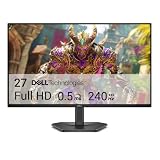
- Top Pick: LG 27G810A-B 27-inch Ultragear 4K UHD (3840 x 2160) IPS Gaming Monitor, Dual Mode UHD 180Hz or FHD 360Hz, 1ms, NVIDIA G-Sync, AMD FreeSync Premium, VESA DisplayHDR 400, HDMI 2.1, Black
- Best Value: LG 32GX850A-B 32" UltraGear 4K UHD (3840 x 2160) Glossy OLED Gaming Monitor, Dual-Mode 165Hz/330Hz, 0.03ms, G-SYNC, FreeSync Premium Pro, TrueBlack 400, HDMI, DP, Tilt/Height/Swivel/Pivot Stand, Black
- Premium Choice: LG 32GX870A-B 32-inch Ultragear 4K UHD (3840 x 2160) OLED Gaming Monitor, Dual-Mode, 240Hz, 0.03ms, NVIDIA, AMD FreeSync Premium Pro, VESA DisplayHDR True Black 400, USB Type-C, DP2.1
The best gaming monitors for PS5 and Xbox are 27- to 32-inch 4K screens with genuine HDMI 2.1 ports, such as the LG UltraGear 27GR93U, the Gigabyte M28U, or OLED options like the ASUS ROG Swift PG32UCDM and MSI MPG 321URX, because they accept the full 4K 120Hz signal both consoles can send and support HDMI 2.1 variable refresh rate. If your budget is tighter, a 1440p high-refresh monitor is a smart alternative, but only if you understand how each console handles that resolution.
The key to buying a console gaming monitor is knowing what the consoles actually output. Their capabilities differ more than most buyers expect, and a monitor that is perfect for one can be a compromise on the other.
As an Amazon Associate we earn from qualifying purchases at no extra cost to you.



What PS5 and Xbox Series X actually output
| Feature | PS5 / PS5 Pro | Xbox Series X | Xbox Series S |
|---|---|---|---|
| Max resolution / refresh | 4K at 120Hz | 4K at 120Hz | 1440p at 120Hz (4K output upscaled) |
| 1440p output | Yes, up to 120Hz | Yes, up to 120Hz | Yes, up to 120Hz |
| Variable refresh rate | HDMI 2.1 VRR only | HDMI 2.1 VRR and FreeSync Premium Pro | HDMI 2.1 VRR and FreeSync Premium Pro |
| Max refresh | 120Hz | 120Hz | 120Hz |
| HDR | HDR10 | HDR10, Dolby Vision on supported displays | HDR10, Dolby Vision on supported displays |
Two practical conclusions follow. First, neither console goes above 120Hz, so a 240Hz monitor brings no extra smoothness on console; its value comes from PC use. Second, PS5 relies solely on HDMI 2.1 VRR, so a monitor that only advertises FreeSync over HDMI 2.0 will not give PS5 owners variable refresh.
Why you need an HDMI 2.1 gaming monitor for 4K 120Hz
The raw pixel data rate is simple to calculate: horizontal pixels × vertical pixels × refresh rate × bits per pixel. Real signals add around 5–10% for blanking intervals, so the numbers below are minimums.
| Signal | Raw data rate | Fits HDMI 2.0 (~14.4 Gbps usable)? | Needs HDMI 2.1? |
|---|---|---|---|
| 1080p 120Hz, 8-bit | 6.0 Gbps | Yes | No |
| 1440p 120Hz, 8-bit | 10.6 Gbps | Yes | No |
| 1440p 120Hz, 10-bit HDR | 13.3 Gbps | Just | No |
| 4K 60Hz, 8-bit | 11.9 Gbps | Yes | No |
| 4K 120Hz, 8-bit | 23.9 Gbps | No | Yes |
| 4K 120Hz, 10-bit HDR | 29.9 Gbps | No | Yes |
This is why a 4K 120Hz monitor for PS5 must have an HDMI 2.1 port. A 4K monitor limited to HDMI 2.0 will fall back to 4K 60Hz on both consoles, even if it reaches 144Hz on PC over DisplayPort. Meanwhile, 1440p 120Hz fits comfortably within HDMI 2.0, which keeps cheaper 1440p monitors viable.
Watch out for “HDMI 2.1” fine print
Some monitors label their ports HDMI 2.1 while running a reduced link speed. Look for explicit mentions of 4K 120Hz support from consoles in the specifications, and ideally a 40–48 Gbps rated port. Monitors with only 24 Gbps HDMI 2.1 can still reach 4K 120Hz on consoles but may limit color depth.
Monitor picks by situation
| Monitor | Size / panel | Max refresh | HDMI 2.1 | Best for | Typical market range |
|---|---|---|---|---|---|
| Gigabyte M28U | 28″ 4K IPS | 144Hz | Yes | Value 4K for both consoles | usually $400–$550 |
| LG UltraGear 27GR93U | 27″ 4K IPS | 144Hz | Yes | Sharp 27-inch for desk use | usually $400–$550 |
| MSI MPG 321URX | 32″ 4K QD-OLED | 240Hz | Yes | OLED contrast and HDR for console and PC | usually $800–$1,000 |
| ASUS ROG Swift PG32UCDM | 32″ 4K QD-OLED | 240Hz | Yes | Premium OLED shared with a high-end PC | usually $1,000–$1,300 |
| 1440p 144–180Hz IPS class | 27″ 1440p IPS | 144–180Hz | Often HDMI 2.0 | Budget console and PC sharing | usually $180–$300 |
The 1440p question
A 1440p monitor is tempting because it is cheaper and pairs well with a gaming PC. On Xbox Series X and S, 1440p at 120Hz works smoothly. PS5 also supports 1440p output at up to 120Hz, and both consoles downscale 4K-rendered games for a sharp image. The trade-off is that you give up native 4K detail in games tuned for it. If the monitor will be used mostly for PS5 or Series X and you sit about 60–80cm away, a 27-inch 4K screen looks noticeably sharper. If it is shared with a mid-range PC or a Series S, 1440p is the better balance.
Decision matrix
| Your setup | Recommended monitor type |
|---|---|
| PS5 or Series X only, desk use | 27–28″ 4K 144Hz IPS with HDMI 2.1 |
| Console plus high-end PC | 32″ 4K QD-OLED with HDMI 2.1 |
| Xbox Series S | 27″ 1440p 120Hz or higher |
| Console plus mid-range PC | 27″ 1440p 144–180Hz |
| Dark room, cinematic single-player games | OLED for contrast and HDR highlights |
Setup tips for consoles on a monitor
- Audio: monitors usually have weak or no speakers. Use the monitor’s 3.5mm output, a headset connected to the controller, or a small soundbar.
- Enable 120Hz: on PS5, turn on 120Hz output in Screen and Video settings; on Xbox, choose 120Hz under Video modes.
- Turn on VRR: it is off by default on PS5; enable it in the console’s display settings.
- Calibrate HDR: run each console’s HDR calibration tool once the monitor’s HDR mode is enabled.
- Use the cable that came with the console: an Ultra High Speed certified HDMI cable is needed for 4K 120Hz.
Bottom line
For PS5 and Xbox Series X, a 4K monitor with real HDMI 2.1 is the right choice: it unlocks 4K 120Hz and VRR on both consoles. Choose an IPS model like the Gigabyte M28U or LG 27GR93U for value, or a QD-OLED such as the MSI MPG 321URX or ASUS PG32UCDM if you also game on a powerful PC. Owners of a Series S or a mid-range PC will get better value from a 1440p high-refresh display.