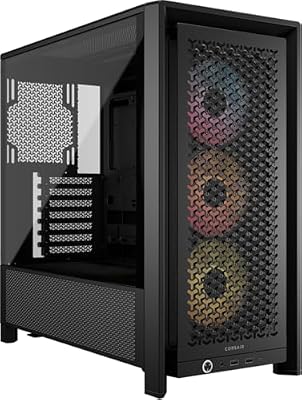
Micro ATX Gaming PC Build 2026
A micro ATX gaming PC build sits between a full tower and a small form factor machine. It keeps most of the expansion you want, including four RAM slots, several M.2 sockets, and a second PCIe slot for extra storage or a capture card, while using a case that is noticeably smaller than a full ATX tower. For many builders, that middle ground is the sweet spot. You do not give up performance, you keep room to upgrade, and the footprint still fits on a desk or under one.
The hero listing above is the closest match for this query, not a guaranteed exact model. Check the card for the exact board size, case model, and included parts. Micro ATX cases vary in their GPU length and cooler height limits, so read the specifications before you order.

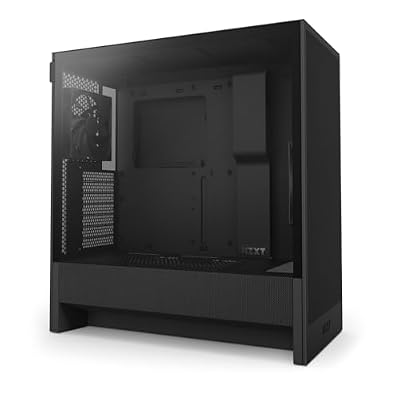

What Micro ATX Gives You
Micro ATX motherboards measure about 244mm by 244mm. They usually have four DIMM slots, which lets you run four sticks of DDR5 later if you need more memory, and they often include four PCIe slots. That layout is useful in a gaming build because it leaves room for a second NVMe drive, a wireless card, or a capture device without moving to a much larger case.
The main trade-off is fewer high-end features than a full ATX board. Some premium boards with extra M.2 slots, dual 10GbE networking, or advanced power delivery are only offered in ATX. For most gaming builds that is not a concern, because the extra features are rarely used. The question is whether the board’s power delivery and cooling match the CPU you choose.
Where Micro ATX Fits Best
Micro ATX is a good choice for a gamer who wants room to upgrade but does not need a large tower. It works well for a single GPU, a mid-range to high-end CPU, and two or three storage drives. If you plan to run multiple GPUs, a large external capture setup, or a very large custom loop, a full ATX platform may still make more sense.
Picking the Right Micro ATX Case
The case determines most of the build’s limits. Micro ATX cases commonly support a standard-length graphics card and a tower or AIO cooler, but the maximum GPU length and cooler height differ by model. Check these numbers first, then choose the motherboard and CPU cooler that fit inside the case.
Airflow is the next factor. A mesh front panel and at least two intake fans help keep the GPU cool. If you plan to use a liquid cooler, check the radiator mount positions so the tubes and the pump do not interfere with the graphics card. Our overview of the best mid-tower gaming cases in 2026 covers many cases that work for this class.
Case Features That Matter
Look for a case with dust filters, enough front and top fan mounts, a rear fan slot, and cable routing holes that line up with the motherboard tray. A tool-free side panel and a removable drive cage make upgrades easier. If the case has a glass side panel, check that the front mesh is not blocked by a solid cover.
Parts Selection for a Micro ATX Build
Start with the CPU and motherboard pair. Confirm that the board supports your processor and that its VRM design can handle the power draw. Then choose RAM. Thirty-two gigabytes of DDR5 is a comfortable target for gaming in 2026, and a matched two-stick kit is the simplest way to reach it. If you want to expand later, make sure the board has the extra slots and the case has the room for the upgrade.
Storage is another area where Micro ATX shines. A 2TB NVMe drive covers most system and game installs, and a second drive can hold a large library. For buying help, see the best 2TB gaming SSDs in 2026.
Motherboard Choices
Choose a board with a chipset that matches your platform goals. AM5 boards support DDR5 and modern PCIe Gen 5 storage on higher-end models, while Intel boards for newer CPUs use a different socket and a different memory and chipset line. Compare the features that matter to you: M.2 slots, rear USB ports, networking, and BIOS support for the CPU you plan to buy.

Lian Li O11D Mini V2 Flow ATX PC Case with 5 Non-RGB Reverse Fans, Black | Includes five 120mm reverse-blade fans, panoramic glass, 10° angled intake and support for ATX, M-ATX and Mini-ITX builds.


As an Amazon Associate we earn from qualifying purchases. Product prices and availability are accurate as of the date/time indicated.

Lian Li O11 Vision Compact ATX PC Case, Back-Connect, Black (O11VPX) | Compact dual-chamber case with three-panel glass, back-connect support, hidden AIO tube routing and included 360mm top mesh.


As an Amazon Associate we earn from qualifying purchases. Product prices and availability are accurate as of the date/time indicated.
Micro ATX Build Comparison
The table below compares three common ways to build a micro ATX gaming PC. Pricing is shown as a check-current-price note because the cost of cases, boards, and memory changes often, and it differs between regions.
| Build Style | Typical Layout | Best For | Typical Price Range |
|---|---|---|---|
| Compact upgradeable | Mid-range GPU, tower air cooler, two NVMe drives | Balanced gaming and easy upgrades | Check current price |
| High-performance micro ATX | Upper-tier GPU, large cooler, four RAM slots | Players who want headroom in a smaller case | Check current price |
| Budget micro ATX | Entry GPU, basic air cooler, one or two drives | First builds and tight budgets | Check current price |
For a comparison of board sizes, the notes on ATX versus Micro ATX versus Mini ITX explain what you give up and what you gain with each format.
Cooling and Power in a Micro ATX Case
Cooling a micro ATX build is usually straightforward because the case has more room than an ITX enclosure. A tower air cooler is simple and reliable. An AIO liquid cooler can look clean if the radiator fits the top or front mount. Choose based on the case, the noise target, and the CPU’s heat output.
Power supply choice follows the same logic. A quality 850W unit gives headroom for a mid-high GPU and gives room for future upgrades. Compare the power supply length with the case’s maximum PSU length, since some compact cases limit the shroud size. Our overview of the best 850W gaming power supplies lists options worth checking.
For CPU cooling options, see the best air CPU coolers for gaming and our air versus AIO comparison.
Step-by-Step Assembly Notes
Mount the motherboard standoffs and the I/O shield first, then install the CPU and cooler on the board while it is still outside the case. Add the RAM and the first NVMe drive. Install the board into the case and connect the front panel, USB, and fan headers before the graphics card goes in.
Install the power supply and route the cables behind the motherboard tray. Use the case’s cable tie points and keep the runs tidy so the airflow path is not blocked. Install the GPU last, connect its power cables, and check the seating. Boot into BIOS, confirm the memory speed, and set the fan curves before you install drivers.
For a complete walkthrough with BIOS setup and driver steps, see our step-by-step gaming PC building guide.
Common Micro ATX Build Mistakes
The first mistake is ignoring the GPU length limit. Micro ATX cases often support long cards, but not every model does, and a card with a large cooler can hit the front radiator or drive cage. Check the maximum GPU length before you buy.
The second mistake is filling every M.2 slot without a plan for heat. Drives near the GPU can get warm, so keep the heatsink fitted and make sure the case has airflow near the storage slots.
The third mistake is buying a board with too few features for your plans. If you intend to add a capture card or extra storage later, count the PCIe and M.2 slots before you buy the board, not after.
Upgrade Strategy for a Micro ATX Build
A micro ATX build is easier to upgrade than an ITX build, but you should still plan the path. Choose a platform with a socket that will receive future CPUs, and keep the memory type consistent. A four-slot board lets you expand from two sticks to four later, though running four sticks can reduce the maximum memory speed on some platforms, so check the board’s QVL before you buy.
Keep a note of the case’s GPU, cooler, and PSU limits. When you upgrade, check those numbers against the new part. This small habit prevents the most common upgrade problem, which is buying a new card that does not fit the case.
If you are looking at prebuilt alternatives in the same size class, our micro gaming PC picks show how the compact prebuilt market compares with a custom micro ATX build.
Frequently Asked Questions
Is micro ATX as fast as a full ATX build?
For most gaming, yes. The CPU, GPU, and memory matter more than the board size. A full ATX board mainly adds more features and slots, not a performance advantage in games.
How many RAM slots does a micro ATX board have?
Most micro ATX gaming boards have four DIMM slots, which gives you room to expand. Check the board’s specification and memory support list before buying a kit.
Can I fit a big GPU in a micro ATX case?
Many can, but it depends on the case. Compare the case’s maximum GPU length with the card’s dimensions, and include the power connector in your measurement.
Is micro ATX a good choice for a first build?
It can be. It offers more room for mistakes than an ITX case and a smaller footprint than a tower, though a standard mid-tower is often easier for a first build.
Final Thoughts on a Micro ATX Gaming PC
A micro ATX gaming PC build offers a practical balance: enough slots and space to upgrade, a smaller footprint than a full tower, and fewer fitment headaches than a tight ITX case. Plan the case first, confirm the GPU and cooler limits, and choose a board with the memory and storage slots you will actually use. Use the listings above as a starting point, check the exact model and price on each card, and build with a clear upgrade path in mind.