All AMD Gaming PC Build Ryzen 2026
An all AMD gaming PC build uses a Ryzen processor, an AMD-friendly motherboard, and, if you choose, a Radeon graphics card. The appeal is a coherent platform with strong gaming performance per dollar and a clear upgrade path on the AM5 socket. Many gamers choose AMD for the CPU because the X3D models with extra cache perform very well in CPU-limited games, while the rest of the lineup covers budget and productivity needs. This guide explains how to plan an all AMD system, from the processor and motherboard to memory, cooling, and the GPU decision.
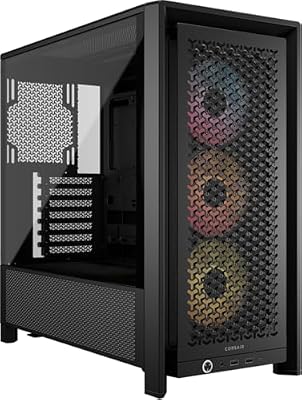
The hero listing above is the closest match for this query, not a guaranteed exact model. Check the card for the exact CPU, board, and bundle contents before you buy. Listings for the same query can include different processors or memory configurations, so confirm the specifications on the card.


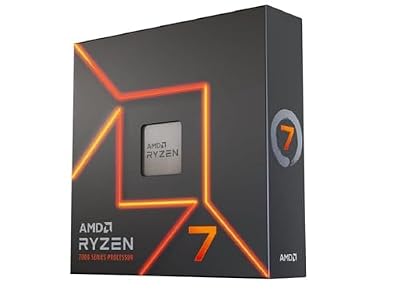
AMD Ryzen 7 7800X3D 8-Core, 16-Thread Desktop Processor

Why Choose an All AMD Platform
An all AMD build simplifies some decisions. The processor and motherboard come from the same ecosystem, and the chipset features are designed to work together. On the GPU side, AMD’s Radeon lineup is a strong option at several price points, and it works with the same drivers and software stack. The main reason to choose the platform is value: a capable CPU, a long-lived socket, and competitive graphics performance in many titles.
That said, an all AMD build is not automatically the best choice. The right answer depends on the games you play, the resolution you target, and whether you use ray tracing or specific software features. For example, if you rely heavily on a particular GPU feature set, that may favor a different GPU brand. The platform decision should follow your workload, not a brand loyalty.
Choosing the Ryzen Processor
For gaming, the Ryzen processor decision usually comes down to two questions. First, how much cache and core count do your favorite games benefit from? Second, how much do you want to spend on the rest of the build? X3D processors with stacked cache are often the strongest choice for gaming, especially for titles that depend on fast access to data. Non-X3D Ryzen chips are often better value and still handle high frame rates in most titles.
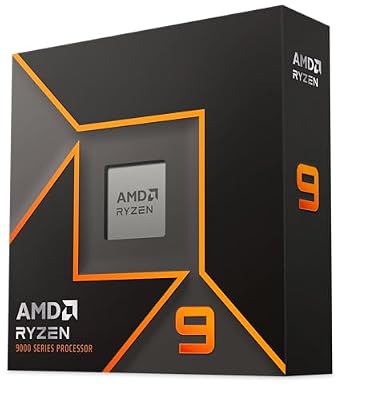
Check independent reviews that test the CPU in CPU-limited scenarios, such as competitive shooters at low resolution, rather than relying on a single average. Our reviews of the Ryzen 7 9800X3D and the Ryzen 9 9950X3D explain where each chip fits, and the Ryzen 5 9600X review covers a value option for a lower budget.
Core Count and Real Workloads
If you stream, edit video, or run heavy background tasks, a higher core count helps. A gaming-only build may not need the largest model, but a six-core or eight-core processor with good cache is a safer target for future games. Pick the CPU that matches your main use, then spend the rest of the budget on memory and the GPU.
Motherboard and Memory on AM5
The AM5 socket supports DDR5 memory, so your RAM choice is DDR5 only. A matched two-stick kit of 32GB is a comfortable target for gaming in 2026. Enable the EXPO profile in BIOS after installing the memory, so it runs at its rated speed. Memory speed and timings affect CPU-limited games more than GPU-limited ones, so a fast kit helps when you use a strong GPU at high refresh rates.
Choose a motherboard with a chipset that matches your feature needs. Look for enough M.2 slots for your storage plan, a power delivery design that handles the processor you buy, and USB and networking features that you will use. Our guide to the best AM5 motherboards for gaming compares options across price levels.
AMD RYZEN 7 9800X3D 8-Core, 16-Thread Desktop Processor


As an Amazon Associate we earn from qualifying purchases. Product prices and availability are accurate as of the date/time indicated.
AMD Ryzen 7 7800X3D 8-Core, 16-Thread Desktop Processor


As an Amazon Associate we earn from qualifying purchases. Product prices and availability are accurate as of the date/time indicated.
All AMD Build Comparison
The table below compares three ways to build an all AMD gaming PC. The price ranges are described as check-current-price notes because CPU and motherboard prices change often, and bundles vary by retailer and region.
| Build Tier | Typical Parts | Best For | Typical Price Range |
|---|---|---|---|
| Value AM5 build | Six-core Ryzen, mid-range board, 32GB DDR5 | 1080p and 1440p high refresh gaming | Check current price |
| X3D performance build | X3D Ryzen, upper-mid board, 32GB DDR5 at a fast speed | CPU-limited esports and simulation titles | Check current price |
| Multi-purpose AM5 build | High core count Ryzen, premium board, 64GB DDR5 | Gaming plus streaming and content work | Check current price |
Radeon or Another GPU in an All AMD Build
The GPU is the part that most affects frame rates at high resolutions and high settings. In an all AMD build, a Radeon card keeps the platform consistent, but the choice should still be based on performance per dollar, driver stability, and the features you want. Compare the GPU’s raster performance at your target resolution, its memory size, and its power draw. A mid-range GPU with 12GB or more of memory is a comfortable target for 1440p, and a higher tier is better for 4K or heavy ray tracing.
If you are choosing between brands, our comparison of AMD versus NVIDIA for 2026 explains the trade-offs, and our look at the RX 9070 against the RTX 5070 shows how two popular cards compare in practice.
Cooling the Ryzen Processor
High-performance Ryzen chips produce significant heat under load, so the CPU cooler matters. A large tower air cooler can handle many Ryzen models well and is simpler to maintain than an AIO. For higher-end chips, a 360mm AIO or a large dual-tower air cooler gives more headroom. Check the cooler’s socket support for AM5 and confirm that it fits the case.
Our guide to the best AIO coolers for Ryzen 9 covers liquid options, and the best air CPU coolers for gaming covers the simpler route. Pick the cooler that matches your noise target and case layout.
Power Supply and Case Planning
An all AMD build with a mid-high GPU runs well on an 850W power supply from a reputable maker, which leaves room for future upgrades. Check the power supply’s length against the case, and make sure the case has enough airflow for the CPU cooler and GPU. A mesh front panel and at least two intake fans are a good baseline.
For case options, see the best mid-tower gaming cases in 2026. For power, the best 850W gaming power supplies lists models worth comparing.
Build Steps for an AMD System
Start by installing the CPU into the motherboard outside the case, following the socket alignment marks. Apply thermal paste if the cooler needs it, install the cooler, and then add the RAM in the correct slots. Install the first NVMe drive, then mount the board into the case and connect the front panel and fan headers. Install the power supply, route the cables, and add the GPU last.
After the first boot, enter BIOS and update the firmware if the board recommends it. Enable the memory profile, confirm the CPU temperature at idle, and set the fan curves. Install the chipset and graphics drivers from the manufacturer, then run a stress test and a game to confirm stability. For a complete walkthrough, see our step-by-step gaming PC building guide.
Common All AMD Build Mistakes
The most common mistake is using DDR4 memory on an AM5 board. AM5 requires DDR5, so check the memory type before buying. The second mistake is ignoring the BIOS update. Some boards need a newer firmware version for certain processors, so check the board’s support page before installing the CPU.
The third mistake is underpowering the build. A high-end CPU and GPU need a stable power supply with headroom. The fourth is skipping the memory profile. Without it, the RAM may run at a slower default speed and reduce performance in CPU-heavy titles.
Upgrade Path on the AM5 Platform
AM5 is designed to support several generations of Ryzen processors, which makes it a good platform for a long-term build. Choose a board with enough power delivery to handle a future upgrade, and keep the BIOS updated. A future CPU upgrade may need only a new processor and a BIOS update, which can save money compared with replacing the whole platform.
Plan your memory too. Starting with two sticks of 32GB DDR5 leaves room to add two more sticks later, although the board’s maximum memory speed may drop with four sticks. Check the board’s memory support list before buying a second kit.
For broader buying advice, our gaming PC builds for every budget in 2026 shows how the platform choice fits different spending levels.
Frequently Asked Questions
Is an all AMD gaming PC better than an Intel build?
It depends on the games, budget, and workload. AMD’s X3D processors are strong for many games, while Intel offers competitive options in other price ranges. Compare reviews for the games you play most.
Does AM5 need DDR5 memory?
Yes. AM5 boards use DDR5 only. Check the motherboard specification and buy a DDR5 kit that is listed on the board’s memory support list.
Do I need an X3D processor for gaming?
Not always. X3D chips help most in CPU-limited titles. For GPU-limited games at higher resolutions, a non-X3D chip paired with a stronger GPU often delivers similar results at a lower cost.
Can I upgrade the CPU later on AM5?
Often yes, within the supported generations, after checking the board’s BIOS support and power delivery. Confirm compatibility before buying the new processor.
Final Thoughts on an All AMD Ryzen Gaming PC
An all AMD gaming PC build offers a coherent, value-focused platform with a strong CPU lineup, a long-lived AM5 socket, and competitive graphics options. Choose the Ryzen processor for your main workload, pair it with a DDR5 kit and a board that fits your features, and keep the cooling and power supply sized for the build. The listings above are a good starting point. Confirm the exact CPU, board, and price on each card, and you will have a platform that stays flexible for years.