

White Themed Gaming PC Build Guide
A white themed gaming PC build has become one of the most requested looks for desk setups, especially in rooms with light walls, white furniture, or a minimal aesthetic. A white build can look clean and premium, but it also shows dust, fingerprints, and yellowing more quickly than a black one. The planning is different too. You have to match the case, cooler, motherboard, and cables so they share the same shade, and you have to pick parts that will still look right after a year of use. This guide covers the decisions that make a white PC look deliberate instead of mismatched.
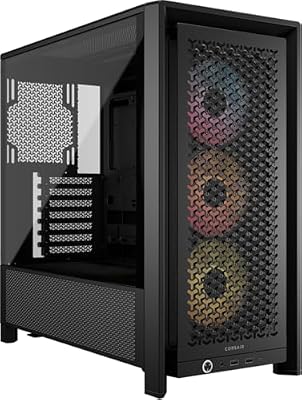
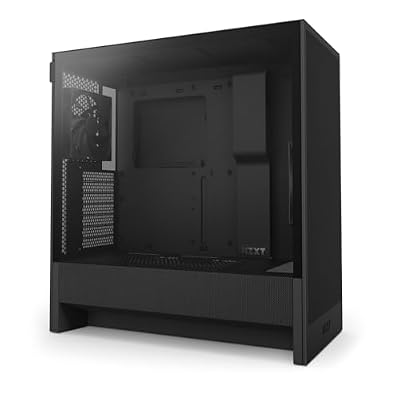
The hero listing above is the closest match for this query, not a guaranteed exact model. Check the card for the exact color, the case finish, and included parts before you order. Manufacturers use the words white, off-white, and silver differently, so compare photos in a neutral light and read the color description on each card.

Why a White Build Needs Its Own Plan
A black PC hides a lot. Dust settles, fingerprints disappear into the finish, and small color mismatches are hard to spot. A white build does the opposite. Every part that is slightly off-white, cream, or bright white will stand out next to a clean white case. That makes color matching the first skill to learn for this style.
The good news is that white is widely available. Many case makers, cooler makers, and cable makers offer white versions of their products. The challenge is to keep the same shade across the major visible parts, because a bright white GPU shroud next to a cool gray case can look wrong even if each part is white on its own spec sheet.
Choose a Color Family Before You Buy
Pick one of three families: pure white, warm white, or gray-white. Pure white is clean and bright but shows more mismatch. Warm white has a slight cream tone that hides small differences. Gray-white looks modern and works well with metal accents. Stick to one family for the case, cooler, and cables, and use the GPU and motherboard as the main test for whether the family works.
Case Selection for a White Build
The case is the largest visible surface, so it sets the tone. A white mid-tower with a mesh front and tempered glass side is a popular choice because it shows the interior while keeping good airflow. Check that the white finish covers the front panel and the side frame, and that the feet, handles, and dust filter colors match the rest of the case.
Airflow matters as much as looks. A solid white front can trap heat. Look for a mesh or perforated front, enough intake fan mounts, and a rear exhaust fan slot. If the case has a glass side panel, confirm that the intake path is not blocked by a solid bottom cover.
For a list of cases to compare, see the best mid-tower gaming cases in 2026 and our tempered glass case picks. If you have a tighter budget, the best gaming PC cases under 200 dollars covers several white options.
Matching Parts Inside the Case
Once the case is chosen, the inside parts need to match. The CPU cooler is the most visible part after the GPU, so its fans and radiator or tower finish should follow the same color family. Many cooler makers offer white fans and white tower finishes. If you choose an AIO, a white radiator and white tubing are the simplest way to keep the look consistent.
Graphics Card and Motherboard
The GPU shroud is the largest bright surface inside the case. A white card with a matching backplate looks cohesive. If the card you want is black, a white case still works, but the contrast is stronger and you should keep the rest of the interior consistent with black accents. The motherboard is the second major surface. A white board with a clean heatsink design matches a white case well, but check the photos carefully because some boards are cream while others are bright white.
RAM, Storage, and Cables
RAM is a small but visible detail. White RAM heatsinks look neat with a white board. Choose a kit that matches the board’s color family, and install it in the correct slots as the motherboard manual describes. Enable the EXPO or XMP profile in BIOS after installation so the memory runs at its rated speed.
Cables are often the hardest part to match. Sleeved power cables in white look clean, but the sleeve color must match the PSU and the case grommets. If you cannot find a matching sleeve, a tidy black cable run hidden behind the tray is a better choice than a mismatched white cable that stands out.

Lian Li O11 Vision Compact ATX PC Case, Back-Connect, Black (O11VPX) | Compact dual-chamber case with three-panel glass, back-connect support, hidden AIO tube routing and included 360mm top mesh.


As an Amazon Associate we earn from qualifying purchases. Product prices and availability are accurate as of the date/time indicated.

Lian Li O11 Vision Compact ATX PC Case, Back-Connect, White (O11VPW) | Compact dual-chamber case with three-panel glass, back-connect support, hidden AIO tube routing and included 360mm top mesh.


As an Amazon Associate we earn from qualifying purchases. Product prices and availability are accurate as of the date/time indicated.
White Build Comparison
The table below compares three ways to approach a white gaming PC. Pricing is shown as a check-current-price note because white versions of cases, coolers, and cables often carry different prices from their black counterparts, and availability changes by region.
| Build Style | Color Approach | Best For | Typical Price Range |
|---|---|---|---|
| Full white build | White case, cooler, GPU and board | Bright rooms and white desk setups | Check current price |
| White case with black internals | White shell, black GPU and RAM | Players who want a clean exterior with strong contrast | Check current price |
| Warm white accent build | Cream tones with white fans and light cables | Minimal studios and cozy rooms | Check current price |
Lighting and Accents
White builds look best with subtle lighting. A steady, neutral white or warm white fan ring is often more attractive than a multicolor effect. Pure white LEDs can look harsh on a bright white case, so consider a slightly warm tone if you have that option. Keep the brightness low enough that the lights do not wash out the panel.
If you want a deeper look at lighting choices, our guide on building a gaming PC in 2026 explains where lighting headers and fan controllers fit into the build order, and the listings above show options with and without lit fans.
Cooling Choices That Keep the Look Clean
A white build should not sacrifice cooling. A tower air cooler in white with two large fans is simple and reliable. An AIO liquid cooler with a white radiator can look very clean, but it needs room at the top or front. Check the radiator size, the tubing length, and the pump placement before you buy, and confirm that the fans are the same color family as the case.
For a comparison of cooling approaches, read our air versus AIO cooling guide and the best air CPU coolers for gaming. Both help you decide which cooler will fit your white case without blocking airflow.
Keeping a White PC Looking New
White cases show dust, so plan a cleaning routine. Use a soft brush and a microfiber cloth on the exterior, and avoid harsh solvents that can dull the finish. Clean the dust filters every few weeks, and check the intake fans for buildup. Light plastics can yellow with heat and sunlight, so keep the PC out of direct sun and away from heat sources where possible.
Choose parts with a durable finish. Matte finishes hide fingerprints better than glossy ones. If you handle the case often, a textured front panel is more forgiving than a high-gloss surface.
Step-by-Step Build Notes for White Systems
Build the system in the same order as any other PC. Install the motherboard standoffs, the I/O shield, the CPU and cooler, the RAM, and the M.2 drive. Mount the board into the case, connect the front panel and fan headers, and install the power supply. Route the cables behind the tray, keeping sleeves and colors consistent. Install the GPU last and connect its power.
Test the lights and fans before final assembly, because a wrong connector is easier to fix on the bench. Boot into BIOS, confirm the memory speed and the fan curves, and install drivers. Our step-by-step gaming PC building guide covers the full sequence.
Common White Build Mistakes
The most common mistake is mixing whites that do not match. A bright white case with a cream GPU shroud looks unfinished. Compare photos in the same light, and check whether the color is described as white, off-white, or silver.
The second mistake is ignoring the cables. A white build with black power cables in plain view looks messy. Choose sleeves that match, or hide the cables well.
The third mistake is buying the white version of every part without checking airflow. A solid white front or a thick white cover can trap heat, and the prettiest case is not useful if the GPU throttles.
For a broader view of budget choices, our guide to gaming PC builds for every budget in 2026 shows where to spend on the parts you can see and where to save on the ones you cannot.
Frequently Asked Questions
Do white parts perform differently from black parts?
No. The color of a part does not change its performance. The differences are in the design, cooling capacity, and fan quality, so compare those specifications rather than the finish.
Is a white PC harder to keep clean?
It shows dust and fingerprints more easily than black, so it needs regular light cleaning. A matte finish and regular filter cleaning make upkeep much easier.
Can I mix white and black parts?
Yes, and many builders do. A white case with black internals gives strong contrast. The key is to keep the shade and style consistent within each visible area.
Do I need a white GPU for a white build?
Not required, but a white GPU makes the build look more cohesive because it is one of the largest visible surfaces inside the case.
Final Thoughts on a White Gaming PC
A white themed gaming PC build looks best when every visible part shares the same color family, the airflow stays strong, and the cables are tidy. Choose a case with a mesh front, match the cooler and fans to the shell, and check the color of the GPU and motherboard before you commit. The listings above are a good place to start. Confirm the exact color, model, and price on each card, and you will end up with a clean, cool machine that still looks new after months of use.








