You subscribe to a mod, Steam promises to fetch it in the background, and then nothing happens. The item never appears in the Downloads list, or it sits there at zero, or it finishes and the game still cannot see it. Workshop downloads fail differently from normal game downloads, because a subscription has to pass through three separate systems before a single file lands on your drive: the subscription record on your account, the download queue on your PC, and the workshop folder inside your Steam library. A break at any one of the three produces the same blank result, which is why random restarting so rarely helps.
The useful first move is not a fix at all: read exactly where your item is stuck, because each state points at a different layer. Match yours below, then climb the fix ladder and stop as soon as the queue moves.
As an Amazon Associate, we earn from qualifying purchases.
Quick Answer
Most Workshop items that refuse to download are stuck in one of four states: the subscription never registered, the queue is paused behind a broken cache entry, the download region is misbehaving, or the local workshop folder is damaged. Refresh the subscription, restart Steam, clear the download cache, switch region, then check free disk space and the workshop folder. That order fixes the large majority of cases without reinstalling anything.
Read the Queue: Four Ways a Workshop Item Gets Stuck
Open Steam, go to Downloads, and look at what your subscribed item is actually doing. The behaviour you see is the diagnosis.
The item never appears in Downloads at all. The subscription itself did not register or Steam has not polled for it yet. This is an account-side or client-refresh problem, not a network problem. Unsubscribing and resubscribing, or restarting the client so it re-reads your subscription list, is the relevant fix.
The item appears but sits at zero or stays queued. Steam knows about the item but the queue is blocked. A corrupt cache entry, a paused queue, a full disk, or a game update scheduled ahead of it can all freeze Workshop traffic, because Workshop items ride at the back of the same queue.
The item downloads, then restarts, fails, or vanishes. The transfer starts but cannot finish writing. This points at the disk layer: a library folder on a failing or nearly full drive, a damaged partial file in the workshop content folder, or security software intercepting the writes.
The item shows as downloaded but never appears in the game. The files arrived but the game is not reading them. The usual causes are a mismatch between the library folder Steam downloaded to and the library folder the game is installed in, or a stale appworkshop manifest file that no longer matches what is on disk.
Every step on the ladder below names the state it clears, so skip straight to the steps that fit.
The Fix Ladder, Cheapest First
Step 1: Refresh the subscription. Open the game’s Workshop page in your browser while signed in, unsubscribe from the item, wait a few seconds, and subscribe again. This forces Steam to create a fresh subscription record. Then restart the Steam client completely, not just close the window, and check Downloads. This clears state one in most cases.
Step 2: Nudge the queue manually. In the Downloads view, press the resume button on the item, drag it to the top of the queue, and pause any game updates sitting above it. Steam schedules Workshop content after game downloads by default, so a large patch queued above your mod can make it look permanently stuck when it is simply waiting its turn.
Step 3: Clear the download cache. Go to Settings, then Downloads, then Clear Cache. Steam restarts and signs you back in. This rebuilds the local download configuration and removes the corrupt partial entries that cause state two. You will need your password and possibly a Steam Guard code, so have them ready.
Step 4: Change the download region. In the same Downloads settings, pick a different region, ideally a nearby city rather than the geographically closest one if your default is a major hub. A single overloaded or misrouting content server can stall Workshop items while game downloads on the same connection look fine. Restart Steam after changing it.
Step 5: Check the disk, honestly. Workshop items download into the same library folder as the game. If that drive is nearly full, downloads fail silently or loop. Check free space on the exact drive that holds the game, and free up room well beyond the size of the mod, because Steam needs working space to unpack and verify.
Step 6: Repair the workshop folder. If one game is affected while others download fine, close Steam, open that game’s library folder, and find the workshop content folder inside steamapps, then the subfolder named with the game’s app ID. Rename the appworkshop manifest file for that app ID, which lives one level up in the workshop folder, by adding .old to its name. Restart Steam, which rebuilds the manifest and re-checks every subscribed item against the files on disk, clearing state four and most state three loops for that game. Your mods are not deleted; Steam simply re-reads them.
Step 7: Rule out the network path. If every game and every item stalls at the transfer stage, test with a wired connection, restart the router, and try a small game update. If normal downloads also crawl, the problem is your network, not the Workshop, and the hardware sections below apply.
How to Choose Which Fix Fits Your Symptom
Match the fix to the state you found, not to the order of a generic list. If the item never appears, only subscription refresh and a client restart matter; cache and region changes cannot help an item Steam does not know about. If the item is visible but frozen, cache, queue order, and region are the three levers, in that order. If downloads start and die, skip the network steps entirely and go straight to disk space and the workshop folder, because the transfer layer is clearly working. If the download completes but the game is blind to it, the manifest rebuild in step six is the whole answer nine times out of ten.
Hardware enters the picture only when the pattern is broader than one item. A drive that is old or nearly full will keep producing state three failures no matter how often you clear the cache, and a connection that stalls whenever someone else streams video is a router problem, not a Steam problem. The five products below cover those two situations: fast internal storage, a rugged portable drive for overflow and backups, and a cleaner network path to the PC.
Storage and Network Gear That Removes the Usual Bottlenecks
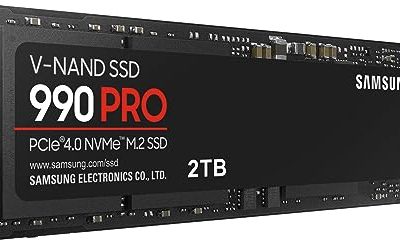
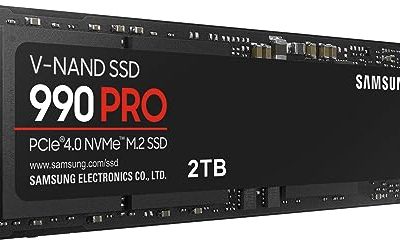
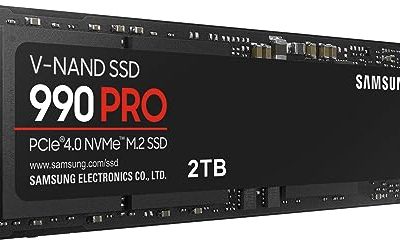
Samsung 990 PRO NVMe SSD

A flagship PCIe 4.0 drive for the library folder that holds your most-played games and their Workshop content. Fast random performance matters here, because Workshop updates write many small files rather than one large one.
Specs
- Interface: PCIe 4.0 x4, NVMe
- Sequential read: up to 7,450 MB/s
- Form factor: M.2 2280
- Best for: a primary game library drive
WD Black SN850X NVMe SSD

Western Digital’s gaming line, tuned for sustained writes during large downloads and patching, and a strong alternative primary drive when downloads keep colliding with unpacking.
Specs
- Interface: PCIe 4.0 x4, NVMe
- Sequential read: up to 7,300 MB/s
- Form factor: M.2 2280
- Best for: large libraries with frequent updates
Samsung T7 Shield Portable SSD, 1TB, Beige

A portable drive for overflow libraries, laptop players, and keeping a backup copy of a curated mod collection. The rubberised shell and drop resistance suit a drive that travels between desks. Note this is the Beige finish.
Specs
- Interface: USB 3.2 Gen 2, USB-C
- Sequential read: up to 1,050 MB/s
- Rating: IP65 dust and water resistance
- Drop protection: up to 3 metres
- Best for: a second library or mod backups
DbillionDa Cat 8 Ethernet Cable

The simplest network fix there is: a shielded Cat 8 run between router and PC. Going wired removes Wi-Fi congestion from the equation when you test whether the network is the bottleneck.
Specs
- Rated speed: up to 40 Gbps
- Bandwidth: 2000 MHz
- Connectors: RJ45, gold-plated
- Construction: shielded twisted pair
- Best for: a permanent wired link to the router
TP-Link Archer AX21 Wi-Fi 6 Router

If a wired run is not possible, a Wi-Fi 6 router is the next step up from an ageing provider box. OFDMA and MU-MIMO help in homes where several people stream and play at once, which is exactly when Workshop downloads stall.
Specs
- Standard: Wi-Fi 6, AX1800 dual band
- Features: OFDMA, MU-MIMO, beamforming
- Security: WPA3
- Best for: busy households on older routers
Who Should Skip These Fixes
Skip the ladder if Steam’s own status shows a service outage, because no local change fixes a server-side problem; wait and the queue will move on its own. Skip it if the mod’s Workshop page says the item was removed by its creator, since a deleted item can sit in a subscription list forever without ever downloading. Skip the folder surgery if the game uses its own external mod manager or a launcher-level mod system, because those titles may not read the standard workshop folder at all. And skip the hardware section entirely if only one small item is stuck while everything else downloads normally; that is a per-item subscription problem, and step one is the whole cure.
Frequently Asked Questions
Why do game downloads work but Workshop items stay stuck?
They share one queue, but Workshop items are scheduled after game content and are fetched as many small files tied to your subscription record. A corrupt cache entry, a paused queue position, or a stale manifest can block Workshop traffic while a single large game download sails through the same connection.
Does unsubscribing delete the mod from my drive immediately?
Not always. Unsubscribing tells Steam the item should be removed, and the client normally deletes the files on its next pass, but leftovers can remain in the workshop content folder. If you are clearing space or fixing a corrupt item, check the folder after unsubscribing and remove the item’s numbered subfolder yourself while Steam is closed.
Will clearing the download cache delete my games or mods?
No. Clearing the cache removes Steam’s local download configuration and temporary queue data, then restarts the client. Installed games and downloaded Workshop files stay on disk. You will be signed out, so keep your password and Steam Guard access handy before you do it.
Why does a mod download fine but never show up in the game?
Usually the files landed in a different library folder from the one the game runs from, or the appworkshop manifest is out of sync with the folder contents. Confirm the game and its Workshop content share a library folder, then rebuild the manifest by renaming it with Steam closed so the client re-scans the folder on launch.
Final Verdict
Workshop downloads look mysterious because three systems sit between the Subscribe button and the files on your drive, but each failure state gives the culprit away. An item that never appears needs a subscription refresh, a frozen item needs the cache, queue, or region, a dying download needs disk attention, and an invisible finished download needs its manifest rebuilt. Climb the ladder in that order, and only think about storage or network upgrades when the same failures keep returning across many games; that pattern, not one stuck mod, is the real sign your hardware is the bottleneck.
Product and ASIN Reference
| Product | ASIN |
|---|---|
| Samsung 990 PRO NVMe SSD | B0BHJJ9Y77 |
| WD Black SN850X NVMe SSD | B0B7CMZ3QH |
| Samsung T7 Shield Portable SSD 1TB Beige | B09VLH13LX |
| DbillionDa Cat 8 Ethernet Cable | B07QLXC6QR |
| TP-Link Archer AX21 Wi-Fi 6 Router | B08H8ZLKKK |