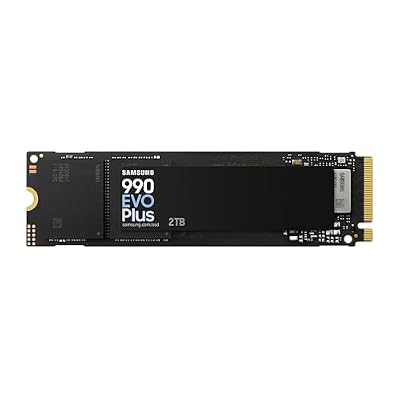
Gen5 SSD 4TB 8TB Gaming 2026: Big-Capacity PCIe 5.0 Drives Explained
Modern game installs have grown fast, and a 1TB or even 2TB drive can disappear after a handful of large releases, patches and shader caches. That is why 4TB and 8TB PCIe 5.0 drives have become a serious topic for gamers who want their whole library ready to play. This guide covers what changes at the 4TB and 8TB tiers, where Gen5 speed is worth the premium, and how to decide whether one large drive beats two smaller ones.
This is a buying guide built around the product class. We have not tested the drives in the listing below for this article. The hero listing was chosen for the query “Gen5 SSD 4TB 8TB”, and the alternatives came from the same search. Listings may differ from the exact capacity you want, so confirm capacity, heatsink inclusion and price on the card before purchase.
Why Large Capacity Matters More Than It Used To
A large modern game can take well over 100GB, and some titles reach far higher once you add optional texture packs, language files and expansions. Patches add more. A player who keeps five or six big games installed will often hit the limit of a 2TB drive, then start the uninstall and reinstall cycle that wastes time and bandwidth. A 4TB drive removes most of that friction, and an 8TB drive suits players who never want to think about storage at all.
Capacity also has a performance side. Drives that sit close to full can show slower sustained writes, because the controller has less free space to work with. Buying a larger drive gives you more room to leave free space, which helps keep write speed steady over time. That benefit is easy to overlook when comparing spec sheets.
Is Gen5 Worth the Premium at 4TB and 8TB?
Gen5 matters most in large games that stream data constantly and in big file transfers. At 4TB and above, the drive is likely to hold many titles, so the speed of repeated asset loading across different games becomes more relevant. A Gen5 drive has more headroom for that workload, and it keeps that headroom when you move large folders between drives.
For players who mostly play esports or older titles, the speed gain is small. In those cases, a large Gen4 drive gives you most of the benefit at a lower cost and with less heat. Our best 4TB NVMe SSDs roundup compares large drives across both generations, so you can see where the price per terabyte stands.
The 8TB Question
An 8TB drive is a niche choice. It makes sense if you keep an enormous library installed, work with large video or 3D files, or want a single primary drive for an entire system. For most gamers, two 4TB drives or one 4TB primary with a second large secondary drive cost less per terabyte and give more flexibility later. Buy 8TB when the convenience of one drive outweighs the price premium.
Heat Management on Large Gen5 Drives
Large Gen5 drives use more NAND and can sustain heavy writes for longer, which increases heat. A heatsink with good contact to the controller and NAND packages is strongly recommended, especially for 4TB and 8TB models that will be filled with large installs. Many drives ship with a heatsink, but some do not, and you should check the height and clearance in your case before buying.
Confirm which M.2 slot is connected to the CPU’s Gen5 lanes. A large Gen5 drive in a chipset slot will run slower than its rating, which wastes the premium you paid for capacity and speed. Check your motherboard manual, and keep the BIOS updated so the platform correctly recognises the drive.
Comparison Table: Large Gen5 and Gen4 Options
The table below compares the broad options for large-capacity gaming storage. Ranges are general and not tied to exact retail prices. Check the live listing for the current model and price.
| Option | Best for | Interface | Typical price range |
|---|---|---|---|
| Gen5 4TB class | Large library on a Gen5 platform, the best balance for most | PCIe 5.0 x4 NVMe | Check current price |
| Gen5 8TB class | One drive for a very large library or creative work | PCIe 5.0 x4 NVMe | Check current price |
| Gen4 4TB class | Value-focused large storage with lower heat | PCIe 4.0 x4 NVMe | Check current price |
| Two 2TB drives | Flexibility and staged upgrades over time | Mixed NVMe | Check current price |

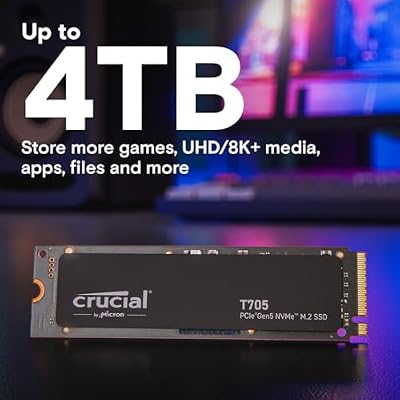
Crucial T705 PCIe Gen5 NVMe 4TB SSD, Up to 14,100MB/s, TLC NAND, Intel & Ryzen Compatible, for Hardcore Gaming & High-Speed Storage, Solid State Drive, Includes 1Mo Adobe CC – CT4000T705SSD3


As an Amazon Associate we earn from qualifying purchases. Product prices and availability are accurate as of the date/time indicated.
For smaller capacities that suit a secondary library, the best 2TB gaming SSDs list is a useful companion. If you are deciding between Gen5 and Gen4 for a large drive, the PCIe Gen5 vs Gen4 SSD comparison explains the practical gap.
Planning a Large-Library Storage Layout
One Primary Drive
A single 4TB drive as the primary game drive is the simplest setup. It keeps everything in one place and avoids the question of which drive a game is on. The downside is that the drive must be replaced or upgraded as a unit, so choose a reliable brand and check the warranty terms.
Primary Plus Secondary
A fast Gen5 drive for the most-played titles and a larger, cheaper Gen4 drive for the rest is a practical compromise. This keeps the fastest tier for the games that benefit most, and it spreads cost across two purchases. Our best gaming PC SSD guide explains how to match drives to those roles.
Keep Free Space
Whatever layout you choose, leave meaningful free space on each drive. Large SSDs run more consistently when they are not packed to the top, and free space also gives you room for patches and new releases without constant shuffling.
Setup and Maintenance
Update your motherboard BIOS, install the drive in the Gen5 slot connected to the CPU, and add a heatsink or shield. After installation, update the drive firmware and confirm the link speed in your system information tool. When the drive is nearly full, consider moving older titles to a secondary drive rather than deleting them, since reinstalling from scratch costs time.
Back up save files and account data before moving games between drives. Large installs can take hours, so plan transfers for a time when you will not need the machine.
Further reading on related storage decisions: best NAND flash for gaming SSD, Samsung 990 Pro 2TB review, best SSD for gaming PC, best gaming SSDs, best NVMe SSD for gaming 2026.
Frequently Asked Questions
Is 4TB enough for a gaming PC in 2026?
For most players, yes. A 4TB drive holds a large library of current AAA titles, with room for patches. Players who install very large games, texture packs or creative tools may want a second drive or 8TB capacity.
Do 8TB Gen5 drives run as fast as 4TB models?
Rated speeds can differ by capacity and model, so check the specific listing rather than assuming. Read the product specifications before buying, and compare the sustained write rating if large file transfers matter to you.
Should I buy one large drive or two smaller ones?
One large drive is simpler, while two drives give you more flexibility and a cheaper upgrade path. If you want the fastest tier for a few games and bulk storage for the rest, two drives often make more sense.
Does a large Gen5 drive need a heatsink?
A heatsink or shield is strongly recommended, especially for sustained writes during big installs and file transfers. It helps prevent thermal throttling, which can reduce speed during those tasks.
Final Recommendation
For most gamers in 2026, a 4TB drive is the sweet spot for large-library storage. Choose Gen5 if your platform supports it and you want headroom, or Gen4 if value matters more. Reserve 8TB for players who truly need one large drive. Check the hero listing and alternatives on the card, confirm capacity, heatsink and current price, and make sure the drive sits in a slot connected to the CPU. That setup keeps your full library ready to play without overpaying for capacity you will not use.