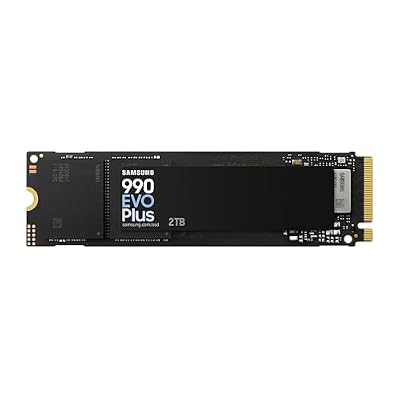
Samsung 9100 Pro Gen5 SSD Review: Real-World Gaming Speed vs the Spec Sheet
Samsung’s 9100 PRO is a PCIe 5.0 NVMe line that Samsung rates at up to 14,800 MB/s sequential read, with capacities that run from 1TB up to 8TB. Those are impressive numbers, and they put the 9100 PRO in the top group of consumer Gen5 drives. This Samsung 9100 Pro Gen5 SSD review looks at what that rating means for gaming, where the gap between rated and measured speed shows up, and who should spend the extra money on this class of drive.
This is a buying guide built around the product class, not a test report. We have not run benchmarks on a 9100 PRO for this article. The hero listing below was chosen for the query “Samsung 9100 Pro Gen5 SSD”, and the alternatives came from the same search. The listing may be a close match, so confirm the exact capacity, heatsink option and current price on the card before purchase.


How Samsung Rates the 9100 PRO
Samsung’s datasheet lists PCIe 5.0 x4 with the NVMe 2.0 protocol, a sequential read rating of up to 14,800 MB/s and a sequential write rating of up to 13,400 MB/s. The line is also backward compatible with PCIe 4.0 x4 and 3.0 x4 slots, which means it will work on older boards, though at lower speed. Samsung advises checking that the motherboard supports PCIe 5.0 for full performance, since the Gen5 slot is what unlocks the top numbers.
Independent reviewers have generally found the drive very fast, with one review measuring sequential reads close to 12,400 MB/s in its tests, below the rated maximum. That gap is normal for Gen5 drives, because sustained results depend on the motherboard, the cooling and the test method. Treat the rated figure as a ceiling rather than a guaranteed everyday number.
Gaming Performance in Practice
For games, the most useful property of a drive like the 9100 PRO is its ability to handle many small reads quickly. Modern engines stream textures and level data in small chunks, so random read performance and low-queue-depth responsiveness often matter as much as peak sequential throughput. Reviewers have singled out the 9100 PRO for strong performance at low queue depths, which is the everyday pattern in games. That is a better signal for gaming than a single headline number.
The practical result is faster asset loading in large open-world titles and quicker level transitions in heavy games. Those gains are real but usually measured in seconds, not in frame rates. If your games already load in a few seconds on a Gen4 drive, you will not notice a dramatic difference during play. The advantage is clearer when you move large folders, install big titles or rebuild shader caches.
Capacity and Library Size
Pick capacity based on how many games you want installed at once. A 1TB drive fills quickly with current AAA titles, so most gamers will be better served by 2TB. Larger 4TB and 8TB models make sense if you keep a full library ready to play or if you handle large video and project files. Remember that a drive at high fill levels can show slower write speeds, so leaving some free space helps maintain consistent performance.
Thermals and Heatsink Choices
Gen5 drives generate more heat than Gen4 drives, and the 9100 PRO line is no exception. Heat is what causes sustained throttling, and throttling is most likely during long writes, not during typical game loading. Samsung offers a heatsink variant in its lineup, and many buyers add a third-party heatsink or rely on a motherboard M.2 shield. What matters is good thermal contact and enough airflow past the drive in your case.
Check two things before buying. First, confirm whether the listing includes a heatsink or whether you need a separate one. Second, measure the clearance above the M.2 slot. Some heatsinks are tall enough to clash with large GPU backplates or cooler mounts on compact boards, and that can make a drive impossible to install without changing your build plan.
Comparison Table: Samsung Gen5 Versus Other Choices
The table below groups the options most gamers weigh against a 9100 PRO class drive. Ranges are broad and intentionally not tied to exact retail prices, so check the live listing before you buy.
| Option | Best for | Interface | Typical price range |
|---|---|---|---|
| Gen5 flagship class (9100 PRO type) | Top-speed Gen5 build with heavy storage demands | PCIe 5.0 x4 NVMe | Check current price |
| Gen5 mainstream class | Gen5 platform on a more moderate budget | PCIe 5.0 x4 NVMe | Check current price |
| High-end Gen4 class | Most gamers, with strong speed at lower heat and cost | PCIe 4.0 x4 NVMe | Check current price |
| Budget Gen4 class | Secondary storage and value-focused builds | PCIe 4.0 x4 NVMe | Check current price |
For a broader look at the Gen5 field, our best PCIe 5 NVMe SSDs 2026 list covers several brands. If you are deciding between generations, the PCIe Gen5 vs Gen4 SSD comparison explains where the speed difference shows up. Shoppers who want the most value per terabyte should also read the best 2TB gaming SSDs roundup.
Samsung SSD 9100 PRO w/Heatsink 2TB, PCIe 5.0x4 M.2 2280, Up to 14,700MB/s | NVMe Internal Solid State Hard Drive best for AI Computing, Gaming, and Heavy Duty Workstations (MZ-VAP2T0CW)


As an Amazon Associate we earn from qualifying purchases. Product prices and availability are accurate as of the date/time indicated.
Who Should Buy a 9100 PRO Class Drive
A Gen5 flagship drive fits a player who wants the top of the current consumer market and has a motherboard that supports it. It also suits creators who move large media files and benefit from fast sustained transfers. For those buyers, the premium over a strong Gen4 drive buys real headroom, and the drive will remain relevant as more titles use fast storage.
Most gamers do not need that headroom today. If your main concern is game loading, a well-reviewed Gen4 drive usually gives a similar daily experience for less money and less heat. Our best NVMe SSD for gaming 2026 guide focuses on that value tier, and the Samsung 990 Pro 2TB review shows how the previous generation compares.

Samsung 9100 PRO NVMe M.2 SSD 2TB MZ-VAP2T0BW | PCIe 5.0, 14,700 MB/s read, 13,400 MB/s write, internal hard drive for gaming, video editing and AI PCs


As an Amazon Associate we earn from qualifying purchases. Product prices and availability are accurate as of the date/time indicated.
Setup Notes Before You Install
Update your motherboard BIOS and confirm the Gen5 slot is wired to the CPU. Install the drive, apply the heatsink or shield, and then update the drive firmware with Samsung’s management tool if a newer version is available. After Windows boots, verify the negotiated link speed in your system utilities so you know the drive is running at x4 Gen5 rather than falling back to Gen4 or Gen3.
If you are migrating from an older drive, use a reliable cloning tool, boot from the new drive once to confirm everything loads, and only then retire the old drive. Keep a backup of your save files and account data before you move anything, since storage changes are easy to get wrong under time pressure.
Further reading on related storage decisions: best gaming SSDs, Samsung 980 Pro 1TB review, best NAND flash for gaming SSD, best gaming PC SSD.
Frequently Asked Questions
Is the Samsung 9100 PRO worth the extra money over Gen4?
For most gamers, the gain in everyday play is modest. The extra speed matters more for large file transfers, heavy content work and future-proofing a new Gen5 platform. If you want the best daily value, a high-quality Gen4 drive is often the smarter buy.
Will it run at full speed in a Gen4 slot?
It will work in a PCIe 4.0 slot, but it will run at Gen4 speeds. You keep compatibility, while the Gen5 ceiling only applies when the drive sits in a Gen5 slot connected to the CPU.
Does it need a heatsink?
A heatsink or motherboard shield is strongly recommended for sustained workloads. It helps the drive stay out of thermal throttling during long copies and big installs. Check whether your chosen listing includes one before purchase.
What capacity should I pick?
Two terabytes is the practical default for most gaming builds. Choose 4TB or larger if you keep a large game library installed or work with big project files. A 1TB model is better as secondary storage.
Final Verdict
The Samsung 9100 PRO class is among the fastest consumer NVMe options on paper, and reviewers have generally confirmed strong real-world performance. It is best for builders on Gen5 platforms who want top speed and room for a large library. Check the hero listing and the alternatives on the card, confirm the capacity, heatsink and price, and verify your motherboard slot before ordering. If your needs are mainly gaming and your budget is tight, a strong Gen4 drive remains the more sensible purchase.