Crucial X10 External SSD Review: What a Portable Drive Can and Cannot Do for Games
The Crucial X10 is a portable external SSD aimed at people who want more storage than their console or laptop can hold. Its name can be confusing, because “Gen4” in the product context usually refers to the internal NAND and controller design rather than the connection to your computer. An external drive is limited by the port it plugs into, so the USB interface sets the ceiling for transfer speed. This Crucial X10 review explains that distinction, what it means for gaming, and when an external drive makes sense.
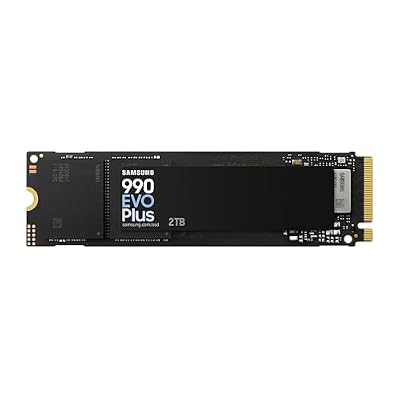
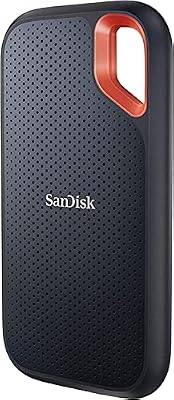
This is a buying guide built around the product class. We have not tested the X10 for this article, and we are not stating a benchmark for it here. The hero listing below was chosen for the query “Crucial X10 external SSD”, and the alternatives came from the same search. Confirm the exact model, capacity, interface and price on the card before buying.

The Connection Sets the Speed Limit
An external SSD is only as fast as its connection. USB 3.2 Gen 2 offers roughly 10 Gbps, which translates to a practical ceiling near 1,000 MB/s. USB 3.2 Gen 2×2 offers 20 Gbps and a practical ceiling near 2,000 MB/s. A drive with an internal Gen4 controller cannot push past those limits when it is connected over USB, so the internal design only matters when the port allows it. Check the interface named on the listing before comparing speeds.
This is the key point for buyers. A portable drive will be much faster than a hard disk and far more convenient than a large internal drive you carry around. It will not match an internal PCIe NVMe drive for game loading, because the connection is the bottleneck. Expect the external drive to serve as a library, a backup target or a secondary store, not as the drive your most demanding game runs from.
Can You Run Games From an External SSD?
On a PC, you can install games on an external drive, and many players do. Load times will be slower than on an internal NVMe drive, and some games may stutter if they stream large amounts of data during play. Titles with heavy asset streaming are the most sensitive, while smaller or older games often run without issues. Check each game’s own guidance, because some publishers recommend internal storage for the best experience.
On consoles, the rules are different and depend on the platform and the game. Some consoles allow external storage for certain titles, and some require internal or proprietary expansion storage for current games. Verify the console’s storage compatibility list before buying an external drive for games, since the drive may not be usable for the titles you want.
Where a Portable Gen4-Designed Drive Makes Sense
An external drive is useful in several real situations. It makes a good backup target for save files, screenshots and game folders you do not play daily. It works well for moving large installs between machines, such as from a desktop to a laptop. It also serves as an archive for older games you want to keep but not run from fast storage. Those uses take advantage of portability and capacity, and the USB limit matters less.
For a broad look at portable options and which ones suit gaming, our best external SSD for gaming guide compares several models. If you want a drive that fits in a pocket, the best portable SSD for gaming list covers the smallest options.
Comparison Table: External and Internal Storage Roles
The table below shows how external drives compare with internal options for common gaming tasks. Ranges are broad and not tied to specific prices. Check the live listing for current pricing.
| Storage type | Best for | Typical connection speed class | Typical price range |
|---|---|---|---|
| External USB 3.2 Gen 2 SSD (X10 type) | Portable backup, game transfers, archive storage | About 1,000 MB/s ceiling | Check current price |
| External USB 3.2 Gen 2×2 SSD | Faster portable transfers and larger game folders | About 2,000 MB/s ceiling | Check current price |
| Internal PCIe 4.0 NVMe | Primary game drive and fastest load times | Multi-GB/s internal bus | Check current price |
| Internal SATA SSD | Budget secondary storage | About 550 MB/s | Check current price |
If you are weighing an external drive against an internal upgrade, the best gaming PC SSD guide explains which internal drives suit a primary game library. For a value-focused internal option, the best NVMe SSD for gaming 2026 list covers the field.
Buying Checklist for a Portable Gaming Drive
Start with the interface. Confirm whether the drive uses USB 3.2 Gen 2 or Gen 2×2 and whether your computer or console has a matching port. Next, choose a capacity that fits your library and leaves room for patches. Check the cable type and whether the drive ships with a cable that matches your ports. Finally, review the warranty and whether the drive is rated for shock or drops, since portable drives get carried around.
Also check how the drive behaves over long transfers. External SSDs can slow down when they heat up during big copies, so avoid stacking them under warm electronics or inside tight bags during long sessions.
Further reading on related storage decisions: SanDisk Extreme Pro portable SSD review, Samsung T9 portable SSD review, WD My Passport SSD review, Crucial X9 Pro portable SSD review, best portable gaming device.
Frequently Asked Questions
Is the Crucial X10 fast enough to run games?
It can run games, but load times and streaming will be slower than an internal NVMe drive. The USB connection limits its speed, so it is better as a library, backup or secondary store for games you do not need at top speed.
Why does the name say Gen4 if it is external?
Gen4 in the product name usually refers to the internal design of the drive. The external connection is still a USB interface, and that connection sets the practical transfer ceiling.
Can I use an external SSD with a PlayStation or Xbox?
Compatibility depends on the console and the game. Check the platform’s official storage guidance before buying, since some titles require internal or proprietary expansion storage.
Is an external SSD better than a hard drive for games?
For most players, yes. An external SSD is faster, quieter and more shock-resistant than a mechanical hard drive, even though it is limited by USB speeds.
Final Verdict
The Crucial X10 class of external SSD is a solid choice for portable backup, game transfers and secondary library storage. It is not a replacement for an internal PCIe NVMe drive when you want the fastest load times. Check the hero listing and the alternatives on the card, confirm the interface, capacity and warranty, and verify compatibility with your console or PC before you buy. Used for the right job, a portable drive adds real flexibility to a gaming setup.