Best NVMe SSD Heatsink 2026: How to Pick One That Fits Your Board and Case
An NVMe SSD heatsink keeps the drive cool during long writes, large game installs and file copies, which helps it hold its rated speed. Heatsinks are often treated as an afterthought, yet a Gen4 or Gen5 drive without proper cooling can throttle, and a heatsink that does not fit can block the installation altogether. This guide explains how to choose the best NVMe SSD heatsink for 2026, what dimensions to check and how thermal pads and shields compare.
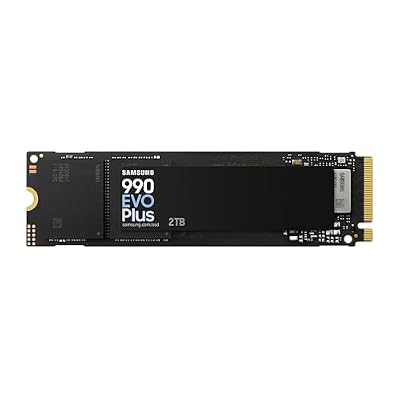
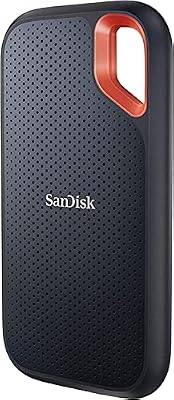
This is a buying guide built around the product class. We have not measured the heatsinks in the listing below for this article. The hero listing was chosen for the query “NVMe SSD heatsink best”, and the alternatives came from the same search. Always check the card for the exact model, height and compatibility with your drive’s length before ordering, since a heatsink that looks universal may not fit every drive or board.
Why Heat Matters for NVMe Drives
NVMe drives run a controller and NAND chips that generate heat under sustained load. When temperatures climb past the drive’s limit, the firmware lowers speed to protect the components. That throttling is most noticeable during long copies, large installs and sustained writes, which are exactly the moments when fast storage is needed most. Gen5 drives are more prone to this because they move more data per second.
Throttling does not usually cause crashes, but it can make a fast drive feel slower than its rating. A heatsink or shield spreads the heat across a larger surface and helps the drive stay within its safe range. For a gaming PC that frequently installs and updates large titles, that stability is worth the small cost.
Key Dimensions Before You Buy
Drive Length and Mounting
M.2 drives come in several lengths, commonly 2230, 2242, 2260 and 2280. A heatsink must fit the length of your drive and attach securely, either with a clip, a screw or a thermal pad. Check the heatsink’s listed compatibility against your drive’s length before buying.
Height Clearance
Height is the dimension most buyers overlook. Some heatsinks sit high enough to clash with a large GPU backplate, a tall cooler or a motherboard heatsink. Measure the space above the slot in your case and check the heatsink’s total height. Low-profile options are better for compact builds and tight cases.
Console Limits
If you are buying a heatsink for a PS5 expansion drive, Sony’s size limit includes any heatsink, with a maximum total thickness of 11.25mm. Check that limit carefully, since many heatsinked drives come close to it.
Heatsinks, Shields and Thermal Pads Compared
A dedicated heatsink is a metal part fitted to the drive, usually with a thermal pad that contacts the controller and NAND. It offers good heat spreading and is easy to add to an existing drive. A motherboard M.2 shield is a metal plate that the board maker includes, and it is often enough for Gen4 drives in good airflow. Some drives ship with a heatsink, which removes the need to buy one.
Thermal pads transfer heat from the drive to the heatsink. Use the thickness the heatsink specifies, and avoid thermal paste on NAND packages unless the manufacturer recommends it. Pads that are too thin leave gaps, and pads that are too thick can stop the heatsink from seating properly.
Comparison Table: Heatsink Options
The table below compares the common ways to cool an NVMe drive. Ranges are broad and not tied to specific prices. Check the live listing before buying.
| Option | Best for | Key consideration | Typical price range |
|---|---|---|---|
| Low-profile aluminium heatsink | Compact builds and tight cases | Check height against GPU and cooler clearance | Check current price |
| Taller finned heatsink | Gen5 drives under sustained loads | Needs open space above the slot | Check current price |
| Motherboard M.2 shield | Gen4 drives with good airflow | Confirm the board supports your drive length | Usually included with board |
| Drive with heatsink included | Buyers who want no separate purchase | Check total height and fit | Check current price |
For broader cooling questions, our best thermal paste guide explains which compounds suit CPUs and what to avoid on other components. If you are building around a Gen5 drive, the best PCIe 5 NVMe SSDs 2026 list shows which models ship with heatsinks.
Installing a Heatsink Without Damaging the Drive
Power the system off and wait for the drive to cool before handling it. Remove the thin protective film from the thermal pad only when the heatsink is ready to be fitted. Seat the drive firmly in the slot, press the pad against the controller and NAND, and secure the heatsink with the included hardware. Do not overtighten screws, since excess pressure can crack a board or damage the drive’s surface.
After installation, check that the heatsink does not touch any nearby component and that the case panel closes without bending anything. Run a long copy or a benchmark-style test afterward to confirm the drive stays within its normal temperature range in your case.
Which Option Fits Which Build
For a Gen4 drive in a well-ventilated case, the board’s M.2 shield or a low-profile heatsink is usually enough. For a Gen5 drive, a finned heatsink with good contact is the safer choice, particularly if you plan to fill the drive with large installs. For a console expansion drive, buy a heatsink or drive combination that fits Sony’s size limit, and avoid anything that pushes the total height past the allowed maximum.
If your build also includes a high-end CPU cooler, the best CPU cooler for gaming guide helps you check clearance and airflow together, since the cooler and the drive heatsink can compete for space.
Further reading on related storage decisions: best PS5 compatible SSDs 2026, best gaming M.2 SSDs, best NVMe SSD for gaming 2026, best air CPU coolers gaming 2026.
More options for this setup include best thermal paste, best pcie 5 nvme ssds 2026.
For drive picks to pair with a heatsink, see best gaming PC SSD, SSD guide for gaming PCs.
Frequently Asked Questions
Do I need a heatsink for a Gen4 SSD?
Not always. A motherboard shield or good case airflow is often enough for Gen4 drives during normal use. A heatsink becomes more useful for long writes and large installs.
Do Gen5 drives need a heatsink?
Most Gen5 drives benefit from one, because they run hotter under sustained loads. A heatsink with good contact helps prevent throttling during long copies and big game installs.
Will a heatsink fit any M.2 slot?
Not automatically. Check the drive length the heatsink supports and the height clearance in your case and motherboard. Mismatched sizes are the most common fit problem.
Is thermal paste better than thermal pads for an SSD?
Thermal pads are the usual choice for NVMe drives, since they fill gaps between the drive and the heatsink without the mess of paste. Use the pad thickness the heatsink specifies.
Final Verdict
The best NVMe SSD heatsink is the one that matches your drive’s length, fits your case and board clearance, and makes solid thermal contact with the controller and NAND. Check the hero listing and the alternatives on the card, confirm the height and compatibility, and verify the thermal pad and mounting method before buying. A well-chosen heatsink costs little compared with the value of a drive that holds its speed through long sessions and large installs.