Portable NVMe SSD Gaming 2026: Choosing a Pocket Drive for Fast Game Transfers
A portable NVMe SSD is a small external drive built from the same kind of flash used inside a desktop M.2 drive. It matters for gamers who move between a desktop, a laptop, a handheld or a friend’s machine and want their games and saves to come along. Portable NVMe drives are not all alike. The enclosure, the interface and the cable decide how fast the drive really is, and the cheapest option is not always the one that fits your setup. This guide explains how to choose a portable NVMe SSD for gaming in 2026 and where the trade-offs sit.
This is a buying guide built around the product class. We have not benchmarked the drives in the listing below for this article. The hero listing was chosen for the query “portable NVMe SSD gaming”, and the alternatives came from the same search. Confirm the exact model, capacity, interface and price on the card before you buy, because listings in this category often differ in small but important ways.

Interface First: USB Generations and Thunderbolt
The port your device offers defines the ceiling for a portable drive. USB 3.2 Gen 2 tops out around 1,000 MB/s in practice. USB 3.2 Gen 2×2 reaches about 2,000 MB/s. USB4 and Thunderbolt links can carry much more, which lets a portable NVMe drive get close to what an internal drive delivers in sequential tests. Check the port on your PC, laptop or handheld before you compare speed claims, since a fast drive on a slow port is a waste of money.
Cable quality matters as well. A cable that only supports a lower standard will quietly cap the drive’s speed. Use the cable that ships with the drive if it matches your port, or buy a certified cable of the right generation. Many buyers blame the drive for slow transfers that were really caused by the cable or the port.
Enclosure Quality and Heat
A portable NVMe drive sits inside an enclosure that does two jobs. It protects the drive and it moves heat away from the controller. Metal shells usually conduct heat better than plastic, which helps the drive hold its speed during long copies. Plastic shells are lighter and cheaper, but they can throttle sooner during large transfers. For a gaming library you install once and carry occasionally, a metal enclosure is worth the small weight penalty.
Avoid leaving the drive in a hot car or inside a closed bag during long transfers. External drives that get warm may slow down, and sustained heat is more likely to shorten the life of any flash storage. Giving the drive a little airflow is a simple habit that keeps performance consistent.
Capacity Planning for Portable Game Libraries
Most portable drives sold for gaming come in 1TB, 2TB and 4TB sizes. For carrying a handful of games between machines, 1TB is often enough. For a larger library or for keeping several installs ready, 2TB is the practical sweet spot. Larger capacities are useful for archives, but they cost more per terabyte, and you may not need all of that room for a portable set-up.
Think about what you carry. A portable drive is best for games you play on the go, save files, screenshots and backups. Large titles that you play at full speed on your main PC belong on an internal drive. Splitting the workload keeps both drives doing the job they handle best.
Comparison Table: Portable NVMe Options
The table below groups portable NVMe options by the situation they suit best. Ranges are broad and intentionally not tied to exact retail prices. Verify the live listing before ordering.
| Option | Best for | Connection class | Typical price range |
|---|---|---|---|
| Compact USB 3.2 Gen 2 NVMe | Pocket backups and occasional game transfers | About 1,000 MB/s ceiling | Check current price |
| USB 3.2 Gen 2×2 NVMe | Faster transfers for larger game folders | About 2,000 MB/s ceiling | Check current price |
| USB4 or Thunderbolt NVMe | Laptops and PCs with matching ports and high-speed needs | Higher ceiling, port-dependent | Check current price |
| Metal-shell premium enclosure | Long transfers and sustained heavy use | Depends on the internal drive and port | Check current price |
Samsung T9 Portable SSD 2TB, USB 3.2 Gen 2x2 External SSD, Up to 2,000 MB/s | External Solid State Drive for Gaming, Students and Professionals, MU-PG2T0B/AM, Black




As an Amazon Associate we earn from qualifying purchases. Product prices and availability are accurate as of the date/time indicated.
For broader comparisons across portable drives of all types, see our best portable SSD for gaming roundup and the best external SSD for gaming list. Readers who only need a single portable model can also read the Crucial X9 Pro portable SSD review for another point of comparison.
Portable Drives on Handhelds and Laptops
Handheld PCs and thin laptops often have limited internal storage, and a portable NVMe drive can extend that space without opening the device. The main question is whether the handheld or laptop supports the faster USB or Thunderbolt link you need. Lower-powered devices may also limit how much current the port supplies, which can affect drive stability. Check the manufacturer’s specifications and the drive’s power requirements before relying on a portable NVMe drive for demanding games.
For handheld-focused buyers, our best portable gaming device guide explains which devices have the storage and port options that suit this kind of setup.
Who Should Buy a Portable NVMe Drive
A portable NVMe drive suits gamers who move between machines, LAN party players, and anyone who wants a fast backup of save files and game folders. It is also useful for transferring a large install to a new PC without re-downloading. If your games are always played at one desk on one machine, an internal drive gives better value.
SAMSUNG T9 Portable SSD 4TB, USB 3.2 Gen 2x2 External SSD, Up to 2,000 MB/s | | External Solid State Drive for Gaming, Students and Professionals, MU-PG4T0B/AM, Black
As an Amazon Associate we earn from qualifying purchases. Product prices and availability are accurate as of the date/time indicated.
Setup and Safety Tips
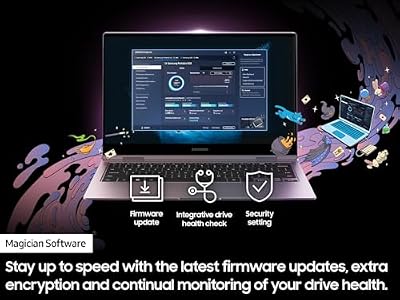
Format the drive in the format your main systems support. Most users choose a format that works across Windows and their other machines, and they keep a second copy of important save data. Eject the drive properly before unplugging, since abrupt removal during a write can corrupt files. Keep firmware updated when the maker publishes an update, and read the warranty terms, since portable drives are often carried in situations where drops happen.
For a broader comparison of internal drives that complement a portable set-up, the best SSD for gaming PC guide explains how to split storage between internal and external tiers.
Further reading on related storage decisions: SanDisk Extreme Pro portable SSD review, Samsung T9 portable SSD review, WD My Passport SSD review.
Frequently Asked Questions
Can I play games directly from a portable NVMe drive?
On a PC you can, and many players do. Load times and streaming depend on the port’s speed, so expect slower performance than an internal drive, especially in games that stream heavily.
Do I need USB4 or Thunderbolt for a portable NVMe drive?
Not always. USB 3.2 Gen 2×2 is fast enough for many gaming tasks. USB4 or Thunderbolt makes sense if your device supports it and you move large files often.
Is a metal enclosure necessary?
It is not strictly necessary, but a metal shell helps with heat during long transfers. For occasional use, a good plastic enclosure can be perfectly adequate.
How much capacity do I need for a portable gaming drive?
One terabyte handles a small set of games and backups. Two terabytes is the practical choice for a larger portable library.
Final Verdict
A portable NVMe SSD is a strong choice for gamers who move between machines and want fast, compact storage. Match the drive to the port on your devices, choose a shell that handles heat well if you transfer large files, and keep your heaviest games on internal storage. Check the hero listing and the alternatives on the card, confirm interface, capacity and price, and make sure your cable matches the drive’s speed class. That combination gives you practical portability without a slow experience.