

For photo editing, a GPU does a different job than it does in gaming. Instead of pushing frame rates, it accelerates the panning, zooming and brush work in applications like Lightroom and Photoshop, drives high-resolution displays at the 10-bit color depth professional editing demands, and speeds up exports and previews through its media engines. The three specifications that matter most for photographers are video memory (VRAM) to hold large raw files and high-resolution canvases, support for 10-bit color output for smooth, banding-free gradients, and capable encoders for fast exports. This guide rounds up the best photo editing GPUs in 2026 with those priorities front and center.
- Best Photo Editing GPUs at a Glance
- 1. MSI Gaming GeForce RTX 3060 12GB GDDR6 192-Bit HDMI/DP PCIe 4 Twin Fan
- 2. ASUS Prime GeForce RTX 5070 Ti OC Edition 16GB GDDR7
- 3. ASUS Prime GeForce RTX 5080 OC Edition Triple Fan 16GB GDDR7
- 4. NVIDIA RTX PRO 4000 SFF Blackwell 24GB GDDR7 ECC, 4x mDP 2.1b, Low-Profile
- 5. PNY NVIDIA RTX PRO 5000 Blackwell 48GB GDDR7 384-Bit Graphics Card
- 6. MXZ Gaming PC, AMD Ryzen 7 9700X, GeForce RTX 4070, 16GB DDR5, 1TB NVMe
- How to Choose a GPU for Photo Editing
- Frequently Asked Questions
- Related Guides
- Related Articles
- Related Guides
Our picks span an unusually wide range, from a sensible 12GB mainstream card to professional workstation GPUs with 24GB and 48GB of memory, so we have ordered the list to lead with the cards that hit the photo-editing sweet spot of VRAM and value. One honest note: one entry on the supplied list is a complete prebuilt desktop rather than a standalone graphics card, and we describe it for exactly what it is. Prices range from around $399 to around $4,820. Below is an at-a-glance comparison, then a closer look at each option and a buyer’s guide built around VRAM, 10-bit color and encoders — the criteria that genuinely matter for a photo-editing GPU.
As an Amazon Associate we earn from qualifying purchases at no extra cost to you.



Check Price on Amazon →



🛒 Best Price Today on Amazon
Prime members get fast, free shipping on everything above, plus member-only deals. New members get a 30-day free trial — cancel anytime.
Best Photo Editing GPUs at a Glance
| GPU | Best For | Standout Spec | Approx Price |
|---|---|---|---|
| MSI GeForce RTX 3060 12GB | Best value photo editing | 12GB VRAM, NVENC, 10-bit | around $399 |
| ASUS Prime RTX 5070 Ti OC 16GB | Modern editing all-rounder | 16GB GDDR7, dual encoders | around $1,450 |
| ASUS Prime RTX 5080 OC 16GB | High-resolution power user | 16GB GDDR7, fast media engine | around $1,500 |
| NVIDIA RTX PRO 4000 SFF Blackwell 24GB | Compact pro workstation | 24GB ECC, 4x mDP 2.1b | around $2,047 |
| PNY RTX PRO 5000 Blackwell 48GB | Maximum-VRAM professional | 48GB GDDR7, 384-bit | around $4,820 |
| MXZ Prebuilt PC, Ryzen 7 9700X + RTX 4070 | Ready-to-edit complete PC | Full desktop, RTX 4070, 16GB | around $1,549 |
1. MSI Gaming GeForce RTX 3060 12GB GDDR6 192-Bit HDMI/DP PCIe 4 Twin Fan

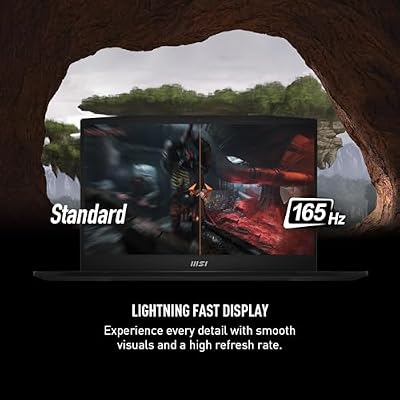
msi Katana 15 15.6” 165Hz QHD Gaming Laptop: Intel Core i7-13620H, NVIDIA Geforce RTX 4070, 16GB DDR5, 1TB NVMe SSD, Cooler Boost 5, Win 11: Black B13VGK-2000US



As an Amazon Associate we earn from qualifying purchases. Product prices and availability are accurate as of the date/time indicated.
The MSI GeForce RTX 3060 12GB is our best-value pick for photo editing, and its headline figure tells you why: 12GB of VRAM. That generous memory buffer — more than many pricier cards once offered — comfortably holds large raw files, high-resolution canvases and multiple open documents, which is precisely what Lightroom and Photoshop lean on. At around $399 it is by far the most affordable card here and the smart entry point for serious photo work.
This is the GPU for the photographer who wants real editing capability without professional-card pricing. The 12GB of VRAM keeps big files and layered edits responsive, the card supports 10-bit color output for smooth gradients on a capable monitor, and NVIDIA’s NVENC media engine accelerates exports and any video work you dabble in. For Lightroom, Photoshop and raw processing on a sensible budget, the RTX 3060 12GB delivers the memory and acceleration that matter most — and remains a standout value.
Pros: Generous 12GB VRAM for the price, NVENC encoder, 10-bit color support, excellent value.
Cons: Older-generation architecture; fewer cores than current-gen cards.
2. ASUS Prime GeForce RTX 5070 Ti OC Edition 16GB GDDR7

ASUS Prime RTX 5070 Ti OC 16GB GDDR7 GPU, PCIe 5.0, HDMI 2.1b, 3X DP 2.1b, High FPS 4K Gaming, Creator PC, AI Creation, Video Editing, 3D Rendering, Streaming, Local AI, with GPU Holder




As an Amazon Associate we earn from qualifying purchases. Product prices and availability are accurate as of the date/time indicated.
The ASUS Prime RTX 5070 Ti OC is the modern editing all-rounder. It steps up to 16GB of fast GDDR7 memory on a current-generation Blackwell GPU, pairing ample VRAM for large files with PCIe 5.0, HDMI 2.1b and three DisplayPort 2.1b outputs for driving high-resolution, high-bit-depth monitors. At around $1,450 it is a powerful, well-rounded card for a serious editing rig.
This is the GPU for the photographer or hybrid creator who wants headroom and modern connectivity without reaching for a workstation card. The 16GB of GDDR7 handles big raw libraries and high-resolution canvases smoothly, the latest DisplayPort 2.1b and HDMI 2.1b outputs support 10-bit color on high-end displays, and Blackwell’s updated media engines accelerate exports and any 4K video editing alongside your photos. For a fast, future-facing all-rounder that edits photos and video with ease, the 5070 Ti OC is an excellent choice.
Pros: 16GB fast GDDR7, modern DisplayPort 2.1b/HDMI 2.1b, strong media engines, 10-bit ready.
Cons: Pricier than mainstream cards; 16GB is ample but not workstation-class.
3. ASUS Prime GeForce RTX 5080 OC Edition Triple Fan 16GB GDDR7

The ASUS Prime RTX 5080 OC is the high-resolution power-user pick. It also carries 16GB of GDDR7 but adds considerably more GPU horsepower than the 5070 Ti, making it the fastest consumer card on this list for the most demanding editing — heavy layering, large panoramas, high-megapixel raw files and accelerated effects. At around $1,500 it is the top-tier consumer option for photographers who push their software hard.
This is the GPU for the editor who works with very large files, complex composites or a photo-and-video workflow and wants maximum consumer-grade speed. The 16GB of GDDR7 keeps big projects responsive, the powerful Blackwell core accelerates filters, previews and exports, and the modern outputs drive 10-bit color on high-end 4K or 5K displays. If you want the quickest non-workstation card for serious, sustained photo and media editing, the RTX 5080 OC is the standout performer here.
Pros: Top consumer horsepower, 16GB GDDR7, fast media engine, drives high-res 10-bit displays.
Cons: High price for 16GB; overkill for lighter photo-only workflows.
4. NVIDIA RTX PRO 4000 SFF Blackwell 24GB GDDR7 ECC, 4x mDP 2.1b, Low-Profile

NVIDIA RTX PRO 4000 SFF Blackwell 24GB GDDR7 ECC - PCIe 5.0x8, 4X mDP 2.1b, Low-Profile Dual-Slot AI Workstation GPU Retail


As an Amazon Associate we earn from qualifying purchases. Product prices and availability are accurate as of the date/time indicated.
The NVIDIA RTX PRO 4000 SFF is the compact professional pick, and it shifts the priorities toward studio-grade reliability. It offers 24GB of GDDR7 with ECC (error-correcting) memory in a low-profile, small-form-factor design, plus four Mini DisplayPort 2.1b outputs for multi-monitor color work. At around $2,047 it is a genuine workstation card for professionals who need certified stability.
This is the GPU for the working photographer or studio that values data integrity, multi-display color accuracy and a card that fits compact and SFF workstations. The 24GB of ECC VRAM both holds very large files and guards against memory errors during long edits, the four Mini DisplayPort 2.1b outputs drive several 10-bit color-managed monitors at once, and the low-profile build suits small or rackable systems. For a professional, reliability-focused editing setup in a compact chassis, the RTX PRO 4000 SFF is purpose-built.
Pros: 24GB ECC VRAM, four Mini DisplayPort 2.1b outputs, compact low-profile pro design, reliable.
Cons: Workstation pricing; SFF/low-profile focus rather than raw gaming speed.
5. PNY NVIDIA RTX PRO 5000 Blackwell 48GB GDDR7 384-Bit Graphics Card

PNY Technology VCNRTXPRO6000BQ-PB NVIDIA RTX PRO 6000 Blackwell Max-Q Workstation Graphics Card
As an Amazon Associate we earn from qualifying purchases. Product prices and availability are accurate as of the date/time indicated.
The PNY RTX PRO 5000 Blackwell is the maximum-VRAM professional pick, and its specification is in another league for photo work: 48GB of GDDR7 on a wide 384-bit memory bus. That enormous buffer is built for the heaviest professional workloads — gigapixel composites, massive layered files, high-resolution retouching and GPU-accelerated AI tooling. At around $4,820 it is the flagship of this list and a true professional workstation card.
This is the GPU for the studio or commercial photographer whose files and pipelines exceed what any consumer card can hold. The 48GB of VRAM eliminates memory as a bottleneck even on extreme projects, the wide 384-bit bus feeds that memory with huge bandwidth, and the professional Blackwell architecture drives color-accurate 10-bit output across multiple high-end displays. If your work demands the absolute most memory and certified professional reliability, the RTX PRO 5000 48GB is the no-compromise choice — at a price to match.
Pros: Massive 48GB GDDR7, wide 384-bit bus, certified professional reliability, multi-display 10-bit.
Cons: Very high price; far more capability than typical photo editing requires.
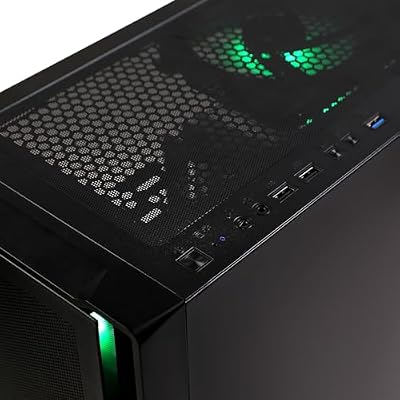
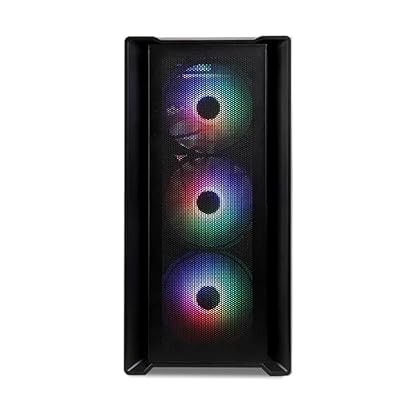
6. MXZ Gaming PC, AMD Ryzen 7 9700X, GeForce RTX 4070, 16GB DDR5, 1TB NVMe

MXZ Gaming PC,AMD Ryzen 7 9700X, GeForce RTX 4070,16GB DDR5, NVME 1 T,B650




As an Amazon Associate we earn from qualifying purchases. Product prices and availability are accurate as of the date/time indicated.
A transparency note: this entry is not a standalone graphics card but a complete prebuilt desktop, and we include it for shoppers who want a ready-to-edit machine rather than a GPU to install themselves. It pairs an AMD Ryzen 7 9700X CPU with a GeForce RTX 4070 graphics card, 16GB of DDR5-6000 memory and a 1TB NVMe SSD. At around $1,549 it is a full system, so judge it as one.
As a photo-editing platform this is a sensible, balanced choice for someone who does not want to build. The RTX 4070 inside it offers solid editing acceleration, 10-bit color output and NVENC encoders for exports, the Ryzen 7 9700X handles batch processing and raw conversion well, and the fast NVMe SSD speeds catalog and scratch operations. The 16GB of system RAM is a reasonable start that many editors will want to expand. If you would rather buy a finished, capable editing PC than shop for a graphics card alone, the MXZ is a practical, all-in-one option — just remember it is a whole computer, not a GPU upgrade.
Pros: Complete ready-to-edit PC, capable RTX 4070, fast Ryzen 7 9700X and NVMe, no building required.
Cons: It is a full prebuilt, not a standalone GPU; 16GB RAM may need upgrading.
How to Choose a GPU for Photo Editing
For photo editing, VRAM is the specification to prioritise above almost everything else. Video memory is where the GPU holds your open files, high-resolution canvases and layered documents, so a larger buffer keeps big raw images and complex composites responsive instead of stuttering. A 12GB card like the RTX 3060 is a strong, affordable baseline; 16GB cards such as the RTX 5070 Ti and 5080 add headroom; and professional 24GB or 48GB cards exist for studios working with gigapixel or extreme files. Match the memory to the size of the files you actually edit.
Color output is the second pillar, and it is what separates a photo-editing setup from a gaming one. Professional editing relies on 10-bit color, which displays far more shades per channel and renders smooth, banding-free gradients in skies and skin tones. Every card here supports 10-bit output, but you also need a 10-bit-capable monitor and the right cable: look for modern DisplayPort 2.1b or HDMI 2.1b outputs, as on the Blackwell cards, to drive high-resolution color-managed displays correctly. Color depth, not refresh rate, is the metric that matters here.
Encoders and overall acceleration round out the picture, especially if your photo work spills into video. NVIDIA’s NVENC media engines speed up exports and any 4K video editing you do alongside photography, while the GPU’s compute power accelerates filters, AI-powered tools, denoise and previews in modern editing software. Newer architectures like Blackwell bring faster, more efficient media engines than older cards, so if exports and effects are a bottleneck, a current-generation GPU pays off. For pure stills, though, ample VRAM still matters more than raw encoder speed.
Finally, weigh the form of the purchase and your budget honestly. Most photographers are best served by a consumer card with plenty of VRAM — the RTX 3060 12GB for value, or a 16GB Blackwell card for headroom — rather than an expensive workstation GPU, which is aimed at studios needing ECC memory and certified reliability. If you would rather not build a PC at all, a balanced prebuilt like the MXZ desktop gets you editing immediately, just remember you are buying a whole system. Set your budget, prioritise VRAM and 10-bit color, factor in encoders if you touch video, and pick the option on this list that fits how you work.
Frequently Asked Questions
How much VRAM do I need for photo editing?
More than you might expect, because VRAM holds your open files and layered edits. For most photographers, 12GB — as on the RTX 3060 here — is a strong, affordable baseline that handles large raw files and high-resolution canvases comfortably. Editors working with very large composites, gigapixel panoramas or heavy AI tooling benefit from 16GB consumer cards or the 24GB and 48GB professional GPUs. Match the memory to the size of the files you actually edit.
Why does 10-bit color matter for a photo editing GPU?
10-bit color lets the GPU and monitor display far more shades per channel than standard 8-bit, which produces smooth, banding-free gradients in skies, shadows and skin tones — critical for accurate photo work. Every card in this guide supports 10-bit output, but you also need a 10-bit-capable monitor and a modern connection like DisplayPort 2.1b or HDMI 2.1b to use it. Color depth, not refresh rate, is the key display spec for editing.
Do I need an expensive professional workstation GPU?
Usually not. Workstation cards like the RTX PRO 4000 (24GB) and RTX PRO 5000 (48GB) offer ECC memory, certified reliability and huge VRAM aimed at studios and extreme files, but they cost far more than most photographers need to spend. A consumer card with generous VRAM — the RTX 3060 12GB for value or a 16GB Blackwell card for headroom — delivers excellent photo-editing performance at a fraction of the price.
Is the MXZ a graphics card or a whole computer?
It is a complete prebuilt desktop, not a standalone GPU — we include it for shoppers who want a ready-to-edit machine rather than a card to install. It contains an RTX 4070 graphics card alongside a Ryzen 7 9700X CPU, 16GB of DDR5 memory and a 1TB NVMe SSD. If you would rather buy a finished editing PC than build one, it is a balanced option, but judge it as a full system and budget to expand the 16GB of RAM if needed.
Related Guides
- Best GPUs for Your Build
- Best Monitors for Content Creation
- Best 4K Monitors
- Best NVMe SSDs
- Best Gaming PCs
- Best RAM for Your Build
Affiliate Disclosure: As an Amazon Associate, we earn from qualifying purchases. If you click a link and make a purchase, we may earn a small commission at no extra cost to you. Prices and availability are accurate as of publication and may change.










