

🛒 Best Price Today on Amazon
Prime members get fast, free shipping on everything above, plus member-only deals. New members get a 30-day free trial — cancel anytime.
- Top Cases Photo Editing Picks for 2026
- Best PC Cases for Photo Editing at a Glance
- 1. NZXT H6 Flow Compact Dual-Chamber Mid-Tower Airflow Case
- 2. Corsair iCUE 220T RGB Airflow Tempered Glass Mid-Tower ATX Case
- 3. Corsair Crystal Series 680X RGB High Airflow Tempered Glass ATX Case
- 4. Fractal Design Focus G Mid Tower ATX High Airflow Computer Case
- 5. Cooler Master MasterBox Q300L Micro-ATX PC Case
- 6. HYTE Y70 Touch Modern Aesthetic PC Case with Integrated 2.5K LCD Touchscreen
- How to Choose a PC Case for Photo Editing
- Frequently Asked Questions
- Related Guides
- Related Articles
- Related Guides
Top Cases Photo Editing Picks for 2026
Here are our current top cases photo editing picks, compared on real Amazon owner reviews, price, and features. Live prices update below.
As an Amazon Associate we earn from qualifying purchases at no extra cost to you.



A photo-editing workstation lives or dies by the case it is built in. The right enclosure keeps the system cool and quiet so it stays fast and unobtrusive through long sessions, offers the storage flexibility a creative needs for libraries of high-resolution images, and provides clean cable management for tidy airflow. Photo editing is less about flashy lighting and more about a calm, organised, well-ventilated machine you can rely on. This guide rounds up the best PC cases for photo editing in 2026, weighing airflow, noise, drive support and build quality across compact and full-size designs.
Our picks were chosen on what genuinely serves a creative build: airflow and cooling potential to keep components cool and fans quiet, storage support including drive bays for extra hard drives, clean cable management for uncluttered airflow, and overall build quality and value. We have led with the well-balanced airflow cases that suit a quiet workstation and noted where a case leans more toward show than substance. Prices range from around $40 to around $350. Below is an at-a-glance comparison of all six, then a closer look at each and a buyer’s guide built around airflow, storage and quietness — the qualities a photo-editing rig depends on.
Best PC Cases for Photo Editing at a Glance
| PC Case | Best For | Standout Spec | Approx Price |
|---|---|---|---|
| NZXT H6 Flow | Best balanced airflow workstation | Dual-chamber, panoramic airflow | around $80 |
| Corsair iCUE 220T RGB Airflow | Quiet build with clean cabling | High-airflow front, tempered glass | around $180 |
| Corsair Crystal 680X RGB | Storage-rich dual-chamber build | Dual-chamber, multiple drive bays | around $275 |
| Fractal Design Focus G | Budget high-airflow tower | Two included fans, drive bays | around $69 |
| Cooler Master MasterBox Q300L | Compact mATX workstation | Compact, ventilated, value | around $40 |
| HYTE Y70 Touch | Showpiece case (style-first) | Integrated 2.5K LCD touchscreen | around $350 |
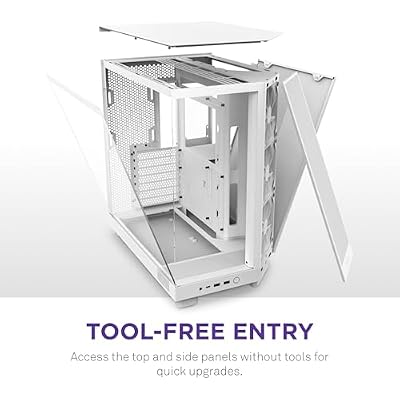
1. NZXT H6 Flow Compact Dual-Chamber Mid-Tower Airflow Case

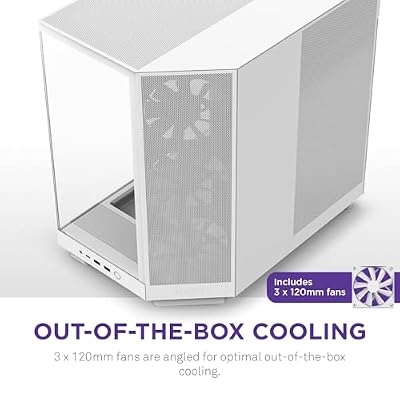
NZXT H6 Flow - Compact Dual-Chamber ATX PC Case - White | Compact dual-chamber ATX case with panoramic glass and 3 included 120mm fans. Airflow-optimized for clean, cool builds.





As an Amazon Associate we earn from qualifying purchases. Product prices and availability are accurate as of the date/time indicated.
The NZXT H6 Flow is the standout pick for a photo-editing workstation because it is designed first and foremost around airflow and a clean build. Its compact dual-chamber layout separates the components from the cabling, a panoramic glass front and side show a tidy interior, and the perforated panels feed cool air to the hardware. At around $80 it offers exactly the qualities a creative rig wants at a sensible price.
For editing, this case delivers calm, efficient cooling and effortless organisation. The dual-chamber design routes power and storage cabling out of sight in a separate compartment, leaving clean airflow over the CPU and GPU that keeps temperatures — and therefore fan noise — low during long sessions. It supports modern cooling and tidy cable management out of the box, and the understated, well-ventilated design suits a focused workspace. As a quiet, clean, airflow-first enclosure at a great price, the H6 Flow is the obvious first choice.
Pros: Dual-chamber clean cabling, strong panoramic airflow, quiet cooling, excellent value.
Cons: Compact layout offers fewer 3.5-inch drive bays than larger storage-focused cases.
2. Corsair iCUE 220T RGB Airflow Tempered Glass Mid-Tower ATX Case
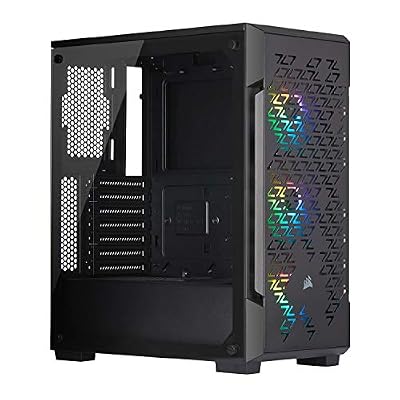
Corsair iCUE 220T RGB Airflow Tempered Glass Mid-Tower Smart ATX Case - High Airflow - Three Included SP120 RGB PRO Fans - Black


As an Amazon Associate we earn from qualifying purchases. Product prices and availability are accurate as of the date/time indicated.
The Corsair iCUE 220T RGB Airflow is the pick for a quiet build with clean cabling and good cooling. It pairs a high-airflow front panel with included RGB fans, a tempered-glass side, and Corsair’s tidy cable-routing channels and covers. At around $180 it is a polished mid-tower that keeps a workstation cool and organised while looking smart on the desk.
For a photo-editing rig, the 220T’s strengths are airflow and neatness. The ventilated front lets the included fans pull plenty of cool air over the components, helping keep temperatures and noise down during extended edits, and Corsair’s cable-management design makes it easy to build a clean system with unobstructed airflow. The RGB lighting is more about looks than editing, but it is unobtrusive and tied into iCUE if you want it. As a well-cooled, easy-to-build, good-looking ATX case for a creative workstation, the 220T is a strong choice.

Pros: High-airflow front, included fans, excellent cable management, tempered-glass good looks.
Cons: RGB adds cost without editing benefit; mid-size storage rather than bay-heavy.
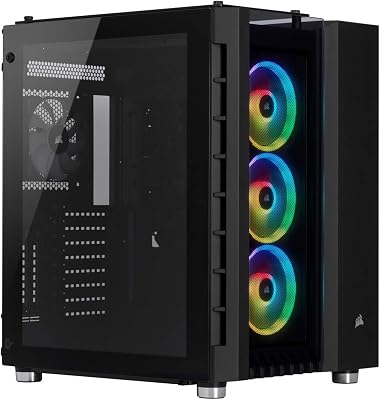
3. Corsair Crystal Series 680X RGB High Airflow Tempered Glass ATX Case

CORSAIR iCUE Link 3500X RGB Mid-Tower ATX PC Case – Panoramic Tempered Glass – Reverse Connection Motherboard Compatible – 3X CORSAIR iCUE Link RX120 RGB Fans Included – Black


As an Amazon Associate we earn from qualifying purchases. Product prices and availability are accurate as of the date/time indicated.
The Corsair Crystal 680X RGB is the storage-rich, high-airflow pick for a serious workstation. It is a roomy dual-chamber ATX case with strong airflow, tempered-glass panels, and generous internal space that supports multiple storage drives — a real asset for creatives managing large photo libraries. At around $275 it is a premium enclosure built for capacity and cooling.
This is the case for the photo editor who needs plenty of drives and excellent cooling in one tidy package. The dual-chamber design isolates the drive cages and cabling from the main component area, so you can fit several hard drives and SSDs for image archives while keeping clean, unobstructed airflow over the CPU and GPU. The spacious interior supports robust cooling to keep the system quiet under sustained editing loads, and the build quality is excellent. For a storage-heavy, well-cooled creative workstation, the 680X is the standout.
Pros: Dual-chamber with multiple drive bays, strong airflow, roomy, high build quality.
Cons: Premium price and large footprint; RGB is a cosmetic extra for editing.
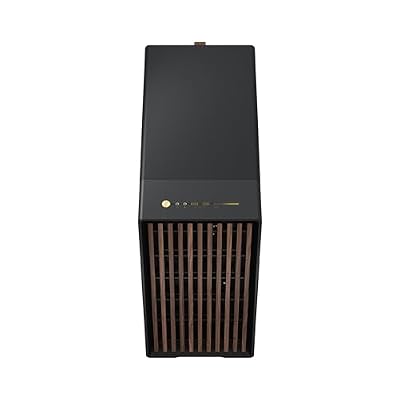
4. Fractal Design Focus G Mid Tower ATX High Airflow Computer Case




As an Amazon Associate we earn from qualifying purchases. Product prices and availability are accurate as of the date/time indicated.
The Fractal Design Focus G is the budget high-airflow pick, bringing Fractal’s respected design sensibility to an affordable price. It is a mid-tower ATX case with a ventilated front, two included fans, and support for additional drives, all for around $69. For a cost-conscious editing build that still values cooling and a clean look, it is a sensible, well-judged choice.
For photo editing on a budget, the Focus G covers the essentials nicely. The high-airflow front and two bundled fans get cool air over the components to keep temperatures and noise reasonable during long sessions, the interior offers drive mounts for the extra storage a creative needs, and Fractal’s understated styling suits a workspace better than flashy alternatives. It lacks the dual-chamber tidiness of pricier cases, but as an affordable, well-ventilated tower with room for drives and a calm aesthetic, it is excellent value for a creative workstation.

Pros: Affordable, two included fans, good front airflow, drive bays, understated design.
Cons: Single-chamber layout; cable management less refined than premium cases.
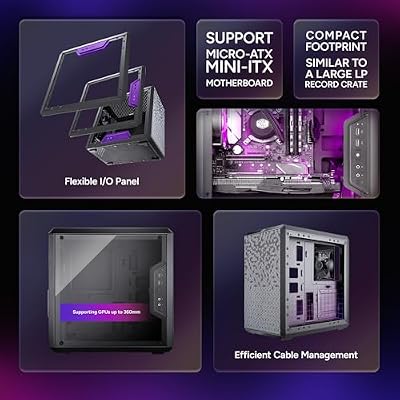
5. Cooler Master MasterBox Q300L Micro-ATX PC Case

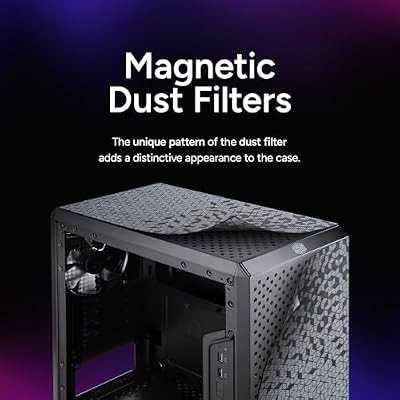
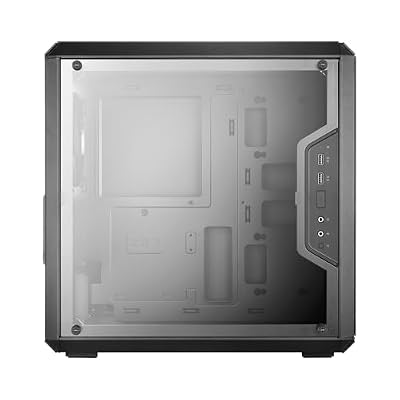
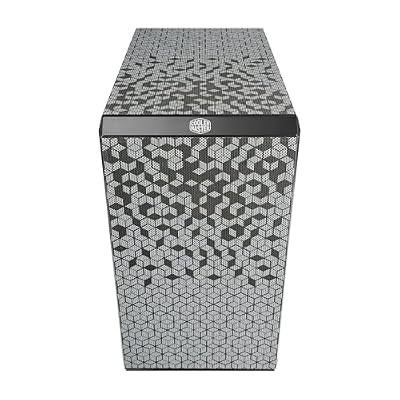
Cooler Master Q300L V1 Micro-ATX PC Case, High Airflow, Transparent Panel | 360mm Graphics Card Support, 240mm AIO Support, Micro-ATX Motherboard, Magnetic Dust Filters, Modular I/O Panel






As an Amazon Associate we earn from qualifying purchases. Product prices and availability are accurate as of the date/time indicated.
The Cooler Master MasterBox Q300L is the compact, budget pick for a small editing workstation. It is a Micro-ATX case with ventilated, magnetic dust-filter panels and a small footprint, and at around $40 it is the cheapest enclosure here. For a space-saving creative build or a secondary editing machine, it offers honest cooling and value in a tidy little box.
This is the case for the editor who wants a compact, affordable home for a Micro-ATX workstation. The ventilated panels and adjustable layout help air move over the components to keep things cool and quiet enough for focused work, and the small size suits a tight desk or shelf. Being a compact mATX case, it offers fewer drive bays and less room than the full towers here, so it best suits a build that leans on SSDs rather than a large bank of hard drives. For an inexpensive, small, well-ventilated creative box, the Q300L is a smart, budget-friendly option.
Pros: Very affordable, compact mATX, ventilated panels with dust filters, decent value.
Cons: Limited drive bays and space; better for SSD-based than storage-heavy builds.
6. HYTE Y70 Touch Modern Aesthetic PC Case with Integrated 2.5K LCD Touchscreen

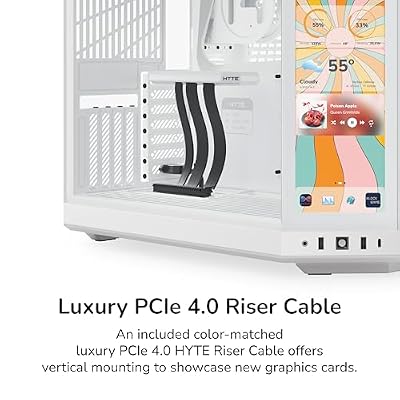
HYTE Y70 Touch Infinite Modern Aesthetic Gaming PC Case - Integrated 2.5K LCD Touchscreen Screen Display - Dual Chamber ATX Desktop Chassis - 10 Fan Capacity - Luxury PCIe 4.0 Riser Cable - Snow White




As an Amazon Associate we earn from qualifying purchases. Product prices and availability are accurate as of the date/time indicated.
An honesty note to close the list: the HYTE Y70 Touch is a stunning showpiece case, but it is a style-first enclosure rather than a focused workstation tool. Its headline feature is a large integrated 2.5K LCD touchscreen built into the front, paired with a panoramic glass design, all for a premium around $350. It is gorgeous, but the touchscreen and aesthetics — not editing practicality — are the point.
For photo editing specifically, you are paying a significant premium for a built-in display and a show-off glass design that do little for a creative workflow. The Y70 Touch can certainly house a capable workstation and looks spectacular, but the money would go further on cooling, storage and quiet operation in a case like the NZXT H6 Flow or Corsair 680X. Choose the Y70 Touch only if its integrated screen and striking looks genuinely appeal to you and budget is no obstacle; for pure editing value, it is the least practical pick here.
Pros: Striking panoramic design, integrated 2.5K LCD touchscreen, spacious and eye-catching.
Cons: Style-first and very expensive; the screen adds little for editing practicality.
How to Choose a PC Case for Photo Editing
Airflow should be your first consideration, because a cool workstation is a quiet, reliable one. Look for a case with a ventilated or mesh front and good fan support, like the NZXT H6 Flow, Corsair 220T, Crystal 680X and Fractal Focus G here — strong airflow keeps the CPU and GPU cool under sustained editing loads, which in turn lets the fans spin slower and quieter. A well-ventilated case is the foundation of a calm, dependable editing machine, so prioritise cooling potential over purely sealed, looks-first designs.
Storage support is especially important for photo editors, who accumulate large libraries of high-resolution images. Check how many drives a case can hold: roomy dual-chamber designs like the Crystal 680X offer multiple drive bays for several hard drives and SSDs, ideal for archives, while compact cases like the MasterBox Q300L and the H6 Flow trade some bays for size and suit SSD-focused builds. Decide how much local storage you need, and choose a case with enough drive mounts to grow into rather than one you will quickly outgrow.
Cable management and build quality keep the system clean, cool and quiet. Dual-chamber cases like the H6 Flow and 680X route cabling into a separate compartment for clean airflow and a tidy interior, while cases with dedicated channels and covers, like the 220T, make neat builds easy. A solid, well-finished case also dampens vibration and noise better than a flimsy one. For a workstation you sit beside for hours, tidy cabling and a quality chassis translate directly into a cooler, quieter, more pleasant machine.
Finally, match the size, features and budget to your needs and resist paying for extras a creative workflow does not use. A compact mATX case suits a space-saving build, a mid-tower fits most workstations, and a roomy dual-chamber case serves storage-heavy rigs. Features like RGB lighting or an integrated screen — as on the HYTE Y70 Touch — look impressive but add cost without improving editing performance, so spend on airflow, storage and quietness first. Decide your size, prioritise cooling and drive support, value clean cabling, and pick the case on this list that best fits your creative workstation.
Frequently Asked Questions
What makes a PC case good for photo editing?
Good airflow to keep components cool and fans quiet, enough drive bays for large image libraries, clean cable management for tidy airflow, and solid build quality. Photo editing benefits from a calm, well-ventilated, organised machine more than from flashy lighting — cases like the NZXT H6 Flow and Corsair Crystal 680X prioritise exactly those qualities, which is why they lead this list.
How many drive bays do I need for a photo-editing workstation?
It depends on how much local storage your image libraries require. If you keep large archives on multiple hard drives, a storage-rich dual-chamber case like the Corsair Crystal 680X with several drive bays is ideal. If you rely mainly on fast SSDs, a compact case like the MasterBox Q300L or NZXT H6 Flow is fine. Choose enough drive mounts to grow into rather than outgrow.
Is the HYTE Y70 Touch worth it for editing?
For editing specifically, it is hard to justify. The Y70 Touch is a beautiful style-first case whose headline integrated 2.5K touchscreen and panoramic glass add significant cost without improving a creative workflow. The same budget buys better cooling, storage and quiet operation in a case like the NZXT H6 Flow or Corsair 680X. Choose the Y70 Touch only if its looks and screen genuinely appeal to you.
Do I need a big case for a quiet editing build?
Not necessarily — quietness comes from good airflow and a quality chassis more than sheer size. A compact, well-ventilated case like the NZXT H6 Flow can run cool and quiet, while a larger case like the Crystal 680X adds storage room and cooling headroom. Pick the size that fits your storage needs and desk space, and prioritise airflow and build quality for a calm, quiet workstation.
Related Guides
- Best PC Cases
- Best Power Supplies
- Best CPU Coolers
- Best Case Fans for Airflow
- Best NVMe SSDs for Storage
- Best Monitors for Content Creation
Affiliate Disclosure: As an Amazon Associate, we earn from qualifying purchases. If you click a link and make a purchase, we may earn a small commission at no extra cost to you. Prices and availability are accurate as of publication and may change.










