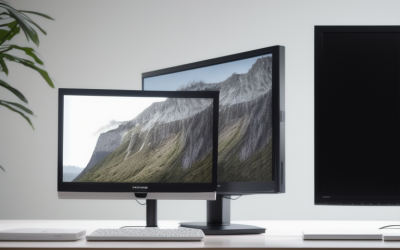
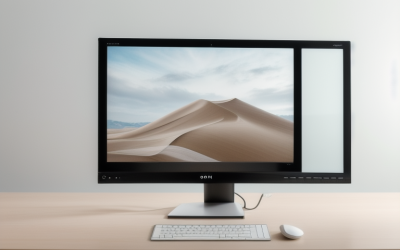
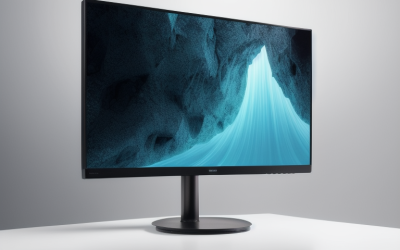
- Top Pick: BenQ RD280U 28.2” 4K 3840×2560 3:2 Programming Monitor, Eye-Care, Nano Matte Panel, Coding Modes, MoonHalo Backlight, 90W USB-C, KVM, VESA Mount, Developer Monitor
- Best Value: Samsung 27" (S30GD) Essential Monitor with IPS Panel | 100Hz Refresh Rate, Tilt Only Stand, Ergonomic Design, Advanced Eye Care, Game Mode, LS27D304GANXZA
- Premium Choice: BenQ RD320U 32” 4K 3840×2160 Programming Monitor with 2000:1 Contrast Ratio, Nano Matte Panel, Backlight, 90W USB-C, Coding Modes, Night Hours Protection, Ergonomic Design, and Eye-Care Technology
Programming punishes a monitor in ways that games and movies do not. You read dense text for hours, so sharpness, matte glare control, and comfortable ergonomics count for more than a high refresh rate or a fast response time. A taller panel shows more lines of code, a wider one fits an editor beside a terminal and a browser, and a USB-C port with power delivery can run a laptop from a single cable. The question is how much of that you want in your 2026 desk setup.
This guide is for developers, students, and hybrid workers choosing among ten monitors, from purpose-built coding displays to general 24 to 34 inch screens and gaming panels. Everything below comes from what each listing states, and the write-up notes where a gaming-oriented panel gives you refresh rate you may not need and where a plain office model gives you the text clarity you do.
Quick Picks
As an Amazon Associate we earn from qualifying purchases at no extra cost to you.




| Product | Best for | Key spec from the title |
|---|---|---|
| BenQ RD280U | Maximum lines of code on screen | 28.2 inch, 3840×2560, 3:2, 90W USB-C, KVM |
| Samsung S30GD 27″ | Basic IPS coding screen | 27 inch IPS, 100Hz, tilt-only stand |
| BenQ RD320U | Large 4K workspace | 32 inch 4K, 90W USB-C, coding modes |
| Sceptre 27″ Prime | Multi-input desk setups | 100Hz, DisplayPort, HDMI x2, 100% sRGB |
| Samsung ViewFinity S50GC | Editor, terminal, and docs side by side | 34 inch Ultra-WQHD, 100Hz, PIP and PBP |
| SANSUI 24 inch | Compact secondary screen | 24 inch FHD, HDMI and VGA, VESA compatible |
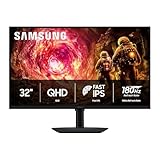
| Samsung Odyssey G5 | Coding by day and gaming at night | 32 inch QHD, 180Hz, Fast IPS, G-Sync compatible |
| BenQ RD320UA | 4K coding with MoonHalo backlight | 32 inch 4K, 90W USB-C, night hours protection |
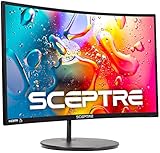
| Sceptre Curved 24″ | Small desks needing speakers | 1080p, curved R1500, HDMI x2 and VGA |
| ASUS ProArt PA278QV | Color-accurate text and design | 27 inch QHD, IPS, height adjustable |
How to Choose
Resolution and pixel density
Text clarity depends on pixels per inch. A 24 inch 1080p screen works out to roughly 92 pixels per inch, a 27 inch 1440p panel to about 109, a 32 inch 4K to about 138, and the 28.2 inch 3840×2560 BenQ to about 164. Higher density makes small fonts crisp but may need operating system scaling. If you code at 100 percent scaling, a 27 inch 1440p panel is a comfortable midpoint; 4K rewards you if you scale to 125 or 150 percent.
Aspect ratio and size
The 3:2 shape of the RD280U gives more vertical space than 16:9, so you see more lines without scrolling. A 34 inch Ultra-WQHD screen like the ViewFinity gives width instead, which suits a split between editor and documentation. Pick width if you work in side-by-side panes and height if you read long files.
Connectivity and ergonomics
A 90W USB-C port, as listed on the BenQ RD models, can charge a laptop and carry video over one cable, and the RD280U adds a KVM. Check for height adjustment and pivot, since a tilt-only stand such as the Samsung S30GD forces you to adjust your chair instead. VESA mounting, listed on several models, gives a path to a monitor arm.
Features worth ignoring
High refresh rates, 1ms response times, and game modes help gaming, not reading code, and a curved 24 inch panel with speakers is a convenience, not a quality signal. Budget screens often cut corners on stand adjustability, port variety, and anti-glare treatment. Prefer matte finishes and eye-care features that actually change the viewing experience, like flicker control or a night mode.
The 10 Best Options
BenQ RD280U
The RD280U is a 28.2 inch, 3840×2560, 3:2 display built for programming, with a nano matte panel, coding modes, MoonHalo backlight, 90W USB-C, KVM, and a VESA mount. It targets developers who value vertical space and a single-cable laptop link. The KVM function matters if you share one keyboard and mouse between a work laptop and a personal tower, since it avoids a second set of peripherals on a crowded desk.
- The 3:2 shape and high resolution show more code per screen.
- 90W USB-C and KVM simplify a laptop-plus-desktop workflow.
- Trade-off: it sits in the premium tier, with a size that may leave little room beside it.
Skip it if you want a wide gaming panel or an entry-level secondary screen.
Samsung 27″ S30GD Essential
This 27 inch IPS monitor lists a 100Hz refresh rate, a tilt-only stand, advanced eye care, and a game mode. It fits a student or entry-level developer who wants a clean IPS screen without extras like USB-C, and who plans to plug a laptop in over HDMI or DisplayPort. The title does not list a resolution, so check the spec sheet to see how sharp text will look at 27 inches.
- IPS panel offers wide viewing angles for text.
- Eye care features are listed alongside a 100Hz refresh.
- Trade-off: the stand only tilts, so height must be fixed with a mount or books.
Skip it if you need height adjustment or USB-C.
BenQ RD320U
A 32 inch 4K programming monitor with a 2000:1 contrast ratio, nano matte panel, backlight, 90W USB-C, coding modes, night hours protection, an ergonomic design, and eye-care technology. It suits developers who want a roomy 4K canvas for an IDE, a terminal, and a debugger without constant window shuffling, and who are fine adjusting scaling in the operating system for readable fonts.
- 4K at 32 inches works out to about 138 pixels per inch.
- Night hours protection and eye-care technology target long sessions.
- Trade-off: 32 inches needs desk depth to sit comfortably.
Skip it if your desk is shallow or you scale poorly at 4K.
Sceptre 27-inch Prime Gaming Monitor
This 27 inch panel lists 100Hz, 1ms, DisplayPort, two HDMI inputs, 100% sRGB, AMD FreeSync, built-in speakers, and an eye-care frameless design. It is a flexible pick for a desk with several devices, such as a work laptop, a console, and a desktop that all share one screen and need separate inputs, although the title says nothing about its resolution.
- Three video inputs cover multiple machines.
- 100% sRGB color is listed.
- Trade-off: its gaming focus offers little for reading text, and the resolution is not in the title.
Skip it if you need USB-C or a height-adjustable stand.
Samsung 34″ ViewFinity S50GC
An Ultra-WQHD 34 inch screen with a 100Hz refresh, 5ms response, HDR10, AMD FreeSync, eye care, a borderless design, and PIP and PBP modes. It suits developers who want an editor, a terminal, and a browser in one view. At about 110 pixels per inch it lands close to a 27 inch 1440p panel in sharpness, only wider, which keeps text readable without scaling.
- Ultra-WQHD width replaces a dual-monitor arrangement.
- PIP and PBP let two sources share the panel.
- Trade-off: it is wide, so check desk width and head movement.
Skip it if you prefer tall displays or limited desk space.
SANSUI 24 Inch Eye Care Monitor
A 24 inch FHD 1080p screen with HDMI and VGA, a 178 degree viewing angle, a frameless body, tilt, and VESA compatibility. It is a compact secondary screen for office and home use, a sensible fit for a student who needs a place to park documentation or chat next to a laptop and does not need a large main display.
- HDMI and VGA support older machines.
- VESA compatibility enables an arm.
- Trade-off: 1080p at 24 inches is about 92 pixels per inch, so text is less sharp.
Skip it if text sharpness matters most.
Samsung 32″ Odyssey G5 (G50F)
A 32 inch QHD gaming monitor with 180Hz, Fast IPS, HDR10, G-Sync compatibility, 1ms (GtG), AMD FreeSync, and an adjustable stand. It suits someone who codes in the day and games after hours, a mixed-use plan where the refresh rate does gaming work and the QHD resolution gives a reasonable amount of room for an editor and a browser.
- QHD gives more room than 1080p at a large size.
- The adjustable stand helps ergonomics.
- Trade-off: QHD at 32 inches is about 92 pixels per inch, softer than 4K.
Skip it if you want the crispest possible text.
BenQ RD320UA
A 32 inch 4K programming monitor with a 2000:1 contrast ratio, nano matte panel, MoonHalo, 90W USB-C, coding modes, night hours protection, an ergonomic stand, and eye-care technology. It is the sibling of the RD320U, distinguished by MoonHalo in the title. Pick between the two by reading the manufacturer pages for the lighting and stand differences, since both titles share the same core panel and coding feature list.
- 90W USB-C charges a laptop over one cable.
- Coding modes and night hours protection suit long sessions.
- Trade-off: the size and 4K scaling need desk room and settings tweaks.
Skip it if you prefer a smaller screen.
Sceptre Curved 24-inch Gaming Monitor
A curved 24 inch 1080p screen with R1500 curvature, 98% sRGB, two HDMI inputs, VGA, built-in speakers, and a VESA wall mount. It suits a small desk or a secondary display where the speakers spare you from adding a separate pair, and the wall-mount pattern leaves room to free up the desktop later.
- Two HDMI plus VGA allow several devices.
- Built-in speakers save desk clutter.
- Trade-off: curvature can distort straight lines in code and diagrams.
Skip it if you want a flat panel or high pixel density.
ASUS ProArt PA278QV
A 27 inch 1440p QHD professional monitor, Calman Verified, IPS, height adjustable, with 100% sRGB, eye care, anti-glare, an ergonomic stand, and Rec.709 coverage. It suits developers who also edit images or design interfaces, since the Calman Verified label and Rec.709 mention point to color accuracy rather than gaming flash. The anti-glare note also helps in bright home offices.
- Height adjustment and ergonomic stand are listed.
- Anti-glare and color accuracy help UI work.
- Trade-off: the title lists no USB-C.
Skip it if you need a single-cable laptop link.
Which One Fits Your Situation
Laptop plus one cable
The BenQ RD280U, RD320U, and RD320UA all list 90W USB-C. Choose the RD280U for height and the RD320U for a larger 4K screen.
Editor and docs side by side
The Samsung 34″ ViewFinity S50GC offers wide Ultra-WQHD with PIP and PBP.
Coding and gaming on one screen
The Samsung Odyssey G5 adds 180Hz and G-Sync compatibility to a QHD panel.
Small desk or second screen
The SANSUI 24 inch is the compact choice, while the ASUS ProArt PA278QV brings a height-adjustable stand for a main display.
Common Mistakes
- Chasing refresh rate and response time when text clarity is the goal.
- Ignoring OS scaling when moving to 4K.
- Choosing a tilt-only stand without a plan for height.
- Buying a curved panel and then drawing diagrams on it.
- Forgetting to check that your laptop supports USB-C video and charging.
Related guides
- Aio Liquid Coolers For High Performance Gaming
- How To Lower Input Delay In Competitive Shooters
- External Hard Drives For Music Production
Frequently Asked Questions
Is 4K necessary for programming?
No. A 27 inch 1440p panel is a comfortable choice, though 4K gives crisper text when scaled.
Are ultrawide monitors good for coding?
Yes, if you like panes side by side. A 34 inch Ultra-WQHD screen can replace two smaller displays.
Is a high refresh rate needed for coding?
Not for code. A 60Hz to 100Hz panel is plenty, and the extra speed matters only if you also game.
What is a nano matte panel?
It is an anti-glare surface treatment named in the BenQ listings, intended to reduce reflections in bright rooms.