Best Graphics Cards (GPUs) on the Market
The best graphics cards GPUs in market are the GeForce RTX 5070 Ti for high-refresh 1440p, Radeon RX 9070 XT for strong raster performance and value, GeForce RTX 5080 for premium 4K, and GeForce RTX 5090 for the fastest uncompromised gaming available in 2026.
There is no single best GPU for every PC. The right choice depends on your monitor resolution, ray-tracing expectations, power supply, case airflow, preferred upscaling technology, and whether you want to keep the card for several years.
As an Amazon Associate we earn from qualifying purchases at no extra cost to you.


Quick comparison of the leading GPUs
| GPU | VRAM | Typical board power | Best target | Upscaling and frame generation | Typical market range |
|---|---|---|---|---|---|
| GeForce RTX 5090 | 32GB GDDR7 | 575W | 4K ultra, path tracing, high-refresh 4K | DLSS Super Resolution, Ray Reconstruction, Multi Frame Generation | Usually $2,000–$2,500 |
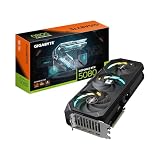
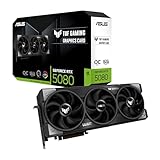
| GeForce RTX 5080 | 16GB GDDR7 | 360W | 4K gaming and demanding ray tracing | DLSS Super Resolution and Multi Frame Generation | Usually $1,000–$1,300 |
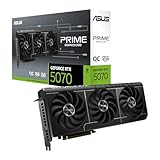
| GeForce RTX 5070 Ti | 16GB GDDR7 | 300W | 1440p ultra and entry-level 4K | DLSS Super Resolution and Multi Frame Generation | Usually $750–$950 |
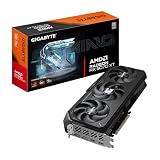
| Radeon RX 9070 XT | 16GB GDDR6 | 304W | 1440p ultra and value-focused 4K | FSR, including supported FSR 4 titles | Usually $650–$800 |
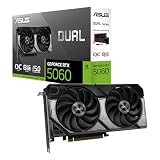
| GeForce RTX 5070 | 12GB GDDR7 | 250W | High-refresh 1440p | DLSS Super Resolution and Multi Frame Generation | Usually $550–$700 |
| Radeon RX 9070 | 16GB GDDR6 | 220W | Efficient 1440p and occasional 4K | FSR, including supported FSR 4 titles | Usually $550–$700 |
| Radeon RX 9060 XT 16GB | 16GB GDDR6 | 160W | 1440p with sensible settings | FSR and supported FSR 4 titles | Usually $350–$450 |
| Intel Arc B580 | 12GB GDDR6 | 190W | Affordable 1080p and 1440p | XeSS and frame-generation support in compatible games | Usually $250–$350 |
Board power is not the same as the power supply rating. Factory-overclocked cards can also draw more power than the reference figure, so leave headroom for the CPU and transient spikes.
Best GPU by gaming resolution
1080p: Radeon RX 9060 XT 16GB or Intel Arc B580
For a new 1080p gaming PC, the RX 9060 XT 16GB is the safer long-term choice. Its large VRAM capacity helps with high-resolution texture packs, while its 160W power target makes cooling relatively easy. It is suitable for high settings at high refresh rates, although demanding ray tracing may require FSR or reduced effects.
The Intel Arc B580 is attractive when its price is substantially lower. Its 12GB of VRAM is useful at this resolution, and XeSS can improve performance in supported games. Intel’s newer Arc generation is much more practical than early Arc cards, but game-specific driver behavior still makes the RX 9060 XT the more predictable recommendation for a broad library.
1440p: GeForce RTX 5070 Ti or Radeon RX 9070 XT
The RTX 5070 Ti is the better all-rounder if you use ray tracing, want DLSS, or play games that support Nvidia’s frame-generation features. Its 16GB of GDDR7 and strong ray-tracing hardware give it enough room for demanding 1440p ultra settings.
The RX 9070 XT is usually the better value when conventional rasterized performance matters most. It also has 16GB of VRAM and can handle 1440p ultra without relying on upscaling in many games. Its disadvantage is a wider gap behind Nvidia when heavy path tracing or advanced ray-traced lighting is enabled.
For competitive games, both cards are more than sufficient. Pair either with a fast six- or eight-core processor and a 1440p monitor running at 165Hz or higher.
4K: GeForce RTX 5080 or Radeon RX 9070 XT
The RTX 5080 is the stronger premium 4K choice. DLSS can render internally at a lower resolution and reconstruct a sharp 4K image, while Multi Frame Generation can increase displayed frame rates in supported games. This is particularly useful when the native rendering rate is already reasonably high.
The RX 9070 XT can be an excellent 4K value option, but you will more often need a combination of FSR, optimized shadows, and reduced ray-tracing settings. Its 16GB framebuffer is adequate today, though a 4K card intended for very long ownership benefits from more memory.
The RTX 5090 is for buyers who want maximum performance rather than maximum value. It is the only sensible choice among these cards for exceptionally demanding 4K path tracing, heavy creator workloads, or high-refresh 4K gaming with minimal compromises.
Ray tracing, VRAM, and upscaling: what changes the decision?
Ray tracing
Nvidia remains the safer choice for games built around intensive ray tracing and path tracing. The RTX 5070 Ti is the practical starting point for high-quality 1440p ray tracing; the RTX 5080 is better suited to 4K. The RTX 5090 is appropriate when path tracing is a priority rather than an occasional visual feature.
AMD’s RX 9070 and RX 9070 XT deliver strong conventional rendering performance, but ray-tracing-heavy games can reduce their value advantage. They make the most sense when you prefer higher native-raster performance and are comfortable lowering reflections, global illumination, or shadow quality.
VRAM
VRAM requirements depend on texture quality, resolution, ray-tracing buffers, mods, and the game engine. A useful planning rule is:
- 1080p: 8GB is workable, but 12GB is more comfortable for new purchases.
- 1440p: 12GB is a practical minimum for a multi-year card; 16GB is preferable.
- 4K: 16GB should be the baseline, while 24GB or more is preferable for extreme textures and long ownership.
VRAM is not the same as performance. A slower 16GB card does not automatically outperform a faster 12GB card, but insufficient VRAM can cause texture pop-in, stuttering, or a need to lower texture quality.
Upscaling and frame generation
DLSS is a major reason to choose an RTX card. It combines upscaling with strong game support and, on RTX 50-series cards, Multi Frame Generation. Frame generation works best when conventional rendered frame rates are already around 60fps or higher; using it to disguise a 30fps base rate can increase latency and produce less consistent motion.
FSR is available across more hardware, making AMD cards flexible in mixed-component systems. FSR 4 can improve image quality in supported games, but support is not universal. Intel’s XeSS is also effective in compatible titles and gives the Arc B580 a useful performance option.
Power, cooling, and case compatibility
High-end GPU selection should include a power-budget calculation. For example, an RTX 5080 rated at 360W paired with a 125W processor might appear to require only 485W. Add approximately 100W for motherboard, drives, fans, USB devices, and transient headroom:
360W GPU + 125W CPU + 100W system allowance = 585W estimated peak.
A quality 750W power supply is a sensible minimum for that configuration, while an 850W unit gives more margin for a high-power processor or factory-overclocked card. An RTX 5090 system should generally use a high-quality 1,000W or larger supply, depending on the processor and the card’s specific design.
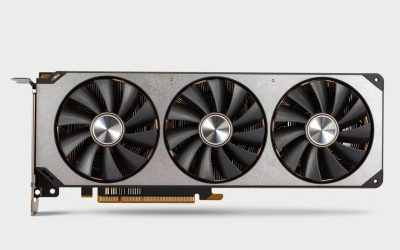
Cooler design matters as much as the GPU name. Large triple-fan cards usually offer lower temperatures and quieter sustained gaming, but they may occupy three or more slots. Compact dual-fan models fit smaller cases but can run louder. Check the card’s length, thickness, power-connector clearance, radiator position, and case airflow before buying.
Decision matrix: which card fits your situation?
| Your situation | Recommended choice | Why |
|---|---|---|
| 1080p, low budget, standard raster gaming | Intel Arc B580 | 12GB VRAM and strong value when priced well |
| 1080p or 1440p, quiet and efficient PC | Radeon RX 9060 XT 16GB | Low 160W board power and generous memory |
| 1440p ultra with ray tracing | GeForce RTX 5070 Ti | Balanced performance, 16GB VRAM, and DLSS |
| 1440p raster performance per dollar | Radeon RX 9070 XT | Strong conventional rendering and 16GB VRAM |
| 4K with advanced ray tracing | GeForce RTX 5080 | Better ray tracing and DLSS support |
| Maximum 4K performance and longevity | GeForce RTX 5090 | 32GB VRAM and the highest performance ceiling |
How to choose without overspending
- Match the GPU to the monitor first. Do not pay for an RTX 5090 if you only play 1080p at 60Hz.
- Choose 16GB rather than 8GB when the price difference is reasonable and you plan to keep the card for several years.
- Prioritize Nvidia if ray tracing, DLSS, streaming features, or creator applications are central to your use.
- Prioritize AMD if raster performance, VRAM capacity, and purchase value matter more than maximum ray-tracing performance.
- Verify the power supply, case clearance, and connector arrangement before selecting a specific manufacturer model.
- Compare total platform cost, including a suitable power supply and monitor, rather than comparing GPU prices alone.
Final verdict
For most enthusiasts, the GeForce RTX 5070 Ti is the most complete 1440p package, while the Radeon RX 9070 XT is the strongest value-oriented alternative. The GeForce RTX 5080 is the premium 4K recommendation, and the RTX 5090 is reserved for buyers who want the fastest card and can accept its power, size, and price. Budget buyers should consider the Radeon RX 9060 XT 16GB or Intel Arc B580 according to game compatibility and current market pricing.